Bridging Operating System Barriers with Professional-Grade File System Access
The control of the Linux ext2, ext3 and ext4 file systems in various operating platform poses a major work flow compatibility problem to the developers, system administrators and even dual-boot users. Paragon extFS becomes the solution of choice featuring native-level performance and ensuring the integrity of data between the macOS and Windows platform.
Understanding ExtFS Technology and Implementation
Ext file system family is the main storage system in Linux that is characterized by excellent journaling facility and permission handling. These formats are however not supported by neither macOS nor Windows and pose a vital accessibility barrier to cross-platform workflows. Paragon extFS uses proprietary Universal File System Driver (UFSD) technology to provide flawless integration with zero loss to system stability or performance indices.
Core Functionality and Professional Features
Full Read-Write Support: Paragon extFS also supports access to Linux partitions without limitations, supports files over 4GB and does not lose any metadata such as symbolic links, hard links, and extended attributes.
Performance Optimization: With the integration of the software on a kernel level and optimized caching, the software can match native file system performance in terms of transfer speed. Benchmarking In the real world, sustained throughput on an equal level with HFS+ on macOS and NTFS on Windows.
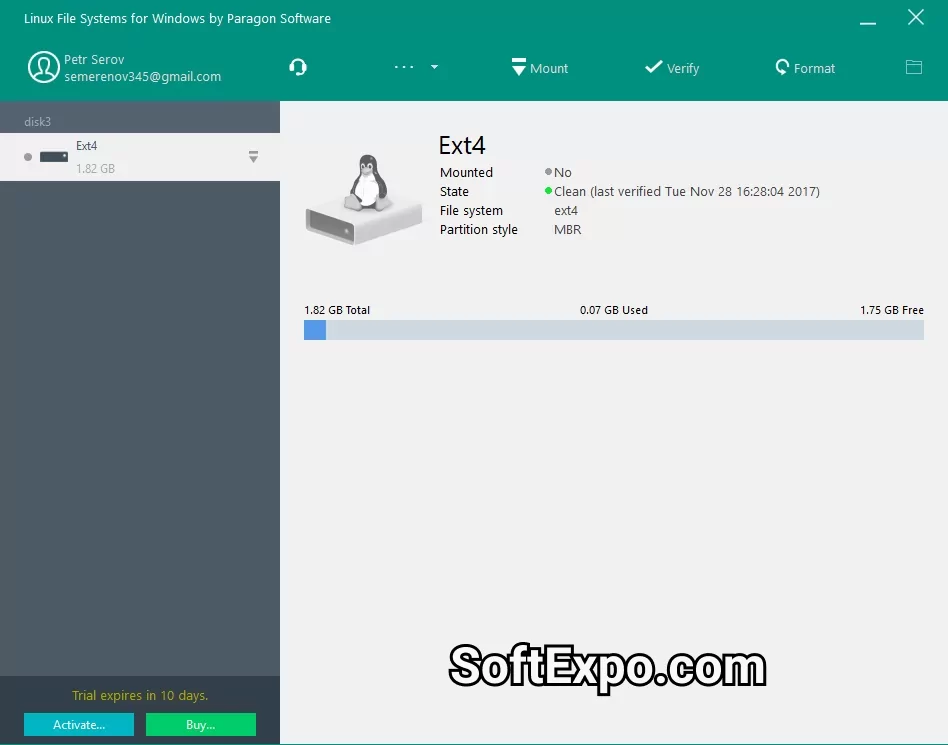
Integration of volume management: The volume management capabilities are fully integrated into the professional user interface to provide disk utility functions such as partition checks, recovery, and formatting of disks in the familiar operating system interfaces. The solution is compatible with Mac OS Disk Utility and Windows Disk management consoles.
Platform-Specific Implementation Strategies
macOS Deployment Considerations
Paragon extFS for Mac delivers full compatibility with Apple Silicon architecture, supporting M1, M2, M3, and M4 processors while maintaining backward compatibility with Intel-based systems through macOS Sequoia. The menu bar application provides instant volume mounting with advanced options including Spotlight indexing support and automatic mount configuration at system startup.
Windows Environment Integration
The Windows implementation enables immediate access to ext2, ext3, and ext4 partitions through standard File Explorer integration, eliminating complex configuration requirements. Logical Volume Management (LVM) support ensures enterprise-grade flexibility for complex storage configurations.
Technical Specifications and System Requirements
macOS Requirements:
Operating System: macOS 10.14 Mojave through current Sequoia
Architecture: Intel x86-64 or Apple Silicon (ARM64)
Storage: Minimum 50MB installation footprint
Windows Requirements:
Operating System: Windows 10/11 (64-bit)
Framework: .NET Framework 4.8 or higher
Administrator privileges for driver installation
Practical Workflow Applications
Development Environments: Software engineers working with containerized Linux applications benefit from direct repository access without virtual machine overhead. Cross-compilation workflows achieve significant performance improvements through native file system speeds.
Data Recovery Scenarios: IT professionals leverage extFS for forensic analysis and recovery operations on Linux-formatted drives removed from failed systems or NAS devices. The ability to mount volumes without booting into Linux expedites critical data retrieval processes.
Multi-Boot Configuration Management: Users maintaining dual-boot systems achieve seamless data sharing between operating systems, eliminating redundant storage requirements and synchronization complexities.