Data loss is a significant issue that bothers people and companies dealing with digital resources. Recovery software needs to provide the same level of consistency across the board, regardless of the type of situation it has to be used, whether it is accidental deletion, system crash, formatted disk, or corrupted partition. 4DDiG Data Recovery carves out a niche in that it provides excellent consistency in all situations, regardless of the file format.
Core Technical Capabilities
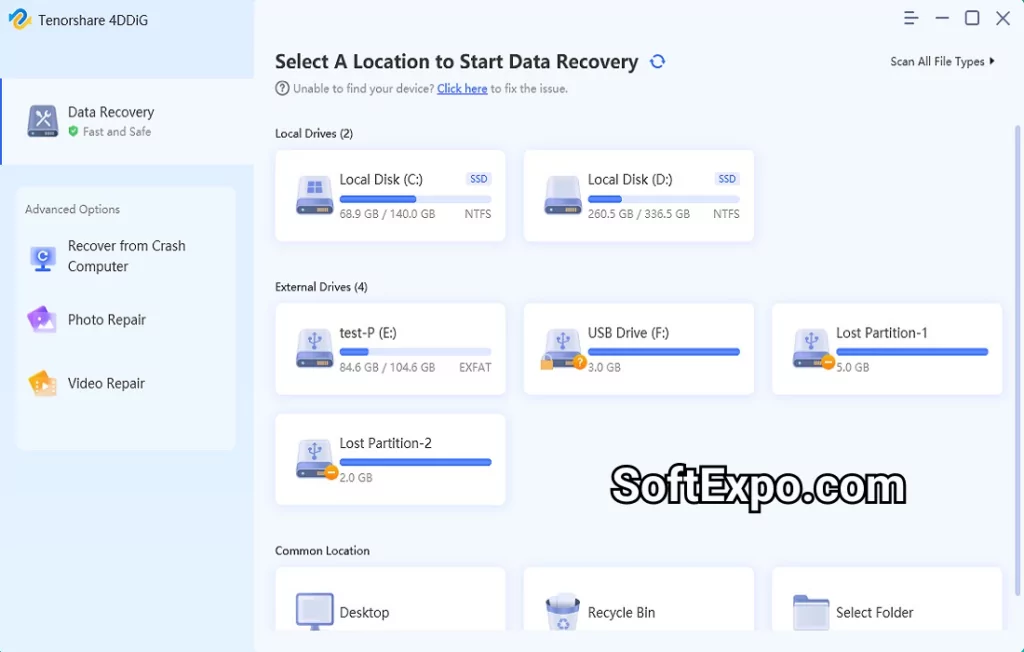
File System Compatibility 4DDiG operates across multiple file systems including NTFS, FAT32, exFAT, HFS+, and APFS, ensuring broad device compatibility. The software recovers data from internal drives, external HDDs, SSDs, USB flash drives, SD cards, and digital cameras from manufacturers like Canon, Sony, and SanDisk.
Recovery Scenarios The platform handles complex recovery situations including:
Shift+Delete permanent deletions
Formatted partition restoration
RAW file system recovery
System crash data retrieval
Virus-damaged file restoration
Lost partition recovery
File Format Support Supporting over 2000 file types, 4DDiG recovers documents (DOC, XLSX, PDF), images (JPG, PNG, CR2, NEF), videos (MP4, MOV, AVI), and specialized formats used in professional workflows. This extensive library ensures compatibility with industry-standard applications.
Implementation Strategy
Scanning Architecture The dual-scan approach offers Quick Scan for recently deleted files and Deep Scan for comprehensive sector-level analysis. Advanced algorithms analyze disk clusters to reconstruct fragmented files, improving recovery rates for severely damaged storage media.
Performance Optimization
Parallel processing for multi-core systems
Real-time preview during scanning
Selective file type filtering
Session save/resume functionality
Memory-efficient processing for large drives
User Workflow
Select target drive or specific location
Configure file type filters (optional)
Initiate appropriate scan mode
Preview recoverable files
Select and restore to secure location
Professional Features
Bootable Recovery Media Create WinPE bootable disks for system-level recovery when operating systems fail to boot. This feature enables data retrieval from completely unresponsive systems.
AI-Enhanced Repair Beyond simple recovery, 4DDiG incorporates AI algorithms for repairing corrupted photos and videos. This technology reconstructs damaged file headers and structures, restoring playability to multimedia files.
Cloud Recovery Integration Direct recovery from OneDrive and Dropbox extends capabilities beyond local storage, addressing modern hybrid storage architectures.
Practical Deployment Considerations
System Requirements
Minimum: 8GB RAM, dual-core processor
Recommended: 16GB RAM, quad-core processor
Storage: 200MB installation, additional space for recovered files
OS: Windows 11/10/8.1/7, macOS 10.10+
Recovery Best Practices
Cease drive usage immediately after data loss
Install recovery software on separate drive
Recover files to different partition/drive
Maintain regular backup protocols
Document recovery procedures for compliance
Licensing and Value Analysis
Edition Comparison
Free version: 2GB recovery limit, full preview capabilities
Professional: Unlimited recovery, priority support
Enterprise: Multi-seat licensing, advanced features
The freemium model allows thorough evaluation before purchase, with the free tier sufficient for small-scale recoveries. Professional licenses offer lifetime updates and technical support, important for mission-critical deployments.