Description
Embroidery enthusiasts often reach a point where machine-generated designs need customization, leading them to search for reliable editing software. Two of the most discussed options in the industry are Embrilliance Essentials and S&S Computing's SewWhat Pro. This comparison breaks down their specific capabilities, workflows, and value propositions to help you decide which tool fits your embroidery goals.
Embrilliance Essentials
Developed by BriTon Leap, Embrilliance Essentials is part of a modular platform designed for flexibility and ease of use. It operates on a unique system where one program file (the platform) runs various features based on the serial numbers you add. Essentials is the core module, providing fundamental editing tools that many users rely on daily.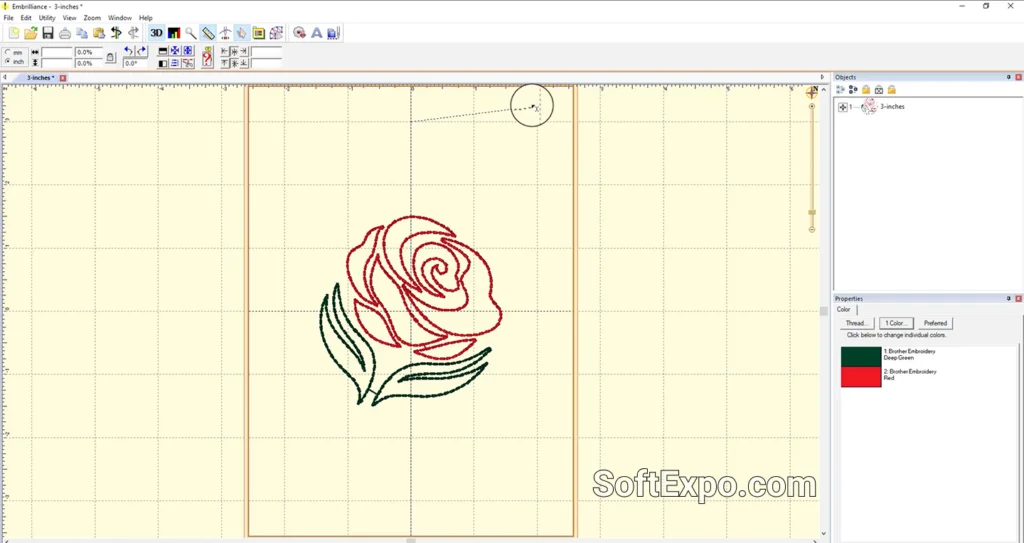
- Native Font Support: Famous for its BX font system, allowing you to type text using keyboard fonts rather than merging individual letter files one by one.
- Automatic Stitch Recalculation: When you resize a design, the software automatically adds or subtracts stitches to maintain the correct density, eliminating the need for manual adjustments.
- Multi-Install License: A single license allows installation on multiple computers, making it convenient for users who work on both a desktop and a laptop.
Pricing Model: Paid software, typically retailing between $139 and $169 depending on active sales. It is a one-time purchase with no subscription fees.
Best Suited For: Users who frequently add names or phrases to projects and want a stress-free experience when resizing designs. It is ideal for those who prefer a modern interface that handles technical stitch calculations automatically.
S&S Computing SewWhat Pro
SewWhat Pro (often abbreviated as SWP) is a streamlined editor created by S&S Computing. It is widely known for being lightweight and highly effective for file conversion and editing. The interface provides a utilitarian, direct approach to managing embroidery files, making it a favorite among users who need specific utility functions without a high price tag.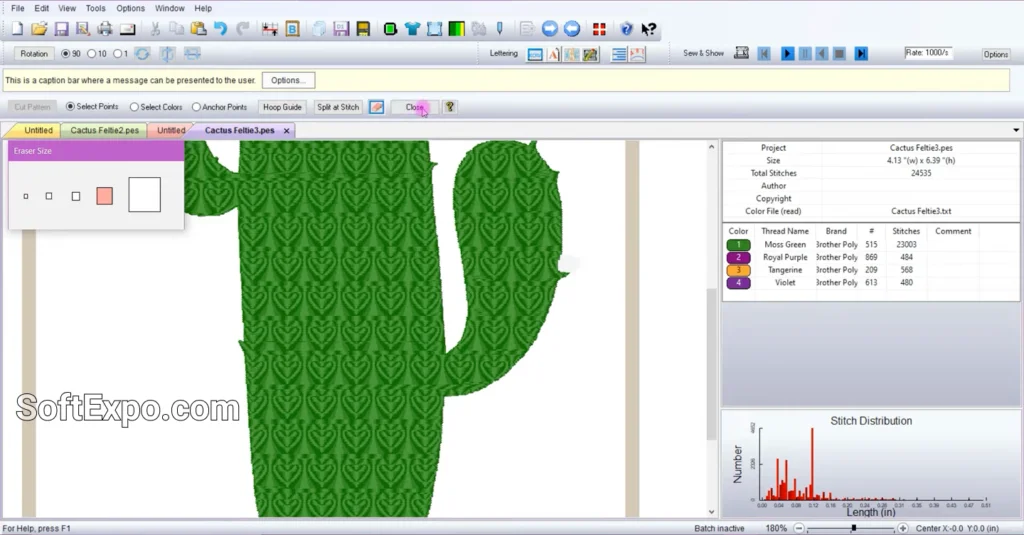
- Extensive File Conversion: capable of reading over 30 different file formats and writing to roughly 20, making it an excellent bridge between different machine brands.
- Manual Editing Control: Offers specific tools to split patterns, delete individual stitches, and reorder thread colors with granular control.
- Integrated Project Management: Includes features to track thread palettes and edit file properties, which is helpful for organizing large libraries of designs.
Pricing Model: Paid software, generally priced around $65. It offers a 30-day free trial, allowing users to test full functionality before buying.
Best Suited For: Budget-conscious hobbyists and those running small businesses who need a reliable tool for converting files, merging designs, and performing specific edits like splitting patterns for multi-hooping.
Key Differences
While both programs allow you to merge and edit designs, their approach to resizing varies significantly. Embrilliance Essentials processes stitch recalculation automatically in the background; if you shrink a design by 50%, it removes stitches instantly to prevent needle breaks. SewWhat Pro includes density adjustment tools, but the process often requires more user input and attention to settings to ensure the stitch count matches the new size effectively.
The font workflow is another major differentiator. Embrilliance utilizes the BX format, which maps embroidery alphabets to your computer keyboard. You type a name, and it appears as an embroidery object. In SewWhat Pro, unless you are using pre-installed system fonts, you often have to merge each letter of an embroidery alphabet as a separate design file and align them manually.
User Interface design philosophies also differ. Embrilliance Essentials presents a modern, icon-driven workspace that feels consistent with contemporary Windows 10 and 11 applications. SewWhat Pro utilizes a classic, menu-heavy interface that some users find less intuitive initially, though many appreciate its no-nonsense, functional layout once learned.
Which Should You Choose?
Choose Embrilliance Essentials if you... prioritize ease of use and plan to do a lot of personalization with names and text. The higher cost is justified by the time saved through automatic stitch recalculation and the efficient BX font system. It is also the better choice if you switch between different computers frequently.
Choose S&S Computing SewWhat Pro if you... are looking for a cost-effective solution to convert formats and perform standard edits. It is a strong contender for users who are comfortable with a more technical interface and want a lightweight tool to prepare purchased designs for their machine without spending over $100.

Best Backup Solutions For Small Business

Best Tools For 3D Animation