Description
In the world of Windows file management, two long-standing veterans continue to vie for the top spot: Total Commander and EF Commander. Both tools solve the same fundamental problem—replacing the inefficient Windows File Explorer with a powerful, dual-pane interface designed for speed and complex file operations. This comparison breaks down the differences between these two shareware giants to help power users, IT professionals, and digital hoarders decide which tool deserves a place on their taskbar in 2026.
Total Commander
Developed by Christian Ghisler since 1993, Total Commander (formerly Windows Commander) is widely considered the gold standard for orthodox file managers. It prioritizes function over form, offering a utilitarian interface that is extremely fast, stable, and completely customizable.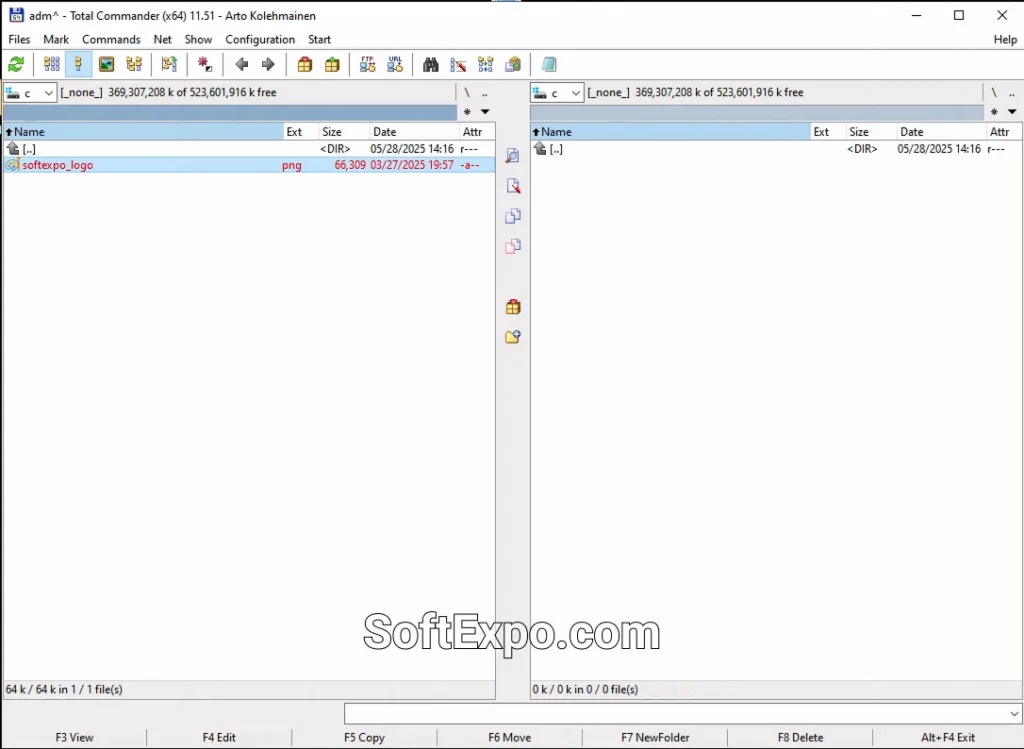
- Lifetime License Model: Once you purchase a license, you are entitled to free updates for life—a policy that has remained unchanged for over 30 years.
- Plugin Ecosystem: It boasts an unmatched library of community-created plugins, allowing it to open virtually any file format or connect to any cloud service.
- Keyboard Efficiency: The entire interface is designed to be navigated without a mouse, making it incredibly efficient for power users who memorize shortcuts.
- Robust Connectivity: Features a built-in FTP/FTPS client that is highly reliable for web management.
Pricing Model: Shareware with a virtually unlimited trial (nag screen at launch). A lifetime license costs approximately €42 / $45 USD.
Best Suited For: IT administrators, developers, and power users who value speed and long-term value over modern aesthetics.
EF Commander: Who is the real commander
EF Commander, developed by EFSoftware, is another veteran contender that offers a similar dual-pane experience but with a slightly different focus. While it shares the classic "commander" look, it aims to be more of a multimedia-friendly all-in-one station out of the box, reducing the need for external viewers or players.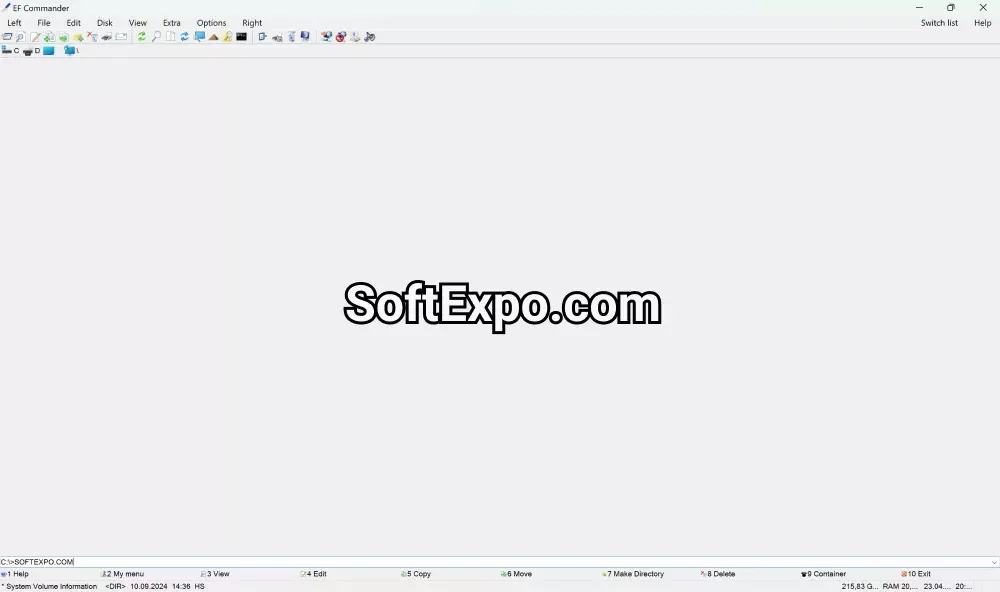
- Integrated Media Capabilities: Unlike its competitor, it includes a robust built-in media player that handles audio and video files efficiently without needing extra configuration.
- Disc Burning Integration: It features built-in support for burning data to CDs/DVDs (requires Nero Burning ROM), a feature that appeals to users managing physical backups.
- Direct Device Links: Offers unique features for connecting directly to external devices and PDAs, maintaining compatibility with a wide range of hardware.
- Visual Customization: Provides a slightly more "graphical" approach to file icons and thumbnails compared to the strict text-heavy default of Total Commander.
Pricing Model: Shareware with a 30-day trial. A single-user license costs $36 USD.
Best Suited For: General power users who manage large collections of media files and prefer a tool that plays audio/video content natively.
Key Differences
Licensing and Value
The most significant difference lies in the upgrade model. Total Commander's license is a one-time purchase that covers every future version. If you bought it in 1995, your key still works for the 2026 version (v11.56). EF Commander typically follows a more traditional version-based model, where major updates (like moving to the 2026 edition) may require a new license fee or upgrade cost.
Plugin Architecture vs. Built-in Features
Total Commander relies heavily on its plugin community. If you want to view a specific database file or play a rare video format, you download a plugin. EF Commander attempts to pack more functionality directly into the installer. For example, its internal viewer is more media-centric immediately after installation, whereas Total Commander is leaner until you customize it.
User Interface Philosophy
Total Commander is unapologetically old-school; it looks like a Windows 95 app until you skin it, but it is incredibly responsive. EF Commander (v25.30) tries to bridge the gap with a slightly more modern look and better high-DPI support for newer monitors out of the box, though both remain distinctively retro compared to modern "Explorer" replacements.
Which Should You Choose?
Choose Total Commander if you... want the absolute best value for your money and a tool that grows with you. It is the superior choice for technical users who need a rock-solid FTP client, extensive plugin support, and the guarantee that they will never have to pay for an update again.
Choose EF Commander: Who is the real commander if you... prefer a file manager that handles music and video files natively and includes ease-of-use features like disc burning integration. It is a strong contender for users who want advanced file management but prefer a tool that feels more like a media center than a developer console.

Best Backup Solutions For Small Business

Best Tools For 3D Animation