Description
Finding the right Adobe After Effects alternatives for video editing involves balancing power, workflow, and budget. While Adobe's industry standard dominates motion graphics, many creators seek options that offer similar compositing capabilities without the monthly subscription or with a different interface approach. Whether you are a professional visual effects artist or a beginner looking to create 2D animations, the market now offers specialized tools that rival and sometimes exceed the capabilities of After Effects.
When choosing an alternative, consider your primary need: do you require a layer-based system similar to After Effects, or are you ready to transition to a node-based workflow used in high-end cinema? Budget is also a major factor, as options range from completely free open-source software to premium industry suites. The following list covers the top tools available for Windows 10 and Windows 11 in 2026.
DaVinci Resolve
Blackmagic Design has positioned DaVinci Resolve as a comprehensive post-production studio that combines editing, color correction, and visual effects in a single application. While originally known for color grading, its integrated Fusion tab provides a complete 3D workspace for compositing, widely used in film and television production. The interface allows users to switch between editing and effects tasks without exporting files, streamlining the creative process for Windows users.
- Integrated node-based compositing environment (Fusion).
- Advanced color grading tools combined with VFX.
- Multi-user collaboration features for studio environments.
- Includes Fairlight for professional audio post-production.
Best for: Editors who need professional compositing and color grading in one package.
Pricing: Free standard version; Studio version is a one-time purchase ($295).
Natron
Natron is an open-source compositor that offers a node-based workflow highly reminiscent of high-end commercial tools like Nuke. It is designed to handle 2D and 2.5D compositing tasks, making it a viable option for users who want to learn professional VFX workflows without the cost. Although development has been slower in recent years, it remains a capable tool for tasks such as keying, rotoscoping, and tracking on Windows systems.
- Flexible node-based architecture for complex visual effects.
- Support for OpenFX plugins to expand functionality.
- Real-time playback and rendering capabilities.
- Standard tools for roto, keying, and tracking included.
Best for: Students and hobbyists wanting to learn node-based compositing for free.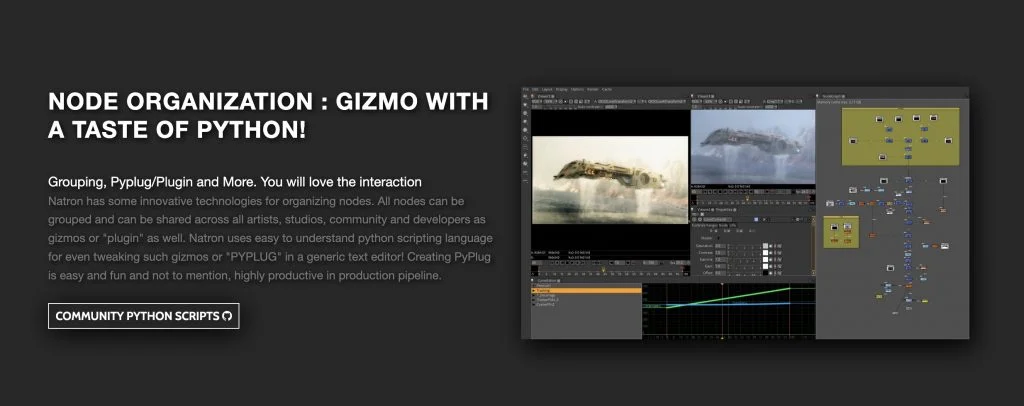
Pricing: Free (Open Source).
Blender
While primarily recognized as a 3D modeling and animation suite, Blender includes a fully functional built-in compositor and video editor. Its node-based compositing engine is deeply integrated with its 3D pipeline, allowing for real-time post-processing of rendered frames. With recent updates, the real-time viewport compositing has made it an increasingly popular choice for motion designers who combine 3D assets with 2D effects.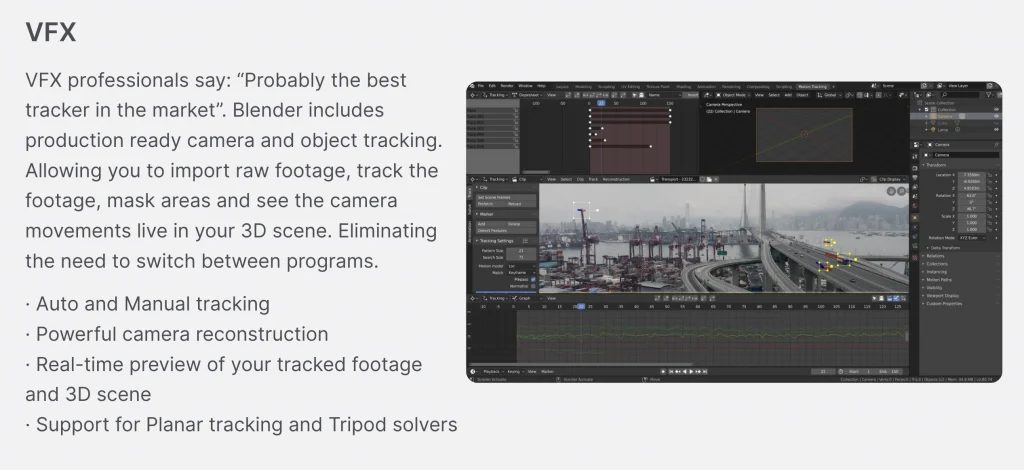
- Complete 3D content creation suite with sculpting and rigging.
- Real-time viewport compositing for instant feedback.
- Integrated video sequence editor for basic cuts and assembly.
- Extensive Python API for workflow automation.
Best for: 3D artists who need to composite renders and motion graphics without leaving the 3D environment.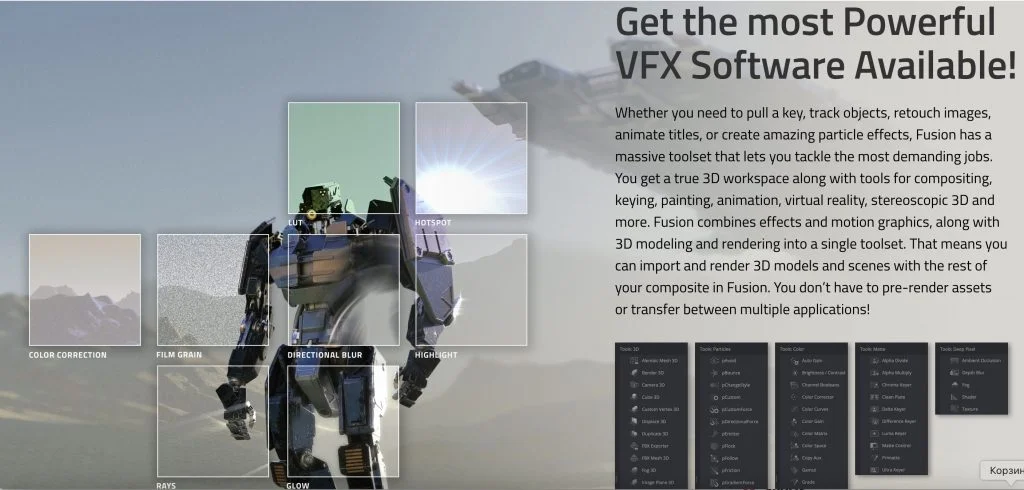
Pricing: Free (Open Source).
Fusion (Free Version)
Fusion is the standalone compositing engine powering the effects in DaVinci Resolve, but it is often discussed as a distinct alternative to After Effects due to its pure focus on VFX. The free version, accessible within the free version of Resolve, offers nearly all the features of the paid Studio version, including unlimited resolution output and a vast library of tools. It utilizes a node-graph workflow that excels at handling complex composites that would become cluttered in a layer-based timeline.
- True 3D workspace for combining live action with 3D models.
- Advanced keying, particle systems, and 3D text tools.
- Vector paint and rotoscoping capabilities.
- Resolution independent workflow.
Best for: Compositors looking for a dedicated, professional-grade node-based environment at no cost.
Pricing: Free (integrated into DaVinci Resolve).
Cavalry
Cavalry is a dedicated 2D animation and motion graphics tool that has gained traction as a modern, procedural alternative to After Effects. Unlike traditional keyframe-heavy workflows, Cavalry uses a procedural system that allows users to drive animation through data and mathematical behaviors. This approach makes it exceptionally efficient for versioning and handling complex motion design projects where changes need to propagate instantly across multiple elements.
- Procedural workflow for efficient motion design.
- Real-time playback for complex vector animations.
- Data-driven animation capabilities (e.g., via CSV or Google Sheets).
- Rich set of deformers and behaviors for 2D shapes.
Best for: Motion graphics designers focused on 2D vector animation and data visualization.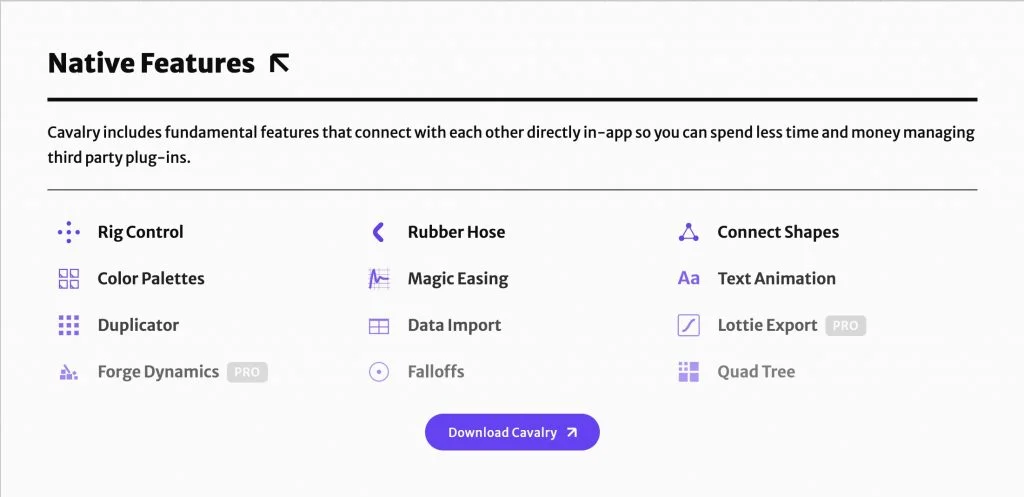
Pricing: Free Starter version; Professional subscription available.
HitFilm
HitFilm is unique among alternatives as it closely mimics the layer-based editing and compositing workflow that After Effects users are accustomed to. It combines a non-linear editor with a dedicated composite shot timeline, making it very easy for beginners to grasp. The software includes a vast library of drag-and-drop effects and presets, making it a favorite for YouTubers and indie filmmakers who need quick, high-quality visual effects on Windows.
- Layer-based compositing workflow familiar to AE users.
- Combined video editing and VFX interface.
- Large library of built-in effects, including muzzle flashes and lighting.
- 3D camera tracking and model import in higher tiers.
Best for: Indie filmmakers and YouTubers who prefer a layer-based workflow.
Pricing: Free version available; Pro version via subscription.
The Foundry Nuke
Nuke is the industry standard for high-end film and television compositing, used by major studios worldwide. It offers an unparalleled node-based workflow designed to handle massive scripts and high-resolution footage with stability. While it has a steep learning curve and a high price point, it provides the ultimate control over every pixel, making it the target upgrade for professionals moving beyond the limitations of prosumer software.
- Industry-standard node-based compositing.
- Deep compositing support for working with volumetric data.
- Advanced 3D workspace and projection mapping.
- Python and C++ API for pipeline integration.
Best for: Professional VFX artists working in film and high-end commercial production.
Pricing: Premium subscription (approx. $3,000+/year).
Choosing the Right Tool
Selecting the best After Effects alternative depends largely on your specific industry and budget. For motion graphics and 2D animation, Cavalry offers a modern, efficient approach. If you are looking for a direct layer-based substitute for VFX work, HitFilm provides the smoothest transition. For those aiming to enter the professional film industry, learning the node-based workflows of DaVinci Resolve (Fusion) or Nuke is essential. Evaluate the free versions of these tools on your Windows machine to determine which interface best matches your creative thinking.