Description
High-quality video is the standard today, but many creators still struggle with low-resolution archival footage, noisy low-light clips, or the need to upscale HD content for 4K displays. Two software solutions dominate this conversation: Topaz Video AI and DaVinci Resolve Studio. While Topaz focuses exclusively on AI-driven restoration and enhancement, DaVinci Resolve offers these capabilities as part of a comprehensive post-production suite. This comparison examines which tool offers the right balance of quality, workflow, and value for your specific needs in 2026.
Topaz Video AI
- Developer: Topaz Labs
- Primary Function: Dedicated video enhancement and restoration
- Pricing Model: Subscription-based (approx. $299/year)
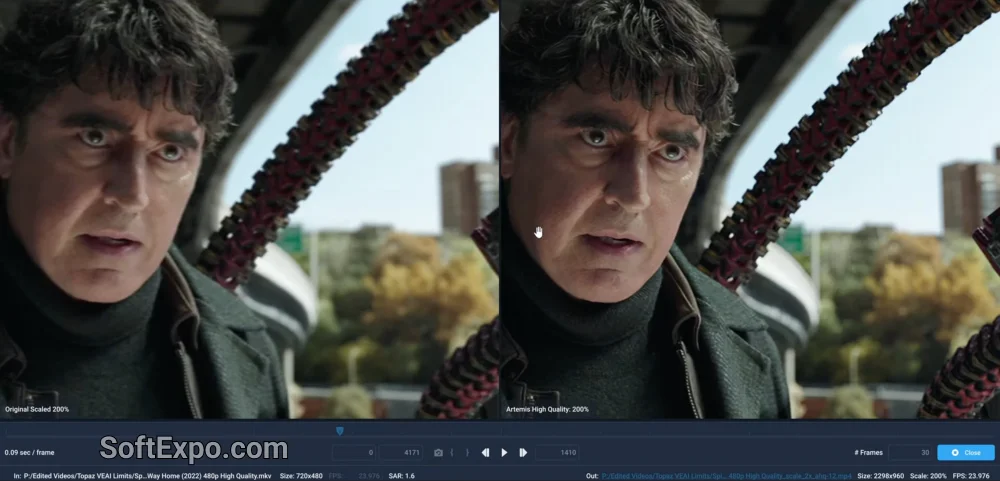
Topaz Video AI is a specialized standalone application designed with a singular focus: rescuing and enhancing video footage. Unlike standard video editors, it utilizes generative AI models to inject new detail into low-resolution files. It is particularly renowned for its ability to take poor-quality Standard Definition (SD) footage and upscale it to HD or 4K with surprising clarity.
Its strengths lie in its variety of AI models. For instance, the "Proteus" model allows for fine-tuned control over sharpening and noise reduction, while newer models like "Starlight" are designed to handle complex upscaling tasks. It also excels at frame interpolation (generating intermediate frames for slow motion) and stabilizing shaky handheld shots without the heavy cropping often seen in other tools. However, users should be aware that because it uses generative AI, it can sometimes produce artifacts or unnatural "wax-like" faces if pushed too far.
Best suited for: Archivists, restoration specialists, and users working with severely degraded footage (such as old VHS digitizations or low-bitrate internet clips) who need maximum detail recovery.
DaVinci Resolve Studio
- Developer: Blackmagic Design
- Primary Function: Professional editing, color grading, VFX, and audio post-production
- Pricing Model: One-time perpetual license (approx. $295)
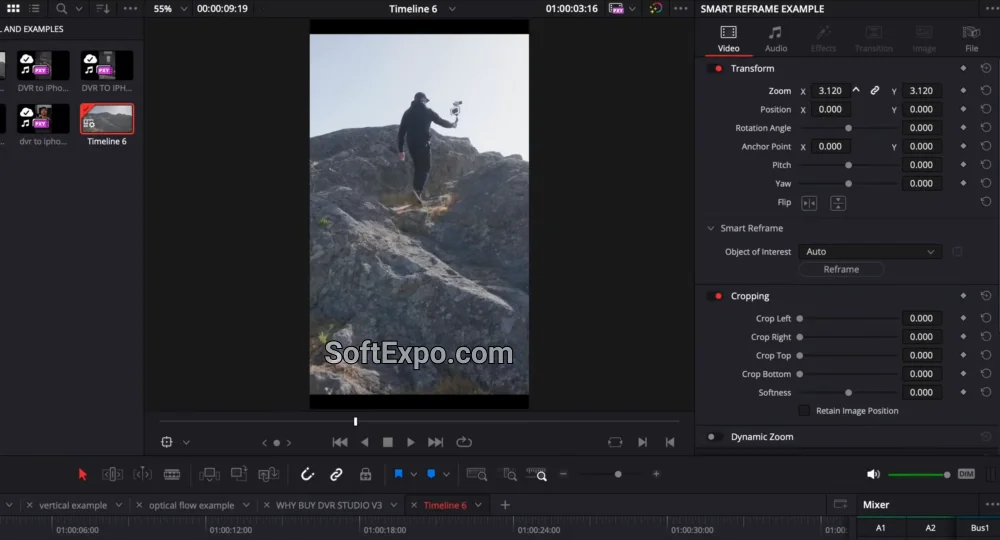
DaVinci Resolve Studio is the industry standard for color grading and has evolved into a full-featured non-linear editor (NLE). The Studio version unlocks the "DaVinci Neural Engine," which powers its AI features. Unlike the free version, Studio includes Super Scale, a high-quality upscaling algorithm, along with advanced noise reduction (UltraNR) and object isolation tools.
Resolve's approach to upscaling is generally more conservative and "mathematically correct" than Topaz. It focuses on sharpening edges and preserving the original texture of the footage rather than hallucinating new details. This results in a cleaner, more organic look that fits seamlessly into professional broadcast and film workflows. Additionally, since these features are integrated directly into the editing timeline, there is no need to export clips, process them in another app, and re-import them.
Best suited for: Video editors, colorists, and content creators who need a complete post-production environment and require high-quality, natural-looking upscaling as part of a broader workflow.
Key Differences
Upscaling Philosophy
The most distinct difference lies in how they increase resolution. Topaz Video AI uses generative models that attempt to reconstruct missing data based on learned patterns. This allows it to perform "miracles" on terrible footage but carries the risk of creating unnatural artifacts (like distorted faces in the background). DaVinci Resolve's Super Scale is safer; it creates a sharper, cleaner image that remains faithful to the source material, making it superior for high-quality sources that just need a resolution bump.
Pricing and Value
As of 2026, the pricing models have diverged significantly. DaVinci Resolve Studio remains a rare anomaly in the software world: a single payment of roughly $295 grants you a lifetime license with future updates included. Topaz Video AI has shifted toward a subscription model (often priced around $299 per year for the full suite of updates), making it a recurring expense that can cost significantly more over time.
Workflow Efficiency
DaVinci Resolve wins on integration. If you are already editing a project, applying Super Scale or noise reduction happens instantly on the timeline (GPU permitting). Topaz Video AI functions as a standalone utility; you must export your clip, process it in Topaz (which can be slow), and bring it back into your editor. This round-trip process creates friction for quick edits but is acceptable for dedicated restoration projects.
Which Should You Choose?
Choose Topaz Video AI if you:
Are working with extremely low-quality sources (like 480p footage, VHS rips, or compressed phone videos) and need to extract detail that isn't visible to the naked eye. It is the superior choice for pure restoration tasks where the footage is otherwise unusable.
Choose DaVinci Resolve Studio if you:
Need a professional video editor and want an all-in-one solution. If your source footage is decent quality (1080p) and you simply need to upscale it to 4K for YouTube or broadcast, Resolve's Super Scale delivers excellent, natural results without the recurring subscription cost.



