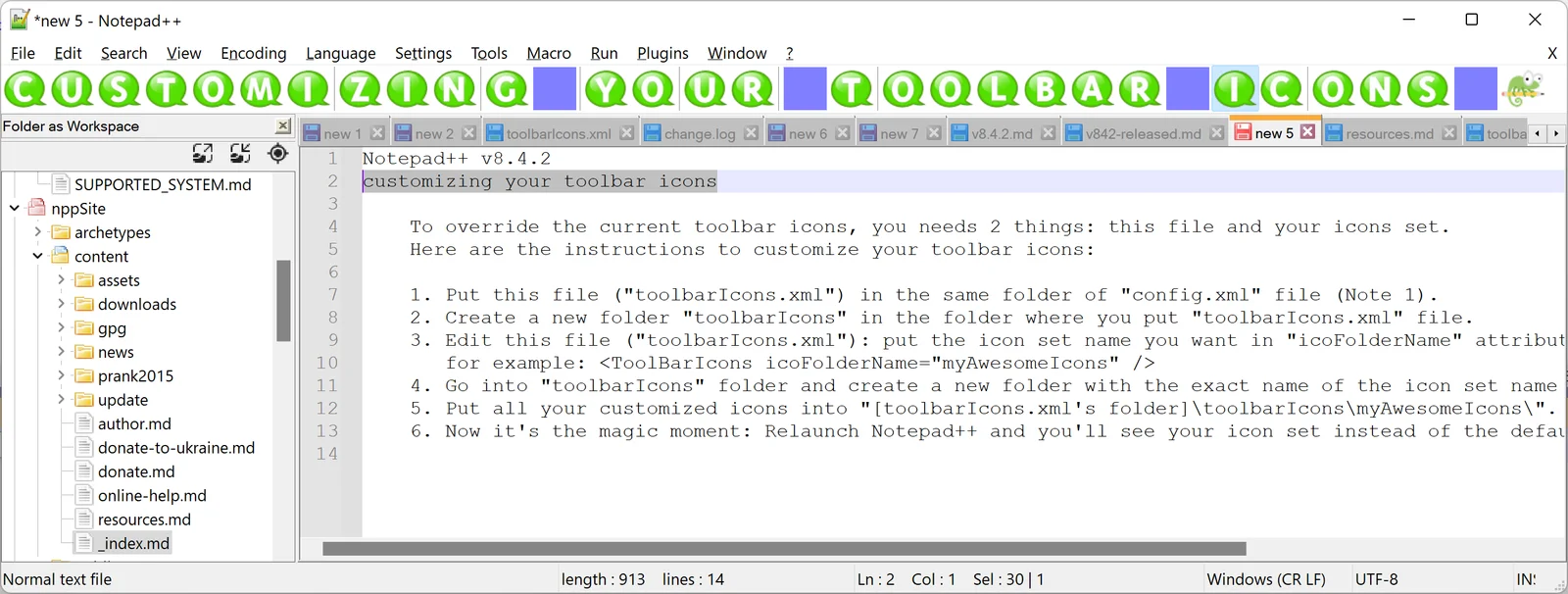
Notepad++ is a free, open-source source code editor and text replacement utility built specifically for Microsoft Windows environments. Designed to bridge the gap between basic built-in system tools and heavy Integrated Development Environments, this application provides a lightweight native interface for managing plain text, scripting languages, and structured markup. It relies on the Scintilla editing component, utilizing pure Win32 API and Standard Template Library routines to ensure minimal execution size and fast load times. For system administrators, data analysts, and software developers, it serves as a daily utility for tasks that require immediate text manipulation without the overhead of loading an entire project workspace.
Real-world usage spans a wide variety of daily technical tasks. Users frequently deploy the editor to inspect massive server log files, clean up improperly formatted comma-separated values, write quick batch scripts, or modify system configuration files. Because the software operates entirely locally, it requires no internet connection, no cloud synchronization, and no user accounts to function. All text parsing, syntax highlighting, and macro recording happen directly on the local machine hardware.
The choice to use a dedicated desktop application rather than browser-based formatters or terminal editors comes down to system integration and speed. Notepad++ hooks directly into the Windows shell, allowing users to right-click any unknown file type and inspect its raw contents immediately. Unlike browser tools that require uploading sensitive configurations or code snippets to external servers, this desktop editor keeps all data confined to the local filesystem, ensuring compliance with strict data security requirements in corporate network environments.
Key Features
- Syntax Highlighting and Code Folding: The editor natively recognizes dozens of programming and markup languages, automatically coloring keywords, strings, and operators. Users can access the Language menu to manually force a specific syntax, or rely on the Style Configurator under the Settings menu to alter the default color mapping. The software also uses the underlying Scintilla engine to detect code blocks, providing collapsible nodes in the left margin to hide functions, loops, or XML tags.
- Advanced Search and Replace: The Find dialog includes standard text matching, extended characters, and full Perl Compatible Regular Expressions (PCRE) support. By pressing Ctrl+F and switching to the Find in Files tab, users can target an entire directory tree, applying complex regular expressions to modify thousands of files at once. The interface outputs all successful matches into a docked window at the bottom of the screen, detailing the file path, line number, and exact text matched.
- Macro Recording and Execution: For repetitive text formatting tasks, the Macro menu provides a direct recording interface. Users click Start Recording, perform a series of keystrokes, navigation commands, or text insertions, and then click Stop. This sequence can be saved with a custom name, assigned a dedicated keyboard shortcut, and executed repeatedly across a document to automate manual data entry or formatting chores without writing external scripts.
- Multi-Document Tabbed Interface: The primary workspace utilizes a tabbed layout, allowing dozens of open files simultaneously. Administrators can drag tabs out into floating windows or use the Move to Other View command to create a vertical or horizontal split screen, viewing two different sections of the same file or comparing two separate files side-by-side. The editor automatically remembers all open tabs and their cursor positions upon closing, restoring the exact session state on the next launch.
- Plugin Admin System: Extending the base functionality requires accessing the Plugins menu and opening the Plugin Admin interface. This native repository provides a searchable list of community-developed add-ons, such as XML Tools for formatting unstructured data, NppFTP for directly editing files on remote servers, and Compare for highlighting line-by-line differences between two documents. Installing a plugin forces a quick application restart, integrating the new tools directly into the main menu bar.
- Character Encoding Conversion: Opening files transferred from older mainframe systems or different operating systems often results in scrambled characters. The Encoding menu provides explicit controls to view the current file format and convert it on the fly. Users can switch documents between ANSI, UTF-8, UTF-8 with Byte Order Mark, and UCS-2, immediately resolving visual glitches and ensuring files save correctly for their intended destination environments.
- Column Mode Editing: Standard text editors highlight text in continuous horizontal lines, but Notepad++ includes a dedicated vertical selection mode. By holding the Alt key and dragging the mouse, or pressing Alt+Shift and using the arrow keys, users can highlight a specific column of text across multiple lines. This proves essential for modifying fixed-width data files, deleting specific columns of a log file, or typing the exact same prefix on fifty consecutive lines simultaneously.
How to Install Notepad++ on Windows
- Navigate to the official project website and download the Windows installer package that matches your system architecture, typically the 64-bit executable for modern hardware.
- Double-click the downloaded installer file to launch the setup wizard, granting permission at the User Account Control prompt to allow the installer to write to the system drive.
- Select your preferred language for the installation wizard from the initial dropdown menu and click OK to proceed.
- Review the GNU General Public License terms on the welcome screen, then click I Agree to advance to the destination folder selection.
- Confirm or change the default installation path, which typically defaults to the standard Program Files directory on the main Windows partition.
- Choose the optional components to install, such as specific localization files, custom themes, community plugins, and the auto-updater tool.
- Select the configuration behavior checkbox marked as not using the appdata folder if you prefer a self-contained portable installation, or leave it unchecked to follow standard Windows user profile directory rules.
- Check the box to enable the Windows context menu extension, which adds an Edit with Notepad++ option to the operating system shell, then click Install to copy the files and finish the setup.
Notepad++ Free vs. Paid
Notepad++ operates under a strictly free and open-source licensing model. There are no paid tiers, no commercial licenses required for business use, and no features locked behind a subscription mechanism. The entire application, including all integrated tools and community plugins, remains available to all users without financial cost. The software utilizes the GNU General Public License, ensuring that the source code remains open for inspection, modification, and community auditing.
The project relies on community donations to fund hosting costs, domain registrations, and development time. Users and organizations that rely on the editor for their daily operations can choose to contribute financially through links provided on the official website, but doing so provides no functional difference in the software itself. There are no nag screens demanding payment, no trial expiration dates, and no export limitations placed on the final files.
Because there is no enterprise licensing structure, system administrators can deploy the editor across entire corporate networks without tracking software licenses or managing seat counts. The lack of a commercial model also means the software avoids bundling third-party promotional software or tracking telemetry to monetize the user base. The focus remains entirely on maintaining the core text processing engine and updating the application against modern Windows environments.
Notepad++ vs. Visual Studio Code vs. Sublime Text
Visual Studio Code represents a heavier, more complex category of source code editor built on the Electron framework. Developed by Microsoft, it functions closer to a full Integrated Development Environment, offering deep Git integration, built-in terminal access, and complex debugging environments for major programming languages. Users should choose Visual Studio Code when working on large, multi-file software projects that require compiling, version control tracking, and extensive linting tools. However, this architecture demands significantly more system memory and takes longer to initialize compared to a native application.
Sublime Text targets users who require rapid rendering speed and a distinct visual interface, utilizing a custom user interface toolkit rather than native operating system controls. It offers a dense command palette, an extensive Python-based application programming interface for extensions, and a distinct minimap view for document navigation. Sublime Text operates under a commercial licensing model, requiring a paid license for continuous use, though it offers an open-ended evaluation period. It excels in navigating massive codebases visually, but requires users to learn its specific keyboard-centric workflow.
Notepad++ remains the superior choice for users who need a lightweight, immediate utility tool rather than a project-focused workspace. Because it relies on the native Windows application programming interface, it opens almost instantly and consumes very little background memory. It fits best into workflows where a user needs to quickly double-click an unknown configuration file, execute a rapid regular expression replacement, convert a file encoding, and close the application within seconds. It acts as a strict utility for administrative and data cleanup tasks where loading a full workspace creates unnecessary friction.
Common Issues and Fixes
- Plugin Admin interface does not appear in the menu. This usually happens if the user downloaded the portable zip package instead of the standard executable installer, or if the installation was performed strictly offline without selecting the plugin component. To resolve this, download the standard installer and run it again, ensuring the Plugin Admin checkbox remains selected during the component installation phase.
- Large log files cause the application to freeze or type slowly. When opening files larger than 200 megabytes, the Scintilla syntax highlighting engine struggles to parse the massive volume of text in real-time. To fix this, navigate to the Language menu and select None (Normal Text) to disable the complex rule processing, returning the application to standard text rendering speed.
- Regular expression searches fail to match across multiple lines. By default, the search engine treats the end of a line as a hard stop for wildcards. In the Find dialog, users must explicitly check the box indicating that a dot matches a newline under the Regular Expression search mode to allow the wildcard character to capture text spanning across carriage returns.
- Special characters and accents display as black boxes or incorrect symbols. This indicates a mismatch between the actual file data and how the editor interprets the file format. Open the Encoding menu and try selecting different ANSI or UTF-8 profiles until the characters render correctly, then use the Convert to UTF-8 option to standardize the file before saving.
- Dark mode themes leave some plugin windows with harsh white backgrounds. Because community plugins are developed independently of the core application, older plugins may rely on hardcoded color values that ignore the main application theme. Users must either wait for the plugin developer to update their specific tool for dark mode compatibility, or use the Plugin Admin to uninstall the offending add-on and seek a newer alternative.
Version 8.8.9 — December 2025
- Enhanced security by implementing certificate and signature verification for downloaded update installers to prevent malicious redirects
- Resolved corrupted file loading issues on Windows systems using full UTF-8 code pages
- Fixed application crashes when processing SHA-256 hashes for large files
- Restored functionality of the "Select & Find Next" command that had stopped working
- Improved MSI installer with NOUPDATER option and suppressed automatic reboot requirements
- Eliminated freezing issues caused by Perl Function List during tab switching
- Fixed truncated context menu problems when changing localization settings
- Added automatic updating capability for user configuration files (langs.xml and stylers.xml) from template models
- Updated core components to Scintilla 5.5.8 and Lexilla 5.4.6 for improved text editing performance
- Introduced new feature to sort document lines by character length
- Enhanced undo and redo operations to maintain vertical scroll position for better user experience