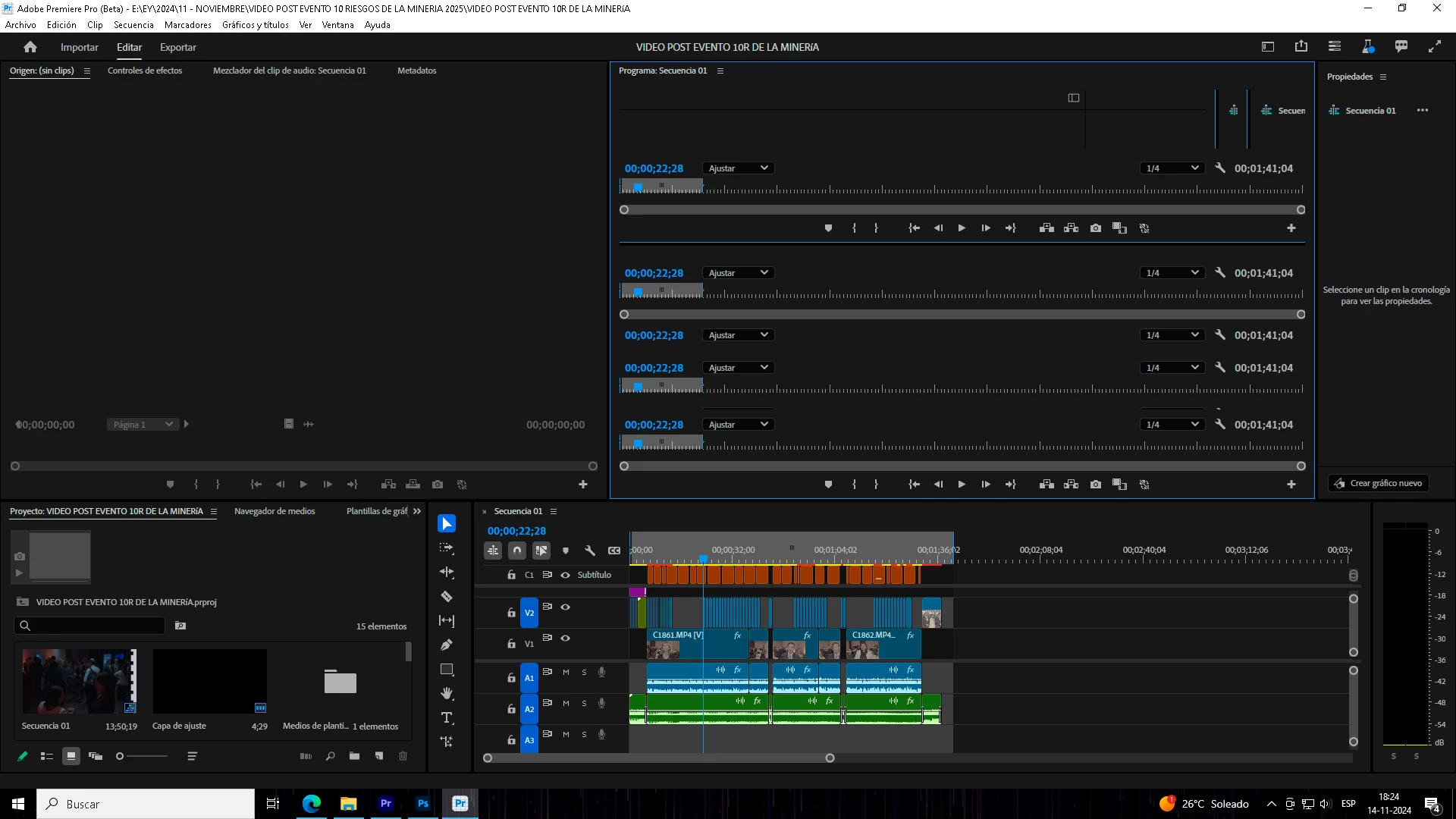
Adobe Premiere Pro serves as a professional non-linear editing system designed for filmmakers, broadcast editors, and digital content teams who require exact control over complex video projects. Instead of relying on simplified browser-based timelines that struggle with high-bitrate media, this desktop application utilizes local hardware acceleration to decode heavy video formats in real time. Editors use it to cut multi-camera shoots, mix multichannel audio tracks, apply primary and secondary color corrections, and export broadcast-compliant files. By relying on a local installation, editors maintain direct access to fast NVMe scratch disks and discrete graphics processing units, which are strictly required when playing back multiple streams of high-resolution footage without dropping frames.
For digital media professionals, the application bridges the gap between raw camera ingest and final delivery through a highly modular workspace. Users can stack dozens of video and audio tracks, link nested sequences, and manage media metadata through a dedicated bin system. Because the software interacts directly with the Windows file system, it handles demanding container formats like MXF and ProRes natively without requiring proxy generation before the edit begins. This direct-to-timeline capability saves hours of transcode time during tight production turnarounds.
Choosing a heavy desktop editor provides essential stability when handling terabytes of raw media. Editors working on long-form documentaries or narrative films need the local processing power that only a native Windows application provides. The interface adapts to single-monitor laptop setups or sprawling multi-monitor editing bays, allowing users to undock panels for color scopes, audio track mixers, and effect controls. This physical footprint ensures that high-end tasks like generating photorealistic frame extensions or analyzing text transcripts happen rapidly, minimizing the latency often associated with remote rendering pipelines.
Key Features
- Generative Extend: Editors can artificially lengthen short clips by clicking and dragging the clip edge on the timeline. The underlying generative model analyzes the existing footage and synthesizes up to two seconds of photorealistic video frames and ten seconds of ambient room tone audio. This tool prevents the need to search for B-roll when an actor cuts off a reaction shot prematurely.
- Text-Based Editing: The software automatically transcribes dialogue using a local or cloud-based speech-to-text engine and displays the resulting text in a dedicated transcript panel. Editors can highlight specific sentences, press the delete key, and watch the timeline automatically ripple-delete the corresponding video segment. This workflow eliminates the need to scrub through hours of interview footage manually to find specific sound bites.
- Lumetri Color Engine: The integrated color grading environment provides dedicated panels for basic correction, creative looks, color wheels, and Hue/Saturation curves. Users can manipulate contrast, adjust white balance using an eyedropper tool, and apply secondary color corrections to isolate specific skin tones. The panel includes real-time video scopes, such as waveform monitors and vectorscopes, to ensure broadcasts meet strict luminance and chrominance standards.
- Multi-Camera Source Sequences: Producers dealing with live events can synchronize footage from up to dozens of different camera angles using audio waveforms, timecode, or manual in-points. Once synchronized, the editor views a grid of all available angles in the Source Monitor and can switch between cameras in real time using keyboard number keys while the sequence plays. This creates an automated series of hard cuts on the timeline that can be refined later.
- Enhance Speech Audio Restoration: A dedicated audio processing algorithm isolates human dialogue from heavy background noise using dynamic frequency filtering. By adjusting a single slider in the Essential Sound panel, editors can remove wind rumble, traffic noise, or room echo without configuring complex multiband compressors or parametric equalizers. The result mimics a studio microphone recording even when the original audio was captured in a compromised acoustic environment.
- Auto Reframe: When adapting traditional horizontal video for vertical social media formats, this tool analyzes the footage to track the primary subject. It automatically applies dynamic keyframes to the motion properties, keeping the subject centered in a 9:16 aspect ratio. Editors retain the ability to manually adjust the generated keyframes in the Effect Controls panel if the tracking requires fine-tuning.
How to Install Adobe Premiere Pro on Windows
- Navigate to the official vendor website and download the Creative Cloud desktop application installer executable.
- Launch the downloaded executable file and follow the onscreen prompts to install the management client onto your local disk.
- Open the Creative Cloud client and sign in using a registered Adobe ID and password, which is required to authenticate the subscription and download application files.
- Locate the specific video editing application in the All Apps directory within the client interface, and click the standard Install button next to the application name.
- Wait while the client downloads the application packages and automatically extracts them to the default directory path at C:Program FilesAdobe.
- If prompted by the Windows Defender Firewall upon first launch, grant the application permission to communicate over private networks, which allows the software to connect to licensing servers and download necessary language packs for transcription.
- Launch the application from the Start menu and wait for the initial loading screen to initialize audio plugins, video effect libraries, and hardware decoding modules.
- Upon the first launch, open the Preferences menu to configure the Media Cache and Scratch Disk locations, ideally assigning them to a fast secondary NVMe solid-state drive to prevent bottlenecking the main operating system drive during playback.
Adobe Premiere Pro Free vs. Paid
The software operates exclusively on a subscription-based pricing model and does not offer a free tier or a perpetual license option. Users must maintain an active internet connection periodically to validate their subscription status through the management client. New users can utilize a fully functional seven-day free trial, which requires a credit card on file and automatically converts to a paid subscription if not canceled before the trial period concludes. During the trial, there are no export watermarks or artificial feature restrictions.
For individual creators, the standard single-application plan costs $22.99 per month when committing to a full year of service. If a user prefers to avoid an annual commitment, a month-to-month billing option is available for $34.49. Both individual plans include access to the core editing application, 100GB of cloud storage for project syncing, and access to cloud-based font libraries.
Volume licensing and educational discounts heavily alter the standard pricing structure. Students and teachers can access the entire suite of creative applications for $19.99 per month during their first year. Enterprise environments and professional studios typically utilize the Teams plan, which costs $37.99 per month per license and includes centralized administrative tools for reassigning licenses among freelance editors, along with enhanced technical support options.
Adobe Premiere Pro vs. DaVinci Resolve vs. Avid Media Composer
DaVinci Resolve operates primarily around a node-based architecture for color grading and visual effects, differing significantly from the layer-based timeline approach seen in other editors. It offers a highly capable free version that covers most editing tasks, making it a frequent choice for independent creators with strict budget constraints. Editors typically choose DaVinci Resolve when a project demands intricate color manipulation or when they want to avoid recurring monthly subscription fees, provided their local hardware contains a graphics card capable of handling its heavy GPU requirements.
Avid Media Composer remains a strict standard in broadcast television and feature film environments due to its highly regulated project sharing and media management structures. It forces editors to ingest and transcode media into a proprietary format, which guarantees extreme stability when multiple editors access the same bin simultaneously on a shared network drive. However, its interface feels highly rigid compared to modern alternatives, and independent editors often avoid it because it lacks the rapid drag-and-drop flexibility required for fast-paced digital content creation.
Adobe Premiere Pro serves as the middle ground between node-based finishing tools and rigid broadcast systems, making it the most common choice for commercial agencies and digital media producers. Editors choose this application when they need to exchange files rapidly with motion graphics and audio mixing applications within the same vendor ecosystem. It handles mixed-format timelines with far less friction than Avid, and its native text-based editing capabilities outpace the transcription workflows currently available in DaVinci Resolve, saving significant time during documentary or interview-heavy projects.
Common Issues and Fixes
- Media cache files consuming the entire operating system drive. The application continually generates peak files and audio conforms to speed up timeline playback, storing them by default on the primary system drive. To fix this, navigate to Edit, Preferences, then Media Cache, and click the Delete button to clear unused files. For long-term prevention, configure the automated cache management settings in the same menu to automatically delete cache files older than thirty days or when the folder exceeds a specific gigabyte threshold.
- Variable frame rate footage causes audio synchronization drift. Video recorded on smartphones or screen capture software often uses a variable frame rate (VFR), which the timeline decoding engine struggles to read linearly, causing the audio track to gradually misalign from the video. To resolve this, editors must close the application, open a third-party transcoding utility like Handbrake, and convert the original source files into a constant frame rate format like ProRes or high-bitrate H.264. After transcoding, replace the original files in the project bin with the newly created constant frame rate media.
- Hardware acceleration errors causing export failures or green playback screens. The playback engine relies heavily on the specific driver version installed for the local graphics card, and outdated drivers frequently trigger compilation errors during the final render. To fix this immediately, navigate to the Project Settings and change the Video Rendering and Playback engine from GPU Acceleration to Software Only. For a permanent fix, download the latest Studio Driver from the graphics card manufacturer, perform a clean driver installation, and re-enable GPU acceleration.
- Playback stuttering on high-resolution multicam sequences. Editing four or more streams of 4K video simultaneously often overwhelms the local storage bandwidth, causing the Program Monitor to drop frames and stutter during playback. To resolve this, highlight all the clips in the project bin, right-click, and select Create Proxies to generate low-resolution temporary files. Once the media encoder finishes processing the files, toggle the proxy button in the monitor to edit smoothly, knowing the software will automatically switch back to the original media for the final export.
Version 25.6 — November 2025
- Added AI-Powered Media Search: enhanced the Search panel with natural language capabilities, allowing users to find specific audio or video clips by describing them, and introduced "Find Similar" to quickly locate visually matching footage.
- Added "Censor Transcript" Tool: introduced a bulk-editing feature to automatically detect and bleep, mute, or replace specific words or phrases across the entire timeline using text-based editing.
- Added Integrated Content Panels: implemented a native Frame.io V4 panel for seamless review and collaboration, and a new Adobe Stock panel to browse and license media directly within the application.
- Improved Timeline Performance: enhanced playback smoothness and responsiveness, ensuring clip thumbnails remain visible and update in real-time during ripple or roll edits.
- Fixed Playback Stability: resolved issues causing stutters, flickers, or audio pops when shuttling through the timeline, resulting in a fluid navigation experience.