Description
When discussing data protection, the line between "backup" and "recovery" often blurs, yet Stellar Data Recovery and 2BrightSparks SyncBackPro sit on opposite ends of this spectrum. While both tools aim to protect your digital assets, they solve fundamentally different problems: Stellar is primarily a reactive tool designed to rescue data after a disaster, whereas SyncBackPro is a proactive utility built to prevent data loss through automated synchronization. This comparison clarifies which tool fits your specific safety strategy in 2026.
Stellar Data Recovery
Stellar Data Recovery is an industry-standard utility developed by Stellar Information Technology. While its primary fame comes from salvaging lost files from corrupted partitions or formatted drives, it includes essential backup capabilities in the form of disk imaging and drive cloning. It operates on the philosophy that if your primary storage fails, you need a sector-by-sector copy to attempt recovery or migration.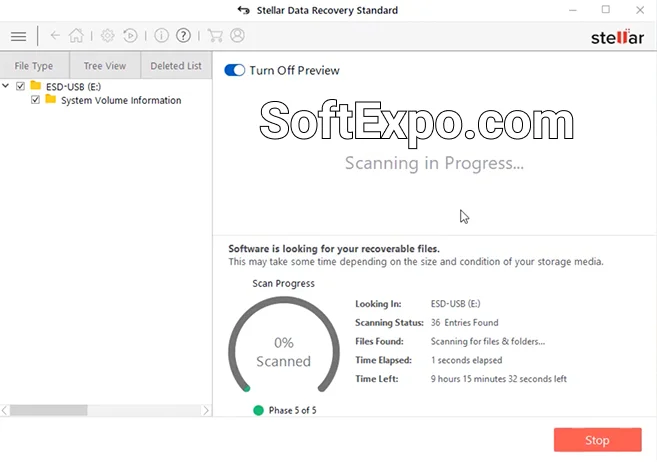
- Drive Cloning & Imaging: Its most relevant feature for backup is the ability to create a complete replica (clone) of a failing hard drive or create a disk image file for future recovery.
- Comprehensive Recovery: Capable of retrieving data from BitLocker-encrypted drives, scratched optical media, and RAW partitions.
- File Repair: Premium versions include tools to repair corrupted photo and video files that often get damaged during drive failures.
- Bootable Media: Allows you to create a USB recovery drive to boot into a crashed system and extract data.
Pricing Model: Stellar typically uses a subscription model for its standard tiers, starting around $59.99/year. Professional and Premium versions, which include the drive cloning features, often cost more or offer higher-priced lifetime licenses.
Best Suited For: Users who have already experienced data loss, need to clone a failing hard drive to a healthy one, or require a "last resort" sector-based image of a drive.
2BrightSparks SyncBackPro
Developed by 2BrightSparks, SyncBackPro is a dedicated backup and synchronization engine. Now in Version 11, it focuses on file-level protection, ensuring your working documents, photos, and projects are continuously copied to safe locations. Unlike Stellar, which looks at the physical disk sectors, SyncBackPro looks at the files themselves, offering sophisticated automation to keep versions up to date across local drives, servers, and the cloud.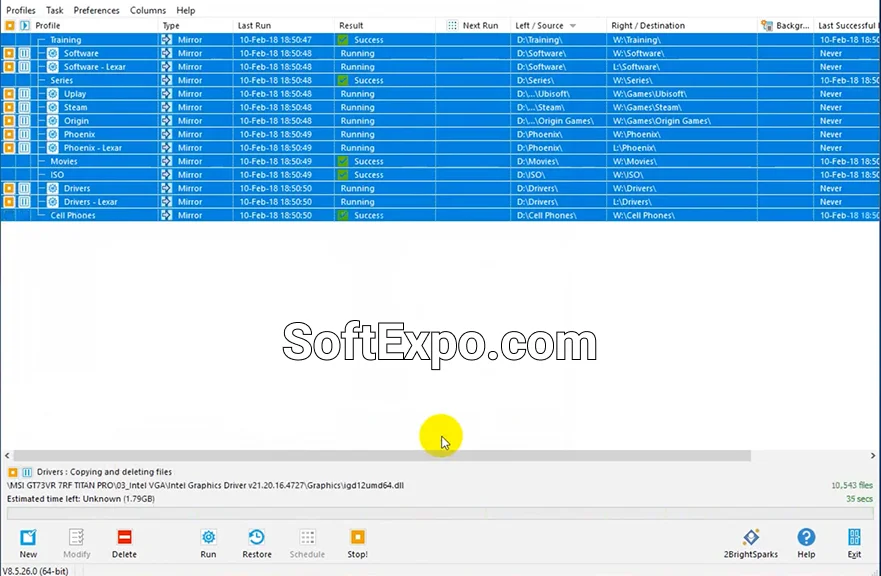
- Extensive Cloud Support: Natively supports backing up to Amazon S3, Google Drive, Microsoft Azure, Dropbox, Backblaze B2, and many others without needing third-party clients.
- Intelligent Synchronization: Offers highly customizable rules for file conflicts (e.g., "if file changes on source, replace destination" or "keep both versions").
- Versioning: Can keep multiple previous versions of files, allowing you to "roll back" to a document as it existed last week or last month.
- Scripting & Automation: Advanced users can write scripts to trigger backups based on specific events or schedules, running completely in the background.
Pricing Model: SyncBackPro uses a perpetual licensing model. A single license costs approximately $55-$60 USD (one-time fee), with optional paid upgrades for major future versions. A free version (SyncBackFree) is also available with fewer features.
Best Suited For: Users who want a "set it and forget it" automated backup system to protect files against accidental deletion, ransomware, or hardware failure before it happens.
Key Differences
Reactive vs. Proactive Protection
The most significant difference is their operational focus. SyncBackPro is designed to run daily or hourly, silently backing up changes to your files so you never lose work. Stellar Data Recovery is designed to be run manually when a problem has already occurred (like a deleted partition) or when you need to clone a drive for hardware migration.
File-Level vs. Sector-Level
SyncBackPro operates at the file level. It sees "Report.docx" and copies it to your cloud storage. This makes it faster for daily use but less suitable for cloning an entire operating system. Stellar operates at the sector level (for imaging), meaning it copies the raw data bits. This is slower and requires more storage but is necessary if you need to recover deleted data that the operating system can no longer see.
Cloud Connectivity
SyncBackPro is built for the cloud era. It can encrypt and upload your backups directly to virtually any cloud storage provider via API. Stellar Data Recovery generally works with local storage; while you can save a disk image to a cloud-synced folder, the software itself does not natively manage cloud API connections for individual file transfers.
Which Should You Choose?
Choose Stellar Data Recovery if you:
- Have already lost data and need to recover it.
- Need to clone a hard drive that is physically failing or has bad sectors.
- Are migrating your operating system from an old HDD to a new SSD and need a direct clone.
Choose 2BrightSparks SyncBackPro if you:
- Need an automated daily backup solution that runs in the background.
- Want to store your backups on cloud services like Google Drive, S3, or Dropbox.
- Require file versioning to undo changes made to documents over time.
- Prefer a one-time purchase over an annual subscription.

Best Backup Solutions For Small Business

Navicat Premium vs HeidiSQL: Which Database Management Tool is Better?