Description
Streaming platforms dominate how we consume media today, but the need to save content for offline viewing remains a common challenge. Whether for archiving educational material, keeping music playlists, or ensuring entertainment during travel without internet access, video downloader software bridges this gap. This comparison looks at two distinct options in the market: the feature-rich iTubeGo YouTube Downloader and the long-standing utility YTD Video Downloader. Both tools target Windows users looking to save video and audio locally, but they approach the task with different priorities and capabilities.
iTubeGo YouTube Downloader
iTubeGo YouTube Downloader is a comprehensive media utility developed by iTubeGo Studio. It positions itself as a high-performance tool designed for users who need to download content from a vast array of sources at the highest possible quality. It integrates downloading and converting into a single workflow, making it efficient for building large offline libraries.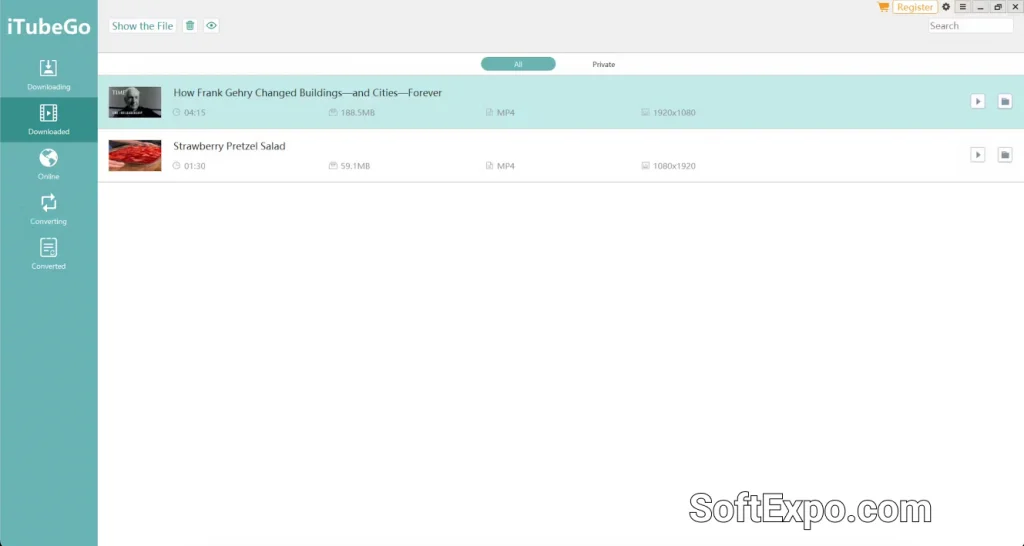
- Extensive Site Support: Compatible with over 10,000 video and audio websites, including major platforms and niche streaming services.
- High-Resolution Capability: Supports downloading videos in 720p, 1080p, 4K, and even 8K resolution without quality loss.
- Built-in Browser: Includes a dedicated web browser within the application, allowing users to navigate directly to videos and trigger downloads without leaving the software.
- Turbo Speed Mode: Utilizes multi-thread technology to accelerate download speeds, which is particularly effective for large files or playlists.
Pricing Model: iTubeGo operates as a paid software with a trial version. Users generally purchase a license (monthly, yearly, or lifetime) to unlock full functionality, such as unlimited downloads and full-speed capabilities.
Best Suited For: Power users and collectors who need to download from diverse sources in bulk and demand high-resolution formats.
YTD Video Downloader
YTD Video Downloader is one of the oldest names in the video downloading space. Created by GreenTree Applications, it focuses on simplicity and ease of use. The software is lightweight and provides a straightforward method for grabbing clips from popular video hosting sites without a steep learning curve.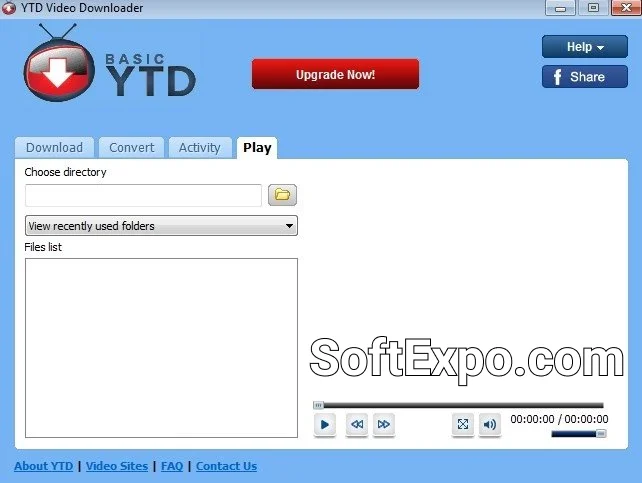
- Basic Free Version: Offers a functional free tier that allows users to download videos one by one, making it accessible for casual use.
- Integrated Video Player: Features a built-in player that allows users to watch their downloaded media immediately within the app.
- Pro Conversion Tools: The paid version includes tools to convert downloaded video files into various formats compatible with other devices.
- Simple Interface: The UI is traditional and uncomplicated, ideal for users who prefer a familiar, utility-style Windows application.
Pricing Model: YTD offers a freemium model. The free version is usable but includes ads and restricts download speeds and batch processing. A Pro subscription is required to remove ads, unlock faster speeds, and enable playlist downloading.
Best Suited For: Casual users who only need to download an occasional video from major sites and prefer a tool with a free entry point.
Key Differences
While both programs serve the same primary function, their capabilities diverge significantly in practice.
Site Compatibility
iTubeGo holds a distinct advantage in versatility, supporting over 10,000 websites. It can handle downloads from social media feeds, obscure streaming sites, and music platforms with ease. YTD Video Downloader supports a much smaller list of roughly 50+ popular sites. If you try to download from a less common source, YTD is more likely to fail than iTubeGo.
Batch Processing and Playlists
iTubeGo is built for bulk tasks. It can detect and download entire playlists or channels in a single action, retaining the original order and subtitles. YTD Video Downloader locks batch processing and playlist downloading behind its paid Pro subscription. In the free version of YTD, users must manually paste links one by one and wait for each to finish.
Performance and Speed
iTubeGo consistently delivers faster performance due to its multi-threading technology, which splits files to download them quicker. YTD's free version is intentionally capped at slower speeds. Even the Pro version of YTD often lags behind iTubeGo when handling ultra-high-definition content like 4K or 8K files.
Which Should You Choose?
The decision depends largely on your frequency of use and the variety of sites you visit.
Choose iTubeGo YouTube Downloader if you:
- Need to download entire playlists, channels, or multiple videos simultaneously.
- Want support for 8K resolution and access to thousands of different websites.
- Prefer a modern interface with a built-in browser for easier content discovery.
Choose YTD Video Downloader if you:
- Only download videos occasionally and stick to mainstream sites like YouTube or Vimeo.
- Want a free tool and do not mind viewing ads or slower download speeds.
- Prefer older, simpler software interfaces that run on legacy Windows setups.