Description
For movie enthusiasts who prefer physical media or high-quality ISO files over streaming, finding the right software to handle Blu-ray playback on Windows is essential. While Windows 10 and 11 lack native Blu-ray support, third-party tools fill this gap by offering region-free playback, menu support, and 4K capability. This article compares AnyMP4 Blu-ray Player and Vidmore Player, two leading solutions that promise to turn your PC into a home theater.
AnyMP4 Blu-ray Player
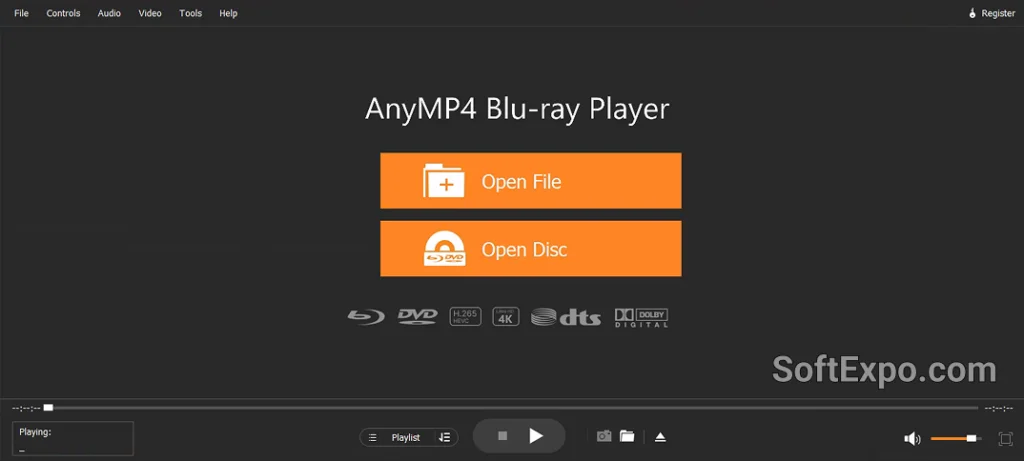
AnyMP4 has been a consistent name in the multimedia utility space for over a decade. Its dedicated Blu-ray Player is designed as a stable, reliable option for users who need to play physical discs, DVD folders, and ISO image files without complex setups. The software focuses on broad format support, ensuring that even older discs or specific regional encodings function correctly.
- Universal Disc Support: Handles Blu-ray discs, folders, and ISO image files, as well as DVDs and 4K UHD videos (MP4, MOV, MKV, etc.).
- Region-Free Playback: Bypasses region codes (A, B, C) efficiently, allowing users to watch imported international discs.
- Audio Technologies: Supports cinema-like audio with Dolby Digital (5.1/7.1) and DTS decoding.
- Playlist Management: Features a dedicated playlist tool to organize local media files for continuous viewing.
Pricing Model: AnyMP4 offers a free trial with playback limitations (often a watermark or time limit). Paid plans typically include a Monthly License (approx. $19-30) and a Lifetime License (approx. $59.95), though discounts are frequently available.
Best Suited For: Users who want a time-tested tool with a reputation for stability and broad file compatibility.
Vidmore Player
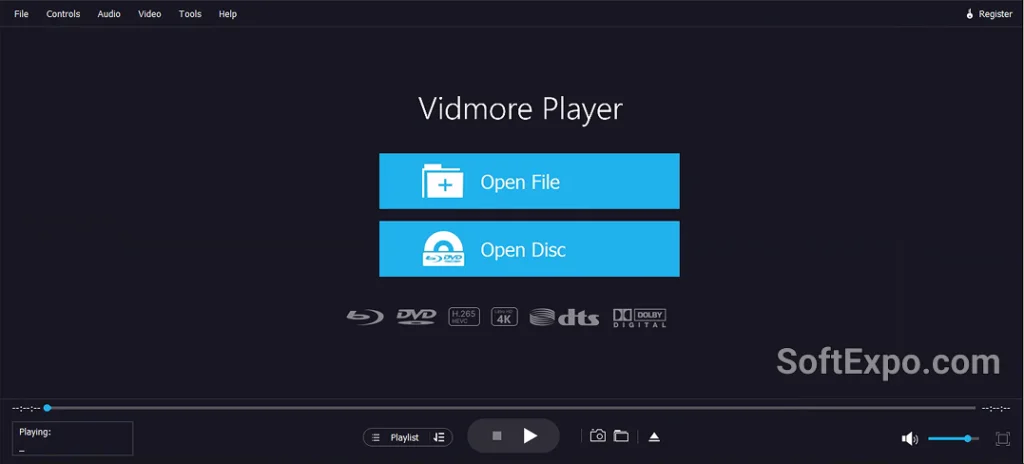
Vidmore Player positions itself as a modern, all-in-one media solution. While it shares many technical underpinnings with other players in its class, Vidmore often markets itself with a cleaner, slightly more streamlined interface and aggressive pricing strategies. It is designed not just for physical discs but also as a primary video player for high-quality digital files, emphasizing hardware acceleration to ensure smooth playback of large 4K files.
- High-Efficiency Playback: optimized for playing 4K and HD videos smoothly, utilizing hardware decoding to reduce CPU load.
- Navigation Controls: Offers a quick-navigation menu to switch chapters, adjust audio tracks, and change subtitles instantly.
- Visual Enhancements: Includes built-in tools to adjust video hue, brightness, contrast, and saturation during playback.
- Snapshot Capability: Allows users to capture high-quality images from the video feed with a single click.
Pricing Model: Vidmore follows a similar structure, with a Monthly License (often discounted to ~$15-20) and a Lifetime License (~$59.95). They frequently run promotions that can make the entry price slightly lower than competitors.
Best Suited For: Users looking for a modern interface and efficient performance, particularly for playing 4K digital files alongside discs.
Key Differences
While both applications offer similar core functionality, a few nuances set them apart:
- User Interface and Experience: Vidmore Player often presents a slightly more modern, minimalist aesthetic compared to AnyMP4's classic utility design. Users who prioritize a sleek look might prefer Vidmore, while those who want familiar, utilitarian controls often stick with AnyMP4.
- Performance Optimization: Vidmore heavily emphasizes its hardware acceleration capabilities for smooth 4K playback. While AnyMP4 also supports high-definition content, Vidmore's marketing and user feedback often highlight its efficiency with larger file sizes, making it a strong contender for users with extensive digital libraries.
- Brand Legacy vs. Modernity: AnyMP4 has a longer track record in the market, leading to a larger repository of troubleshooting guides and legacy user support. Vidmore, being relatively newer, often competes by offering more frequent sales and a more simplified user journey.
Which Should You Choose?
Both players are excellent choices for bypassing Windows' lack of native Blu-ray support, and they share a very similar feature set. The decision largely comes down to your specific preferences regarding interface and budget.
Choose AnyMP4 Blu-ray Player if you:
- Value a software provider with a long history and established reliability.
- Need a player that focuses heavily on playlist management and organizing varied media libraries.
- Want a tool that strictly follows a traditional, easy-to-understand layout.
Choose Vidmore Player if you:
- Prefer a cleaner, more modern interface.
- Frequently play high-bitrate 4K digital files and need a player optimized for efficiency.
- Are looking for a potentially lower entry price during promotional periods.

Best Backup Solutions For Small Business

Best Tools For 3D Animation