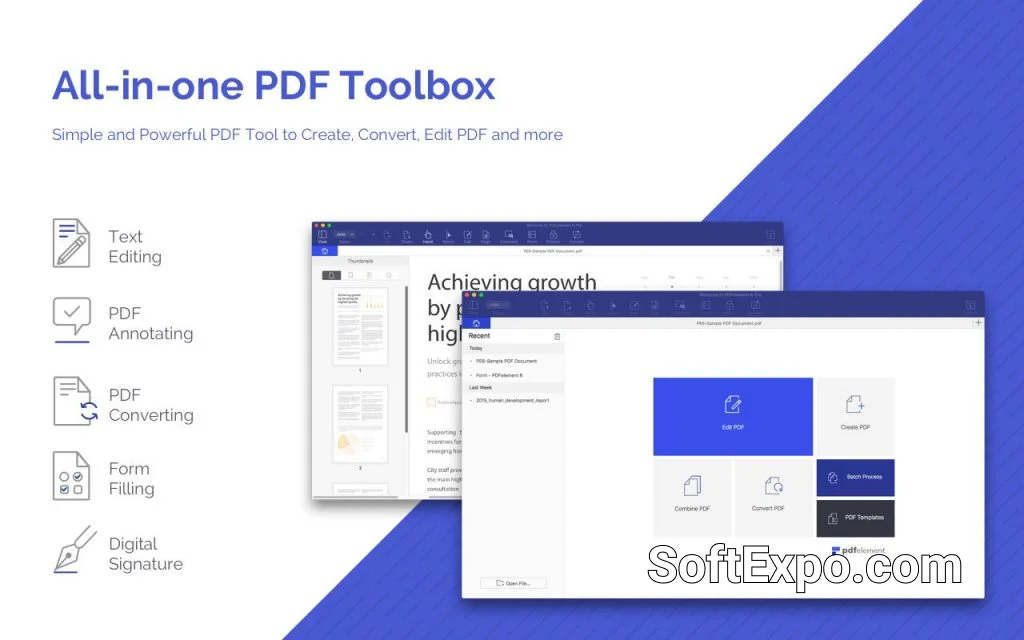
Wondershare PDFelement Pro distinguishes itself in the crowded PDF editor market through its modular approach to advanced functionality. Rather than bloating the core installer with every possible feature, the software utilizes specific plugins and extension modules—most notably the OCR (Optical Character Recognition) component and the recently integrated AI tools. These add-ons are designed for professionals who need to go beyond simple viewing and annotation, transforming static documents into editable, searchable, and intelligent data sources.
Top Wondershare PDFelement Pro Plugins
- OCR Plugin: The most critical extension for PDFelement Pro. This downloadable module unlocks the ability to recognize text within scanned images and non-selectable PDF files. It supports over 20 languages and enables users to convert scans into fully editable Word, Excel, or text formats.
- AI Assistant Module: While often integrated into the interface in version 11, this feature acts as a powerful extension of the software's core capabilities. It connects to cloud-based language models to provide services like Chat with PDF, summarization, proofreading, and rewriting directly within the document sidebar.
- Data Extraction Component: Often functioning in tandem with the OCR plugin, this tool allows users to automatically scrape data from form fields or specific selected areas across a batch of PDF files, exporting the information directly to Excel spreadsheets.
Features and Capabilities
The OCR Plugin is the powerhouse of the PDFelement Pro ecosystem. Once installed (usually triggered via a prompt when opening a scanned document), it performs a high-fidelity scan that preserves the original layout, fonts, and formatting. Unlike basic OCR tools, this plugin allows for "Area OCR," where you can convert specific sections of a page rather than the whole document. It is indispensable for digitizing paper archives.
The AI Assistant extends functionality by bringing "intelligence" to your workflow. Instead of leaving the app to use a separate chatbot, you can highlight a complex paragraph and ask the plugin to explain, shorten, or translate it. It also features a "Detect AI Content" capability, which is increasingly relevant for academic and editorial work.
For business users, the Batch Processing capabilities unlocked by these plugins are a major time-saver. You can run OCR on hundreds of files simultaneously or extract invoice numbers from a folder of receipts without opening them individually.
System Requirements
To ensure smooth operation of PDFelement Pro and its plugins, your system must meet specific criteria. These modules are resource-intensive, particularly when processing large batches of scanned documents or utilizing AI features.
- Operating System: Windows 11 or Windows 10 (64-bit recommended for better performance).
- Processor: 1 GHz or faster processor; multi-core processors recommended for OCR tasks.
- RAM: 4 GB minimum; 8 GB or more is highly recommended for OCR and AI operations.
- Storage: Additional free space is required for the downloaded OCR component (approx. 500MB+).
Best Use Cases
The plugin-enhanced version of PDFelement Pro is best suited for administrative and legal professionals who routinely deal with scanned contracts and forms. The ability to turn a flat image into a searchable text document is vital for archiving and e-discovery.
Academic researchers also benefit significantly from the AI extension, using it to quickly summarize lengthy papers or translate foreign-language sources. Finally, small business owners can utilize the data extraction features to automate invoice processing, moving data from PDF receipts to Excel financial reports without manual entry.