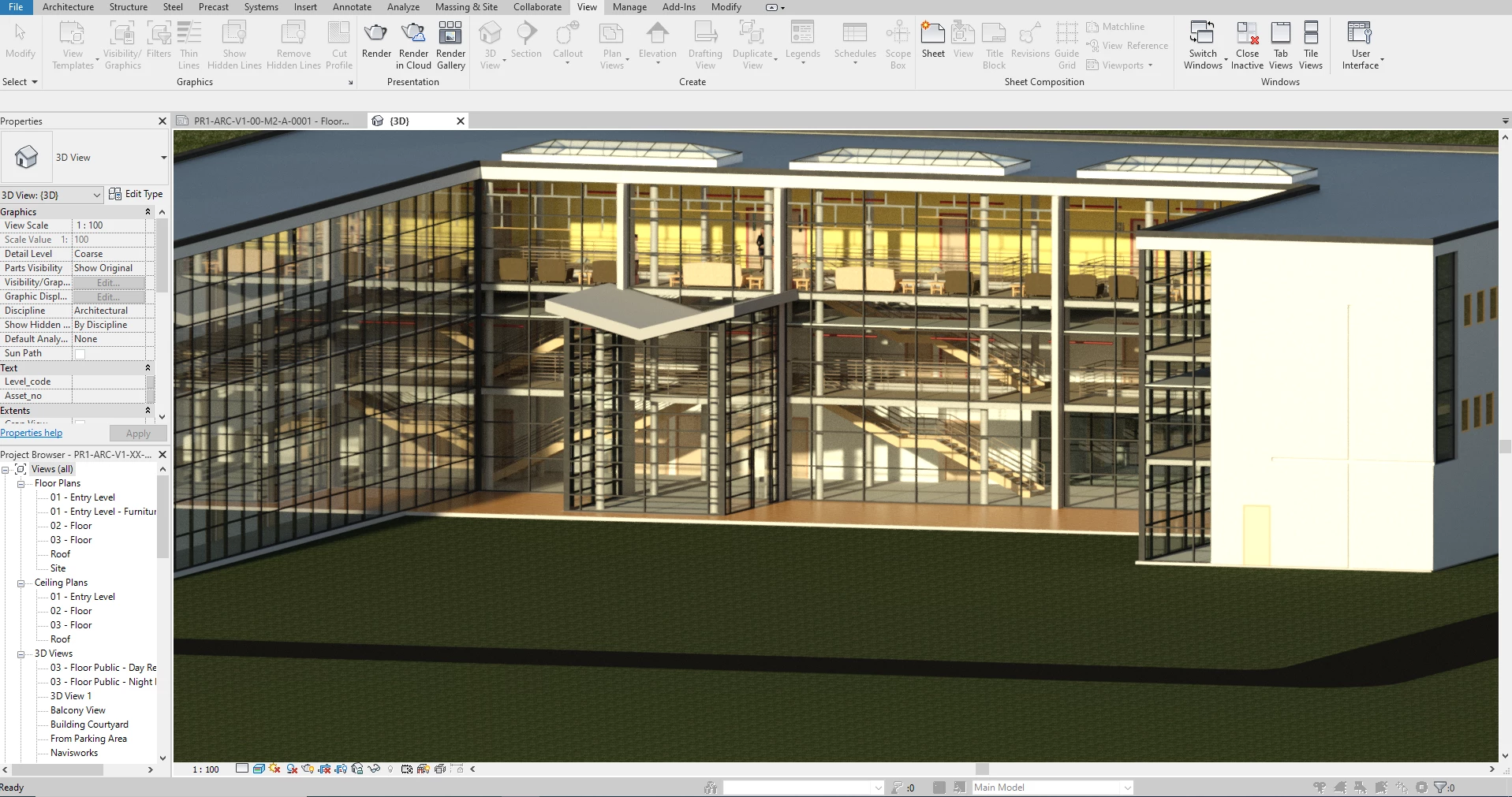
Autodesk Revit LT 2026 offers a streamlined, professional-grade entry point into Building Information Modeling (BIM) for architects and designers who need precision without the complexity of enterprise collaboration tools. Ideally suited for smaller studios and solo practitioners, this software enables users to transition from 2D drafting to intelligent 3D modeling while maintaining full file compatibility with the broader Revit ecosystem. By focusing on essential architectural features, it allows professionals to create high-quality designs and documentation on standard Windows 10 and Windows 11 workstations.
Key Features
- Toposolid Enhancements: Create precise site models with improved excavation capabilities and negative subdivision values, allowing for more accurate representation of roads, paths, and terrain grading.
- Cloud Rendering Services: Generate photorealistic visualizations directly through Autodesk's cloud servers, freeing up local computer resources so you can continue working while high-resolution images process in the background.
- Expanded Manage Links: Control imported CAD files (DWG, DXF, DGN) directly from the Manage Links dialog, providing a centralized location to track, reload, or remove external references and keep project files organized.
- Smart Documentation Tools: Utilize the new "Create Walls by Room" feature to automatically generate interior partitions and leverage Shared Parameters in view markers for smarter, data-rich annotation across sections and elevations.
- Sheet Collection Parameters: Organize drawing sets more effectively by including sheet width, height, and scale data directly in your schedules, simplifying the management of complex documentation packages.
- IFC and CAD Interoperability: Exchange data reliably with consultants using industry-standard IFC 4 export/import and native DWG support, ensuring your architectural models integrate correctly with other engineering software.
Use Cases
Revit LT is purpose-built for independent architects and residential designers who require professional BIM capabilities for modeling homes, renovations, and small commercial projects but do not need simultaneous multi-user worksharing. It also serves as an excellent drafting station for junior staff in larger firms, allowing them to detail and document designs within the same .RVT file format used by the rest of the project team.
For professionals seeking a cost-effective path to 3D modeling, this application delivers the core architectural power of the Revit platform while removing the overhead of unused engineering tools.
Version 2026.4 — November 2025
- Flexible Datasmith Export: Added the ability to generate Datasmith (.udatasmith) files directly for visualization workflows without requiring a local Twinmotion installation or active GPU resources.
- Twinmotion Version Selection: Introduced a new option allowing users to specify which installed version of Twinmotion should launch from the ribbon, ensuring better alignment with office standards.
- Manage Links Dialog Enhancements: Improved the usability and user experience within the Manage Links dialog to streamline the handling of external references.
- Graphics Performance Improvements: Addressed display issues in Accelerated Graphics views, specifically fixing bugs where highlighted link instances failed to appear and surface patterns did not update immediately when moving elements.
- Design Option Fixes: Resolved multiple issues within Design Options, enabling the alignment and offsetting of detail lines and correcting wall type previews while editing a design option.
- View-Specific Family Visibility: Fixed a defect that prevented view-specific family instances from being visible when added to a view not set to the active design option.