Autodesk Maya operates as the standard 3D animation, modeling, simulation, and rendering software utilized by technical directors, character animators, and visual effects artists across feature films, television broadcast, and game development. Rather than providing a basic toolset for simple object creation, this desktop application functions as a highly specialized environment designed to handle massive computational loads, dense polygonal meshes, and complex custom pipeline scripts. Artists working in dedicated production roles rely on the software to assemble intricate scene hierarchies, construct detailed skeletal rigs for digital doubles, and calculate realistic fluid dynamics for environmental effects. Because handling unoptimized geometry and rendering millions of particles requires direct hardware access, the desktop client utilizes local CPU multithreading and GPU acceleration to maintain viewport stability. This local execution separates the software from lighter browser-based alternatives that cannot calculate accurate ray-traced shadows or process gigabytes of cached simulation data in real time.
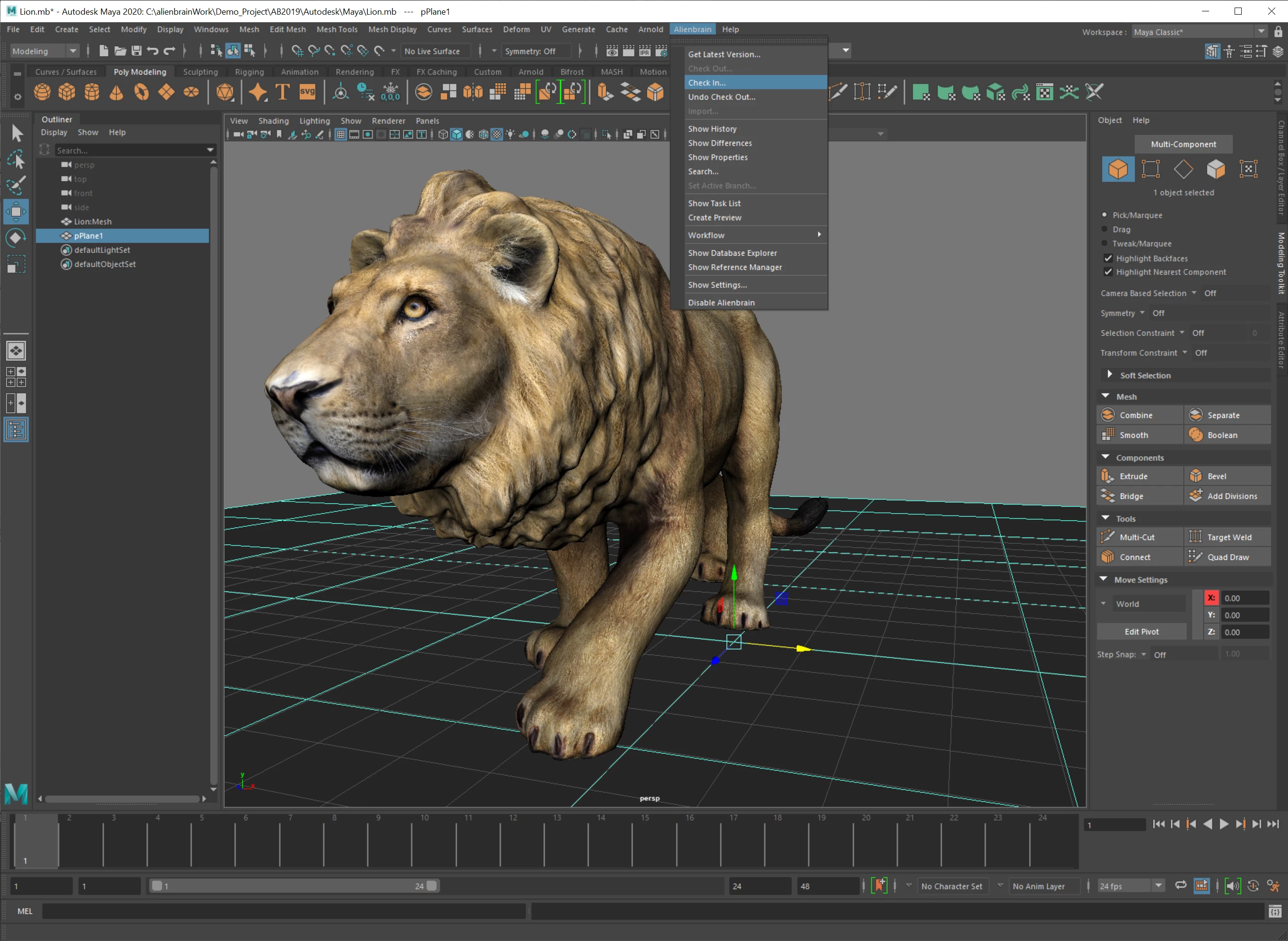
The primary workspace is designed around precise mathematical manipulation, offering access to specialized panels like the Channel Box, Attribute Editor, and Graph Editor. Animators use the Graph Editor to manipulate animation curves and keyframe tangents, controlling the exact timing and spacing of character movements. Modellers work with both non-uniform rational B-splines and standard polygonal geometry, applying automated edge loops, bevels, and extrusions to build detailed environments from scratch. The UV Toolkit provides specific algorithms for unfolding complex shapes into two-dimensional coordinates, allowing texture artists to paint precise details on characters and props. Instead of relying on a generalized approach, studios utilize the internal Python and Maya Embedded Language scripting capabilities to build custom interface panels, automate repetitive scene assembly tasks, and connect the software directly to their proprietary version control networks.
Rendering workflows within the application rely heavily on the integrated Arnold rendering engine and the Hypershade material editor. Lighting artists construct node-based networks to control how light interacts with surfaces, mapping specific image files to base color, roughness, and displacement attributes. Working in a desktop environment allows the software to read locally stored high-dynamic-range image maps and massive texture libraries without network latency, processing global illumination and subsurface scattering calculations locally. The mathematical complexity of these lighting setups demands the specific hardware access provided by a dedicated Windows installation, ensuring that high-resolution frame sequences export correctly for post-production compositing.
Key Features
- Feature Name: Universal Scene Description Integration. This architecture allows artists to load massive data sets, entire environments, and complex character reference files into the viewport without overloading the system memory. Technical directors use the Outliner to manipulate USD hierarchies, non-destructively edit display layers, and exchange data cleanly between different pipeline departments.
- Feature Name: Smart Extrude Modeling. Found under the Edit Mesh menu, this tool allows modelers to interactively push or pull faces on a polygonal mesh while the application automatically rebuilds the surrounding topology. Intersecting interior faces are deleted immediately, preventing non-manifold geometry and reducing the time spent cleaning up overlapping polygons.
- Feature Name: Bifrost Visual Programming. The Bifrost extension provides a node-based environment for generating complex procedural effects like fire, smoke, cloth, and granular simulations. Artists connect output nodes to input parameters across a visual graph, creating custom scattering systems and fluid dynamics that calculate across multiple CPU threads.
- Feature Name: OpenPBR Surface Shading. This material standard ensures that shaders react to lighting consistently across different rendering engines and viewports. By adjusting base color, specular weight, and transmission parameters within the Hypershade editor, texture artists create physically accurate materials that match industry-wide physically based rendering guidelines.
- Feature Name: Advanced Character Rigging. The software includes dedicated tools for building skeletons, applying inverse kinematics, and painting skin weights to bind meshes to specific joints. The Node Editor allows riggers to drive corrective blend shapes or constraint systems using utility nodes, creating realistic muscle deformations during complex animation cycles.
How to Install Autodesk Maya on Windows
- Download the installer archive from our website and save the file to a designated local folder on your storage drive to ensure you have sufficient disk space.
- Extract the downloaded archive using your preferred file extraction utility, then open the included readme.txt file to review specific installation directory notes.
- Navigate into the newly extracted folder and execute the main setup application with administrator privileges to initiate the installation sequence.
- Wait for the Autodesk installation framework to load the necessary resources, read the end-user license agreement presented on the screen, and click to accept the terms.
- Select the destination path for the application files, ensuring your selected Windows 10 or Windows 11 system drive has enough capacity for both the program files and local asset caching.
- Choose which supplementary components to install, such as the Arnold rendering engine or the Bifrost extension, by checking the corresponding boxes in the component list.
- Allow the setup wizard to copy the core application files, register the necessary background services, and generate the Start menu shortcuts required for quick access.
- Launch the application from your desktop shortcut, complete the initial Autodesk account sign-in process to authenticate your license, and wait for the workspace to initialize.
Autodesk Maya Free vs. Paid
Autodesk provides several distinct licensing tiers based on the user's commercial status, annual revenue, and usage frequency. The standard commercial subscription costs approximately $235 per month or $1,875 annually. This tier provides full access to all modeling, animation, and rendering tools, including technical support and access to prior product updates. Businesses managing dedicated teams of artists typically purchase these annual commercial seats to ensure stable pipeline operations and centralized license management.
For freelance artists and smaller independent studios, the Indie license offers access to the exact same toolset at a reduced rate of approximately $305 per year. To qualify for the Indie tier, users must generate less than $100,000 in gross annual revenue from their creative work and are limited to a single license purchase. This tier supports solo developers and boutique visual effects houses by providing access to standard production tools without the enterprise-level financial commitment.
Students and educators affiliated with recognized academic institutions can access the software at no cost through the Autodesk Education plan. This educational license lasts for one year but can be renewed as long as the user maintains their academic eligibility. The educational version places a watermark on rendered images and project files, restricting its use for commercial client work. Additionally, enterprise clients who only need occasional access for specific artists can utilize the Autodesk Flex token system, consuming a set number of tokens for every 24-hour period the software is active.
Autodesk Maya vs. Blender vs. Cinema 4D
Blender operates under a free, open-source model and includes modeling, sculpting, and rendering tools in a single package. Freelancers frequently choose Blender to avoid subscription costs and to utilize its modifier-based modeling workflow for rapid asset creation. However, Maya handles dense data sets more efficiently through its native Universal Scene Description architecture. Major studios rely on the Autodesk ecosystem because of its established character rigging tools, referencing systems, and custom Python API dependencies that maintain stability across teams of hundreds of artists.
Cinema 4D focuses heavily on motion graphics and broadcast design, offering tools like the MoGraph toolset for rapid cloning and procedural animation. Artists creating commercial spots or title sequences often prefer Cinema 4D due to its straightforward interface and fast setup times. In contrast, Maya provides specialized controls for character kinematics, complex fluid simulations, and custom shader development. Visual effects artists working on feature films require the granular node-based logic found in the Bifrost visual programming environment, which goes beyond the standard procedural animation capabilities of Cinema 4D.
Autodesk Maya is the better fit for users targeting studio pipelines, feature film visual effects, or AAA game development where specialized roles depend on complex custom scripting and standard data exchange formats. While Blender and Cinema 4D excel in generalist workflows and motion graphics respectively, Maya remains the required standard for technical directors and character animators who need deep control over rig mechanics, node-based material shading, and massive scene assemblies.
Common Issues and Fixes
- Problem description. Viewport 2.0 lagging with high-poly meshes. This occurs when the graphics API struggles to calculate millions of polygons simultaneously. Switch the rendering engine to DirectX 11 or OpenGL Core Profile in the Preferences window under Display > OpenGL, and use Display Layers to hide non-essential assets.
- Problem description. Corrupted preferences preventing startup. Outdated or corrupted custom interface layouts will cause the software to crash immediately upon launch. Navigate to the Documentsmayaprefs directory and rename the prefs folder to prefs_backup to force the application to generate fresh default settings on the next launch.
- Problem description. Bifrost plugin failing to load in the interface. The procedural generation toolset requires specific background libraries to function. Verify that the necessary Visual C++ redistributables are installed, then open the Plug-in Manager via Windows > Settings/Preferences and check the loaded box next to bifrost.mll.
- Problem description. Arnold renders showing a watermark in batch rendering. This happens because executing a background batch render requires a separate standalone Arnold node license. To render an image sequence without purchasing extra nodes, use the Render Sequence tool within the standard user interface, which utilizes the included graphical interface license.
- Problem description. User interface elements appearing tiny on 4K monitors. High-resolution displays can cause older interface elements to scale incorrectly on Windows. Right-click the application executable, go to Properties, select the Compatibility tab, click Change high DPI settings, and set the scaling override to be performed by the System.
Version 2026.3 — November 2025
- Added Channel Sets for Graph Editor to organize and share custom animation channel collections with color-coding, helping reduce visual clutter in complex character rigs
- Introduced Dynamic Geometry Attributes providing per-vertex analysis tools for technical artists to improve character deformation quality and create procedural effects such as animated wrinkles
- Implemented rigid-body dynamics simulation in Bifrost 2.15.0.0 with fracturing and Boolean modeling operations based on the Bullet physics engine for destruction workflows
- Added USD Asset Resolver in Maya USD 0.34 to streamline asset loading and enhance project portability across different production environments
- Included LookdevX 1.10.0 with enhancements to color management, generative textures API, and improved documentation
- Updated Arnold integration to MtoA 5.5.4 featuring new Inference imager and improvements to Global Light Sampling with volume rendering optimization
- Expanded Camera Sequencer with more intuitive shot creation workflow for improved sequence management
- Integrated Autodesk Flow 0.11.0 automatically with Maya installation for collaborative ecosystem connectivity and Animate in Context support
- Added demo project for Animate in Context feature to showcase collaborative animation capabilities
- Enhanced USD support with lighting and shadows enabled for RectLight primitives in viewport
- Updated MotionMaker Editor with contextual right-click menu for faster access to character key operations
- Improved asset referencing and project structure handling across USD workflows