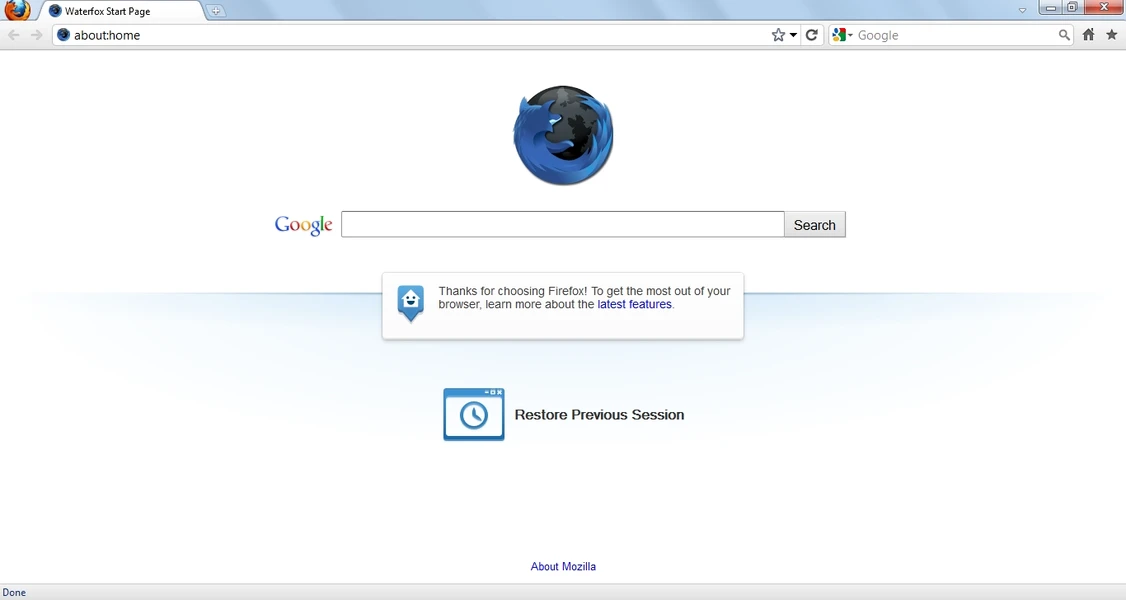
Waterfox Browser serves as a highly specialized web navigation tool designed for power users who prefer the Gecko rendering engine but actively reject the background telemetry native to mainstream alternatives. Built as an independent fork of the Mozilla source code, this browser removes hidden data collection modules, sponsored content injections, and forced A/B testing routines. By stripping out the background noise, the application offers a clean, highly responsive interface that keeps local browsing habits strictly private while maintaining full compatibility with modern web standards.
For daily internet tasks, a desktop browser must strike a balance between privacy and functionality. Many strict privacy tools block essential web scripts, resulting in broken page layouts, failing financial portals, and missing media players. This application solves that friction by keeping digital rights management controls and extension compatibility intact. You can stream high-definition video, run custom ad blockers, and manage heavy tab loads without triggering the excessive background connections that normally slow down standard commercial browsers on Windows 10 and Windows 11 systems. Furthermore, the engine uses deep compiler optimizations specifically tuned for modern 64-bit processors, leading to fast startup times and efficient memory handling when juggling dozens of active sites.
Choosing an independent browser directly impacts how much control you have over your interface and data. Instead of pushing mandatory cloud accounts or integrating third-party read-it-later services, the software gives you a blank slate. You decide which search engine handles your queries, which tracking scripts get blocked, and how your interface elements are arranged. It is a practical utility built for individuals who want an efficient, distraction-free internet environment where their personal data is not treated as a monetizable asset. The focus remains purely on delivering web content exactly as it was coded, without inserting extra tracking layers between your computer and the host server.
Key Features
- Feature Name: Disabled Telemetry by Default. The browser completely unhooks all native data collection systems, meaning ping senders and usage statistics modules are removed at the source code level. Your browsing history, click patterns, and feature interactions remain entirely local, preventing external servers from building a profile based on your daily internet habits. The absence of these background processes also frees up system resources, ensuring the application runs lighter on memory.
- Feature Name: Advanced Tracking Protection. Utilizing integrated blocklists from Disconnect.me, the engine actively stops hidden analytic scripts, social sharing trackers, and third-party advertising cookies from loading. You can adjust the protection level in the Privacy settings, choosing between standard blocking for maximum site compatibility or strict blocking for heavily targeted sessions. This built-in defense layer operates at the network level, reducing page load times by denying tracker execution early.
- Feature Name: Unrestricted Extension Support. Because it shares a foundation with the Gecko engine, you can install any add-on directly from the official Mozilla repository without facing artificial blocklists. From complex script blockers like uBlock Origin to custom password managers and container utilities, the browser handles standard WebExtensions flawlessly. It deliberately avoids restricting extensions that deeply modify browser behavior, giving you total control over the software's capabilities.
- Feature Name: Interface Customization Controls. The application restores interface flexibility that many modern tools have abandoned, allowing you to move the tab bar below the address bar or reinstate a traditional status bar for quick feature access. Advanced operators can also implement userChrome.css modifications to completely overhaul the visual presentation without fighting against locked interface elements. This ensures your workflow is dictated by your preferences, not a mandated corporate design language.
- Feature Name: Integrated DRM Playback. Unlike ultra-strict privacy forks that strip out proprietary media codecs entirely, this application retains Widevine digital rights management support. This ensures that major streaming platforms like Netflix, Hulu, and Amazon Prime Video load perfectly without requiring complex workarounds or third-party media modifications. You control when the DRM module is active, keeping your privacy intact without sacrificing your ability to watch commercial media.
- Feature Name: Private Tab Isolation. Instead of forcing you to open a completely separate window to keep a search out of your history, the browser allows you to open a single private tab within your existing session. This isolates cookies and prevents tracking for that specific site while letting you continue working in your primary tabs right alongside it. It is an ideal workflow solution for checking secondary email accounts or researching sensitive topics without disrupting your main workspace.
- Feature Name: Open Search Engine Management. You hold complete authority over how your queries are processed, with the ability to add, remove, and modify the default search providers directly from the Search panel. The application does not force you into using a specific partner network and easily accommodates privacy-focused engines like Startpage or DuckDuckGo. You can even assign keyword shortcuts to specific engines, allowing you to route queries to different databases directly from the address bar.
How to Install Waterfox Browser on Windows
- Navigate to the official vendor website to acquire the signed Windows executable installer package directly from the developer's secure servers.
- Run the downloaded setup application, granting the necessary administrative permissions when prompted by the Windows User Account Control dialogue to allow system-level changes.
- Select the Standard installation option to apply default directory settings, or choose Custom to specify your exact installation folder if you keep applications on a secondary hard drive.
- Review the shortcut creation prompts, choosing whether to generate a desktop shortcut, a start menu folder, and a taskbar pin for quick access.
- Click the install button to extract the browser files to your system.
- Click finish to close the installer wizard and trigger the first-run experience, bringing up the main browser window alongside the introductory setup tab.
- Use the built-in migration wizard if you wish to transfer your existing bookmarks, saved passwords, and browsing history from your previous default browser application.
- Open the main settings menu via the top-right hamburger icon to configure your default search provider and adjust your preferred level of tracking protection before beginning your daily web tasks.
Waterfox Browser Free vs. Paid
The entire application is completely free and open-source. There are no premium tiers, pro subscriptions, or paywalled features hidden behind an upgrade screen. Because the underlying code is developed openly, any user can download the compiled release or inspect the source code without registering an account. This commitment to free software ensures that advanced privacy tools remain accessible to everyone, regardless of their budget.
Unlike enterprise browsers that lock advanced security policies, deployment tools, or specific interface customizations behind commercial licenses, all privacy configurations are available immediately upon installation. The project sustains its development and server hosting costs through ethical search engine partnerships. When a user conducts a query through certain default search providers, the project earns a small fraction of the generated search revenue. This financial model ensures the browser remains functional and well-funded without relying on user data sales or intrusive advertising networks.
Because there is no commercial trial period or license key system to manage, you never have to worry about the browser suddenly restricting your workflow or locking your bookmarks. Features like tracking protection, secure synchronization, private tab isolation, and complete extension support are permanent fixtures of the application. The developers rely purely on community support, code contributions, and transparent partnerships rather than artificial software limitations, providing a completely unrestricted web environment from day one.
Waterfox Browser vs. Mozilla Firefox vs. LibreWolf
Mozilla Firefox serves as the foundational architecture for many alternative browsers and offers excellent web compatibility out of the box. However, it currently ships with various telemetry modules, integrated read-it-later services, sponsored interface elements on the new tab page, and forced background connections. Users who want a reliable rendering engine but do not want to participate in data collection often find the official Mozilla release too heavy on background activity.
LibreWolf takes the opposite approach by applying the strictest possible privacy rules to the Gecko engine. It disables all telemetry, forces aggressive tracking protection, and completely removes digital rights management support, meaning you cannot watch encrypted streaming services by default. Furthermore, it deletes all cookies and history every time you close the application. This makes it an excellent choice for individuals who require absolute anonymity and strict security hygiene, but it frequently breaks complex website layouts and introduces major friction for standard daily browsing tasks.
Waterfox Browser occupies the practical middle ground between these two extremes. It strips out the telemetry, sponsored content, and background tracking found in Firefox, but it retains the DRM support and standard cookie behaviors that LibreWolf destroys. It allows you to save passwords, keep persistent logins across sessions, and install any extension you need while ensuring your data remains locally stored. When you need a browser that protects your privacy locally without breaking your favorite streaming sites or requiring constant security rule adjustments, this application delivers the most balanced daily driving experience.
Common Issues and Fixes
- Secure media streams refuse to play. If platforms like Netflix, Disney+, or Spotify web players display an error regarding missing components, you likely have digital rights management disabled. Open the general settings panel, scroll to the DRM Content section, and ensure the checkbox to play controlled media is ticked so the Widevine video module can download and run.
- Specific websites load without CSS or images. Aggressive tracker blocking occasionally stops necessary layout scripts from running, resulting in plain text pages. Click the shield icon next to the address bar and toggle off tracking protection for that specific site to restore normal functionality, or switch your global settings from Strict to Standard.
- Default search engine changes unexpectedly after restarting. Upstream code updates occasionally reset search behaviors. Navigate to the Search panel in the main options menu, click the button to restore default search engines, remove any unwanted providers, and select your preferred provider from the primary drop-down list.
- Synchronization fails to connect across multiple devices. If the browser rejects your login attempt for cross-device bookmark syncing, your cookie settings might be too strict. Clear your local cache, ensure you are allowing first-party cookies, and attempt to log in through the Mozilla Sync portal again, as the authentication token requires temporary storage.
- Legacy interface modifications stop functioning. Custom userChrome.css edits can break when the underlying rendering engine updates. To fix broken interface layouts, you will need to open your profile folder, locate the chrome directory, and update your CSS code to match the latest rendering tags documented by the modification community.
Version 6.6.8 — January 2026
- Restored the ability to import browser data from Firefox on Windows systems.
- Resolved an issue where HDR playback was broken on YouTube for Linux users.
- Achieved verified publisher status on Flathub, ensuring trusted provenance for Flatpak installations.