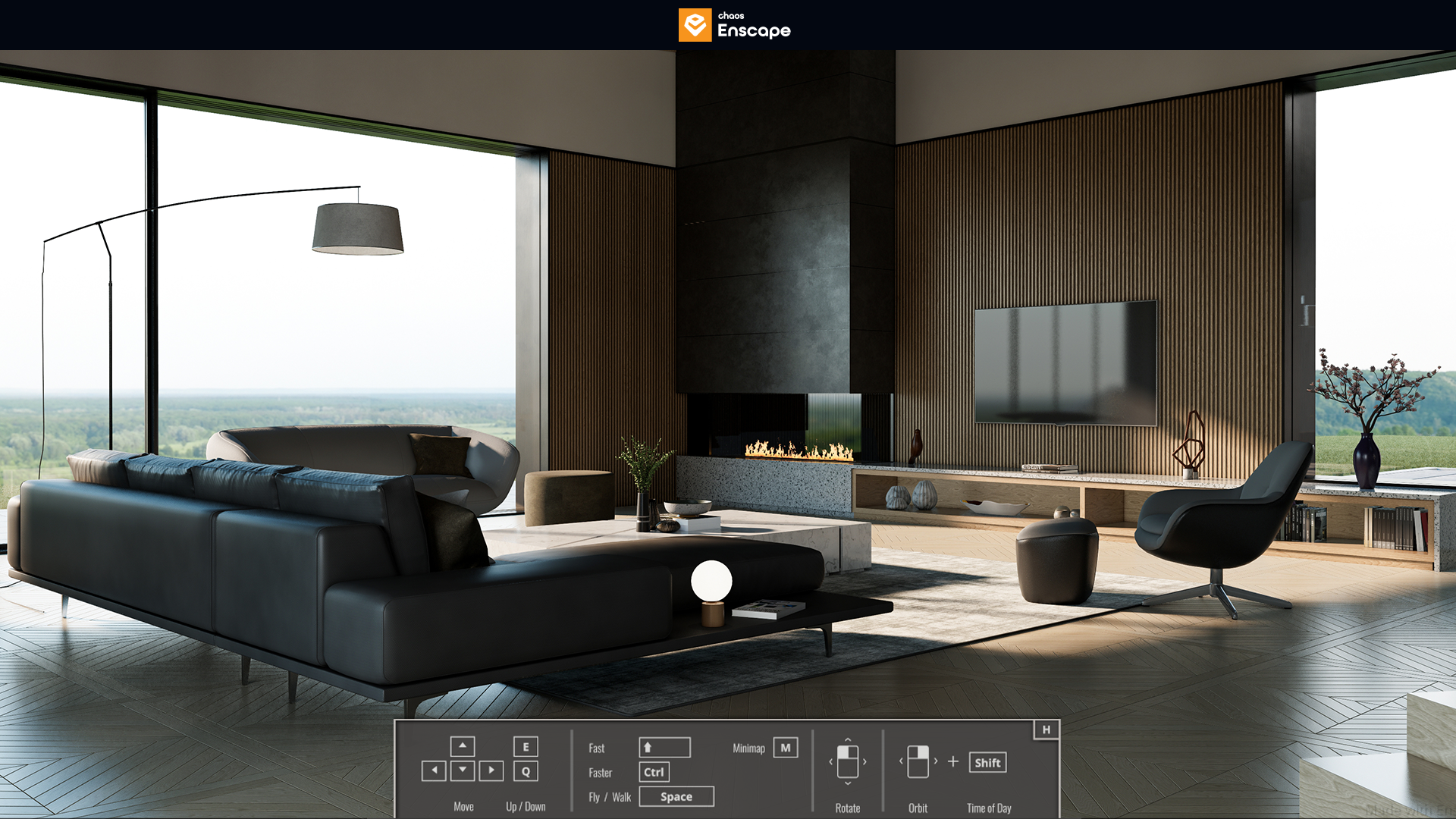
Enscape D serves as a real-time rendering and virtual reality plugin that bridges the gap between raw CAD geometry and immediate architectural visualization. Instead of operating as a disconnected standalone application where designers must constantly export and import model files, this tool runs directly inside host programs like Revit, SketchUp, Rhino, Archicad, and Vectorworks. When an architect adjusts a wall, changes a material finish, or moves a piece of furniture in their native modeling workspace, the rendering window updates live. This bi-directional data flow removes the tedious rendering bottlenecks that traditionally forced design teams to wait hours just to see how natural light affects a new room layout.
The primary audience for this plugin includes architectural firms, interior designers, and landscape professionals who need to present ideas to clients quickly and clearly. Traditional ray-traced rendering engines require specialized knowledge of material nodes, artificial bounce lighting, and camera exposure settings. Enscape D bypasses much of that technical overhead by automating environmental lighting and applying physically based rendering materials immediately. By relying on the local hardware of a workstation, the software achieves true real-time frame rates that web-based viewers cannot replicate. Complex building models often contain millions of polygons and heavy texture files that would choke a browser-only tool. The desktop application utilizes the dedicated graphics card of a Windows machine to calculate soft shadows, reflective surfaces, and global illumination instantly. Cloud connectivity is still required for specific background tasks, such as verifying the active license, downloading new 3D models from the asset library, and hosting exported panoramic tours for client review.
This specific integration means that the learning curve remains relatively flat. A user who already knows how to model a building in their primary software does not need to learn a completely new interface to generate professional imagery. They simply place lights and apply textures using their standard tools, and the plugin translates those inputs into a photorealistic output. This practical efficiency has made it a standard utility in modern architectural offices where speed and iteration are strictly required to meet project deadlines.
Key Features
- Real-Time Live Sync: The plugin maintains a continuous connection with the host CAD program. If you move a window or change a floor texture in Revit or SketchUp, the Enscape viewport reflects the modification instantly without requiring a manual export or scene refresh. This immediate feedback loop allows architects to test multiple design variations in a matter of seconds.
- Native Virtual Reality Support: Designers can plug in compatible PC VR headsets, such as an HTC Vive or Oculus device, and activate VR mode with a single click from the main toolbar. This drops the user or client directly into the 3D space at true human scale to evaluate sightlines, ceiling heights, and spatial relationships accurately.
- Standalone Executable Export: For clients who do not own the CAD software or the rendering plugin, you can export the entire navigable project as a standalone .exe file. The client can open this file on their own Windows machine and walk through the building using standard WASD keyboard controls, much like navigating a first-person video game.
- Chaos Cosmos Asset Integration: The software includes access to a massive library of render-ready 3D models, including vegetation, furniture, vehicles, and scanned human figures. These assets use low-poly proxy placeholders in the CAD viewport to keep the modeling file light, while rendering at maximum physical quality in the final image output.
- Dynamic Time and Sun Controls: Users can change the time of day and adjust the sun angle simply by holding the Shift key and dragging the right mouse button. This instant environmental control helps architects conduct quick shadow studies, evaluate solar heat gain potential, and demonstrate how natural light enters a space across different seasons.
- AI Asset Enhancement: The engine incorporates automated artificial intelligence routines that refine the appearance of people and vegetation in the final output. This tool processes the visual fidelity of these specific assets during the export phase without dragging down the frame rate of the live working session, ensuring crisp final presentations.
How to Install Enscape D on Windows
- Close all active CAD and BIM applications, including SketchUp, Revit, Rhino, Archicad, and Vectorworks, to prevent file locking conflicts and ensure the plugin hooks are written correctly.
- Download the official Windows installer package from the vendor's website and launch the executable file from your local downloads folder.
- Read and accept the End-User License Agreement (EULA) when prompted on the initial setup screen to unlock the installation controls.
- Select your preferred interface language from the dropdown menu, which currently supports English, German, Spanish, French, Italian, and several others.
- Click the Advanced button if you need to change the default installation directory or if you want to specify whether the tool should be installed for all users on the machine or just the current local Windows account.
- Proceed through the final installation steps and wait for the progress bar to complete the copying of plugin files to the respective CAD directories.
- Open your preferred host application, locate the new Enscape Ribbon or toolbar within the workspace, click the "Start" button, and sign in with your Chaos account credentials to authenticate your license and begin rendering.
Enscape D Free vs. Paid
Enscape D operates on a commercial subscription model, though new users can evaluate the tool through a fully functional 14-day trial. The trial provides complete access to the rendering engine, VR capabilities, and the asset library without applying restrictive watermarks to the exported images. However, obtaining the trial requires creating a Chaos account, and the system requires users to enter payment details that will automatically trigger a standard subscription charge if the trial is not canceled before the evaluation period ends.
For paying users, the pricing structure is divided into individual and team-based tiers. The Premium plan, designed for single users, assigns the fixed-seat license to one specific account. This tier is typically billed annually, requiring a notable upfront commitment, as there is currently no month-to-month payment option for the base product. This makes the initial purchase a calculated financial decision for independent architects and freelance designers who need continuous access to the rendering tools.
Larger architectural firms generally opt for Floating licenses. This model allows the software to be installed on multiple workstations across an office network, but restricts concurrent usage to the exact number of seats purchased. When a designer closes the rendering window, the license returns to the central pool for another colleague to use. Enterprise bundles, such as the ArchDesign or ArchViz Collections, combine the software with other Chaos visualization tools, providing a broader visualization suite under a single yearly contract. Educational licenses are also available for verified students and academic institutions, offering the same feature set at a heavily reduced rate.
Enscape D vs. V-Ray vs. Lumion
V-Ray, which is now developed by the same parent company as Enscape D, focuses entirely on absolute photorealism and final marketing imagery. It requires users to manually configure complex light bounces, material nodes, ray-tracing limits, and camera exposure settings, often taking minutes or hours to process a single high-resolution still image. Users should choose V-Ray when creating billboard-quality advertisements or competition renders where every microscopic reflection must be physically accurate. Enscape D handles lighting automatically and prioritizes speed, making it far superior for live client meetings where design changes must be viewed instantly without waiting for a rendering bar to finish.
Lumion operates as a completely separate standalone application rather than an integrated plugin that runs directly inside the CAD host. To use Lumion, designers must export their 3D models, import them into the Lumion environment, and build the landscape, lighting, and weather systems independently. It features an incredibly detailed nature system, making it ideal for massive exterior master-planning and complex landscape architecture projects. However, this disconnected workflow creates friction when the core building design changes, as models must be carefully re-synced or re-imported to avoid losing applied materials.
Enscape D is the better fit when workflow speed, tight CAD integration, and immediate visual feedback are the highest priorities for a design team. Because it lives directly inside Revit or SketchUp, designers never have to leave their primary workspace to see their materials and lighting applied in true 3D. It allows an architect to build a new wall and immediately walk past it in virtual reality, a capability that neither V-Ray's node-heavy processing engine nor Lumion's external importer can match for sheer daily iteration speed.
Common Issues and Fixes
- Flickering surfaces or visual glitches during camera movement. This is known as Z-fighting and occurs when two faces in the CAD model occupy the exact same spatial coordinates. The fix is to open the host model and nudge one of the overlapping objects, such as a rug sitting perfectly flush with a concrete floor, slightly upward so the rendering engine knows exactly which material to render on top.
- Surfaces appear completely black, transparent, or unlit. This is almost always caused by reversed faces in the original 3D model geometry. The rendering engine only calculates light on the front side of polygons to save processing power, so you must use your CAD software's face orientation view to flip the reversed geometry so the correct side faces outward toward the camera.
- The application crashes immediately upon launch or freezes at five percent. This often happens if the computer's graphics card does not meet the strict dedicated video memory requirements or if hardware drivers are out of date. Ensure your dedicated GPU has at least 4GB of VRAM and install the latest studio or game-ready display drivers directly from the component manufacturer's website.
- Asset library fails to load or displays broken thumbnail icons. This indicates a network timeout communicating with the Chaos Cosmos asset servers. Check your Windows firewall settings to ensure the application is allowed outbound access, or open the About menu within the plugin interface to log out and log back in, which forces the software to refresh your active authentication token.
Version 4.13.0.619 — November 2025
- Added Thermal Comfort Analysis capability within Enscape Impact, enabling architects to assess occupant comfort using Predicted Mean Vote methodology and visualize how spaces perform throughout the year
- Introduced Exportable Performance Reports in Enscape Impact, allowing users to document analysis data and insights for easier collaboration and comparison of design alternatives
- Restored the "Save as External Model for Enscape" functionality in SketchUp with enhanced stability, enabling components to be saved as lightweight external files that appear as wireframe placeholders while rendering in full detail
- Improved scene hierarchy naming for .vrscene exports in Revit, generating cleaner and more consistent paths that enhance readability across exported scenes
- Enhanced grass rendering quality with improved sharpness and shadow definition for more realistic outdoor environments
- Added compatibility support for SketchUp 2026, Archicad 29, and Vectorworks 2026 to ensure seamless workflow with the latest design software versions
- Streamlined the installation process by removing the login requirement, making setup faster and more user-friendly
- Improved Envision workflow integration by preserving Cosmos asset references and material IDs during export for smoother transitions between applications