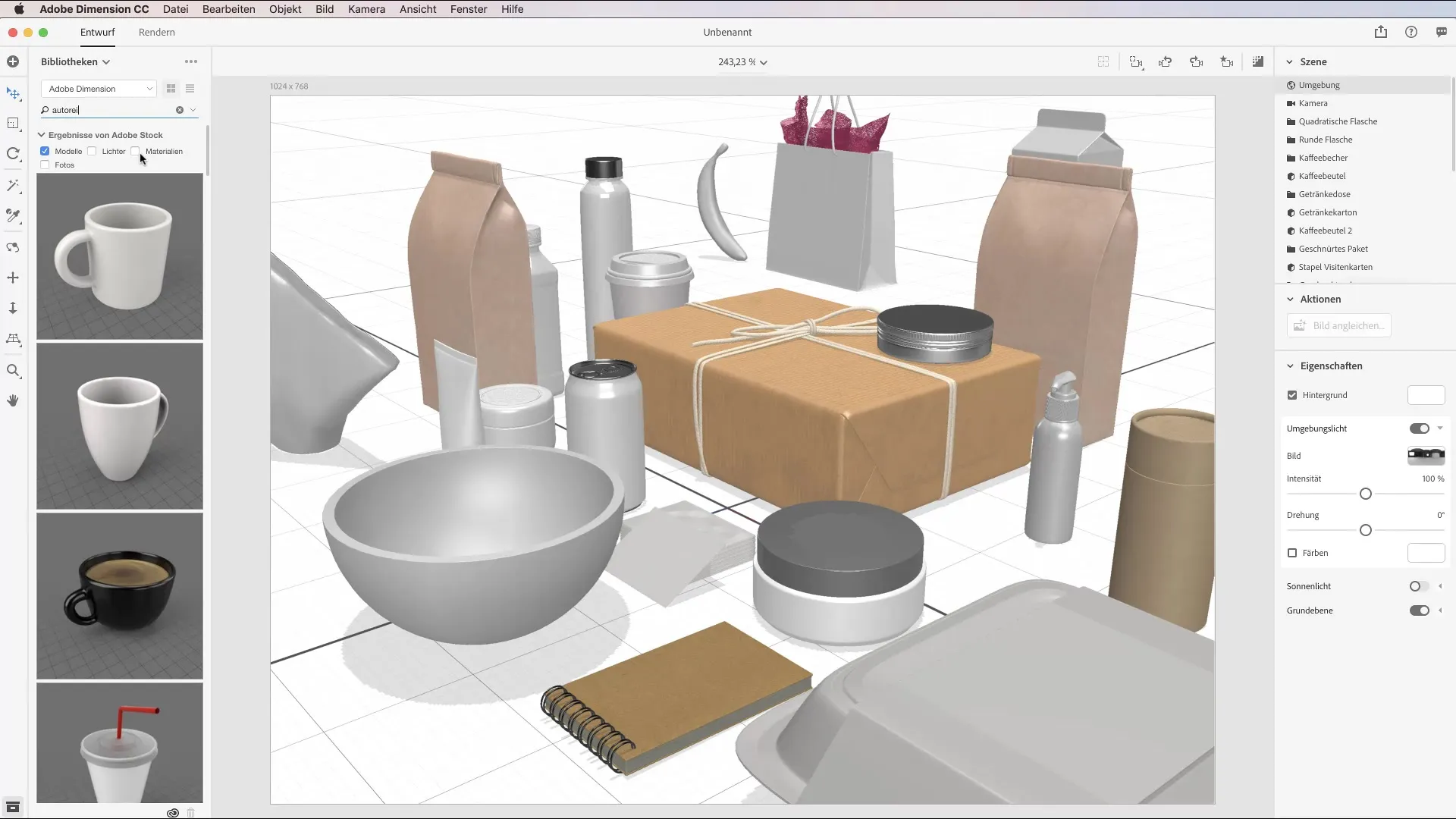
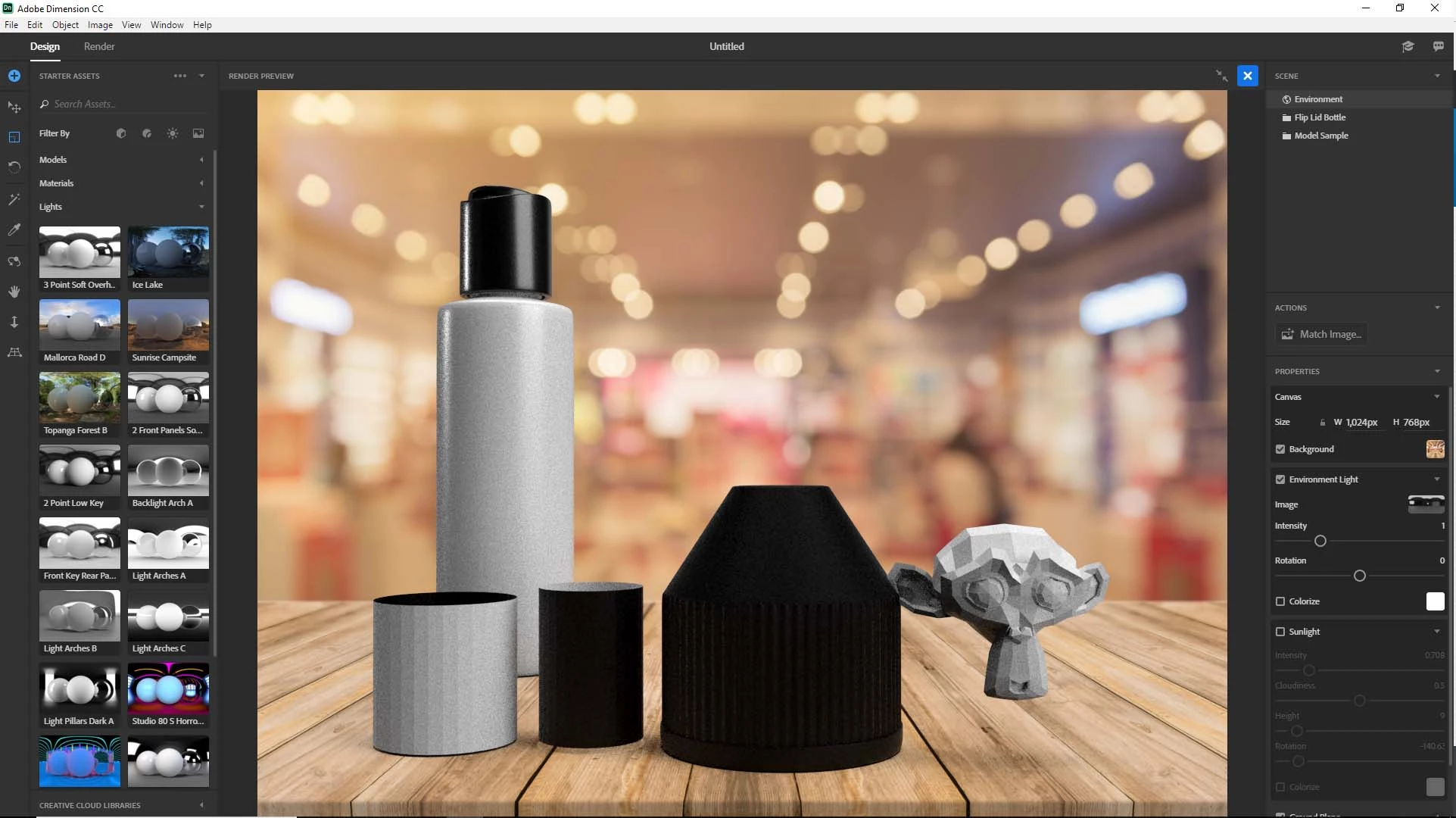
Adobe Dimension is a dedicated 3D staging application built specifically for graphic designers who need to composite two-dimensional artwork onto three-dimensional objects. Unlike traditional 3D suites that focus on vertex manipulation, sculpting, or complex character rigging, this environment skips the modeling phase entirely. Users import blank 3D models—such as bottles, boxes, bags, retail displays, or cosmetic containers—and apply their vector logos, typography, or raster patterns directly onto the surfaces. By removing the steep learning curve associated with raw geometry creation and mesh topology, the software provides a direct visual staging area where flat graphics turn into physical product mockups. The interface is designed to mirror familiar 2D design tools, utilizing familiar keyboard shortcuts, a standard left-side toolbar, and right-side property panels, meaning an illustrator or layout artist can begin staging objects immediately without learning a completely new structural logic for 3D space. This creates an environment ready for client presentations, advertising campaigns, or packaging reviews.
The primary job this software solves is eliminating the need for expensive physical photography shoots or complicated external 3D rendering pipelines just to see how a label looks on a curved surface. A graphic designer can finalize a logo in a vector program, export it as an image file, and immediately wrap it around a glass jar in a virtual studio. The environment calculates realistic lighting, reflections, shadows, and material properties based on physical rules and material science. Users control the camera angle using dedicated orbit, pan, and dolly tools, adjust the background environment lighting, and let the software compute how the light interacts with different textures. This allows for immediate visual feedback on design decisions, whether that means testing a matte cardboard box against a brightly lit studio backdrop, visualizing a reflective metallic foil under outdoor sunlight, or rendering a transparent plastic window on a retail package.
Relying on a locally installed desktop application is necessary because rendering realistic light bounces, transparency, and high-resolution textures demands serious hardware processing. Browser-based mockups or lighter online tools often compromise on render quality, limit output resolution, or suffer from severe input lag when handling complex ray-tracing tasks. By running locally on Windows desktop hardware, the software directly accesses the host machine’s CPU threads and dedicated GPU cores. This allows the viewport to maintain an interactive frame rate while manipulating high-fidelity materials, ensuring that the heavy computational load of ray-traced rendering happens efficiently on the user's own silicon rather than relying on a delayed cloud-based queue. Local execution also means gigabytes of high-resolution material textures, environment maps, and 3D geometry can be loaded from an SSD instantly, bypassing the constant network fetching required by web-based design alternatives.
Key Features
- Match Image Automation: When users import a custom background photograph onto the canvas, the engine analyzes the pixels to automatically align the 3D environment. It detects the horizon line to adjust the camera perspective, estimates the focal length to match the physical lens distortion, and identifies the primary light source to recreate matching sunlight and ambient illumination. This ensures the 3D model looks like it actually belongs in the original photograph without requiring manual light placement.
- Drag-and-Drop Decals: Artwork can be dragged directly from local folders and dropped onto a 3D model, applying it instantly as an isolated graphic layer. Users can switch the placement behavior in the right sidebar to "Decal" mode for logos that need to be scaled and rotated freely across curved surfaces, or "Fill" mode to tile a repeating pattern across the entire geometry. Multiple decals can be stacked on a single object, each retaining individual properties.
- Mercury Rendering Engine: The application utilizes a mixed-technique rendering system that allows users to switch between a fast real-time preview and physically accurate ray tracing. Users can press the default backslash keyboard shortcut to open the Render Settings panel, adjusting the maximum rays per pixel to balance between rapid viewport interactions and pristine final outputs. The engine supports dedicated GPU acceleration on compatible hardware to drastically reduce computation times.
- Multi-layered PSD Renders: Exporting the final scene generates deeply layered files rather than flattened static images. The output segregates the rendered elements, providing isolated layers for the 3D objects, the background environment, cast shadows, and reflections. It also generates specialized selection masks for specific materials and object IDs, allowing for precise post-processing, masking, and color correction in external image editors without needing to re-render the 3D scene.
- Material Editing Controls: The contextual Properties panel grants direct access to physical material attributes rather than abstract shaders. Users can select an object and independently adjust its base color, metallic shine, roughness, and opacity using straightforward sliders. Designers can also unlink shared materials to apply specific texture maps—such as a normal map for bump details or a displacement map for actual surface deformation—to individual components of a complex model.
- UV Export Workflows: For structural designs that require precise alignment with the seams of a 3D model, the Object menu includes an Export UV option. This function unpacks the model's geometry into a flat, two-dimensional reference image, which can be opened in external design tools to accurately place artwork over complex folds and edges, before being re-imported and applied as an accurate surface texture.
How to Install Adobe Dimension on Windows
- Download the installer archive from our provided direct download links, ensuring you have enough local storage space for the downloaded package and the extracted files, as 3D assets require substantial disk capacity.
- Extract the downloaded ZIP archive into a new, empty folder on your desktop using the built-in Windows extraction tool or a third-party archive utility to ensure all setup components are unpacked correctly.
- Open the newly extracted folder and locate the
readme.txtfile; open it in Notepad to review any specific pre-installation instructions, local framework dependencies, or required registry notes associated with this specific setup package. - Run the primary installer executable file, usually named
setup.exeor a similar variation, and click "Yes" when the Windows User Account Control prompt asks for administrator permissions to write system files to your drive. - Follow the on-screen installation wizard, selecting the default installation path at
C:Program FilesAdobeor choosing a custom destination drive if your primary partition lacks the necessary space for the software and its starter models. - Wait for the progress bar to complete as the installer writes the core application executables, unpacks the local Mercury Rendering Engine components, and builds the default material and lighting libraries on your local storage.
- Close the installer wizard once the success screen appears, then launch the application from your Windows Start menu; you will be greeted by a prompt requiring you to sign in with your account credentials to authenticate your license before reaching the Home interface.
Adobe Dimension Free vs. Paid
This software is entirely a commercial, paid product and does not offer a free version, open-source community edition, or a permanent lifetime license. The business model is strictly subscription-based, requiring users to authenticate an active account upon launching the desktop application. Users who are evaluating the tool for the first time can usually access a limited 7-day trial by registering an account and providing billing details, after which the software will lock unless a paid plan is selected. The application requires constant verification of the subscription status to remain operational.
Pricing structures depend heavily on how the application is purchased and what tier of service a user selects. Historically included in broader app bundles, the software can also be acquired as a standalone single-app subscription. A standalone monthly subscription for an individual typically ranges around $29 to $35 per month, depending on regional pricing and current promotional offers. This standalone tier provides full access to the desktop application, the integrated rendering engine, and the included starter 3D assets, without requiring the user to pay for other design tools.
For users who need multiple creative tools, the application is frequently bundled into larger subscription packages. The full all-apps tier, which includes access to dozens of other desktop design applications, generally costs between $55 and $60 per month for individuals. Enterprise and educational institutions have different billing structures, often paying per named user on annual contracts, which can cost upwards of $140 per year per seat. There are no mandatory paid add-ons required to unlock core rendering features, but users might spend additional money acquiring premium 3D geometry or complex materials from external stock marketplaces.
Adobe Dimension vs. Blender vs. KeyShot
Blender is a free, open-source 3D creation suite that handles the entire pipeline from polygonal modeling and digital sculpting to animation, rigging, and physics simulation. Users who need to build custom geometry from scratch, manipulate individual vertices, or animate complex cinematic scenes must choose Blender, as it provides absolute control over every aspect of a 3D environment. However, this deep technical capability results in a notoriously steep learning curve, making it intimidating for users who only want to place a flat graphic onto a pre-existing 3D shape. Blender requires an understanding of node graphs, UV unwrapping, and mesh topology.
KeyShot is a premium, specialized standalone rendering software utilized heavily by industrial designers, mechanical engineers, and automotive visualizers. It excels in handling massive CAD datasets, complex scientific materials, and precise mechanical animations, with pricing that typically exceeds a thousand dollars annually for professional licenses. When a project demands extreme industrial accuracy, measured physical materials, or the ability to handle millions of polygons exported directly from engineering software like SolidWorks, KeyShot provides an optimized environment that justifies its enterprise-level cost, far exceeding what a graphic designer needs.
Adobe Dimension sits specifically in the middle, targeting graphic designers rather than 3D artists or mechanical engineers. It is the better choice when the user already has a finished 3D model and simply needs to composite two-dimensional packaging designs, brand logos, or label artwork onto it as quickly as possible. By removing vertex modeling tools, complex node-based material graphs, and animation timelines, the application offers an accessible, drag-and-drop workflow that turns flat artwork into a rendered product shot in minutes, making it the most efficient option for straightforward brand visualization.
Common Issues and Fixes
- GPU rendering is disabled. The hardware acceleration toggle will be grayed out in the preferences menu if the system does not detect a compatible NVIDIA RTX graphics card with Vulkan support. To fix this on supported hardware, update your NVIDIA display drivers to the latest version, open the NVIDIA Control Panel, navigate to Manage 3D Settings, and force the software to use the High-Performance NVIDIA processor instead of the integrated graphics chip.
- Heavy visual noise or speckling in the viewport. When ray tracing is active, complex lighting calculations and transparent materials can result in a grainy image if the computation sample count is too low. Press the backslash key to open the Render Settings panel and manually increase the limit for rays per pixel, or enable the built-in denoiser option to smooth out the noise using artificial intelligence algorithms before triggering the final export.
- The viewport remains completely blank upon loading a model. This typically indicates an issue with outdated OpenGL drivers failing to render the canvas, preventing any geometry from displaying. Resolve this by downloading the latest graphics drivers directly from your GPU manufacturer's website; if the issue persists, verify that your machine meets the minimum Video RAM requirements specified for the application, as insufficient memory will drop the render context entirely.
- Match Image perspective looks distorted or incorrect. The automated environment matching struggles when the imported background photograph lacks a clear horizon line, contains warped perspective lines, or relies on a pure white studio backdrop without context. To correct the alignment manually, use the Orbit, Pan, and Dolly camera tools in the viewport to adjust the 3D grid until it physically matches the visual flow of the background image, then tweak the lighting angle to match the shadows.
Version 4.1.6 — November 2025
Based on the search results, I found information about Adobe Dimension version 4.1.0 and references to version 4.1.6 existing, but no specific changelog for version 4.1.6. The official Adobe release notes show version 4.1.0 was released in August 2025 with security updates in subsequent patches. Version 4.1.6 appears to be a maintenance release. Since no specific changelog was found for 4.1.6, I'll create a brief generic update note as instructed.
Version 4.1.6 — November 2025
- Enhanced application stability through critical bug fixes
- Improved security measures to address potential vulnerabilities
- Optimized rendering engine performance for faster workflow
- Resolved compatibility issues with Creative Cloud integration
- Fixed minor UI display inconsistencies across different system configurations