CorelDRAW Graphics Suite serves as a professional vector illustration, page layout, and photo editing environment engineered specifically for graphic designers, commercial print shops, and technical production houses. Rather than splitting tasks across entirely different programs, it integrates vector drafting with multi-page document creation, allowing users to build a corporate logo and immediately apply it to a 20-page brochure without leaving the primary workspace. Designers rely on its specialized toolset to draft custom typography, handle precise geometric measurements, and manage complex color separations required for commercial offset printing. The software functions as a central hub where raw ideas or client sketches transform into scalable vector paths ready for billboards, apparel printing, or digital distribution.
While browser-based design tools have gained traction for quick social media posts, this desktop application utilizes local computing hardware to handle demanding tasks that web apps simply cannot process. Working with massive architectural layouts, high-resolution raster textures, or hundreds of thousands of vector nodes requires direct hardware integration. The local installation connects directly with wide-format printers, vinyl plotters, and local desktop font libraries, making it an essential component for sign-making and physical manufacturing workflows. The application keeps large files local, eliminating the cloud upload latency that frequently stalls productivity, though it does offer companion web tools strictly for remote file review or minor off-site edits.
Practical application dictates why specific industries prefer this toolset over generic drawing applications. A technical illustrator can use specialized dimension tools to annotate an engineering diagram, while an apparel designer uses the color management engine to ensure the exact Pantone spot color prints correctly on fabric. Users choose it for the direct node control, interactive object extrusions, and tracing utilities that strip out pixelated backgrounds and output clean, production-ready paths. It effectively bridges the gap between creative visual design and the strict technical requirements of physical manufacturing, ensuring that what the designer sees on the computer screen translates exactly to the final physical medium.
Key Features
- Vector Illustration and Node Editing: Designers manipulate lines and shapes using the Pick tool and then press F10 to activate the Shape tool, exposing individual nodes along a bezier curve. Users can select multiple nodes, align them, or convert straight lines to curves, ensuring logos remain geometrically exact at any scale. Pressing Ctrl+Q converts live text to curves for custom typographic editing.
- Multi-Page Layout Integration: The application merges vector editing with page publishing directly inside the main window. Using the Pages docker, designers can set up master pages, add automatic page numbers, and arrange multi-page brochures without ever exporting the vector assets into a separate desktop publishing program.
- PowerTRACE Bitmap Conversion: When dealing with low-resolution raster logos or scanned sketches, this utility analyzes pixels and generates editable vector curves. The trace control panel provides sliders to adjust detail levels, smoothing, and corner sharpness, automatically removing background colors to create production-ready shapes for vinyl cutters.
- Contour and Offset Controls: Pressing Ctrl+F9 opens the Contour docker, allowing designers to create inside or outside outlines around text or shapes automatically. This tool is essential for sign makers and apparel designers who need to create cut lines or layered vinyl designs with specific, mathematically accurate offset measurements.
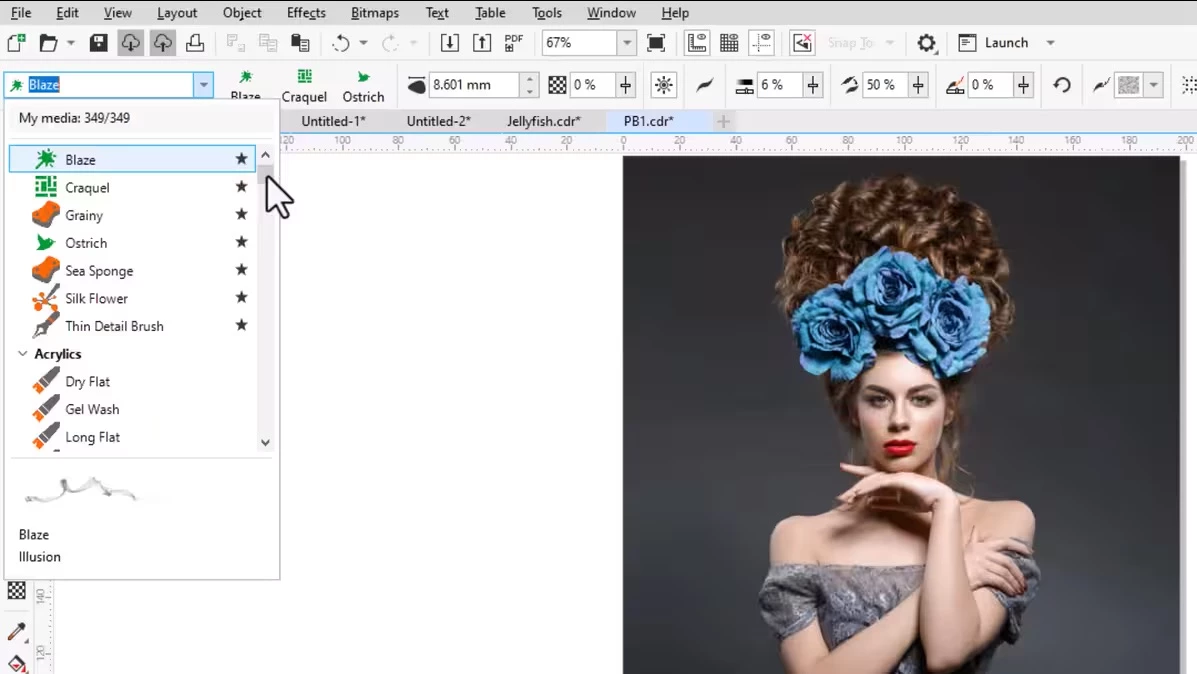
- Painterly Brush Tool: This tool applies realistic, pixel-based brush strokes directly onto a vector path, blending the texture of digital painting with the scalability of vectors. Even after drawing a stroke, the user can adjust the underlying nodes with the Shape tool to change the direction or curve of the brush effect.
- Advanced Print to PDF: Preparing designs for commercial printing requires exact color separations and trapping. Pressing Ctrl+E opens the export dialogue, which includes specialized profiles for PDF/X formats, color management settings for CMYK offset printing, and automated generation of crop marks and registration targets.
- Assets Docker Management: Locating design elements is managed through a dedicated side panel featuring a tree folder structure. The Folders and Content panes allow users to browse local directories or network drives, previewing vector graphics, photos, and symbols before dragging them directly onto the active canvas.
How to Install CorelDRAW Graphics Suite on Windows
- Download the official Windows installer package from the vendor website, ensuring you have the necessary administrator privileges to modify system files on your computer.
- Launch the setup executable and wait for the initialization screen to load, then read and accept the End User License Agreement to proceed.
- Choose the Custom Installation option when prompted; this allows you to specify exactly which programs in the suite get installed, such as the font manager or the raster photo editor, saving disk space if you only need the main vector application.
- Review the installation path, which defaults to the primary system drive, and verify that the Windows Shell Extension box is checked so you can view file thumbnails directly in File Explorer.
- Wait for the installer to extract the core application files, hardware drivers, and local asset libraries to the specified directories.
- Click Finish upon completion and launch the application from the new desktop shortcut.
- Log into a vendor account when prompted to authenticate the license and activate the AI credits before opening the main drawing canvas.
CorelDRAW Graphics Suite Free vs. Paid
CorelDRAW Graphics Suite does not offer a permanent free tier. Instead, new users can evaluate the full toolset by registering for a 15-day free trial. During this trial period, the software functions without artificial watermarks or export restrictions, allowing designers to test prepress workflows, vector tools, and file saving before committing to a purchase. Once the trial expires, the software requires a paid license to continue saving or exporting documents.
For users moving to a paid model, the suite is available through two primary licensing structures: a recurring subscription or a perpetual one-time purchase. The subscription model costs approximately $39 per month or $269 when billed annually. This tier provides continuous updates, cloud storage access, web-based editing applications, and a monthly allowance of artificial intelligence processing credits used for generative design features.
Alternatively, businesses and individuals who prefer to avoid recurring fees can purchase a perpetual license for a one-time fee of around $549. This provides permanent offline access to the exact desktop software available at the time of purchase. However, the perpetual license does not include future major feature updates, the monthly artificial intelligence credits, or ongoing access to the cloud collaboration tools unless an additional maintenance plan is purchased.
CorelDRAW Graphics Suite vs. Adobe Illustrator vs. Affinity Designer
Adobe Illustrator functions as the dominant vector drawing application within large creative agencies deeply invested in the Adobe ecosystem. Designers choose Illustrator when they must continuously pass files to motion graphics animators or dedicated layout applications. However, Illustrator strictly requires an ongoing subscription, offers no perpetual license, and forces users to rely on separate applications for handling multi-page document layouts.
Affinity Designer operates as a modern vector drawing application that merges vector paths and raster pixel editing within a single interface window. Independent illustrators often choose Affinity Designer because it runs fast on modern hardware and strictly uses a budget-friendly, one-time purchase model without any subscription requirements. However, it lacks the specialized prepress output controls, tracing utilities, and legacy file format support that physical print production shops require for daily manufacturing.
CorelDRAW Graphics Suite fits the requirements of print shops, sign makers, and physical production environments that demand tight control over technical output and multi-page layouts directly in one window. It handles large-scale technical projects, exact dimensioning, and direct hardware plotting with less friction than Illustrator, while offering a choice between subscription and perpetual licensing that neither Adobe nor Affinity currently matches in flexibility.
Common Issues and Fixes
- File thumbnails display as blank white icons instead of visual previews in Windows File Explorer. This usually happens when the Windows Shell Extension falls out of sync with the main application, often after uninstalling an older version. To fix it, open the Windows Control Panel, uninstall the "Corel Graphics - Windows Shell Extension," then run the main application installer again and choose the Repair option to restore the correct extension files.
- The application interface slows down or locks up during saving and exporting. Excessive temporary files accumulating on the system drive often cause this performance drop. Press the Windows key + R to open the Run dialog box, type
%tmp%, press Enter, and delete the accumulated files in the Temp folder to clear the cache and restore normal saving speeds. - Toolbars, menus, or the main workspace appear corrupted or missing upon launch. Customization glitches or sudden crashes can corrupt the workspace layout file. Close the application completely, hold down the F8 key on your keyboard, and double-click the application shortcut; a prompt will appear asking if you want to overwrite the current workspace with factory defaults, so click Yes.
- Older files saved in a newer format refuse to open when sent to a client or external print shop. The native file format updates its structure periodically, preventing older installations from reading new documents. When preparing files for external users, open the Save As dialog box, locate the version dropdown menu, and select an older format structure to ensure compatibility with their installed software.
Version 26.2 (2025 September Update) — September 2025
- Added a memory usage alert system in CorelDRAW Web to notify users when available resources drop below 1500 MB, ensuring better stability during intensive tasks.
- Improved file management in the Cloud Dashboard by refining the preview pane layout, ensuring file thumbnails and the "Open" button remain fully visible and accessible.
- Improved performance of batch SVG conversions on Windows by resolving memory leaks, resulting in faster processing and significantly reduced RAM usage.
- Improved the "Edit Text" dialog box to accurately render artistic text when the "Show Font" option is enabled.
- Enhanced template workflows with faster content search capabilities and optimized previews that load quicker while consuming less memory.
- Fixed an issue on Windows where copying paragraph frames containing bullets or spanning multiple pages to an area outside the page caused instability.
- Fixed a bug preventing specific Google Fonts (such as Corinthia and Great Vibes) from being applied to text despite appearing correctly in the preview list.
- Fixed internal errors that occasionally occurred on Windows after interacting with flyout menus and closing the application.
- Fixed a problem on macOS where saving .CDR files to external storage devices would fail or cause errors.
- Fixed printing irregularities where color separations for shapes with specific outlines were not outputting correctly via the Corel Print to PDF driver.
- Fixed an issue where document content containing bleed would shift unexpectedly when publishing to PDF.