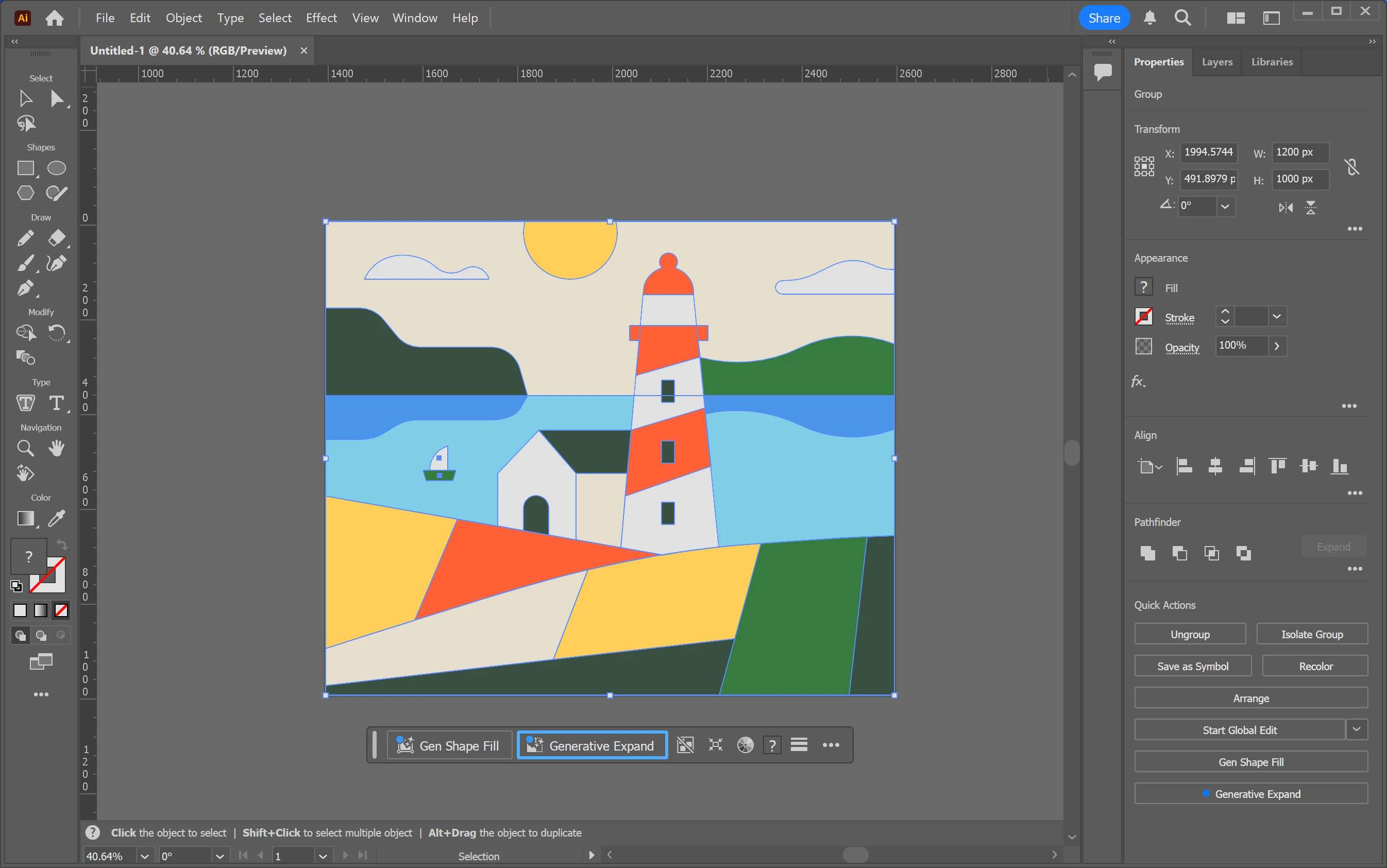
Adobe Illustrator operates as a dedicated vector graphics editing environment built for print studios, typography designers, and packaging engineers. Unlike pixel-based photo editors that rely on a fixed grid of colored squares, this workspace renders artwork using mathematical equations connecting anchor points and Bezier curves. This fundamental structural difference ensures that a small digital canvas containing a corporate logo can scale physically to billboard dimensions without generating pixelation or losing edge sharpness. The interface provides deep mathematical control over every path, allowing illustrators to manipulate exact curve tensions and stroke alignments to sub-millimeter measurements. Because the resulting files calculate geometry rather than storing millions of individual pixels, complex vector illustrations typically maintain smaller file sizes compared to high-resolution digital photography.
While browser-based layout editors serve well for generating quick social media graphics using templated layouts, commercial production workflows require dedicated desktop environments capable of handling strict industry standards. The application functions as a central hub where structural packaging outlines, user interface wireframes, and complex multi-layered illustrations converge before moving to final physical printing or digital export. Managing extensive clipping masks, high-resolution raster blur effects, and intricate gradient meshes demands local hardware processing to maintain interface responsiveness during rapid zooming and panning operations. Furthermore, the desktop architecture allows professionals to map highly customized keyboard shortcuts, manage massive multi-artboard files entirely within local system memory, and configure exact CMYK color profiles required by commercial print houses and proprietary cutting machines.
The software anchors itself deeply within the broader creative production pipeline by supporting standard formats like EPS, PDF, and SVG alongside its native file structure. Designers frequently draft core icons and typographic lockups within this environment before importing those elements into separate layout programs or motion graphics suites for further manipulation. This interconnected workflow relies heavily on consistent color management and typography syncing, ensuring that a specific Pantone color defined in the vector illustration matches exactly when placed onto a multi-page magazine spread. Relying on local desktop installation means users tap directly into their machine's dedicated processor and graphics processing unit to calculate complex geometric changes in real-time.
Key Features
- Pen Tool and Anchor Management: The core vector drawing mechanism relies on precise anchor point placement and directional handles to create custom shapes. Pressing the 'P' key activates the primary pathing instrument, while the Direct Selection tool isolates specific path segments without moving the entire grouped object. Users can add, delete, or convert individual anchor points on an existing path to refine sharp corners into smooth continuous curves manually.
- Shape Builder and Pathfinder: Combining overlapping paths into distinct new objects occurs directly on the canvas by dragging across desired segments while holding the Alt key to subtract geometry. For strictly mathematical boolean operations, the Pathfinder panel under the Window menu offers exact Add, Subtract, Intersect, and Exclude commands to punch holes or merge complex vector groupings cleanly. This workflow replaces tedious manual curve cutting by forcing overlapping shapes to define new boundary lines automatically.
- Advanced Typography Controls: Text handling extends beyond basic font selection, offering granular control over kerning, tracking, and baseline shifts for individual characters via the Character panel. Designers can map text to flow along an irregular curved path using the Type on a Path tool, wrap paragraphs around complex vector shapes, and convert live text into editable geometric outlines by pressing Ctrl+Shift+O. This outline conversion guarantees exact font rendering during the commercial print handoff even if the receiving computer lacks the original typeface files.
- Global Colors and Swatch Management: Instead of manually updating specific hex codes across hundreds of objects, users link fills and strokes to a central global color swatch in the Swatches panel. Altering the master swatch instantly updates the assigned color across all connected elements in the active document, maintaining strict brand consistency across multiple artboards. The Recolor Artwork dialog box further extends this capability by mapping entire existing color palettes to newly generated harmonies using a visual color wheel interface.
- Vectorizing Raster Images: The Image Trace panel converts imported pixel-based photographs or scanned pencil sketches into editable mathematical paths. Operators define the exact threshold, noise reduction levels, and corner strictness using slider controls to determine how accurately the resulting vector output mimics the original source file. Clicking the Expand button finalizes the trace calculation, turning the visual preview into selectable anchor points organized into logically grouped layers.
- Multiple Artboard Workflows: A single project file holds numerous individual canvases of varying dimensions, allowing designers to view a business card layout next to a letterhead design simultaneously. The Artboard tool allows operators to draw, resize, and duplicate these workspaces directly on the main pasteboard area using exact pixel or millimeter coordinates. Exporting the project generates individual PDF or SVG files mapped directly from each specific artboard boundary while sharing the same central resource pool.
- Appearance Panel and Live Effects: Instead of permanently altering core geometry, users apply non-destructive drop shadows, 3D extrusions, and warp transformations directly through the Appearance panel. This panel stacks multiple fills and strokes onto a single path, allowing complex visual styling while keeping the underlying skeleton easily editable with the Direct Selection tool. Disabling an effect simply requires unchecking the visibility icon next to the specific calculation layer.
How to Install Adobe Illustrator on Windows
- Navigate to the official vendor site to initiate the central desktop manager download, which acts as the mandatory installation hub for all related suite applications.
- Double-click the downloaded setup executable and allow Windows User Account Control to authorize the installation process on your local drive.
- Sign in using an active vendor account ID via the prompt, or register a new account to authenticate the licensing status and begin the trial period.
- Locate the specific vector editing application within the central dashboard directory under the Desktop Apps category and click the primary install button.
- Specify custom installation directories or language preferences in the desktop manager's global settings menu if the default Windows system drive lacks sufficient storage capacity.
- Wait while the client retrieves the necessary package data, unpacks local program files, downloads required cloud-sync modules, and configures Windows registry entries.
- Launch the program directly from the manager interface or the Windows Start menu to initialize the default workspace, load required plugins, and verify hardware acceleration compatibility on first launch.
Adobe Illustrator Free vs. Paid
Adobe Illustrator does not operate as free software, nor does it offer a perpetual one-time purchase license. Access requires an active, recurring subscription managed through the vendor's central desktop application, which verifies licensing status regularly via internet connection. The standard model offers a strictly enforced seven-day trial period that requires valid billing details upfront and automatically transitions to a paid tier unless the user actively cancels before the deadline.
Commercial pricing divides into an individual standalone application subscription or an inclusive bundle containing the entire creative software suite. The standalone tier costs roughly $22.99 per month when committing to an annual contract, while month-to-month billing without a yearly commitment demands a significantly higher rate. This base subscription typically includes an allotment of cloud storage for file syncing, access to a vast library of synchronized commercial fonts, and minor technical support access.
Enterprise environments manage licenses through a dedicated web-based administrative dashboard, allowing IT departments to reassign seats to different employee accounts as staffing changes occur. Educational institutions and verified students often receive discounted bulk licensing for the bundled suite, provided they supply active academic credentials during checkout. Canceling an active subscription locks access to the desktop application immediately upon the current billing cycle conclusion, preventing any further opening or editing of proprietary files until the subscription reactivates.
Adobe Illustrator vs. CorelDRAW vs. Affinity Designer
CorelDRAW focuses heavily on the signage, vehicle wrap, and industrial printing sectors, offering a highly customizable interface that many production houses have relied on for decades. Its native handling of multi-page documents operates more like a dedicated publishing layout tool compared to Illustrator's strict artboard system, making it highly efficient for catalog printing and large-format plotter output. Production operators working directly with physical vinyl cutters often prefer CorelDRAW due to established legacy plugin support and specific node-handling behaviors geared toward physical fabrication.
Affinity Designer distinguishes itself by utilizing a one-time perpetual purchase model rather than a recurring monthly subscription, appealing directly to independent contractors and smaller studios operating on strict budgets. The workspace allows designers to switch instantly between mathematical vector drawing and pixel-based raster painting within the exact same document through dedicated personas, removing the need to bounce files between separate standalone applications. While it lacks some of the highly specialized gradient mesh tools found in Adobe's ecosystem, its core rendering engine operates exceptionally fast on modern multi-core processors.
Adobe Illustrator remains the strict industry standard for corporate branding, digital typography, and agency-level packaging design, ensuring zero file compatibility friction when sending assets to major commercial print vendors. If budget constraints dictate software choices, Affinity Designer provides a highly capable modern alternative without ongoing monthly fees, handling standard vector tasks efficiently. Conversely, CorelDRAW retains a loyal footprint within specialized large-scale physical fabrication shops where legacy machine integration dictates workflow choices.
Common Issues and Fixes
- GPU Rendering glitches. Heavy zoom operations might display jagged artifacts or entirely black artboards instead of the actual artwork. Navigating to the preferences panel under Edit > Preferences > Performance and disabling GPU Performance forces the software to rely entirely on the main processor, instantly clearing up interface rendering errors on unsupported graphics cards.
- Missing linked images upon opening. Transporting a project file to a different computer often results in broken image links if raster elements were not explicitly embedded into the document. Using the Package command from the File menu prior to transfer gathers all externally linked files and custom fonts into a single, highly organized directory folder for safe sharing.
- Out of memory errors during complex exports. Generating high-resolution PDFs containing dozens of overlapping gradient meshes and heavy drop shadows can overwhelm local system RAM. Rasterizing complex vector effects directly on the canvas at 300 ppi using the Object menu before initiating the final export drastically reduces the calculation load during saving.
- Pathfinder operations resulting in compound errors. Attempting to subtract multiple overlapping shapes simultaneously often yields an uneditable compound shape that behaves unpredictably. Expanding all strokes into standard fills via Object > Expand and ungrouping nested elements before running the Pathfinder calculation ensures a clean, mathematically correct boolean cut.
- Missing synced fonts. Opening older documents frequently triggers warnings about missing typefaces despite an active internet connection. Opening the central desktop manager, navigating to the Fonts tab, and manually forcing a synchronization refresh typically restores access to the required typographical assets within the workspace.
Version 30.2 — February 2026
- Added an "Auto Select" feature that intelligently recommends the best AI partner model for your specific prompts when using Text to Vector Graphic.
- Added integration for GPT Image 4o and Gemini 2.5 (Nano Banana) to generate detailed vector artwork inside shapes via the Generative Shape Fill tool.
- Improved Text to Vector Graphic capabilities by introducing Gemini 3 (Nano Banana Pro) and Imagen 4 models for cleaner, more stylized scene and subject generation.
- Added the option to export artboards and assets in the high-quality TIFF format directly from the Export for Screens panel.
- Improved cloud workflows by enabling users to export Illustrator files directly to Adobe cloud storage for seamless access across desktop and web.
- Added the ability to send design assets straight from the workspace into Firefly Boards to quickly visualize mockups and mood boards.
- Improved object transformations by allowing precise Relative or Absolute scaling values within the Transform Each panel.
- Fixed multiple issues, including frozen gradient previews when moving objects, disappearing symbols, and a glitch that prevented the Escape key from exiting text editing mode.