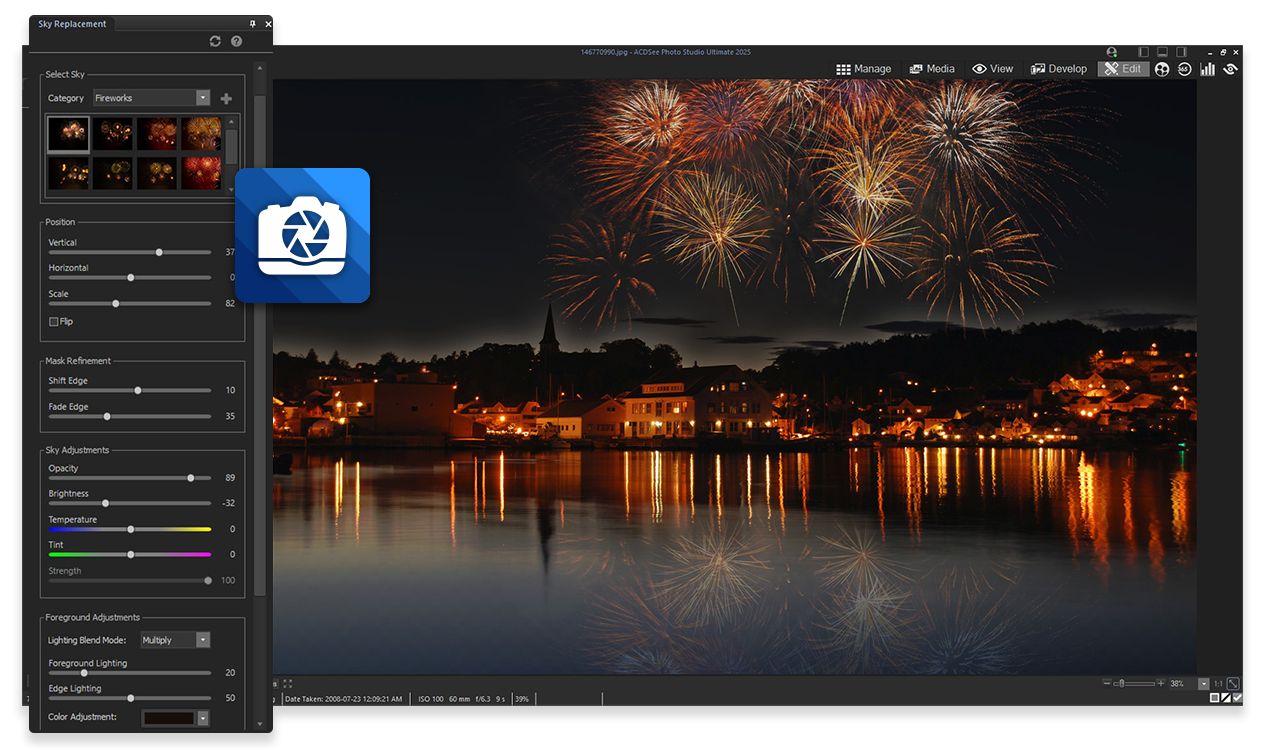
ACDSee Photo Studio Ultimate operates as an all-in-one digital asset management and RAW image editing application designed for the Windows environment. Unlike browser-based editors that struggle with heavy file sizes or require constant internet connections, this desktop application handles high-resolution photography archives directly from local storage. It addresses the practical workflow bottleneck of media organization by allowing photographers to browse, rate, and cull their images without forcing a slow import process into a centralized database. The architecture targets professional photographers and serious enthusiasts who maintain large local hard drives filled with unprocessed camera files and need an immediate way to view and manipulate their work.
Beyond file organization, the application consolidates two distinct editing disciplines into a single interface: non-destructive RAW development and pixel-level layer compositing. Typically, a photographer must process a RAW file in one program to recover highlights and correct white balance, then export the image to a secondary application to add text, apply localized masks, or merge multiple exposures. This software eliminates that export step. Users can pull an uncompressed image from their memory card, apply lens geometry corrections, balance the exposure, and immediately add graphical elements or blend modes using the internal layer stack.
The reliance on a dedicated desktop installation ensures that computational tasks, specifically those involving artificial intelligence, remain on the local machine. By utilizing the computer's internal graphics processing unit instead of remote servers, the software guarantees that sensitive portraits and unpublished commercial work stay private. This local processing approach means that complex tasks like removing high-ISO grain, automatically masking subjects, or upscaling cropped frames happen without waiting for server queue times or dealing with compressed cloud downloads. It provides a responsive environment for bulk processing tasks, where a user can batch export hundreds of finished JPEGs while simultaneously continuing to assign metadata tags to new imports.
Key Features
- Direct-to-Drive Digital Asset Management: The software bypasses the traditional catalog import requirement by allowing users to navigate their existing folder structure directly through the Manage mode. As soon as a memory card or external drive connects to the computer, the interface displays the media immediately. Users apply color labels, star ratings, and custom hierarchical tags directly to the files on the disk, making the culling process faster for high-volume event shooters who need to isolate the best shots before editing.
- Non-Destructive RAW Development: Inside the Develop mode, photographers have access to sliders that manipulate the raw sensor data of the camera file without permanently altering the original image. The interface provides specific modules for adjusting exposure, recovering blown-out highlights, and correcting color temperature. A split-view slider allows users to compare the original raw data against their current edits in real time, and all adjustments can be saved as presets to be batch-applied to entire folders of similar lighting setups.
- Layer-Based Pixel Editing: The dedicated Edit mode acts as a traditional raster graphics editor, supporting a full layer stack for complex image manipulation. Users combine multiple images using blend modes, apply opacity changes, add typography with dedicated text layers, and use layer masks to hide or reveal specific portions of the composition. This environment accommodates creating promotional graphics, adding watermarks, or performing intricate clone-stamp removal of unwanted background elements.
- Local AI Face and Hair Masking: Relying on the host machine's graphics card, the application detects human subjects within the frame and generates precise selection masks around complex boundaries. The hair masking tool isolates fine strands against busy backgrounds, allowing the user to adjust the lighting or color of the subject's hair independently. The facial detection tools isolate targets for targeted adjustments to skin texture, eye brightness, and lip color without manual brush strokes or tedious lasso tool tracing.
- Intelligent Noise Reduction and Upscaling: To salvage images shot in low-light conditions with high ISO settings, the software utilizes machine learning models to differentiate between actual image detail and digital sensor noise. The AI Denoise tool smooths out color speckling and luminance grain while preserving edge sharpness. Additionally, an upscaling feature interpolates missing pixels to increase the overall resolution of an image, which is useful when preparing cropped photographs for large-format physical printing.
- Automated AI Keywords and Search: To reduce the manual labor of typing metadata, the application scans the visual contents of the image library in the background and assigns descriptive tags based on recognized objects, scenes, and architectural elements. Users open the Activity Manager to monitor the progress of this indexing. Once complete, a user types a word like "bridge" or "dog" into the search bar, and the database instantly populates the View mode with relevant results across all connected hard drives.
How to Install ACDSee Photo Studio Ultimate on Windows
- Navigate to the official vendor website and download the primary Windows installer package executable to your local storage drive.
- Locate the downloaded file in your directory and double-click to launch the setup wizard, accepting the prompt from the Windows User Account Control to grant administrator permissions.
- Review and accept the end-user license agreement, then choose between a Complete or Custom installation method. Select the Custom path if you need to alter the default installation directory or specify exactly which image and video file formats the program should associate with by default.
- Proceed through the configuration screens and click Install, allowing the setup utility to copy the core application files, local machine learning models, and database structures to your primary disk.
- Once the progress bar completes, check the box to launch the application and click Finish to exit the installer environment.
- Upon the first launch, a prompt requires you to sign in with an active acdID account; this step is mandatory to authenticate a purchased license or to initiate the 30-day trial period.
- After successful authentication, configure the initial Home Page layout preferences and leave the application running so the background Activity Manager can begin indexing your default Windows picture folders for faster search retrieval.
ACDSee Photo Studio Ultimate Free vs. Paid
ACDSee Photo Studio Ultimate operates as a commercial software product and does not offer a permanent free tier for ongoing use. Interested users can evaluate the full capabilities of the application by downloading a 30-day free trial. During this trial window, all RAW editing tools, layer functions, and artificial intelligence masking features remain fully unlocked, allowing photographers to test the software against their real-world workflows. Once the trial expires, the software restricts further usage until a license is secured.
For users who prefer to avoid recurring billing, the vendor offers a perpetual license available for a one-time fee of $149.99 USD. This purchase grants ongoing access to the exact software state available at the time of purchase, meaning the application will never lock you out or demand further payment to function. However, the perpetual license limits the user to a single machine installation and does not include major future upgrades, meaning users who want future tools will need to pay an upgrade fee.
Alternatively, the company provides a subscription model branded as the 365 Home Plan, which costs $8.90 USD per month or $89 USD when billed annually. Choosing the subscription tier expands the installation allowance to up to five separate Windows devices, making it practical for households or solo professionals juggling a desktop workstation and a travel laptop. Furthermore, the subscription bundles 200GB of proprietary cloud storage for hosting web galleries and includes access to the developer's separate video editing and screen recording software packages.
ACDSee Photo Studio Ultimate vs. Adobe Lightroom Classic vs. Capture One
Adobe Lightroom Classic remains the dominant industry standard for managing and editing RAW photography, known for its extensive cataloging system and tight integration with Adobe Photoshop. However, Lightroom Classic strictly mandates that users import their photos into a central catalog database before any editing can begin, which creates frustrating delays when dealing with thousands of high-resolution files. Lightroom also forces users into a mandatory monthly or annual subscription, whereas ACDSee provides the flexibility of a one-time perpetual license.
Capture One is celebrated in high-end studio environments for its accurate color grading engine and reliable tethered shooting tools, which allow photographers to route images directly from a camera to a computer screen during a live shoot. The primary drawback of Capture One is its premium pricing structure, which is more expensive than most alternatives on the market for both its perpetual and subscription options. While Capture One excels in tethered studio portraiture, its asset management interface is often considered overly complex for everyday file organization.
ACDSee Photo Studio Ultimate serves as the better choice for Windows-based photographers who prioritize file browsing speed and want to avoid the import bottleneck of database-driven software. By relying on a direct-to-drive workflow, it allows users to open a folder and start culling immediately. It also presents a major advantage for creators who want Lightroom-style RAW adjustments and Photoshop-style layered pixel editing merged into one unified workspace, eliminating the need to bounce files between two separate programs.
Common Issues and Fixes
- Startup crashes due to large catalog databases. If the application crashes or throws a system error immediately upon launching, the internal database file may have become excessively large or corrupted from previous installations. Navigating to the hidden local AppData folder and renaming the current catalog directory forces the program to generate a fresh database upon the next launch, restoring stability.
- Background AI masking tools run slowly or freeze. Tasks involving local artificial intelligence rely heavily on the computational power of the graphics card. If these tools lag, ensure that your discrete GPU is explicitly selected in the performance options menu rather than the integrated processor graphics, and update your Windows display drivers from the official AMD, NVIDIA, or Intel websites.
- Metadata keywords disappear in other applications. By default, proprietary database ratings and AI-generated keywords are stored internally to keep browsing fast, which means they might not show up if you open the image in different software. To permanently attach this text data to your files, select the desired images in Manage mode, right-click, and execute the command to embed the database information directly into the EXIF or IPTC headers.
- Duplicate files appearing after a cloud sync migration. When pointing the software at local directories managed by cloud services like Microsoft OneDrive, users occasionally end up with duplicated sync files cluttering the viewing grid. To resolve this without manually checking every folder, utilize the dedicated duplicate finder tool located on the Home Page to scan the specific directory and safely delete redundant copies while preserving the original camera files.
Version 2026 (Build 19.0.0.4295) — September 2025
Here are the release notes for ACDSee Photo Studio Ultimate version 2026.
Version 2026 (Build 19.0.0.4295) — September 2025
- Added AI Denoise tool to automatically detect and reduce granular noise in high-ISO images while preserving fine details and textures.
- Added AI Hair Masking feature for one-click selection of hair in portraits, allowing for precise color and lighting adjustments in a dedicated group.
- Added AI Develop Presets, enabling users to apply content-aware adjustments and creative effects to RAW images instantly.
- Added AI Super-Resolution to upscale images and increase resolution without sacrificing quality.
- Added support for the JPEG XL (JXL) file format, including import, edit, save, and IPTC metadata capabilities.
- Added a new ACDSee Home Page hub for quick access to recent files, search presets, and database maintenance tools.
- Added comprehensive Video Metadata support, including auto-categories for video properties and the ability to view GPS and audio stream details.
- Added Splotch Removal tool to the AI Face Edit Skin Group for easier blemish blending.
- Added RAW support for over 150 new camera models and lenses, including the Canon EOS R50 V, Nikon Z5II, and Panasonic LUMIX GH7.
- Improved Activity Manager with multi-threading support, allowing background processing for exports, format conversions, and develop settings.
- Improved People Mode with new grouping options (by face count, name, or suggestions) and better thumbnail retention when switching modes.
- Improved Clone Tool to display a real-time preview of the source pixels before applying the stroke.
- Improved Dashboard Mode with customizable graphs and an updated layout for database statistics.
- Improved integration of external editors, now supporting video, audio, and document files.
- Fixed an issue where text in Metadata Presets would disappear upon selecting a new image.
- Fixed a bug that caused the Activity Manager to clear queued tasks when a second application window was closed.
- Fixed the SmugMug plugin to align with the latest API requirements.
- Fixed an issue where slideshows incorrectly included images from hidden "[Developed]" sub-folders.
- Fixed unresponsive keyboard shortcuts when loading directly into View, Develop, or Edit modes.