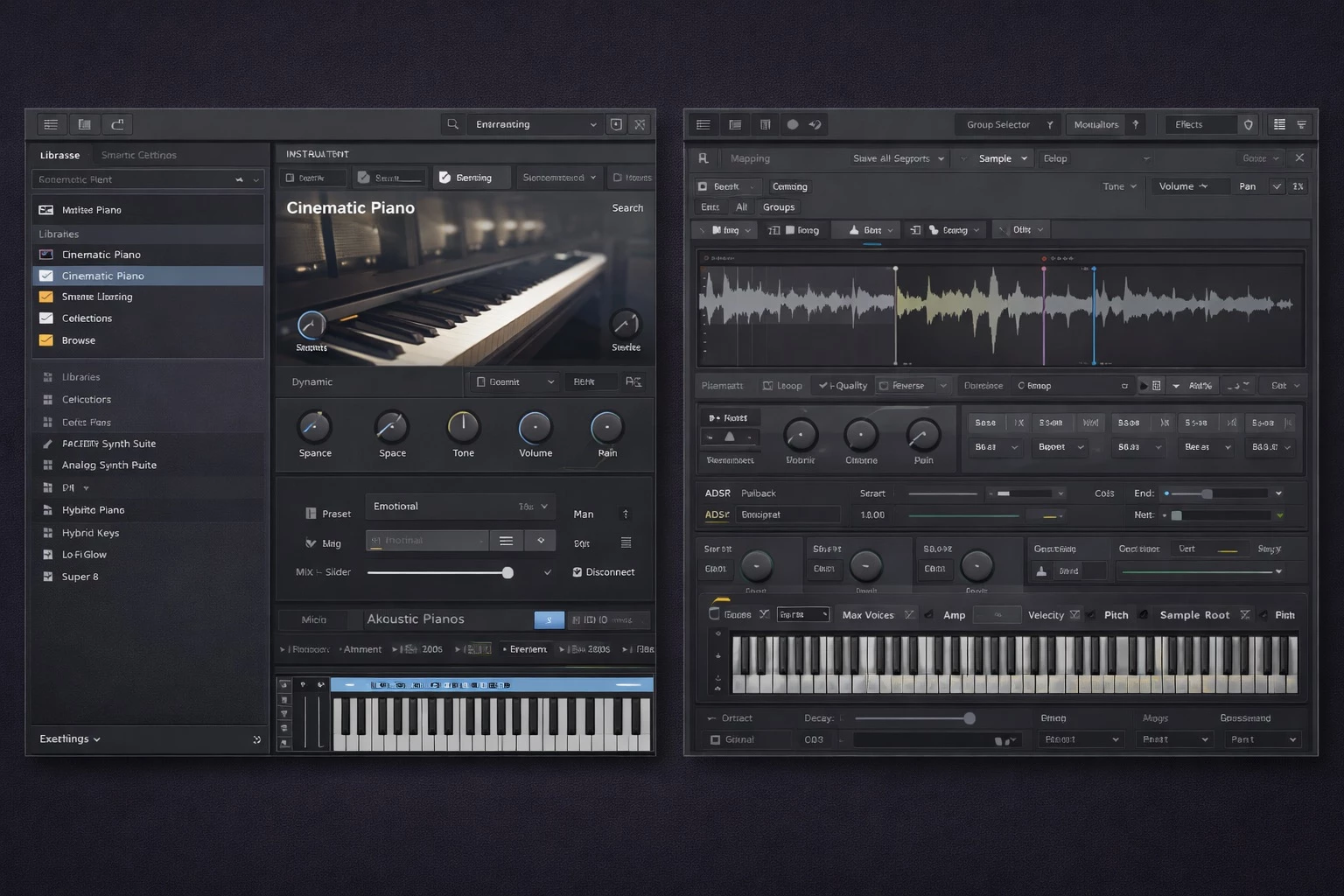
Native Instruments Kontakt operates as the industry-standard sample-based virtual instrument platform, giving music producers, film composers, and sound designers the architecture needed to construct and play digital instruments. Instead of generating sound purely through algorithms, it relies on high-resolution audio recordings mapped across a MIDI keyboard. Users can load anything from meticulously recorded grand pianos and multi-articulation orchestral strings to heavily processed electronic drum kits. It serves as both an immediate playback tool for musicians and an advanced programming environment for developers creating commercial audio products.
When a composer writes a score for a film or a producer drafts a pop track, they need acoustic instruments that sound identical to the real thing. This software answers that demand by utilizing scripting engines to trigger realistic legato transitions, mechanical acoustic noises, and varying microphone positions. The engine calculates round-robin sample playback, ensuring that repeated notes never trigger the exact same audio file twice, effectively eliminating the artificial repetition common in older digital samplers.
A standalone desktop application and plugin format is necessary for this type of workload. High-end sample libraries routinely require tens or even hundreds of gigabytes of local storage, pulling thousands of audio files into active system RAM the moment a project opens. Browser-based sequencers and lightweight mobile applications simply cannot handle the high-polyphony streaming and low-latency audio processing required by professional composers. By running directly within digital audio workstations on Windows, the software ensures immediate playback response, fast disk streaming, and direct hardware communication with MIDI controllers. The desktop environment provides the crucial computational bandwidth required to run multiple instances simultaneously across a dense mixing session.
Key Features
- Leap Framework for Loops: Manipulates loops and one-shots in real-time by separating triggers across the keyboard interface. White keys play the rhythmic audio samples, while black keys activate immediate performance effects like stutter, pitch shift, and time stretch. This workflow allows beatmakers to perform live manipulations of static drum breaks without needing to chop the audio manually in a timeline.
- Conflux Hybrid Instrument: Blends high-resolution sampled audio with wavetable, frequency modulation, and ring modulation synthesis. This allows sound designers to layer an organic string recording with an electronic oscillator to design distinct textures. By handling the synthesis internally, it removes the need to route sample layers out to external synthesizer plugins.
- Chords and Phrases Tools: Generates curated MIDI sequences, harmonic progressions, and editable melodic motifs from single key presses. These tools assist in breaking through writer's block by quickly drafting structural patterns directly within the interface. Users can lock the output to a specific musical scale and adjust velocity curves to ensure the generated notes sound human and musically coherent.
- Expanded Factory Library Collection: Provides an extensive collection of acoustic and electronic instruments ready for immediate production right after installation. The library includes a curated selection of large orchestral sections recorded by Orchestral Tools, along with synthesizers, choirs, and authentic band elements. The built-in browser organizes these sounds by category, making navigation straightforward.
- Wavetable Synthesis Module: Introduces classic PPG-style synthesis into the traditional sampler environment. It includes dual low-frequency oscillators, a secondary wave shaper, and advanced modulation oscillators for designing aggressive, evolving synthesizer leads. This addition bridges the gap between pure digital synthesis and traditional sample playback.
- Advanced Multi-Out Routing: Supports up to 28 separate stereo outputs from a single plugin instance running inside a digital audio workstation. Composers can route individual drum kit pieces, such as the kick and snare, or distinct orchestral sections into separate mixer tracks for isolated equalization, compression, and spatial processing.
- Custom Instrument Creation: Grants developers and advanced sound designers access to the internal mapping editor and script processor. Creators can drag individual WAV files onto specific piano keys, set velocity crossfade layers, and write custom logic using the built-in scripting language to design customized user interfaces and unique playback behaviors.
How to Install Native Instruments Kontakt on Windows
- Download the installer archive from our website and save it to a designated downloads folder on your local drive.
- Extract the downloaded ZIP file into a temporary folder on your PC using standard Windows extraction tools to expose the setup files.
- Open the included readme.txt file to review specific installation notes, custom folder requirements, or instructions regarding offline dependencies.
- Run the primary setup executable from the extracted folder to initiate the installation wizard and accept the end-user license agreement.
- Choose your destination paths for the standalone application and the VST3 or AAX plugin formats, typically leaving the default path set to your primary C: drive.
- Specify a secondary internal or external solid-state drive for your content libraries if you plan to install heavy orchestral packages, as they require significant disk space.
- Allow the installer to copy the core engine files, register the software in the Windows registry, and complete the base setup process.
- Launch the Native Access application from your Start menu to log into your account, activate your specific license, and manage the automated downloading of your chosen factory instruments.
Native Instruments Kontakt Free vs. Paid
The software utilizes a dual-tier distribution model divided between a free player application and a premium flagship workstation. Kontakt Player operates completely free of charge and serves exclusively as a host for officially licensed libraries from Native Instruments and its approved third-party partners. This tier is popular among bedroom producers and hobbyists who only need to play commercial sound packs without digging into deeper instrument creation or scripting mechanics. The free tier remains active indefinitely and requires no subscription fees.
The full retail edition of Kontakt, which typically costs around $299 depending on regional pricing, unlocks the complete development and programming environment. This tier is necessary to load unlicensed or independent third-party libraries, usually distributed as standard .nki files by smaller boutique developers. It also permits users to map custom audio samples across the keyboard, write interface code using the Komplete Script language, and access the extensive 40-gigabyte Factory Library out of the box.
If a user attempts to load an unlicensed, independent library into the free Player tier, the interface will immediately trigger a 15-minute demo timeout mode. Once the timer expires, the audio output is muted, and the user must restart their host application to continue playback. Upgrading to the full retail tier permanently removes this restriction, unlocking limitless playback for all compatible file types. Existing users of older editions, or those who own related hardware keyboard bundles, frequently qualify for crossgrade pricing, reducing the full upgrade cost to approximately $99 or $199 depending on active seasonal promotions.
Native Instruments Kontakt vs. Steinberg HALion vs. UVI Falcon
Steinberg HALion functions as a capable alternative, offering an extensive 35-gigabyte factory library alongside an exclusive spectral oscillator. It includes an excellent frequency modulation engine borrowed directly from Yamaha hardware, making it appealing to sound designers who want deep spectral mangling and tight integration with the Cubase ecosystem. The interface allows for extensive window customization. However, its third-party developer ecosystem is significantly smaller than the industry standard, meaning users rely more heavily on first-party content or custom sound design.
UVI Falcon takes a modular approach, bringing 17 distinct synthesis types and 100 effects into a single digital workstation. It supports MIDI Polyphonic Expression (MPE) and complex multi-channel spatial audio routing up to 10.2 surround, appealing directly to technical sound designers who want to design chaotic, multi-layered electronic presets. While its synthesis capabilities are vast and mathematically precise, it requires a steeper learning curve to master the interface, and it operates more as a synthesizer hybrid than a traditional acoustic replication engine.
Native Instruments Kontakt remains the definitive choice for composers who need immediate access to the largest ecosystem of third-party acoustic and cinematic libraries available on the market. While Falcon and HALion excel in pure algorithmic synthesis and experimental sound design, Kontakt dominates the film scoring, orchestral tracking, and realistic instrument replication markets. Nearly every major sample developer in the world builds their premium products exclusively for this platform, making it an essential installation for professional media composers who rely on external commercial libraries rather than creating every sound from scratch.
Common Issues and Fixes
- Samples Missing dialog appears on load. This occurs when library folders are moved to a new hard drive or renamed outside of the software. Use the "Batch Re-Save" command in the Files menu to point the engine to the new directory. This process updates all file paths internally and significantly speeds up future loading times for large orchestral libraries.
- High CPU overload or audio dropouts during playback. Large orchestral instruments drain system resources quickly, causing pops and clicks in the audio stream. Lower the maximum polyphony limit in the specific instrument header, increase your audio interface ASIO buffer size to 512 or 1024 samples, or use the "Purge" function to unload unused audio samples from active system RAM.
- Interface displays a 15-minute DEMO timeout banner. The loaded library requires the full retail edition of the sampler, but you are currently running the free Player tier. You must either upgrade your license via the official website or stick strictly to officially licensed Player-compatible products, which display a specific authorization badge on their store pages.
- No sound triggers when pressing MIDI controller keys. The instrument's input MIDI channel might not match your physical controller's active output. Check the instrument header block and change the MIDI channel setting from "Omni" or "A 1" to match your active digital audio workstation track routing. Additionally, verify that the loaded instrument range corresponds to the physical octaves you are playing.
- Slow loading times for heavy sample instruments. Windows Defender or other real-time antivirus software might be scanning every single audio file as it loads into RAM. Add your designated sample library drive or specific content folders to your antivirus exclusion list to prevent the system from bottlenecking disk read speeds during project initialization.
Version 8.8.0 — 2025
- Added improved accessibility support for screen readers and Soundflow integrations via macOS Voiceover.
- Introduced a new Info Pane in the Default View to provide contextual product help, featuring auto-scrolling on Windows.
- Replaced the traditional View Menu with contextual icons and Main Menu options for a streamlined user interface.
- Implemented a temporary UI workaround to prevent kernel panics when using high-resolution monitors on macOS.
- Expanded the EP Preamps DSP with new Electric C EQ modes and Electric P Tremolo modes inspired by electro-mechanical keyboards.
- Fixed an issue where the Leap user interface could appear blank.
- Resolved inconsistencies in selection logic within the Default View Navigator.
- Fixed a bug where presets would not display immediately upon loading the Instrument Browser.
- addressed connectivity issues with Kontrol S MK3, including instrument un-selectability and crashes when adding secondary instruments.
- Fixed various stability issues, including random slot selection when loading Multis and crashes related to NKB file saving.