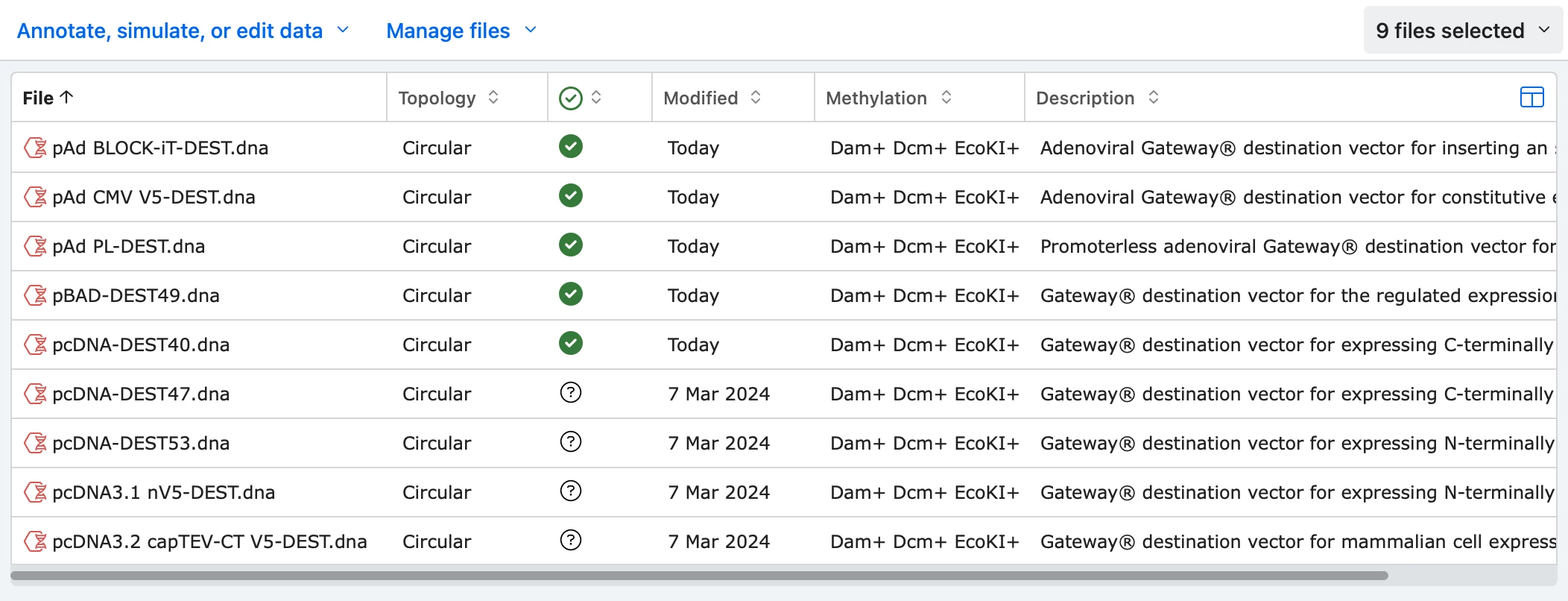
SnapGene serves as a specialized digital environment for molecular biologists, offering a visual workspace to plan, simulate, and document intricate DNA cloning procedures. Instead of relying on manual calculations, hand-drawn plasmid maps, or fragmented text editors, researchers use this desktop application to verify construct feasibility before entering the laboratory. By modeling the exact steps of a genetic manipulation in silico, scientists can identify design flaws, prevent frame shifts, and avoid wasting expensive reagents at the bench. The software translates complex sequence data into clear visual schematics, automatically annotating features and tracking the history of every edit to ensure accurate experimental records.
While cloud-based registry tools have become common in modern laboratories, a dedicated local client remains relevant for heavy sequence manipulation. Desktop applications handle large chromosomal sequences and intensive alignment tasks without the interface lag or browser memory limits often associated with web applications. Local execution also allows researchers to keep their proprietary genetic data on their own hardware while benefiting from instantaneous graphical rendering when zooming in on individual base pairs or inspecting Sanger sequencing chromatograms. This localized processing power provides a responsive, interruption-free environment for detailed sequence analysis, which is critical when analyzing thousands of base pairs.
The application specifically targets the practical challenges of modern cloning techniques, including Gibson Assembly, Gateway cloning, and standard restriction-ligation workflows. By mapping precise restriction sites, calculating primer melting temperatures, and visually verifying reading frames, the software ensures that every simulated construct is biologically viable. This exactness extends to documentation, as the tool generates an immutable graphical history of how a plasmid was constructed. Having this visual protocol makes it straightforward to share reproducible methods with colleagues or verify experimental results against the original digital plan without deciphering ambiguous handwritten lab notebook entries.
Key Features
- Feature Name: Visual Plasmid Mapping. The software automatically detects and annotates common genetic elements such as promoters, selectable markers, and origins of replication using a built-in feature library. When you open a sequence file, the interface immediately populates the circular or linear map with color-coded labels, allowing you to identify functional regions without manually cross-referencing external databases.
- Feature Name: Cloning Simulation Workflows. Dedicated menu tools guide you through specific cloning methods, including Restriction Cloning, Gibson Assembly, In-Fusion Cloning, and TOPO Cloning. The simulation interface presents a split view where you define the insert and the vector, calculating the exact overhangs, tracking DNA methylation, and displaying the final ligated construct to ensure reading frames remain intact.
- Feature Name: Sanger Sequence Alignment. To verify that a bench experiment was successful, the application aligns raw sequencing reads directly against your simulated reference construct. You can view the original chromatogram peaks alongside the sequence text, making it easy to distinguish true mutations from sequencing artifacts or poor-quality base calls at the ends of a read.
- Feature Name: Automatic History Logging. Every modification made to a sequence, from a single nucleotide substitution to a complex multi-part assembly, is automatically recorded in a graphical history tree. This electronic trail acts as a visual protocol, allowing anyone who opens the file to trace the exact lineage of the plasmid and understand the steps taken to build it.
- Feature Name: Primer Design and Management. The primer tool allows you to manually draw primers on the sequence or auto-generate them for specific PCR applications. The interface calculates and displays critical thermodynamic properties, including melting temperature and GC content, while highlighting intended binding sites and potential secondary binding locations to prevent mispriming.
- Feature Name: Extensive Format Interoperability. The application prevents data lock-in by supporting the import and export of numerous industry-standard file formats. You can drag and drop GenBank, FASTA, Vector NTI, and ApE files directly into the workspace, retaining existing annotations, feature metadata, and custom notes without requiring tedious manual re-entry.
How to Install SnapGene on Windows
- Navigate to your account dashboard on the official vendor website and download the executable Windows installer package.
- Ensure you have administrative privileges on your Windows 10 or Windows 11 machine, then double-click the downloaded executable to launch the setup wizard.
- Review the license agreement and proceed to the destination folder selection, which typically defaults to a directory within the standard Windows program files path.
- Choose whether to associate standard molecular biology file types with the application during the setup prompts so that sequence files open automatically upon double-clicking.
- Click the install button to begin extracting the application files and writing the necessary registry entries to your local storage drive.
- Once the extraction completes, close the setup wizard and launch the application from the newly created desktop shortcut or the Start menu.
- Upon the first launch, an authentication prompt will appear; click the Email Sign In button to enter your registered account credentials.
- Wait a moment for the software to authenticate with the license server, download your local authorization file, and unlock the full editing interface for your projects.
SnapGene Free vs. Paid
Users can test the full functionality of the software by registering for a 30-day trial. This evaluation period requires no credit card and unlocks all simulation, alignment, and editing tools, allowing researchers to build complete cloning projects and verify the workflow against their daily laboratory needs. Once the 30-day period concludes, the software does not lock you out of your existing data; instead, it automatically reverts to Viewer mode.
Viewer mode is a completely free, permanent state that functions as a universal reader for molecular biology files. In this restricted mode, users can open files, view plasmid maps, inspect sequence annotations, and browse the graphical history of a construct. However, Viewer mode disables all active modification tools. You cannot edit sequences, simulate new cloning procedures, design primers, or run new Sanger alignments. This tier is intended primarily for sharing constructs with colleagues or reviewers who need to inspect a plasmid but do not need to actively engineer new DNA.
For active editing capabilities, the vendor utilizes a paid subscription model categorized by user type. Commercial organizations and corporate research facilities purchase standard industry licenses, which are priced at a premium to reflect corporate usage and integration into larger data ecosystems.
Academic institutions, registered charities, and degree-granting universities have access to steeply discounted academic pricing, often structured as multi-seat laboratory packs to lower the cost per user. Additionally, there are reduced individual student subscriptions available for active university students, provided the license is owned by the individual rather than the university department.
SnapGene vs. Benchling vs. ApE
Benchling operates as a cloud-based electronic lab notebook and registry that includes built-in DNA sequence manipulation tools. Because it runs entirely in a web browser, Benchling makes it straightforward to share constructs across large teams, link sequences directly to notebook entries, and maintain centralized institutional registries. It also offers excellent CRISPR guide design tools and is available for free to academic users.
ApE (A Plasmid Editor) is a lightweight, completely free desktop program that has been a staple in academic labs for over fifteen years. It requires minimal system resources and provides specific logic tools for restriction enzyme searches, allowing users to execute complex queries like finding enzymes that cut the vector exactly once but do not cut the insert at all. Despite its utility, ApE features an older, utilitarian interface that lacks the visual polish, automatic feature detection, and automated cloning simulation wizards found in premium commercial software.
Researchers should choose Benchling if their primary goal is collaborative cloud storage, electronic lab notebook integration, and centralized laboratory management. ApE is an excellent choice for budget-conscious students or users running older hardware who only need fundamental sequence editing and restriction site analysis. SnapGene remains the superior choice for users who require clear, step-by-step cloning simulations, automatic graphical history tracking, and a premium desktop interface designed to prevent reading frame errors during complex assemblies.
Common Issues and Fixes
- "Error opening file for writing" during an update. This usually happens when a background process or third-party security software prevents the installer from overwriting the older executable files. To fix this, cancel the installation, open the Windows Task Manager to force quit any lingering application processes, manually move the existing installation folder to the Recycle Bin, and then run the newly downloaded installer.
- The software unexpectedly starts in Viewer Mode. This occurs when your evaluation period expires, your subscription lapses, or the local client loses its authentication token. Resolve this by clicking the Email Sign In button located on the bottom banner of the interface and re-entering your active account email and password to refresh the local authorization file from the server.
- Specific restriction enzyme sites are not visible on the map. By default, the map may hide less common enzymes to prevent visual clutter, or the enzyme might require a different methylation state to cut. Open the Enzymes tab, verify that your desired enzyme is checked in the active list, and ensure the specific cut site is not being blocked by Dam/Dcm methylation logic within the sequence settings.
- Sanger sequencing reads fail to align to the reference. This typically happens if the reference sequence is significantly divergent from the read or if the raw chromatogram has long stretches of low-quality base calls at the ends. Fix this by manually trimming the messy, low-confidence peaks from the beginning and end of the .ab1 file, or by adjusting the mismatch tolerance parameters in the alignment dialog window before running the tool.
Version 8.2.2 — January 2026
- Enhanced localization with specific improvements to Japanese and Chinese language translations.
- Updated definitions and properties for restriction enzymes BSmFI, BshVI, and BSSHII.
- Refined command line interface messages for greater clarity and simplified usage.