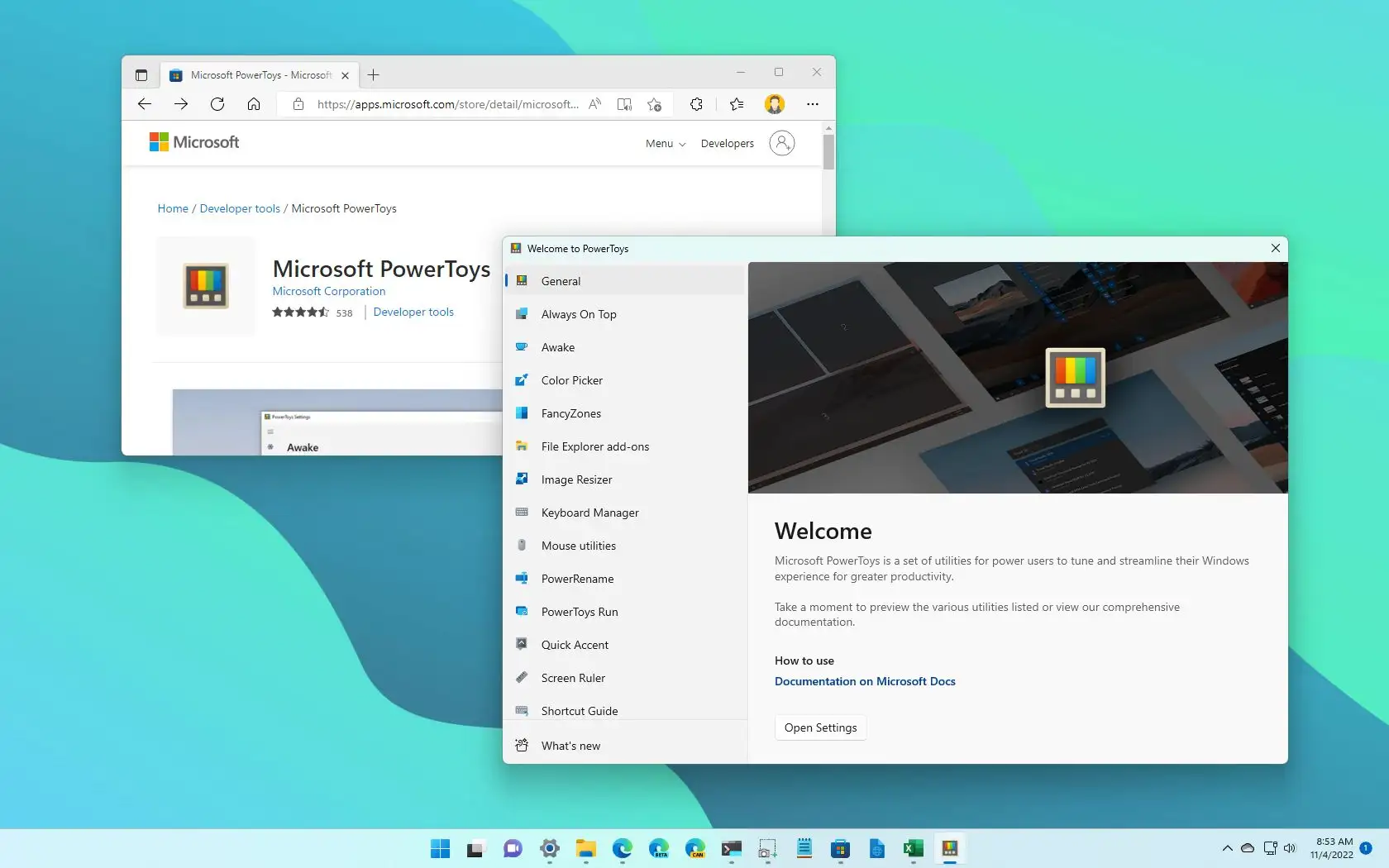
Microsoft PowerToys functions as a direct extension of the desktop environment, providing a specialized collection of system-level utilities designed for advanced window management, rapid navigation, and granular input control. Built to address specific interface limitations within the standard operating system, this software targets power users, developers, and desktop administrators who require exact control over their active workspace. Instead of relying on independent, single-purpose applications for tasks like bulk file renaming, global keyboard remapping, or screen color identification, individuals manage these operations through one centralized settings dashboard that runs persistently in the background.
The practical application of this utility suite becomes apparent when managing complex monitor layouts or executing repetitive file operations. Individuals utilizing ultrawide displays often find the default grid snapping behavior insufficient for dividing screen real estate effectively across three or four active applications. PowerToys intercepts basic input commands to enable custom grid configurations, ensuring that application windows lock into exact pixel dimensions determined by the user. Furthermore, the suite integrates directly into the native right-click context menu, allowing for immediate image format conversion and regular-expression file renaming without forcing the user to launch a separate graphical interface.
Because these utilities require deep hooks into the operating system to intercept hardware shortcuts and manage processes, the application must run automatically upon startup to remain effective. This persistent background operation ensures that custom keybindings, quick search overlays, and optical character recognition modules remain instantly available without delay. The architecture relies heavily on native APIs, avoiding the high background resource consumption often associated with third-party overlay software while ensuring compatibility with both standard desktop programs and full-screen graphical applications.
Key Features
- FancyZones: This window manager overrides the default snapping behavior of the operating system by allowing users to define exact layout grids for their displays. By holding down the Shift key while dragging an application window, the screen reveals a predefined overlay of custom drop targets. Users can configure overlapping zones, strict grid structures, or priority columns, making it an essential utility for dividing space on large or multi-monitor workstations.
- PowerToys Run: Activating this quick launcher via the Alt+Space keyboard shortcut opens a minimalist text field directly in the center of the screen. Instead of navigating the start menu or utilizing the default desktop search, individuals type application names, file paths, or mathematical equations to trigger immediate actions. The tool also supports specialized plugins, enabling tasks such as executing system commands, searching running processes, or converting measurement units directly from the text input field.
- Keyboard Manager: This utility intercepts hardware input at the system level, allowing for both single-key remapping and complex shortcut reassignments. A user can map the Caps Lock key to function as an additional Control key, or rebind a complicated shortcut like Ctrl+Shift+Alt+M to a single function key. The settings dashboard permits these remappings to apply globally across the entire operating system or restrict them to specific target applications, preserving standard behavior everywhere else.
- Text Extractor: Triggered by the Win+Shift+T shortcut, this tool converts the cursor into a crosshair selection area, functioning similarly to a screen clipping utility. However, instead of capturing an image, the software utilizes local optical character recognition to read text from unselectable areas, such as videos, static images, or protected web pages. The recognized text is immediately copied to the system clipboard, ready to be pasted into a document or code editor without manual transcription.
- ColorPicker: Pressing Win+Shift+C activates a system-wide eyedropper tool that follows the mouse cursor, displaying the exact color value of any pixel on the screen. Clicking the mouse freezes the selection and opens a secondary dialogue box containing the captured color data in multiple formats, including HEX, RGB, CMYK, and HSL. This eliminates the need to import screenshots into dedicated image editing software simply to determine a specific interface color.
- Always on Top: This window-pinning utility forces any active application to remain visible above all other open windows, regardless of current focus. By pressing Win+Ctrl+T while a window is selected, a distinct colored border appears around the application frame, indicating its pinned status. This function proves highly practical when referencing small calculator windows, notepad files, or reference videos while actively typing in a primary, maximized document.
How to Install PowerToys on Windows
- Navigate to the official vendor download source to obtain the Windows installer executable file.
- Launch the downloaded executable to initiate the setup wizard, which will first verify your system architecture.
- If your machine lacks the required .NET Desktop Runtime components, the installer will prompt you to download and install these dependencies before proceeding.
- Review the license agreement, select the destination folder on your local drive, and check the option to start the application automatically at system boot if you require the utilities to be persistently active.
- Click the install button and grant administrator privileges when the User Account Control (UAC) dialogue appears, as the software requires system-level access to intercept keyboard inputs.
- Wait for the extraction and installation process to complete, then close the setup wizard.
- Locate the application icon in the system tray near the clock, double-click it to open the settings dashboard, and manually toggle on the specific utility modules you intend to use.
PowerToys Free vs. Paid
Microsoft PowerToys is entirely free to download and use, operating under an open-source development model hosted entirely on public repositories. The software requires no initial purchase, contains no hidden subscription tiers, and does not restrict features behind artificial paywalls or premium licensing models. Because it functions as an experimental testing ground for utilities that may eventually integrate directly into the operating system, the vendor provides the full suite without commercial restrictions.
There are no trial periods, export limitations, or watermarks applied to any of the included modules. Every utility, from the optical character recognition tools to the advanced window managers, is available immediately upon installation. Users do not need to create an account, log into a cloud service, or maintain an active internet connection to utilize the core features, as the application relies on localized processing and native system libraries.
The development cycle relies on community contributions and official vendor maintenance, meaning updates are pushed regularly to address bugs and introduce new modules. The application includes a built-in update mechanism that pings the official repository for new releases, allowing individuals to download the latest binary files directly from the settings dashboard without navigating through a storefront or paying for upgrade paths.
PowerToys vs. AutoHotkey vs. DisplayFusion
AutoHotkey operates as an entirely script-based automation environment, requiring users to write explicit syntax in text files to execute keyboard macros, manipulate active windows, or remap hardware inputs. While it offers virtually unlimited flexibility for individuals willing to learn its specific scripting language, it lacks a native graphical interface for configuration. Users who need conditional logic, complex looping macros, or custom dialogue boxes will find AutoHotkey superior, but they must accept a steep initial learning curve and manual text-file management.
DisplayFusion is a commercial window and monitor management application designed heavily around multi-display workstation setups. It provides dedicated tools for splitting monitors into virtual screens, assigning specific applications to dedicated taskbars, and configuring complex rules for window positioning based on trigger events. Unlike free alternatives, it requires a paid license for its complete feature set and heavily targets administrators managing distinct hardware profiles, making it overkill for a user who simply needs a better grid snapping tool on a single large monitor.
PowerToys sits exactly between the heavy scripting requirements of AutoHotkey and the specialized commercial focus of DisplayFusion. It offers a clean, toggle-based settings dashboard that requires zero programming knowledge to set up custom keyboard remappings or define window grids. While it cannot execute complex sequential macros like AutoHotkey or manage independent taskbars per monitor like DisplayFusion, its native integration, zero-cost model, and immediate accessibility make it the more practical choice for daily workflow optimization.
Common Issues and Fixes
- FancyZones fails to snap windows in specific applications. Certain applications running with elevated administrator privileges will ignore input hooks from background software running under a standard user account. To fix this, open the general settings dashboard and restart the application as an administrator, or enable the setting that permanently forces the software to run with elevated privileges.
- PowerToys Run fails to appear when pressing Alt+Space. This frequently occurs if another background application, screen recording tool, or hardware vendor overlay has already claimed the Alt+Space keyboard shortcut. Navigate to the PowerToys Run tab in the settings menu and modify the activation shortcut to an alternative key combination, such as Alt+Enter or Ctrl+Space.
- Text Extractor recognizes incorrect characters or outputs symbols. The optical character recognition engine relies strictly on the native language packs installed within the operating system. Open the standard Windows Settings application, navigate to Language & Region, and ensure the correct language pack is fully downloaded and installed, including the optional optical character recognition components.
- High CPU utilization when typing in the quick launcher. When the application launcher indexes thousands of files or attempts to search network drives, it can cause immediate processing spikes. Open the settings dashboard, locate the specific plugin for file searching within the quick launcher menu, and restrict its search scope by adding your primary hard drive folders while excluding large, slow network storage directories.
Version 0.97.2 — February 2026
- Added an option to disable Cursor Wrap automatically when only one monitor is connected.
- Resolved a crashing bug in the Advanced Paste settings menu caused by JSON deserialization errors.
- Improved visual clarity in the Color Picker interface by correcting contrast issues.
- Corrected missing translations and localization strings for extensions inside the Command Palette.
- Fixed a persistence bug so the Cursor Wrap startup preference correctly remembers when it is turned off.
- Restored Image Resizer functionality for Windows 10 users by properly removing outdated sparse application packages during upgrades.
- Adjusted Light Switch startup behavior to ensure the proper system theme is applied as soon as it launches.
- Prevented crashes affecting the Quick Access and Screen Ruler tools when Windows Explorer is closed or not running.
- Fixed a DPI scaling misalignment in Workspaces that caused snapshot overlays to position incorrectly.