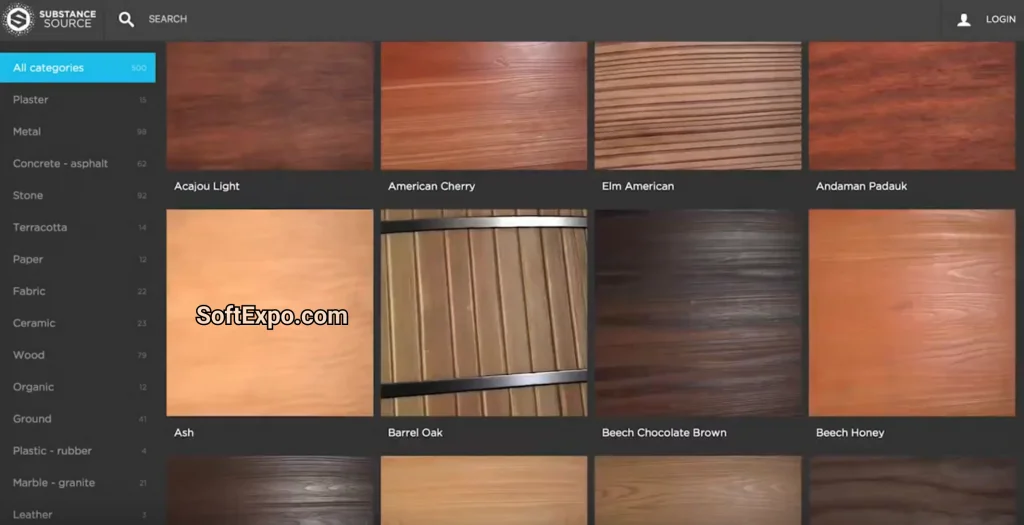
The Substance Source plugin—now officially evolved into the Adobe Substance 3D Assets platform—is the essential bridge between Adobe's vast library of professionally crafted materials and your material creation workflow in Substance 3D Designer. While long-time users may still search for the legacy "Substance Source" terminology, the functionality has been fully integrated into the modern Adobe ecosystem. This integration allows artists to instantly access thousands of high-quality, fully parametric PBR materials, using them as foundational nodes to build complex custom textures or as reference benchmarks for their own creations.
Key Features
- Massive Material Library: Access over 10,000 high-quality, physically based rendering (PBR) materials ranging from architectural surfaces to organic fabrics.
- Fully Parametric Assets: Unlike static texture maps, these assets (.sbsar) allow you to tweak specific parameters like age, color, wear, and roughness directly inside Designer.
- Node Graph Integration: Drag and drop assets directly into your node graph to use them as starting points or mix them with your custom procedural noises.
- Infinite Variation: Generate infinite variations of a single material by modifying the random seed or exposed parameters.
- Cross-App Consistency: Materials function identically across the entire Substance 3D suite and compatible renderers.
Installation and Setup
For Adobe Substance 3D Designer 2026, there is no longer a separate "Substance Source" plugin file to download and install manually. The connectivity is now native to the Creative Cloud ecosystem. To ensure you have access:
- Verify Subscription: Ensure you have an active Adobe Substance 3D Collection subscription, which includes access to the assets library.
- Install Creative Cloud Desktop: The Creative Cloud desktop app acts as the central hub. Ensure it is running and updated to the latest version on your Windows machine.
- Download the installer from our website, extract the archive, and install the application by following the instructions in readme.txt. Please note that readme.txt is available only in English.
How to Use Substance Source (Substance 3D Assets)
The workflow has shifted from a dedicated internal panel to a seamless browser-to-app integration. Follow these steps to utilize the library efficiently:
- Browse the Library: Open the Substance 3D Assets website or the "3D Assets" tab in your Creative Cloud Desktop app to search for materials.
- Download the Asset: Select a material and choose the .sbsar format (Substance Archive) for the most flexibility. Click the download arrow (or "Send to App" if available in your version).
- Import to Designer:
- Locate the downloaded.sbsar file.
- Drag and drop the file directly into the Graph View or the Explorer panel in Substance 3D Designer.
- Integration: When prompted, choose to import the resource as a Linked Resource to keep your file size small, or Copy to make it standalone. Connect the output nodes (Base Color, Normal, etc.) to your graph's blending nodes to start combining it with your work.
Compatibility
The current Substance 3D Assets integration is designed for modern workflows on Windows environments.
- Software Version: Fully compatible with Adobe Substance 3D Designer 2026 (v16.x) and backward compatible with versions dating back to the 2021 rebranding.
- Operating System: Windows 10 (64-bit) or Windows 11.
- Hardware: Requires a GPU compatible with DirectX 11 or newer for real-time viewport rendering of complex parametric materials.