Description
While Fraps was once the gold standard for PC game recording and benchmarking, it has officially become abandonware, with its last update dating back to 2013. Modern gaming requires support for DirectX 12, Vulkan, and efficient video codecs like H.264 and AV1, features that Fraps simply lacks. This guide explores the most capable Windows-only alternatives available in 2026 that handle high-resolution recording and performance monitoring without the massive file sizes of the past.
OBS Studio
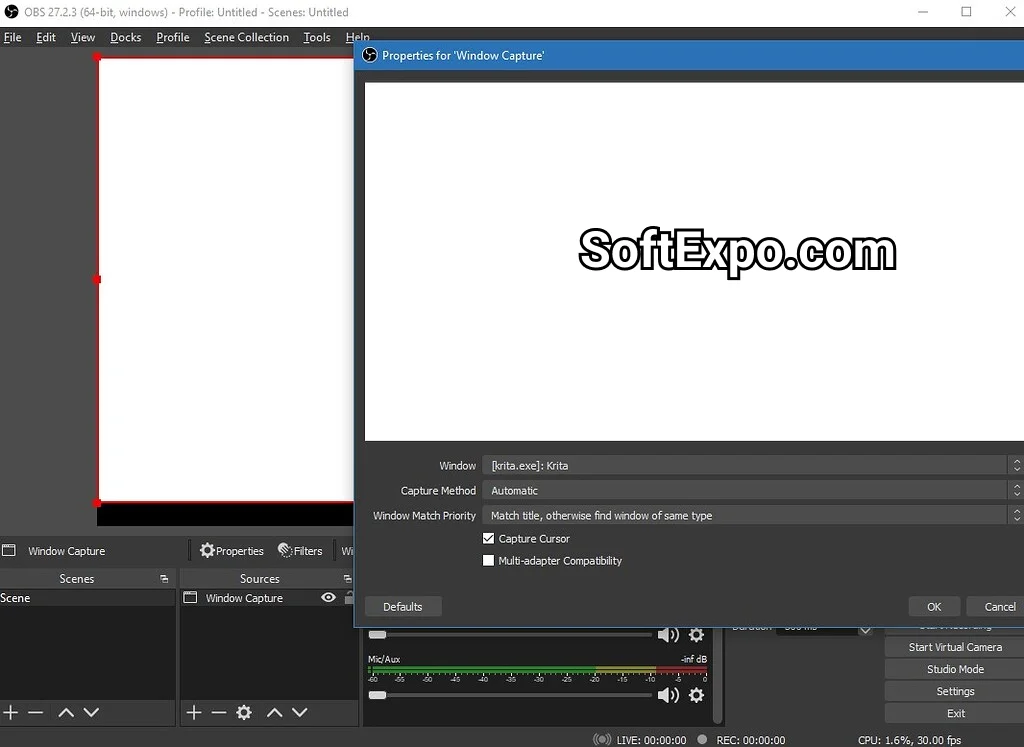
Open Broadcaster Software (OBS) Studio stands as the most powerful free alternative to Fraps for recording and streaming. Maintained by a dedicated community, it offers professional-grade control over video encoding, audio mixing, and scene composition. Unlike Fraps, which dumps uncompressed data to your drive, OBS compresses footage in real-time using modern codecs, resulting in high-quality files that consume a fraction of the storage space.
- Performance: extremely low CPU usage when using hardware encoding (NVENC/AMF)
- Flexibility: create complex scenes with webcams, overlays, and specific window captures
- Audio: sophisticated audio mixer with per-source filters like noise gates
- Codecs: supports H.264, H.265 (HEVC), and AV1 for superior quality
Best for: Streamers and users needing total control over recording settings.
Pricing: 100% Free and Open Source
NVIDIA App (formerly ShadowPlay)
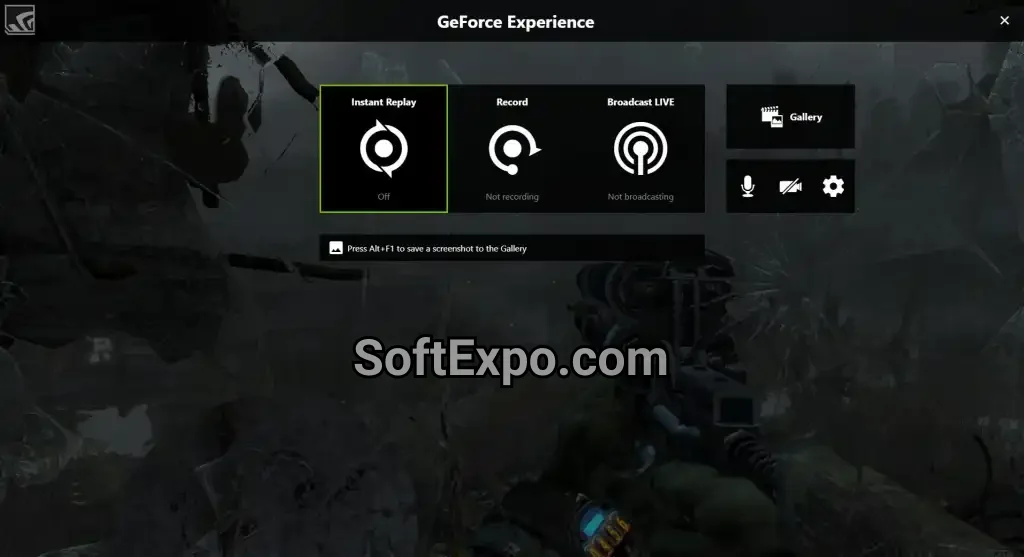
For users with NVIDIA graphics cards, the NVIDIA App offers the most efficient way to capture gameplay with virtually zero performance loss. Replacing the older GeForce Experience, this utility leverages the dedicated video encoding chip on your GPU. Its standout feature is "Instant Replay," which continuously buffers the last few minutes of gameplay, allowing you to save a highlight after it happens with a single hotkey.
- Instant Replay: save the last 30 seconds to 20 minutes of gameplay retroactively
- Efficiency: utilizes hardware acceleration to prevent frame rate drops
- Quality: supports recording up to 8K HDR at 60 FPS or 4K at 120 FPS
- Highlights: automatically detects and saves key moments in supported games
Best for: Gamers who want to "set it and forget it" and capture highlights instantly.
Pricing: Free (requires NVIDIA GPU)
MSI Afterburner
If you primarily used Fraps for its famous yellow FPS counter and benchmarking tools rather than recording, MSI Afterburner is the definitive replacement. It provides the most detailed hardware monitoring overlay available, displaying real-time statistics for GPU temperature, usage, clock speeds, and frame rates. It integrates with RivaTuner Statistics Server (RTSS) to offer high-level customization of the On-Screen Display (OSD).
- Monitoring: tracks detailed system metrics like frametimes and temperatures
- Benchmarking: records minimum, maximum, and 1% low FPS data to a log file
- Overlay: fully customizable OSD font, color, and position
- Control: includes tools for fan control and GPU overclocking
Best for: Hardware enthusiasts who need detailed performance stats and benchmarking.
Pricing: Free
Bandicam
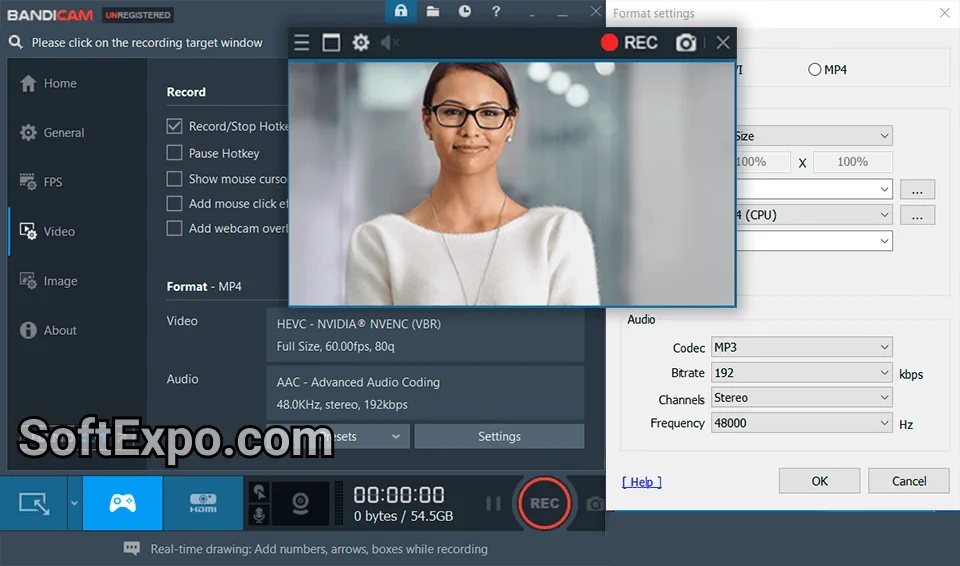
Bandicam remains the closest spiritual successor to Fraps in terms of interface simplicity and dedicated recording focus. It is a lightweight program that excels at recording on lower-end systems where other software might struggle. While it is paid software, it offers a "Game Recording" mode that hooks directly into DirectX/OpenGL applications, similar to how Fraps operated, but with much better compression.
- Compression: high compression ratios with minimal quality loss
- Modes: specific modes for Game Recording, Screen Recording, and Device Recording (HDMI)
- 4K Support: captures up to 4K Ultra HD video at 480 FPS
- Features: supports real-time drawing and mouse effects during recording
Best for: Users with lower-end PCs or those wanting a simple, dedicated recorder.
Pricing: Free trial (10-min limit/watermark); Lifetime license approx. $40
Xbox Game Bar
Built directly into Windows 10 and 11, the Xbox Game Bar is the most accessible alternative because it requires no installation. By pressing Win+G, users can access a suite of widgets for audio control, performance monitoring, and screen capture. While it lacks the advanced bitrate controls of OBS, its integration with the operating system makes it incredibly convenient for quick clips.
- Convenience: pre-installed on Windows; accessible via Win+G shortcut
- Widgets: modular interface for Spotify, audio mix, and social features
- Capture: simple background recording and screenshot tools
- Integration: works natively with Windows gaming features
Best for: Casual users who want to record without installing third-party software.
Pricing: Free (Built-in)
Quick Comparison
| Software | Best For | Price | Key Advantage |
|---|---|---|---|
| OBS Studio | Streaming & Pro Recording | Free | Unmatched customization |
| NVIDIA App | Background Recording | Free (GPU locked) | Lowest performance impact |
| MSI Afterburner | FPS Monitoring | Free | Detailed hardware stats |
| Bandicam | Low-End PCs | ~$40 Lifetime | Simple, high compression |
| Xbox Game Bar | Casual Clips | Free | No installation required |
Which Alternative Is Right for You?
Choosing the right replacement depends on what you miss most about Fraps. If you need professional recording quality with overlays and webcam support, OBS Studio is the industry standard. For gamers who simply want to save cool moments without thinking about it, the NVIDIA App is the superior choice due to its Instant Replay feature.
If you only used Fraps to see your frame rate in the corner of your screen, MSI Afterburner provides that functionality with far more detail. Finally, if you want a simple, dedicated recorder that works well on older hardware, Bandicam is a worthy investment.