Description
For years, KMPlayer was the go-to utility for Windows users who needed a media player that could handle any file format without installing messy codec packs. However, recent updates have introduced intrusive advertisements, slower startup times, and bundled software that many users find frustrating. As we move through 2025, the landscape of video playback software has evolved, offering cleaner, faster, and more powerful options that respect your system's resources.
This guide explores the top five alternatives available right now, ranging from open-source heavyweights to specialized premium players. Whether you need a lightweight tool for older hardware, a powerhouse for 8K content, or a player that automatically fixes broken files, there is a modern solution ready to replace KMPlayer on your desktop.
Daum PotPlayer
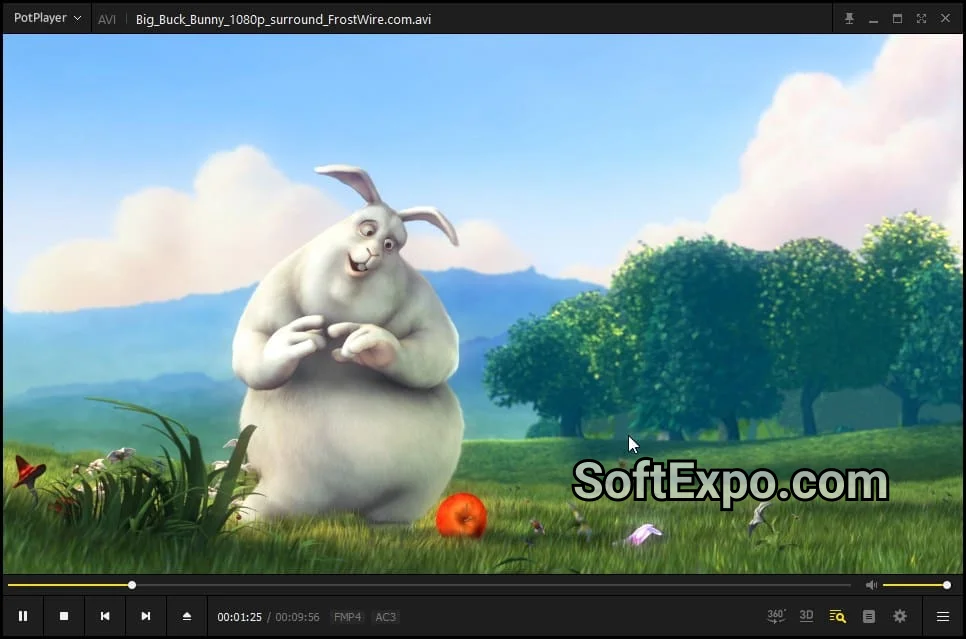
If you loved the original KMPlayer, PotPlayer is its spiritual successor—literally. Developed by the same creator after he left the KMPlayer team, this software retains the high customizability users love but runs on a much more modern, efficient engine. It is widely considered the best all-around video player for Windows in 2025 because it balances deep technical features with a sleek, dark-themed interface.
- Hardware Acceleration: Utilizes DXVA, CUDA, and QuickSync to play high-resolution video with minimal CPU usage.
- 3D & VR Support: Native support for 3D output and 360-degree video playback without extra plugins.
- Customization: Thousands of skins and granular control over playback speed, audio processing, and subtitle appearance.
- Gapless Playback: Smooth transitions between files, perfect for binge-watching or music playlists.
Best for: Power users who want the KMPlayer experience without the bloatware.
Pricing: Free (Freeware)
VLC Media Player

VLC remains the undisputed king of compatibility. It is the definition of "install and forget" software. While its interface is strictly utilitarian compared to modern stylized players, its backend is rock solid. In 2025, VLC continues to play virtually every codec known to man without requiring external downloads. It is open-source, meaning there are no hidden trackers, spyware, or corporate agendas behind the code.
- Universal Format Support: Plays files, discs, webcams, devices, and streams without needing codec packs.
- Network Streaming: Excellent capabilities for streaming media over local networks or the internet.
- Audio Boost: Famous for its ability to boost volume up to 200% for quiet files.
- Converter Tool: Includes a built-in file converter to change video formats on the fly.
Best for: Users who want a reliable player that works 100% of the time with zero configuration.
Pricing: Free (Open Source)
MPC-BE (Media Player Classic - Black Edition)
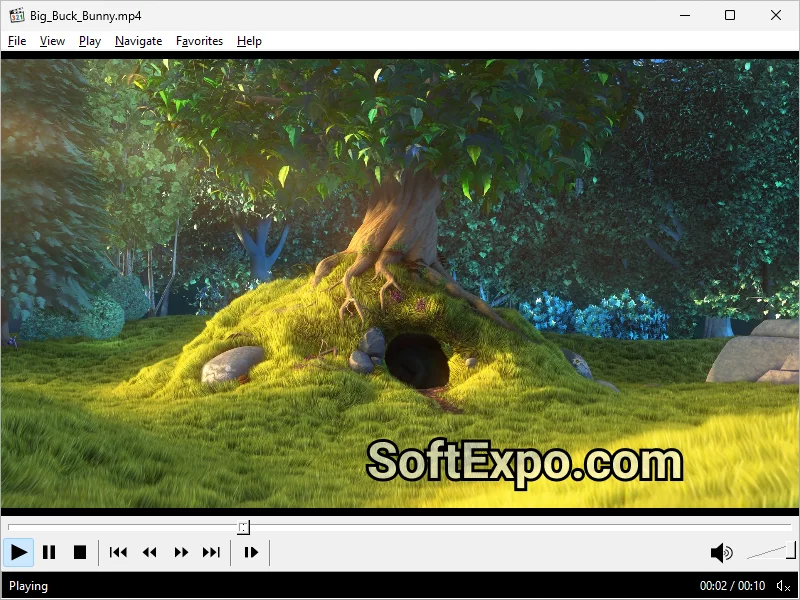
For those who miss the simplicity of the classic Windows Media Player but need modern performance, MPC-BE is the answer. A fork of the now-dormant MPC-HC, the "Black Edition" features a modern dark interface and active development. It is incredibly lightweight, opening instantly even on older hardware. Unlike KMPlayer, it has absolutely no advertisements, toolbars, or social media integration—it just plays video.
- Extremely Lightweight: Uses a fraction of the RAM and CPU compared to modern competitors.
- Built-in Codecs: decoding for H.265/HEVC and other modern standards is built right in.
- Clean Interface: A clutter-free UI that disappears when you want to focus on the content.
- No Spyware: Completely free of the tracking modules found in many commercial free players.
Best for: Minimalists and users with older PCs or laptops.
Pricing: Free (GPL Open Source)
GOM Player Plus
While the free version of GOM Player is popular, the "Plus" version is a serious contender for users willing to pay for a premium experience. GOM Player Plus is distinct because it removes all advertisements and provides a 64-bit performance boost for 4K and UHD content. Its standout feature is its ability to play broken or incomplete files, making it a lifesaver for users who download large files that may have been interrupted.
- Damaged File Support: Can play files that are being downloaded or have broken indexes.
- Subtitle Library: Automatically searches and syncs subtitles from a massive dedicated database.
- Control Panel: Advanced overlay for quick adjustments to brightness, contrast, and subtitles during playback.
- 360 VR Mode: User-friendly controls for navigating VR content on a standard screen.
Best for: Users who watch foreign content (subtitles) or deal with potentially corrupted video files.
Pricing: ~$15.00 - $25.00 (One-time purchase license)
DivX Player

DivX is a legacy name that has successfully pivoted to high-quality modern playback. This player is heavily focused on video quality, specifically for casting to external screens. If you frequently watch movies on your TV but host them on your Windows PC, DivX Player offers some of the best "Cast to" features available. It also includes specialized support for HEVC (High Efficiency Video Coding), ensuring you get the best picture quality with smaller file sizes.
- Media Server: Built-in casting to stream video to DLNA-compatible TVs, tablets, and consoles.
- HEVC Support: Optimized specifically for high-efficiency formats that other players might stutter on.
- Chapter Points: sophisticated navigation that allows you to jump to scenes easily.
- Cloud Connect: Can sync videos from Google Drive and Dropbox directly into the player library.
Best for: Users who want to stream their local video library to a TV wirelessly.
Pricing: Free (Pro version available with advanced audio features and no ads)
Quick Comparison
| Software | Best For | Price | Key Advantage |
|---|---|---|---|
| PotPlayer | Power Users | Free | High customization & hardware acceleration |
| VLC Media Player | Reliability | Free | Plays absolutely every file format |
| MPC-BE | Performance | Free | Lightweight, dark mode, no ads |
| GOM Player Plus | Subtitles/Corrupt Files | ~$15-$25 | Finds subtitles & plays broken files |
| DivX Player | Casting to TV | Free / Freemium | Excellent DLNA casting & HEVC support |
Which Alternative Is Right for You?
Choosing the right replacement for KMPlayer depends on what frustrated you most about the original. If you want the exact same feature set but with better performance and a modern interface, PotPlayer is the obvious choice. It feels like the "good version" of what KMPlayer tried to be.
If you prefer a strictly utilitarian tool that guarantees playback without ever needing to tweak settings, VLC Media Player is the industry standard for a reason. For those on slower computers who just want a video to open instantly, MPC-BE offers the fastest, cleanest experience. Finally, if you struggle with subtitles or incomplete downloads, the investment in GOM Player Plus can save you hours of frustration.