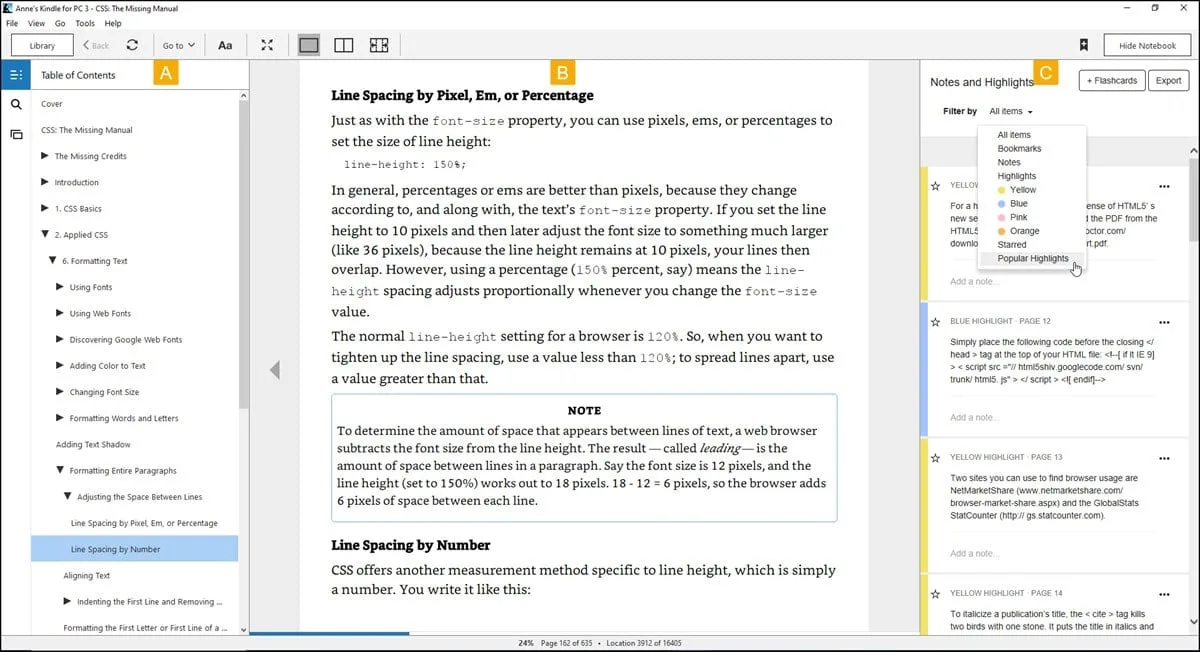
Kindle for PC brings Amazon's massive digital library directly to your Windows desktop, offering a refined reading experience that synchronizes perfectly with your mobile devices and e-readers. This application transforms your computer into a customizable e-book reader, allowing students and professionals to access textbooks, novels, and reference materials on a large screen without needing dedicated hardware. By integrating seamlessly with your Amazon account, it ensures your last page read, highlights, and notes are instantly updated across all platforms, making it an essential tool for anyone who reads on multiple devices.
Key Features
- Enhanced Library Management: The latest version 2.8.0 (released November 2025) introduces a redesigned library interface with a "Discover Books" card, allowing users to filter titles by genre and quickly access up to 20 recently read books directly from the Home screen.
- Cloud Collections Sync: Organize your digital shelf effortlessly by viewing and managing your Cloud Collections, which now sync perfectly between your PC and Kindle devices for a consistent library structure everywhere.
- Customizable Reading Experience: Adapt the interface to your specific needs by adjusting font styles, text alignment, page width, and background colors (White, Sepia, or Black) to reduce eye strain during long reading sessions.
- Whispersync Technology: Automatically saves and synchronizes your bookmarks, notes, and furthest page read across all devices, so you can switch from your phone to your Windows 10 or 11 PC without losing your place.
- Accessibility & Text-to-Speech: Includes built-in support for screen readers and a Text-to-Speech feature that can read eligible titles aloud, turning your e-book into an audiobook experience for multitasking.
- Offline Access: Downloads content directly to your local drive, ensuring you can read your full library, view charts, and access heavy textbooks even without an active internet connection.
Use Cases
This software is particularly beneficial for students and researchers who need to annotate textbooks on a large monitor, copy quotes for citations, and view detailed charts or diagrams in color. It also serves commuters who start a chapter on their phone during a train ride and want to finish it comfortably on their laptop once they reach home.
Kindle for PC offers a versatile, free alternative to purchasing a dedicated e-reader, providing robust study tools and synchronization that make it a superior choice for desktop-based digital reading.
Version 2.8.0 — 2025
- Enhanced Typography & Spacing: Added new accessibility options allowing users to adjust spacing between paragraphs, words, and characters, along with improved font settings for a more customizable reading experience.
- Expanded Format Support: Updated compatibility for the latest Kindle eBook formats (KFX) and digital rights management (DRM) standards to ensure seamless downloading of newly released titles.
- Stability Improvements: Implemented automatic crash reporting to better identify performance bottlenecks and resolved specific "item not available" download errors for certain content types.
- General Fixes: Addressed various minor bugs and optimized application performance for smoother library synchronization on Windows 11.