Inkscape is a professional open-source vector graphics editor built to handle complex illustration, logo design, and scalable web assets. It gives technical illustrators, graphic designers, and hobbyists a full desktop environment for manipulating Bézier curves, shapes, and typography without relying on browser-based tools. Because it runs locally, the software utilizes local hardware to process large files, ensuring that heavy path operations and complex layers do not crash due to web browser memory limits. Unlike raster image editors that deal with individual pixels, this application uses mathematical equations to draw lines and shapes, meaning the resulting graphics can be scaled to any size without losing clarity or becoming pixelated.
The primary workflow revolves around Scalable Vector Graphics (SVG), making it a native environment for web designers and laser cutter operators. Instead of acting as a basic drawing board, the application provides deep node editing, boolean path combinations, and precise measurement controls. Users rely on it to prepare assets for vinyl plotters, generate crisp digital marketing materials, and draft technical diagrams that require exact alignment and scale. The open nature of the software also means it supports a wide ecosystem of extensions written in Python, allowing niche industries to build custom tools directly into the interface for specialized manufacturing and plotting tasks.
Running as a dedicated desktop client provides significant advantages over web-only vector alternatives. The application can handle files containing tens of thousands of individual nodes, operating without an active internet connection or cloud storage dependencies. Users retain total ownership of their local files and do not have to worry about server outages, forced updates disrupting their interface, or account lockouts. This local processing architecture ensures that rendering complex gradients and exporting massive document sizes relies entirely on the host machine's processor rather than network bandwidth.
Key Features
- Node Editing and Bézier Curves: Users can manipulate individual points along a path to alter shapes with high precision. The node tool allows adding, deleting, or converting nodes between sharp corners and smooth symmetrical curves to refine complex outlines. By grabbing the bezier handles attached to each node, illustrators can adjust the exact tension and trajectory of a line segment, making it possible to trace scanned pencil drawings or create intricate custom typography from scratch.
- Boolean Path Operations: The software includes specific commands found in the Path menu, such as Union, Difference, Intersection, Exclusion, and Division, to combine or subtract multiple intersecting shapes. This allows designers to build intricate logos by merging simple geometric objects into a single complex path. For example, placing a circle over a rectangle and selecting Difference will instantly punch a perfect circular hole through the base shape.
- Advanced Text Handling: The text tool supports standard typography adjustments including kerning, letter spacing, word spacing, and line height. Users can execute a Flow into Frame command to keep long paragraphs of text constrained within a custom drawn shape, or use Put on Path to bind a line of text to follow the contour of an irregular curved line. For final delivery, text can be converted to static paths to ensure the font renders correctly on machines that do not have the original typeface installed.
- Broad Format Compatibility: While the native working format is the W3C standard SVG, the application imports standard industry files including EPS, PDF, and older Adobe Illustrator formats. Finished designs can be exported as optimized SVGs for direct web deployment or as flattened PNG files with transparent backgrounds for standard image sharing. The export dialogue allows for specific DPI settings, ensuring that graphics intended for high-resolution displays are rendered at the exact pixel dimensions required.
- Layer and Object Management: Complex illustrations are organized using a dedicated layers panel that supports locking, hiding, and blending modes for entire groups of objects. The Z-order controls let users quickly send selected objects to the back of the canvas or bring them to the absolute front stack. Alignment and distribution dialogs offer precise snapping controls, aligning multiple objects by their centers, edges, or baseline text anchors to maintain strict geometric order across a layout.
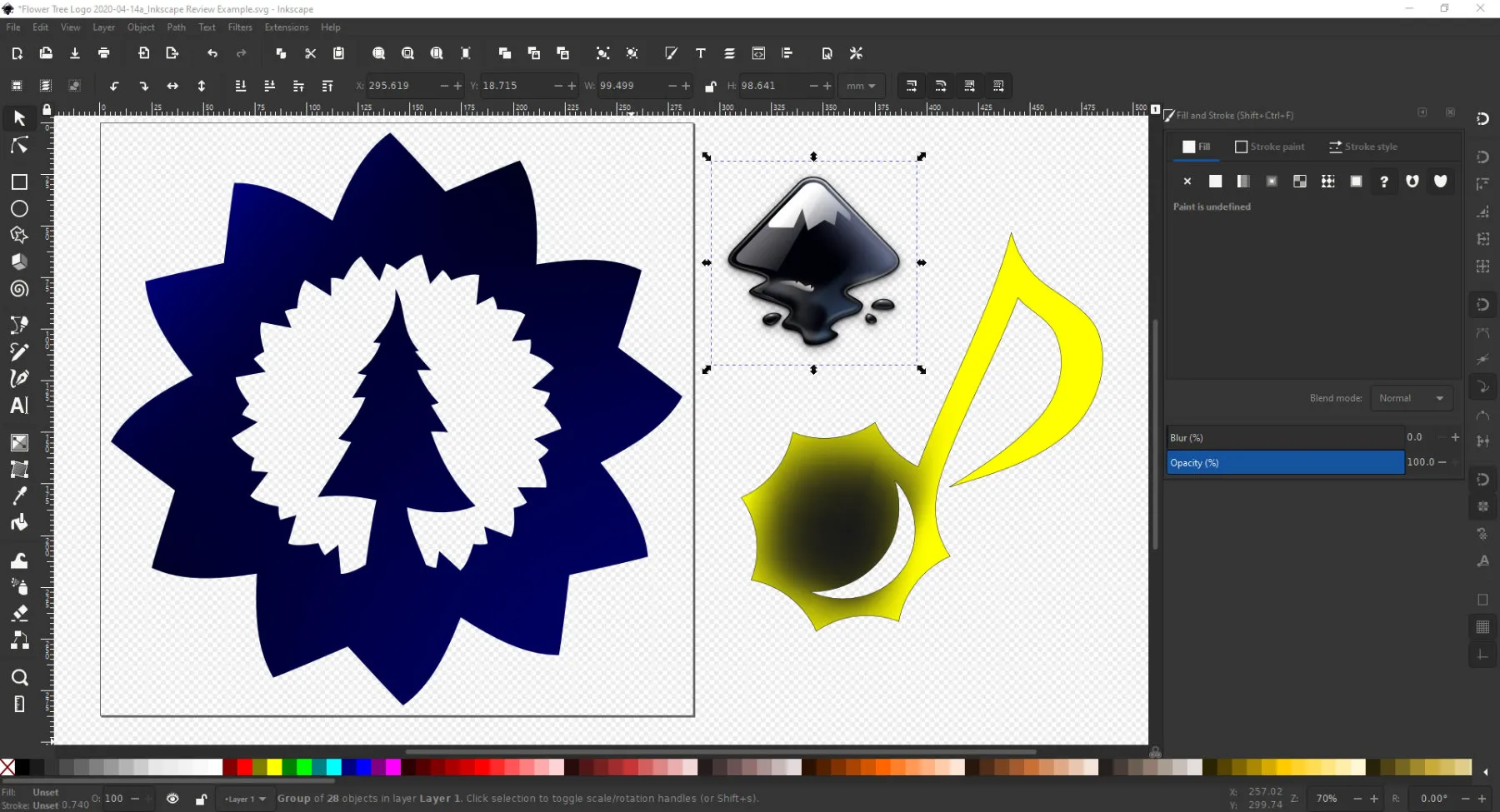
- Filter Effects and Blurs: The interface includes a dedicated filters menu for adding drop shadows, glows, bevels, and textures to vector objects without rasterizing them. The Gaussian blur slider, located directly in the Fill and Stroke panel, allows for soft shading and depth creation. By duplicating a shape, turning it black, lowering the opacity, and increasing the blur radius, users can manually construct custom drop shadows that scale dynamically with the object.
How to Install Inkscape on Windows
- Navigate to the official vendor website and locate the Windows installer package suited for your system architecture.
- Download the executable setup file to your local drive and double-click it to launch the installation wizard.
- Read and accept the open-source user agreement to proceed to the component selection screen.
- Review the installation options; you can leave the default components checked, which include the core application files, necessary Python environment libraries for extensions, and shortcut preferences.
- Select the destination folder on your primary drive, which typically defaults to the standard Program Files directory, or browse to a custom secondary drive if storage space is restricted.
- Click the install button and allow the setup process to extract the files, write necessary registry entries, and configure the local environment.
- Once the progress bar completes, check the box to run the application and click finish to close the wizard.
- Wait for the application interface to appear; note that the very first launch may take an extra minute as the software scans your operating system to build its initial font cache.
Inkscape Free vs. Paid
Inkscape operates strictly under the GNU General Public License (GPL), meaning the software is completely free for all users regardless of how they intend to use it. There are no paid tiers, subscription requirements, premium upgrades, or hidden trial restrictions. Users have full access to the entire toolset, including all export formats, filters, extension support, and path operations, without encountering paywalls or artificial export watermarks. It is a fully featured application from the moment it is installed, functioning exactly the same for a hobbyist at home as it does for a commercial design agency.
Because the product is fundamentally free, there is no need to register an account, manage license keys, or activate the software through an internet connection. The application does not lock features behind an enterprise wall, nor does it require ongoing internet checks to validate the installation. This permanent offline capability ensures that users working in secure environments or remote locations can rely on the software indefinitely without fear of a license expiring.
The development, bug fixing, and maintenance of the application rely entirely on a community-driven model rather than corporate software sales. The vendor accepts voluntary financial contributions and sponsorships through platforms like Patreon and Liberapay. These funds are frequently directed toward specific feature developments, such as hiring independent programmers to improve print color management, optimize the rendering engine, or refine the user interface. This open-source structure ensures that independent creators, small businesses, and large enterprise users can deploy the software across multiple workstations at zero cost, making it highly accessible across the design industry.
Inkscape vs. Adobe Illustrator vs. Affinity Designer
Adobe Illustrator serves as the commercial industry standard for vector design, offering deep integration with other Adobe products, cloud libraries, and native CMYK support for professional print workflows. It requires a recurring monthly or annual subscription, making it an expensive long-term financial commitment for independent designers. Users handling heavy print-production tasks, relying on proprietary AI generation tools, or working within strict agency environments usually require Illustrator for its precise color management and specific file delivery requirements.
Affinity Designer provides a commercial alternative to Adobe with a single one-time purchase price and no subscription fees. It includes dedicated interface personas for switching rapidly between vector editing and raster pixel painting within the same document, and it handles CMYK print profiles reliably out of the box. It acts as a strong middle ground for users who want premium customer support, optimized tablet applications, and professional print readiness without the ongoing financial drain of an Adobe subscription.
Inkscape is the better fit for users who want a strictly free, open-source tool capable of professional-grade SVG manipulation. It excels in workflows involving laser cutters, 3D printing preparation, vinyl plotters, and web graphics where RGB SVGs are the primary required output. When budget is a strict constraint or when the designer fundamentally prefers local open-source desktop software, Inkscape delivers the necessary node editing, boolean operations, and path manipulation tools without imposing any financial barrier.
Common Issues and Fixes
- Canvas lagging with complex blurs: Heavy use of the Gaussian blur filter or working on files with tens of thousands of nodes can cause the application to stutter during panning or zooming. Switching the view mode to "No Filters" via the View menu temporarily hides the rendering calculations, allowing smooth navigation and node editing until you are ready to preview the final result.
- Newly installed fonts do not appear: If a custom font is installed on Windows 10 or Windows 11 but does not show up in the text tool dropdown, the software cannot see the user-specific hidden font folder. Right-click the extracted font file in your operating system and select "Install for all users" to force Windows to place it in the system-level directory where the application can catalog it.
- Incorrect colors when printing: The software currently operates internally in an RGB color space, which can cause dark or shifted colors when a file is sent directly to a commercial print shop. To fix this, finish your design, export it as an SVG or high-resolution PNG, and use an external publishing tool like Scribus or a dedicated web converter to apply the proper CMYK print profile before printing.
- Stuttering with high-end gaming mice: The vector rendering engine runs its calculations on a single CPU thread and can be overwhelmed by gaming mice with a 1000Hz or higher polling rate. Lowering the mouse polling rate to a standard office level in the peripheral's control software reduces the flood of input events and restores smooth canvas movement.
- Performance drops when using external images: Importing multiple high-resolution raster photographs directly onto the canvas dramatically increases the file size and RAM usage, causing the interface to slow down. If you are using a photograph strictly for tracing purposes, put it on a dedicated background layer, lower its opacity, and hide or delete that layer as soon as the vector trace is complete to free up system memory.
Version 1.4.2 — May 2025
- Introduced a new startup splash screen to provide visual feedback while the application loads.
- Added initial support for importing Vectornator (Linearity Curve) file formats.
- Implemented a new "Clean up Paths" extension (Modify Path menu) to automatically remove duplicate nodes and simplify paths.
- Substantially improved the import quality for Affinity Designer (.afdesign) files, including better handling of vector masks and transparency.
- Optimized toolbar layouts with collapsible groups to improve usability on lower resolution (720p) screens.
- Fixed critical crashes occurring during PDF import, specifically when files contained Type-3 or bitmap colored fonts.
- Resolved an issue where Spray tool buttons were unresponsive or missing functionality.
- Updated the Welcome dialog behavior to properly force-quit the application when closed, rather than opening a new document.
- Fixed rendering issues with the modular grid where the Y-axis was inverted.
- Restored missing settings for the Perspective Envelope path effect.