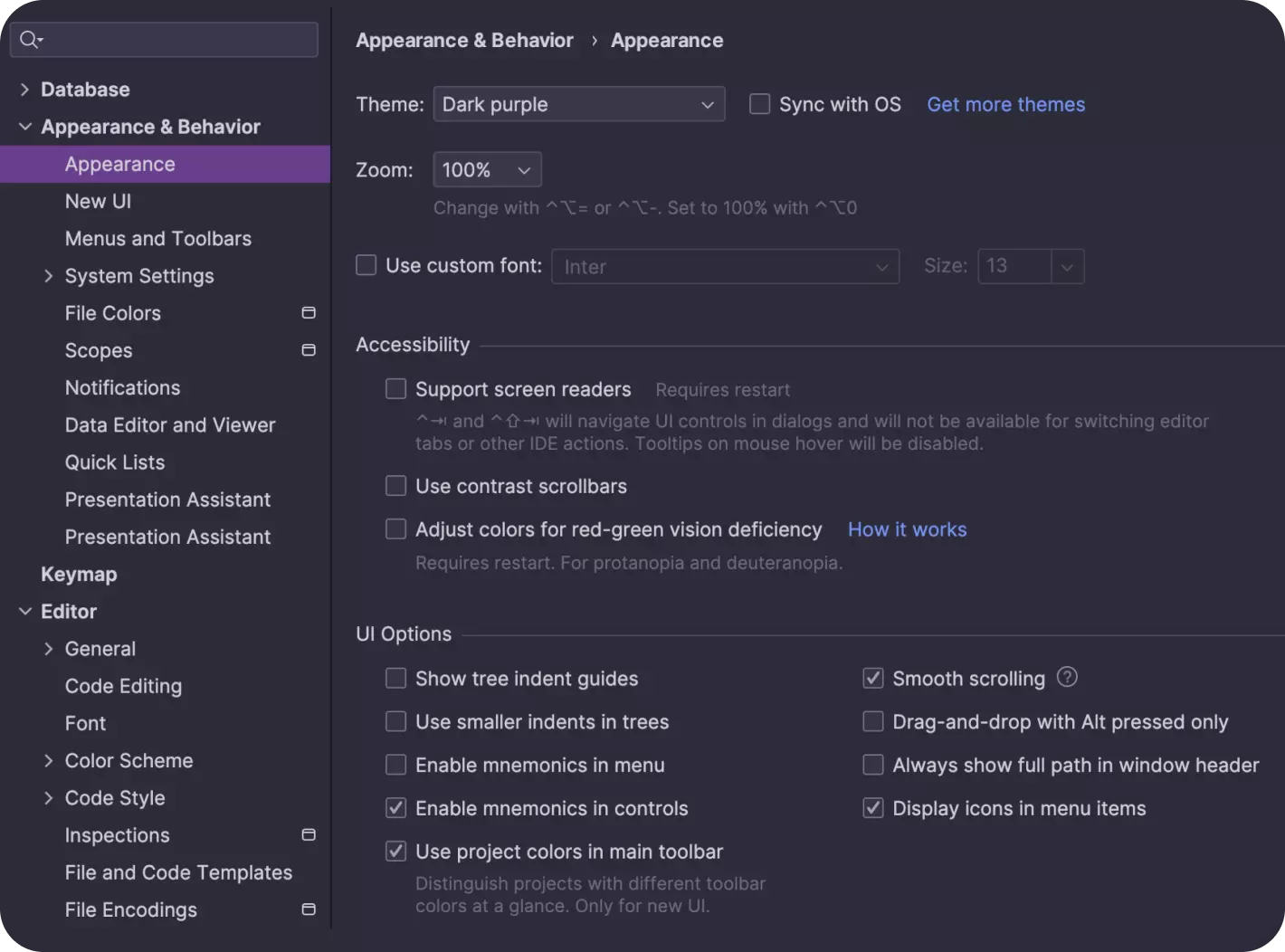
DataGrip is a dedicated multi-engine database environment created by JetBrains that allows developers and administrators to write, edit, and analyze SQL code within one highly organized interface. Rather than treating database interaction as an afterthought, this specialized integrated development environment prioritizes complex query building, schema management, and live data manipulation. It connects natively to virtually any relational database management system that provides a JDBC driver, allowing professionals to consolidate their tooling. Instead of jumping between different native clients for PostgreSQL, MySQL, Oracle, and Microsoft SQL Server, developers can manage all their local, remote, and cloud-hosted data sources from a single workspace.
While lightweight query runners and browser-based administration panels are common, a dedicated desktop application remains necessary for heavy-duty database development. Browser tools often struggle with rendering massive result sets, maintaining stable long-running connections, or providing deep code inspections without severe input latency. By running natively on the Windows desktop, DataGrip utilizes local system memory to render thousands of rows smoothly, execute complex nested queries without browser timeouts, and maintain local query history. This local processing power ensures that keyboard inputs, code formatting, and autocomplete suggestions respond instantly.
Furthermore, a dedicated desktop client provides secure connections through built-in SSH tunnels and SSL configurations, ensuring that sensitive database traffic remains protected without requiring external VPN clients or proxy setups. For teams managing massive datasets or strict security requirements, the reliability of a natively compiled application far exceeds the limitations of typical web-based database viewers. DataGrip also excels in visual data management, allowing users to import data directly from CSV files or export tables into various formats without writing intermediary conversion scripts. The platform handles intricate table creation and schema modification through dedicated user interface dialogues, generating the exact SQL syntax required for the target dialect behind the scenes. This approach reduces syntax errors and allows database administrators to prototype complex schema changes visually before executing them on production servers.
Key Features
- Intelligent Code Completion: DataGrip provides context-aware suggestions while typing queries, recognizing table structures, foreign keys, and dynamically created database objects. Pressing
Ctrl+Spacebrings up immediate autocomplete options that respect the active SQL dialect, ensuring that keywords and functions match the specific database engine currently in use. - Live Templates: Developers can generate repetitive SQL statements rapidly using built-in abbreviations. Typing
seland pressingTabimmediately expands the code into aSELECT * FROMstatement, while theSettings | Editor | Live Templatesmenu allows teams to build custom macros for their exact reporting structures and common table expressions. - Database Explorer: The primary tool window allows users to navigate active connections, schemas, tables, and views in a hierarchical tree layout. Users can right-click any node to access the context menu for generating schema scripts, or quickly filter objects by typing directly into the explorer panel to trigger the built-in speed search function.
- Multi-Cursor Editing: When modifying multiple similar rows or updating bulk
INSERTstatements, users can place multiple carets throughout the query editor. HoldingCtrlwhile pressing the arrow keys or usingShift+Ctrl+Alt+Jselects all occurrences of a specific string, allowing the developer to alter multiple column names or values simultaneously. - Inline Code Refactoring: Renaming a table or column alias is handled safely across entire scripts without manual find-and-replace operations. Pressing
Shift+F6triggers the Rename refactoring tool, which updates the identifier in the current query, related view definitions, and connected foreign key references automatically to prevent broken code. - Version Control Integration: Unlike basic query editors, this IDE includes full support for Git and other version control systems directly within the interface. Users can track changes to database schema scripts, review file differences before committing, and push updates to remote repositories. The VCS widget allows developers to switch branches and manage code versions alongside their active database connections.
- Data Editor and Viewer: Query results open in a dedicated grid where users can sort, filter, and modify live data without writing additional
UPDATEstatements. This grid supports exporting directly to CSV or JSON formats and allows inline record updates that are only committed to the underlying database upon explicit user confirmation. - Smart Code Formatting: Maintaining consistent query styles across a collaborative team is handled natively by the editor. Pressing
Ctrl+Alt+Lreformats the selected code block according to the exact indentation rules, keyword capitalization preferences, and wrapping logic defined in the IDE configuration menu.
How to Install DataGrip on Windows
- Download the official Windows installer executable directly from the JetBrains website to ensure you receive the unmodified application package.
- Double-click the downloaded executable file to launch the setup wizard, and grant administrator permissions when prompted by the Windows User Account Control dialogue.
- Select your preferred installation directory, which defaults to the standard
Program Filesfolder, and verify that your local drive has sufficient storage space for the application and its local caches. - Review the installation options screen to customize your environment; here you can choose to create a desktop shortcut, associate
.sqlscript files with the IDE by default, and update the systemPATHvariable to enable launching the application from the command line. - Click Install to begin extracting the core program files, integrated JDBC drivers, and language support packages to your system.
- Once the extraction process finishes, check the box labeled to run the application immediately and click Finish to exit the setup wizard.
- During the first launch, the software will prompt you to import previous settings if it detects an older installation, or allow you to proceed with a clean configuration profile.
- When the license dialog appears, sign in with your JetBrains account credentials to activate your commercial subscription, start a 30-day trial period, or register for the free non-commercial license tier.
DataGrip Free vs. Paid
JetBrains utilizes a tiered pricing model for DataGrip, distinguishing heavily between individual developers doing personal work and professionals writing code for revenue-generating projects. For learning, open-source development, content creation, and hobby projects, users can register for the Non-Commercial plan. This free tier provides complete access to the core IDE, data editor, and query tools without restricting functionality or imposing save limits, but it strictly prohibits any usage tied to paid client work or internal corporate development.
Professionals who require the software for commercial purposes must purchase a subscription. The individual Commercial plan costs $10.90 per month or $109 per year, granting full commercial rights and providing discounted renewal rates for consecutive years of subscription. Organizations purchasing licenses for their employees pay a higher rate of $25.90 per user per month or $259 per user per year, which includes centralized license management and access to private support channels.
New users unsure of which tier they need can download the application and begin a 30-day free trial, which unlocks all features without requiring a payment method upfront. Additionally, developers who already rely on tools like IntelliJ IDEA or PyCharm can access DataGrip through the All Products Pack. This bundle costs $29.90 per month for individuals and includes access to the entire suite of JetBrains IDEs, making it a highly cost-effective option for developers who write both application code and complex database schemas.
DataGrip vs. DBeaver vs. SQL Server Management Studio (SSMS)
DBeaver is a heavily utilized alternative that offers both a free community edition and a paid professional tier. It supports a massive array of database engines and is widely favored by users who need a functional, cost-effective tool for basic querying and data export. However, DBeaver's interface can occasionally feel cluttered, and its code completion engine is generally slower and less context-aware during heavy query editing compared to the JetBrains platform. While DBeaver handles administrative tasks adequately, developers often find themselves wishing for stricter code inspections and faster keyboard-driven navigation when working on massive codebases.
SQL Server Management Studio (SSMS) is the standard, free administration tool specifically built for Microsoft SQL Server and Azure environments. It provides deep administrative controls, user management interfaces, and visual execution plans that general-purpose clients lack. Despite its strength as an administration tool, SSMS strictly limits users to the Microsoft ecosystem, lacks modern cross-engine coding conveniences, and relies on an older interface design that feels heavy during rapid query prototyping. Furthermore, installing SSMS introduces a massive footprint on the host system, which may not be ideal for developers who only need to run simple queries.
DataGrip is the better fit for dedicated developers who write complex SQL daily across multiple different database platforms like PostgreSQL, MySQL, and Oracle. While it lacks the deep server configuration tools found in SSMS and requires a paid license for commercial work unlike DBeaver's open-source build, its superior autocomplete, advanced refactoring tools, and strict code inspections save significant time. For users whose primary job is writing, formatting, and debugging database queries rather than configuring user permissions, DataGrip provides a noticeably faster and more intelligent coding environment. The ability to keep all database connections, schema histories, and version control branches inside one unified application dramatically reduces context switching during long programming sessions.
Common Issues and Fixes
- Cannot connect to a database because of a driver error. DataGrip requires the correct JDBC driver to communicate with external servers. Open the Data Sources and Drivers dialog, select your specific engine, and click the "Download missing driver files" prompt at the bottom of the configuration window to retrieve the official files.
- Keyboard shortcuts clash with system global keys. Screen recording software or remote desktop clients can intercept keystrokes before they reach the IDE. Navigate to Settings, open the Keymap menu, search for the conflicting action, and either reassign the shortcut within the IDE or modify the external application's hotkeys.
- Query execution is extremely slow on large result sets. Fetching millions of rows at once will saturate memory and network bandwidth. Edit your query to include
LIMITclauses or adjust the Data Editor settings to fetch results in smaller page chunks instead of attempting to load the entire table into local memory simultaneously. - Temporary directory path contains non-ASCII characters. The IDE may fail to launch or execute certain background processes if the Windows user profile contains special characters. Change your system environment variables to point the
TEMPandTMPdirectories to a basic path likeC:Tempto resolve the pathing error.
Version 2025.3.5 — February 2026
- Resolved an issue where SQL statement highlighting failed for files opened outside of the active project workspace.
- Fixed a bug in the Services tool window where pressing the 'Delete' key unexpectedly prompted to terminate the database session rather than deleting the selected table row.
- Restored the ability to successfully execute MongoDB
.jsquery scripts within the console. - Addressed a malfunction that prevented the "Copy to Clipboard" action from working correctly.
- Repaired the data export functionality to ensure smooth and reliable data extraction.
- Adjusted internal configuration behavior so that query consoles are no longer saved within the data source per-file mappings.