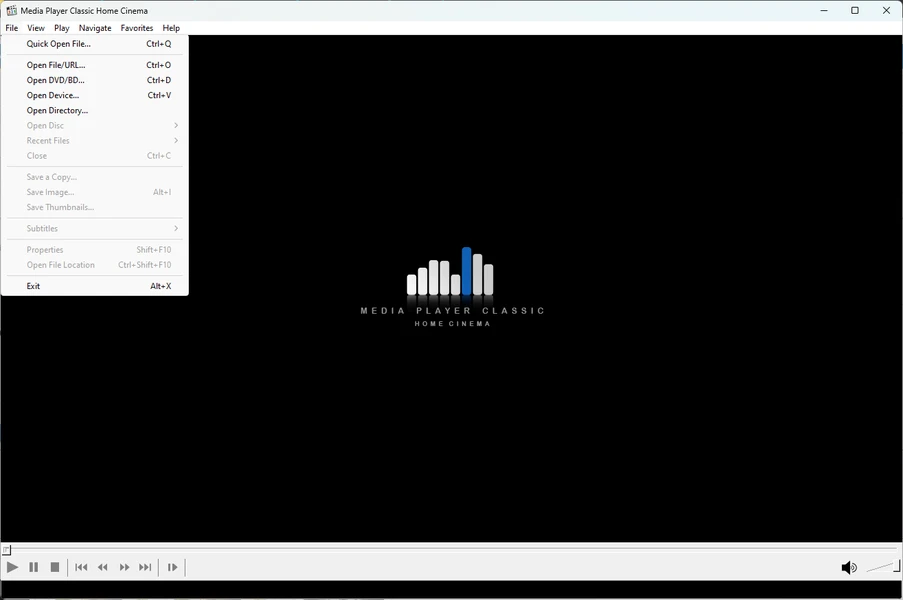
Media Player Classic Home Cinema operates as a lightweight, open-source media player for Windows, actively maintained through the clsid2 developer fork to handle demanding, high-bitrate video formats. Built upon the DirectShow architecture, the application utilizes both internal and external filters to render complex local media files, such as 4K HDR movies, heavily typeset anime, and high-fidelity lossless audio tracks. It focuses entirely on local media execution, providing an optimized rendering pipeline that bypasses the heavy resource consumption typically associated with modern browser-based applications.
Videophiles, home theater PC builders, and desktop users rely on this software to watch uncompressed local files without the buffering or compression artifacts inherent to web streaming. When downloading large MKV or MP4 containers encoded with modern video codecs like HEVC, VP9, or AV1, default operating system players frequently fail to decode the streams, drop frames, or display inaccurate, washed-out color spaces. Furthermore, standard players often struggle to pass uncompressed audio formats like Dolby TrueHD, DTS-HD Master Audio, or multi-channel FLAC directly to audio equipment. This application solves those concrete jobs by utilizing dedicated hardware decoding pipelines that communicate directly with the graphics processor using D3D11 or DXVA2 APIs. This ensures accurate color mapping, proper hardware acceleration, and precise frame pacing even on older laptop hardware, while allowing bit-perfect audio passthrough to external receivers.
Relying on a native desktop application remains critical for users who require total control over their video rendering chain. Cloud-based players and basic media tools restrict hardware access and prevent users from defining custom upscaling algorithms or audio configurations. Running a dedicated native executable allows users to integrate advanced rendering engines, manage precise subtitle synchronization offsets, and route raw audio signals accurately. This level of granular configuration ensures the audio and video output matches the exact specifications of the user's display hardware and acoustic environment.
Key Features
- Integrated LAV Filters for Modern Codecs: The software decodes AV1, HEVC, VP9, and other modern video formats natively using bundled LAV Filters. Navigating to the Internal Filters menu reveals dedicated audio and video decoders, eliminating the need to install potentially unstable third-party codec packs from external sources.
- High Dynamic Range and Dolby Vision Rendering: The application supports accurate tone mapping for high dynamic range content. By selecting the MPC Video Renderer or madVR in the Output options menu, the software accurately translates expanded color spaces to standard monitors, preventing the gray, washed-out appearance typical of unsupported HDR playback.
- Precision Seeking with Video Previews: Users can hover their mouse cursor over the timeline seekbar to display live thumbnail previews of upcoming scenes. Additionally, pressing the Control key while rotating the mouse scroll wheel allows for rapid, precise frame jumping through long video files without causing playback freezing.
- Pitch-Corrected Audio on Speed Adjustment: Watching lectures or long documentaries at increased playback speeds often distorts the audio track into a high-pitched frequency. Routing the audio through the internal MPC Audio Renderer applies automatic pitch correction, keeping voices natural and comprehensible even at higher multipliers.
- Advanced Subtitle Search and Rendering Optimization: Pressing the D key opens a dedicated dialog window to search for and fetch missing subtitle tracks directly from external databases. The application also integrates the libass rendering engine, ensuring that complex, heavily animated ASS or SSA subtitle files display smoothly without taxing the central processor.
- Customizable Interface and Dark Theme: Navigating to the Player settings under the Options menu allows users to toggle a modern dark graphical user interface. This reduces eye strain in dimly lit home theater environments while offering granular customization for seekbar height, toolbar skinning, and button scaling to fit different display resolutions.
- Command Line Control and API Integration: System administrators and home theater users can trigger playback, define fullscreen states, or queue specific files using command-line arguments. The application also exposes a web interface API, allowing users to control playback remotely via network requests without requiring a physical keyboard.
How to Install Media Player Classic Home Cinema on Windows
- Download the standalone Windows installer executable package from the official developer repository.
- Launch the setup executable, which prompts the Windows User Account Control to request administrative permissions for local disk modifications.
- Review and accept the GNU General Public License terms before proceeding to the installation directory selection screen.
- Choose the destination folder, which defaults to the standard Program Files directory on the primary Windows partition.
- Select the installation components from the checklist, ensuring the core executable, the necessary translation files, and the optional video rendering engines are marked.
- Configure the default file associations when prompted, deciding whether the application should automatically launch upon double-clicking common container formats like MKV, MP4, and FLAC in the file explorer.
- Finish the setup wizard, open the application via the newly created desktop shortcut, and navigate to the Options menu to verify the default audio and video output devices.
- Open the LAV Video Decoder configuration from the internal filters menu and select D3D11 or DXVA2 as the hardware decoder to ensure the graphics card handles the video processing workload efficiently.
Media Player Classic Home Cinema Free vs. Paid
Media Player Classic Home Cinema operates under a fully open-source, free software model governed by the GNU General Public License. There are no commercial tiers, enterprise editions, or paid upgrades required to unlock functionality. Every feature, including advanced HDR rendering, external filter support, and subtitle database integration, is available immediately upon installation.
Unlike freemium media players that restrict specific codec usage behind paywalls or inject advertisements into the user interface, this software relies entirely on community development. There are no trial periods, artificial saving limits, or mandatory subscription pop-ups interrupting the viewing experience. Users never have to register an account or maintain an active internet connection to authenticate the software.
The financial backing for the project relies strictly on optional donations from the user base. These contributions help cover the recurring server costs required to maintain application hosting and fund the API quotas necessary for the built-in subtitle search functionality. Because the original development project was discontinued in 2017, the active GitHub fork relies on these voluntary contributions to ensure ongoing compatibility with modern Windows environments and updated media codecs.
Media Player Classic Home Cinema vs. VLC vs. PotPlayer
VLC operates independently of the Windows DirectShow framework, utilizing its own internal decoding chain to render media. This independent architecture makes VLC resilient when playing corrupted media files or streaming complex network protocols without requiring any external configuration. However, users prioritizing ultimate image fidelity often find VLC's rendering pipeline less configurable than a DirectShow environment, where adding specialized external rendering engines yields superior upscaling and color management for local files.
PotPlayer provides a customized interface packed with built-in toggles, native 3D video support, and hardware acceleration enabled right out of the box. Users who prefer having every possible setting accessible through internal menus without configuring external filters often gravitate toward it. However, PotPlayer remains a closed-source application, which can deter users who prioritize community-audited codebases and strictly telemetry-free environments for their local media consumption.
Media Player Classic Home Cinema provides the superior workflow when building a dedicated home theater PC or a high-fidelity desktop viewing station. By offering a lightweight, open-source DirectShow environment, it gives advanced users the exact framework needed to host high-end video renderers and fine-tune hardware decoding, resulting in superior visual output for heavy local media files.
Common Issues and Fixes
- Colors appear faded, gray, or washed out during HDR video playback. This occurs because older default video renderers cannot properly tone-map High Dynamic Range content for standard displays. Fix this by navigating to the Playback menu, opening the Output settings, and changing the DirectShow Video renderer to MPC Video Renderer or madVR.
- Screen tearing appears as horizontal lines during fast camera panning. This happens when the video frame rate desynchronizes from the monitor's physical refresh rate. When using the Enhanced Video Renderer, press the V key on the keyboard to manually toggle VSync, or disable the D3D Fullscreen option in the output settings to stabilize the image.
- Audio pitch increases unnaturally when speeding up video playback. Speeding up a video track linearly raises the audio frequency, causing voices to sound distorted or high-pitched. Resolve this by switching the audio output device to the internal MPC Audio Renderer, which automatically applies pitch correction to maintain natural voice tones at faster multipliers.
- Complex animated subtitles skip frames or cause the application to lag heavily. Heavy typeset subtitles, specifically in the ASS format, can overload the default text rendering path and tax the central processor. Enable the libass engine in the subtitle options or configure the xy-VSFilter to ensure smooth text display without degrading overall video performance.
Version 2.5.6 — December 2025
- Added a new customization option that allows users to adjust the alignment of toolbar buttons, including the ability to center them within the window.
- Added functionality to skip to the next or previous file directly when playing media from a multi-file RAR archive.
- Updated the MPC Video Renderer to version 0.9.18.2480 to ensure better video rendering compatibility.
- Fixed a specific issue where downloading subtitles from OpenSubtitles would result in a 406 error.
- Fixed various minor bugs and made small improvements to enhance player stability.