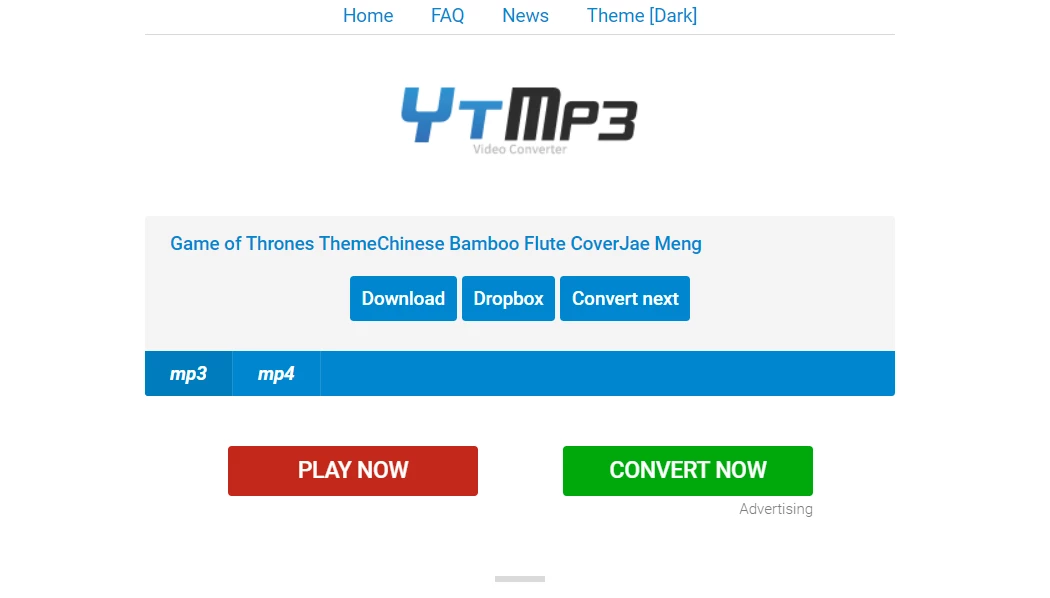
MediaHuman YouTube to MP3 Converter is a specialized desktop application designed to extract high-quality audio tracks from streaming video platforms and save them directly to a local hard drive. Rather than relying on web-based conversion sites that bombard users with pop-up ads, enforce strict file size limits, and struggle with large queues, this application automates the entire process of building an organized offline music library. It detects the specific audio stream within a video container, bypassing the heavy visual data entirely. This approach significantly reduces bandwidth usage and speeds up the extraction process. The software supports major media hosting sites including YouTube, Vimeo, SoundCloud, Mixcloud, Bandcamp, and Vevo, making it a versatile and centralized tool for music collectors, podcast listeners, and video editors who need clean audio assets without navigating multiple web interfaces.
For users who frequently archive digital content, the local desktop environment provides distinct advantages over browser extensions or lightweight web portals. The application handles entire playlists and creator channels without requiring the user to manually enter a link for each individual track. By actively monitoring the Windows system clipboard, the software listens for copied URLs and populates a background download queue in real time. This allows users to browse their favorite platforms normally, copying links as they discover new content, and returning to the application only to initiate the batch extraction process. Furthermore, the desktop architecture ensures stability during massive archiving tasks, preventing the browser timeouts, memory leaks, and dropped connections that often ruin large web-based batch conversions.
Key Features
- Automated Playlist and Channel Parsing: The software can process entire playlists or entire user channels from a single pasted URL. Users can even set the application to track specific channels and automatically download newly uploaded tracks in the background, eliminating the tedious work of manually checking for new content updates.
- Clipboard Monitoring: When enabled in the background, the application tracks the Windows system clipboard for supported video URLs. Copying a link from an external web browser instantly adds the targeted media to the processing queue, streamlining the workflow for bulk audio collection without forcing the user to toggle between windows constantly.
- Direct Audio Extraction: Instead of downloading a heavy, high-resolution video file and converting it locally, the software directly targets the raw audio stream (such as M4A or OGG) hosted on the remote server. This prevents unnecessary quality loss from re-encoding and dramatically cuts down local processing time.
- Integrated ID3 Tag Editor: The application automatically detects and parses metadata such as the artist name, track title, and album based on the video title and description. Users can access a built-in tag editor to modify these details or apply custom cover art before the final file saves to the disk, keeping offline libraries neatly organized.
- Apple Ecosystem Syncing: For users managing local media libraries, the software includes a direct export function tailored for Apple software. When configured in the output settings, completed audio files are automatically pushed to a designated playlist within iTunes or the Apple Music desktop app immediately after the download finishes.
- Adjustable Quality Controls: Users can force the software to convert streams into standard MP3 format at specific bitrates, ranging up to 320 kbps. This allows for precise control over the final file size, helping users balance storage capacity limitations against maximum audio fidelity for offline listening on portable devices.
- Concurrent Batch Downloading: The engine is designed to handle multiple connections simultaneously. Instead of processing a massive playlist one track at a time, the software downloads several audio files concurrently, maximizing available internet bandwidth and reducing the overall wait time for large archival projects.
How to Install YouTube to MP3 Converter on Windows
- Download the official Windows installer package from the vendor's secure website.
- Locate the downloaded executable file in your default downloads directory and launch the setup wizard with standard user privileges.
- Review and accept the end-user license agreement to proceed with the local installation.
- Choose a destination directory on your primary local drive or simply accept the default standard installation path provided by the wizard.
- Select whether to create a desktop shortcut or a Start menu folder for quick access later.
- Click the install button and wait for the program files to extract, then click finish to close the setup process.
- Launch the application from the new shortcut and immediately open the Preferences menu via the gear icon.
- Configure your default download output folder, select your preferred audio format, and adjust concurrent connection limits before copying your first media URL.
YouTube to MP3 Converter Free vs. Paid
The core functionality of MediaHuman YouTube to MP3 Converter is entirely free to use. Unlike many freemium audio alternatives, the base application does not inject advertisements into the user interface, restrict the maximum audio bitrate, or embed frustrating audio watermarks into the exported files. Users can process massive playlists, extract original M4A audio streams, edit ID3 tags, and sync their libraries to iTunes without ever hitting a hard paywall. The software sustains its development without relying on intrusive banner ads or bundling unwanted third-party bloatware during the Windows installation process. For the vast majority of standard audio archiving tasks, the free tier provides everything necessary.
The developer offers a single premium upgrade called TurboBoost, which operates on an annual subscription model priced at $9.99 per year. TurboBoost is designed specifically to bypass the strict bandwidth throttling that streaming platforms intentionally apply to automated scraping tools. By routing the request differently and optimizing the download protocols, the paid tier allows users to fetch audio tracks in a fraction of the time it takes the standard free version. For casual listeners downloading a few songs a week, the free tier is more than adequate. However, users archiving massive libraries, backing up huge creator channels, or downloading hundreds of tracks a day often purchase the TurboBoost upgrade to eliminate server-side waiting times.
YouTube to MP3 Converter vs. 4K YouTube to MP3 vs. ClipGrab
4K YouTube to MP3 focuses heavily on handling massive channels and includes a dedicated built-in browser for navigating platforms directly within the application. However, its free tier enforces strict daily limits on individual downloads and places a hard cap on playlist extraction, effectively forcing heavy users to purchase a premium lifetime license. MediaHuman YouTube to MP3 Converter offers a much more generous free tier for basic audio extraction, allowing users to process long playlists without hitting arbitrary daily locks, though its raw download speeds remain standard unless the user upgrades to the TurboBoost tier.
ClipGrab provides an open-source, completely free alternative that includes a built-in video search tab, making it very easy to find and download audio without ever opening an external web browser. Because it relies heavily on volunteer development updates, ClipGrab frequently suffers from broken download protocols when streaming sites update their backend code, leaving users stranded until a patch arrives. MediaHuman maintains a much faster, more aggressive update cycle for fixing broken parsers and offers a much cleaner, more modern interface for managing bulk ID3 tags and iTunes syncing.
MediaHuman YouTube to MP3 Converter is the better fit for users who want an ad-free, streamlined audio extraction tool that stays out of the way. Its background clipboard tracking and automated tagging make it superior for building a structured local music library with minimal friction, provided the user does not strictly need the integrated browser features found in heavier competing applications.
Common Issues and Fixes
- "No suitable streams found during parsing" error. Streaming platforms frequently change their backend video delivery systems to block automated scraping tools. Resolve this by opening the Preferences menu, navigating to the General tab, and clicking the Reinstall button to force an immediate background update to the latest working parsing protocols.
- Downloads blocked by age restrictions or captchas. The application cannot scrape age-gated, private, or mature audio streams anonymously. Open Preferences, go to the Authorization tab, and sign in to an active, verified account to prove age and bypass the platform's block.
- Slow download speeds for large batches. Media platforms intentionally throttle connections from known bulk downloaders to save server costs. To improve speeds without paying for the TurboBoost subscription, go to Preferences and reduce the number of simultaneous downloads to prevent the server from flagging and limiting your specific IP address.
- Audio files missing from iTunes or Music app. If the automatic library export fails to trigger after a successful download, ensure the "Add to iTunes/Music.app" box is properly checked in the Output preferences. Additionally, verify that your local iTunes installation is fully updated and running actively in the background.
- Incorrect artist names or track titles. Occasionally, the software parses a poorly formatted video title incorrectly. Before initiating a batch download, double-click the track entry in the queue to open the manual tag editor, allowing you to fix the text and paste correct cover art before the file is finalized.
Version 3.9.18 — December 2025
- Implemented comprehensive improvements for YouTube link processing and download stability.
- Introduced support for downloading audio content from Deezer.
- Resolved parsing issues for VK (VKontakte) and added support for user authorization on the platform.
- Fixed bugs related to parsing Twitch video links.
- Applied various minor updates to enhance overall application stability and performance.