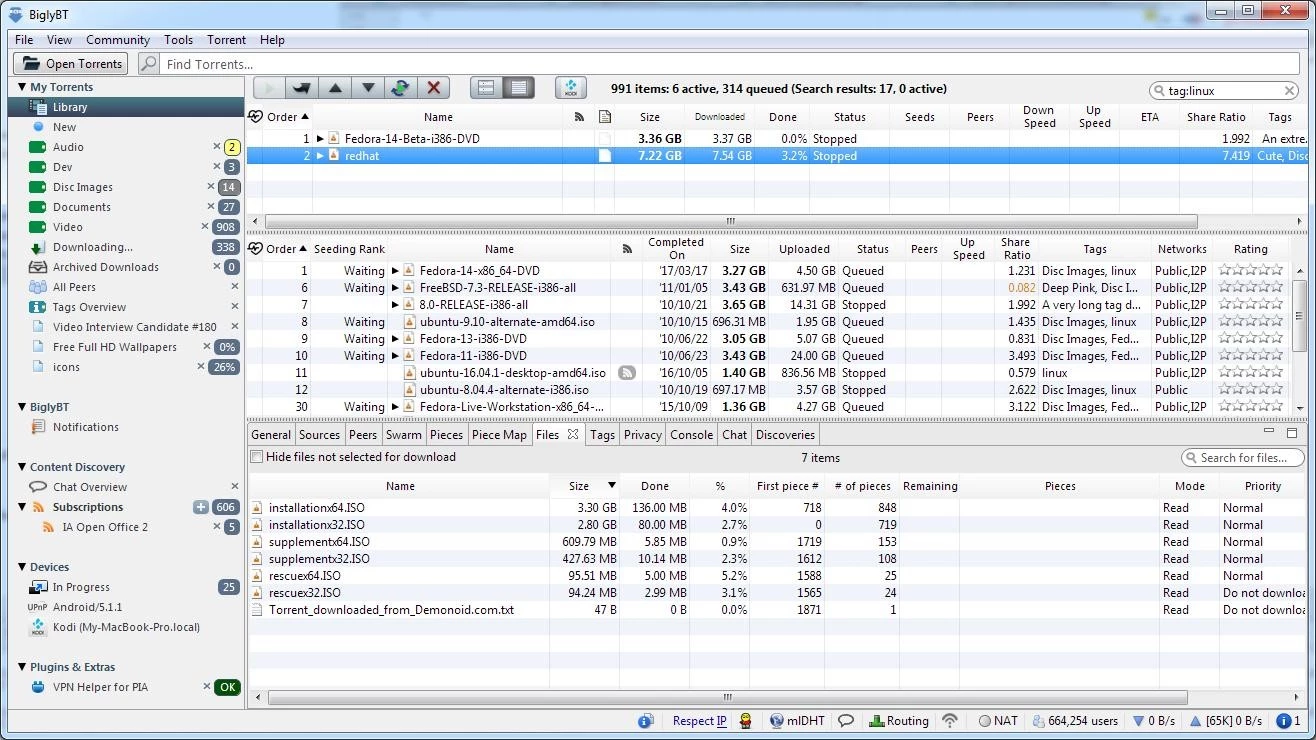
Vuze Bittorrent Client operates as a highly specialized desktop torrent client and media manager that handles file acquisition, library organization, and video playback within a single interface. Instead of downloading a raw file and forcing the user to locate a third-party media player, this application handles the entire pipeline—from querying torrent hashes via magnet links to viewing the final high-definition video. This approach consolidates the typical downloading workflow, allowing users to find, retrieve, and organize large digital media collections without jumping between a web browser, a torrent client, and a separate media player.
Unlike browser-based extensions or cloud-hosted torrent services that require constant remote connectivity, running a local desktop client gives users direct control over their network bandwidth, port routing, and local storage disks. Heavy downloaders who frequently queue massive data files benefit immensely from local processing. They can enforce hard bandwidth caps, manage specific peer upload limits, construct organized file hierarchies directly on their hard drive, and bind the client to a specific network interface. The application processes data locally while maintaining an active connection to communicate with tracker servers, decentralized hash tables, and network peers.
Users rely on this desktop client to schedule overnight downloads, subscribe to RSS feeds for automatic episodic content retrieval, and transcode media for external displays. The Java-based architecture allows for a dedicated plugin ecosystem, making the interface highly adaptable for advanced users who require granular network statistics, IP filtering, and deep swarm health monitoring. By prioritizing visual media handling alongside standard BitTorrent protocols like Peer Exchange, the software provides a practical utility for curating and playing complex digital libraries natively on a desktop computer.
Key Features
- Integrated Meta Search Engine: Instead of opening an external web browser to locate torrent files, users can type search terms directly into the client’s top search bar. The application queries multiple torrent directories and indexers simultaneously, parsing the results into a unified list. Users can sort these results by seeders, file size, or upload date, and initiate the download with a single click without ever visiting a tracker website.
- Built-in High-Definition Media Player: The desktop application includes a native video and audio player that supports a vast array of common formats, including AVI, XVID, MKV, and QuickTime. This allows users to verify video quality, check for synchronization issues, or watch completed content directly from the download library tab without relying on external software like VLC or Windows Media Player.
- Device Transcoding and Transfer: Users can drag and drop completed media files onto specific hardware device profiles located in the sidebar. The software automatically transcodes the video to the correct codec, format, and resolution required by connected smart TVs, gaming consoles, or mobile phones. Once the format conversion finishes, the client pushes the file directly to the target device over the local network.
- Automated RSS Feed Subscriptions: Downloaders who regularly follow specific episodic content or weekly releases can paste an RSS feed URL directly into the client’s subscription manager. The application periodically polls the feed and automatically pulls the corresponding magnet links or torrent files the moment the publisher updates the tracker, ensuring downloads begin without manual user intervention.
- Granular Bandwidth and Connection Scheduling: The network settings allow users to define exact upload and download speed limits to prevent the client from saturating the entire home network. Additionally, the built-in scheduler lets users specify time blocks—such as setting the client to run at maximum speed overnight while throttling traffic during daytime working hours.
- Adaptable User Proficiency Modes: The interface adjusts to the user's technical background through a configurable toggle found in the main settings menu. Beginners are presented with a simplified dashboard hiding complex networking terminology, while advanced users can unlock deep configuration tabs for manual port routing, tracker management, disk cache limits, and advanced connection parameters.
- Java-Based Plugin Architecture: Because the application is constructed on Java, users can install additional custom modules from the built-in plugin repository. Available extensions range from detailed 3D network swarm viewers and IP filters to advanced monitoring tools that track peer data exchange and visualize JVM memory usage in real time.
How to Install Vuze Bittorrent Client on Windows
- Navigate to the official vendor website or a verified software directory to download the executable Windows installer package for the application.
- Locate the downloaded executable in your local downloads folder and double-click the file to launch the initial setup wizard.
- Review the software license agreement and explicitly select the custom installation option on the secondary screen, as the default express installation path historically includes promotional third-party software bundles or search engine modifiers.
- Carefully read through the optional offers and uncheck any boxes attempting to install external browser toolbars, homepage modifications, or unrelated secondary desktop applications.
- Define the specific local installation directory on your hard drive, choose whether to create desktop or Start menu shortcuts, and click next to begin extracting the core application files.
- Allow the setup wizard to install or update the required Java Runtime Environment if prompted by the installer. The application relies entirely on Java to function natively on Windows, and attempting to skip this step will prevent the client from launching.
- Approve any Windows Defender Firewall prompts that appear, which is necessary to allow the application to accept incoming connections from external peers.
- Launch the application from the Start menu and follow the first-run configuration wizard, which tests your network connection for open listening ports and asks you to select your preferred User Proficiency level to finalize the interface layout.
Vuze Bittorrent Client Free vs. Paid
The standard baseline version of the software operates on a freemium model and is completely free to install and use indefinitely. This free tier provides full, unrestricted access to the core torrenting network features, including the meta search engine, basic media playback, bandwidth scheduling tools, and RSS feed support. However, to sustain the continuous development and hosting of the client, the free interface displays visual banner advertisements, sidebar promotions, and occasional software offers directly within the main dashboard.
For users who want a cleaner interface and premium media tools, the developer offers a paid subscription tier officially named Vuze Plus. Priced at approximately $3.99 per month, this premium upgrade instantly removes all visual advertisements and promotional banners from the application window. The business model utilizes a recurring subscription payment rather than offering a one-time perpetual license. Upon completing the purchase on the vendor's website, users receive a unique activation code that must be entered into the Help menu to unlock the premium tier locally on their machine.
Activating the Plus tier unlocks specific functional additions tailored for heavy media consumers. Most notably, it includes an integrated antivirus scanner powered by the Bitdefender engine, which automatically scans downloaded archives and executables for malicious code before allowing the user to open them. Additionally, the paid tier enables native DVD burning directly from the library interface, allowing users to write standard video discs for physical hardware players. The subscription also activates a progressive playback feature, which permits users to start watching video files while the torrent download is still actively pulling the remaining data from peers.
Vuze Bittorrent Client vs. qBittorrent vs. uTorrent
qBittorrent serves as a strictly open-source alternative that entirely avoids visual advertisements, premium subscription tiers, and bundled promotional software. Built on C++, it is extremely lightweight, consumes minimal system memory, and focuses purely on torrent downloading and seeding without introducing extra media transcoding tools. Users should choose qBittorrent if they want a fast, clean, and ad-free experience natively out of the box. However, migrating to qBittorrent means users will lose out on the built-in HD media player, the automated device transfer profiles, and the integrated meta search interface that makes tracking down files more convenient.
uTorrent remains one of the smallest and least resource-intensive commercial torrent clients available on the Windows platform. It consumes very little RAM and CPU power, making it highly suitable for older desktop hardware or low-power laptops. Like the free version of its competitors, it displays advertisements, but it strips away complex media management features to maintain a minimal background footprint. However, uTorrent lacks the deep plugin architecture, the extensive content discovery engine, and the built-in format conversion tools found in heavier, more feature-rich media centers.
Vuze Bittorrent Client proves to be the better fit for users who want an all-in-one digital media station rather than just a basic background file downloader. Its strict reliance on the Java framework makes it significantly heavier on system memory than its C++ based competitors, but it justifies that specific footprint by offering immediate media playback, automated RSS pulling, network plugin support, and format conversion directly inside a single cohesive desktop interface.
Common Issues and Fixes
- High memory usage and sudden application crashes. Because the client runs heavily on the Java Virtual Machine, maintaining massive download queues or loading hundreds of active torrents can quickly exhaust the default memory allocation, causing the application to close unexpectedly. Users can fix this by right-clicking the desktop shortcut, opening Properties, and editing the Target path to include a larger memory flag, such as typing
-Xmx256mor-Xmx512mat the end of the executable line. - Application refuses to launch due to missing Java Runtime Environment. The software will immediately throw an error or fail to open if Java is not installed, or if the installed version has become corrupted or mismatched with the system architecture. Resolve this by downloading the latest offline Windows installer for Java from Oracle, installing it completely, and restarting the computer before launching the client again.
- Slow download speeds despite a fast internet connection. This network bottleneck typically occurs when the upload bandwidth is completely saturated, leaving no room for packet acknowledgments, or when the incoming listening port is blocked by a router. Navigate to the connection options menu, set a hard limit on the upload speed to approximately eighty percent of your maximum capacity, and verify that the specified listening port is correctly forwarded in your local router settings.
- Unexpected third-party software appears after setup. The default express installer occasionally bundles optional promotional toolbars or adware during the initial setup phase. To avoid these entirely, users must select the custom installation route during setup and manually decline the optional additions. If the software is already installed, open the Windows control panel, navigate to Add/Remove Programs, and manually uninstall the unwanted third-party software.
- Downloads stuck on connecting to peers. Sometimes a valid magnet link will load into the client but fail to initiate any actual data transfer. To fix this, open the tracker settings and ensure that both the Decentralized Hash Table (DHT) and Peer Exchange (PEX) features are enabled. If the problem persists, forcing the torrent to start by right-clicking it in the library can prompt the client to re-announce itself to the tracker.