LibreOffice operates as a comprehensive desktop application designed to handle everything from complex academic manuscripts to detailed financial spreadsheets without requiring an internet connection or a monthly subscription. Users who rely on heavy word processing, deep data calculations, and structured presentations often find browser-based alternatives too slow or feature-limited for demanding tasks. By installing this locally run software, individuals and organizations gain direct control over their files, ensuring that documents remain private, secure, and accessible even when offline. The ability to work entirely on local hardware prevents unexpected sync errors and protects sensitive information from unauthorized cloud processing.
As a primary workspace for daily administrative tasks, the software provides a direct replacement for traditional office environments. Writers and editors use it to format text, track changes, construct indexes, and generate automated tables of contents, while accountants and data analysts rely on its grid system to execute pivot tables and statistical functions. The suite natively champions the OpenDocument Format (ODF) for long-term data archiving, ensuring files remain readable far into the future. At the same time, it maintains deep, practical compatibility with standard industry files like .docx, .xlsx, and .pptx. This dual approach ensures that users can confidently open files sent by colleagues using other ecosystems, edit the contents locally, and return them without disrupting the original layout or formatting structure.
Because the suite runs entirely on Windows, it bypasses the processing limits and latency of web browsers. This local execution allows for faster handling of massive spreadsheets containing hundreds of thousands of rows, or text documents embedded with high-resolution images and vector graphics. For users who prioritize data sovereignty, working offline means sensitive financial records, medical documents, or proprietary business drafts are never synced to an external server without explicit permission. The application functions independently of bandwidth constraints, meaning users can draft, calculate, and present their work smoothly on airplanes, in remote locations, or during network outages.
Key Features
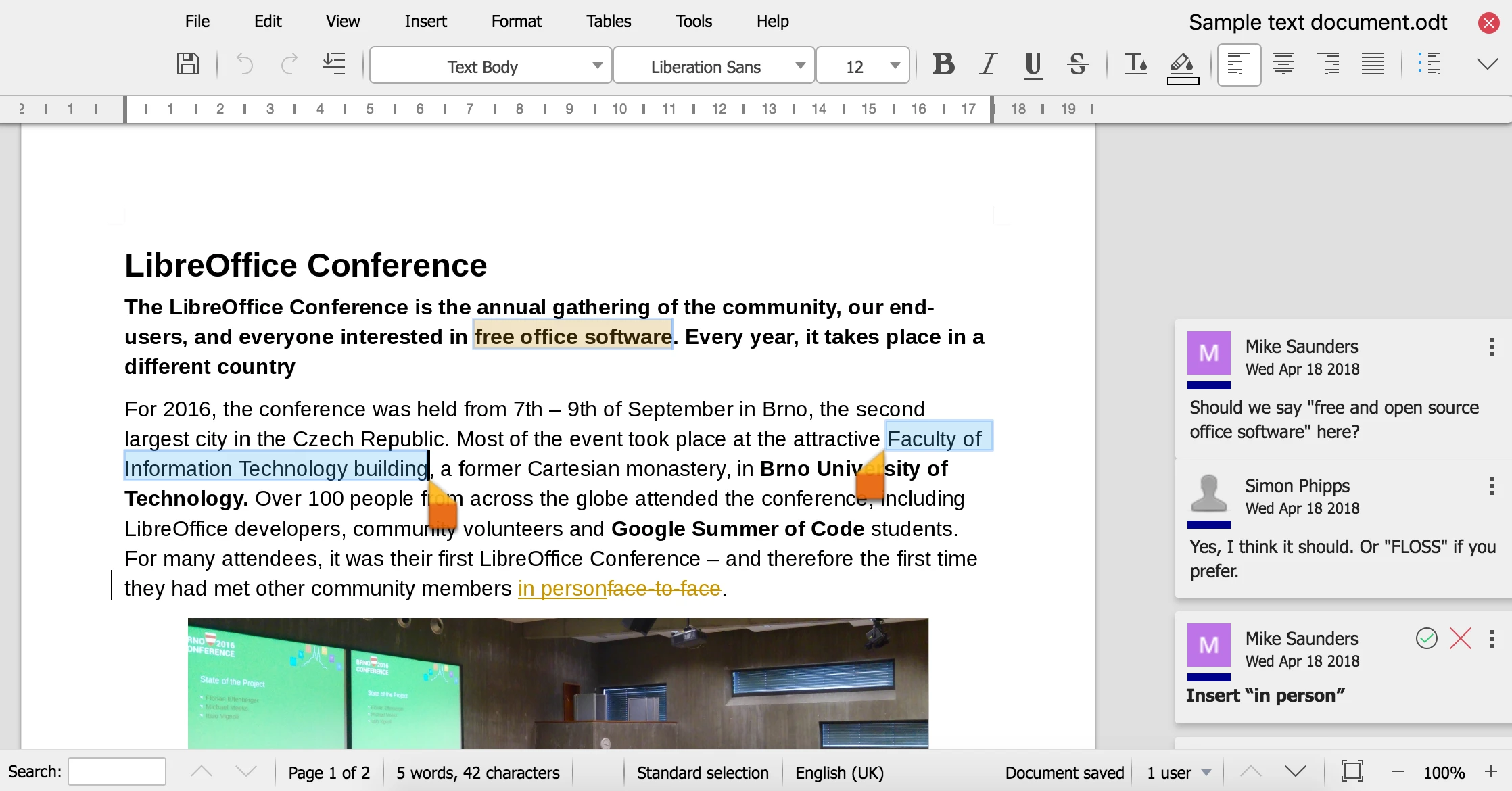
- Word Processing with Writer: The included word processor gives authors precise typographic control over document layout, allowing them to define custom page styles, manage headers, and generate automatic bibliographies. By navigating to the Styles menu and pressing F11 to open the Styles and Formatting window, users can uniformly update fonts and spacing across a massive document in seconds. The module supports exporting directly to PDF or EPUB formats, making it highly practical for self-publishing workflows. The interface also includes an integrated spell checker and a specialized track changes mode under the Edit menu to review collaborative edits.
- Data Calculation with Calc: This spreadsheet module handles complex data sets, offering advanced pivot tables, scenario managers, and a vast library of mathematical, financial, and statistical functions. Users can apply conditional formatting via the Format menu to automatically highlight specific data trends, duplicate entries, or calculation errors. Calc reads and writes .xlsx files accurately, and users can use the Ctrl+Shift+F9 shortcut to instantly recalculate all formulas across every sheet in the workbook. The Data menu provides sorting and filtering tools to organize massive lists efficiently.
- Presentation Design with Impress: Presenters can build slide decks using a variety of master slides, transition effects, and embedded multimedia elements. The interface includes a dedicated Slide Pane for reordering content and a Properties deck in the Sidebar to adjust font sizes and image alignments without opening separate dialog boxes. During a presentation, pressing F5 launches the slideshow from the beginning, while the presenter console displays upcoming slides and speaker notes on a secondary monitor to help the speaker pace their delivery.
- Vector Graphics with Draw: Instead of relying on a separate application for basic design work, users can open Draw to construct flowcharts, technical diagrams, and organizational charts. The module features smart connectors that stay attached to objects as they are moved around the canvas, and precise dimension lines that automatically calculate and display measurements. It also functions as an efficient PDF editor, allowing users to open a PDF document, alter text fields, replace images, and export the file back to its original format without needing external layout utilities.
- Database Management with Base: For users dealing with structured records, Base provides a graphical interface to create tables, queries, forms, and reports. It connects natively to popular database engines like MySQL, MariaDB, and PostgreSQL, or operates as a standalone desktop database using its built-in HSQLDB or Firebird engine. Users can build SQL queries visually using the design interface or type them directly into the SQL view to filter and extract specific business intelligence from large archives.
- Mathematical Formula Editor with Math: Academic researchers and students use this module to construct complex equations and mathematical formulas that would be difficult to format in a standard text editor. Users can type markup language directly into the equation editor or click symbols from the Elements dock to build fractions, integrals, matrices, and statistical functions. Once finalized, the formula can be directly inserted into a Writer document or an Impress presentation as a perfectly formatted object that scales without pixelation.
How to Install LibreOffice on Windows
- Download the official Windows installer package (MSI) to your local drive and double-click the file to launch the installation wizard.
- Click Next on the Welcome screen to proceed to the Setup Type dialog box, which presents the choice between a Typical or Custom installation path.
- Select the Typical option if you want the standard set of features, or choose Custom to manually select specific UI languages, optional spelling dictionaries, and extra fonts.
- If you selected Custom, review the optional components tree, click the disk icon next to any additional languages or dictionaries you need, and choose to install the feature on your local hard drive.
- Specify whether you want the installer to open the application automatically during system startup, and check the box to create a shortcut link on your Windows desktop.
- Click the Install button to begin copying files; you will likely see a Windows User Account Control prompt asking if you want to allow the app to make changes to your device.
- Click Yes on the security prompt and wait for the green progress bar to fill as the installer registers the program components and configures file associations for standard document formats.
- Click Finish when the setup complete screen appears, and launch the application from your desktop or Start menu to arrive at the main start center interface.
LibreOffice Free vs. Paid
LibreOffice operates under a strictly open-source model, meaning there are no upfront purchase costs, no monthly subscriptions, and no hidden paywalls. Anyone can obtain the full suite, install it on as many Windows computers as they want, and use it for commercial, educational, or personal purposes without violating any licensing agreements. The application does not restrict saving, does not insert watermarks on exported PDFs, and does not require users to create an account or sign in to access advanced formatting tools.
The development and maintenance of the software are governed by The Document Foundation, a non-profit organization funded largely by user donations and corporate sponsors. This community-driven structure ensures that the core application remains completely free of charge and free of tracking mechanisms. Users are never forced to buy premium tiers to unlock features, as every module, filter, and export option is included in the base installation.
While the core application remains free for everyone, enterprise environments requiring strict service level agreements, dedicated technical support, or customized deployment tools can purchase paid support packages from certified ecosystem partners. Organizations managing thousands of workstations might hire these partners for priority bug fixes or specialized group policy templates. However, for the vast majority of home and small business users, the zero-cost version provides the exact same tools and features without any artificial limitations.
LibreOffice vs. Microsoft 365 vs. Apache OpenOffice
Microsoft 365 remains the industry standard for organizations that require deep cloud integration, real-time simultaneous collaboration, and native hosting through OneDrive and SharePoint. Users who rely heavily on advanced Excel macros tailored specifically to Microsoft's proprietary Visual Basic for Applications (VBA), or those who need access to cloud-based co-authoring from web browsers and mobile devices, usually accept the recurring subscription fee. It provides a highly connected ecosystem, but it forces users into a persistent licensing model and requires internet connectivity to verify activation and access cloud storage.
Apache OpenOffice is an older open-source alternative that shares early historical roots with LibreOffice but has seen significantly slower development in recent times. Users occasionally choose it if they are maintaining legacy systems or prefer an interface that has remained largely unchanged for a long time. However, OpenOffice lacks modern format compatibility, meaning it struggles to accurately render newer .docx or .xlsx files, and it receives very few feature updates compared to its highly active counterpart.
LibreOffice stands out as the superior choice for users who want modern features and aggressive updates without paying a subscription fee. It heavily outpaces OpenOffice in terms of compatibility with Microsoft formats, rendering complex tables, margins, and layouts with much higher accuracy. By keeping the workflow entirely local, it grants absolute privacy and control over files, making it the most practical option for individuals who prefer the reliability and speed of traditional, offline desktop software over cloud-tethered alternatives.
Common Issues and Fixes
- Application crashes or UI glitches when scrolling. This often occurs because the software attempts to use Skia rendering or hardware acceleration that conflicts with certain Windows graphics drivers. To fix this, open the application, navigate to Tools, select Options, click on View under the main application drop-down, and uncheck the box labeled "Use Skia for all rendering" before restarting the program.
- The Base database module refuses to open or run macros. LibreOffice requires a Java Runtime Environment (JRE) to execute specific database tasks and run certain extensions. You must install a 64-bit Java JRE on your Windows system, then go to Tools, Options, Advanced, and check the box for "Use a Java runtime environment" to ensure the software recognizes the installed framework.
- Documents saved in ODF format cannot be opened by recipients. If you send a .odt or .ods file to someone using older office software, they might see an error or a prompt to convert the file. You can prevent this by clicking File, selecting Save As, and choosing the Microsoft Word (.docx) or Excel (.xlsx) format from the "Save as type" drop-down menu before sending the email attachment.
- Spell check does not highlight errors or identify misspelled words. This happens if the correct language dictionary was not selected during a custom installation or if the text is assigned the wrong language. Press F11 to open Styles, check the language assigned to the paragraph style, or go to Tools, Options, Language Settings, and ensure a default language with a blue checkmark is active.
Version 26.2.0 — February 2026
- Added native Markdown (.md) import and export capabilities in Writer, complete with clipboard integration and ODT/DOCX template styling.
- Added true multi-user functionality in Base, permitting simultaneous database editing without restrictive file-locking conflicts.
- Added connector shapes in Calc to easily create and link diagram objects directly within spreadsheet grids.
- Added automated data mapping for generic JSON and XML files, instantly importing linkable tabular data into Calc sheets.
- Improved interoperability with Microsoft Excel by integrating BIFF12 clipboard format support, eliminating previous paste size limitations for massive datasets.
- Improved performance of large document loading times, 3D chart rendering in Calc, and ePub file exports (which now feature a visible progress bar).
- Improved the change tracking system in Writer to intelligently manage interdependent edits and give users granular control over revision conflicts.
- Improved user interface elements by defaulting to vertical dialog tabs, utilizing native GTK/Qt color pickers on Linux, and officially dropping the "Community" edition branding.
- Improved multilingual document handling in Writer with dynamic Start and End paragraph alignments and automatic right-to-left (RTL) text detection.
- Fixed issues with DOCX format exports by enabling floating tables to properly split across multiple pages.
- Fixed rigid numeric sorting behaviors in Calc by introducing a natural sort option, ensuring items like IP addresses and version numbers are ordered logically.