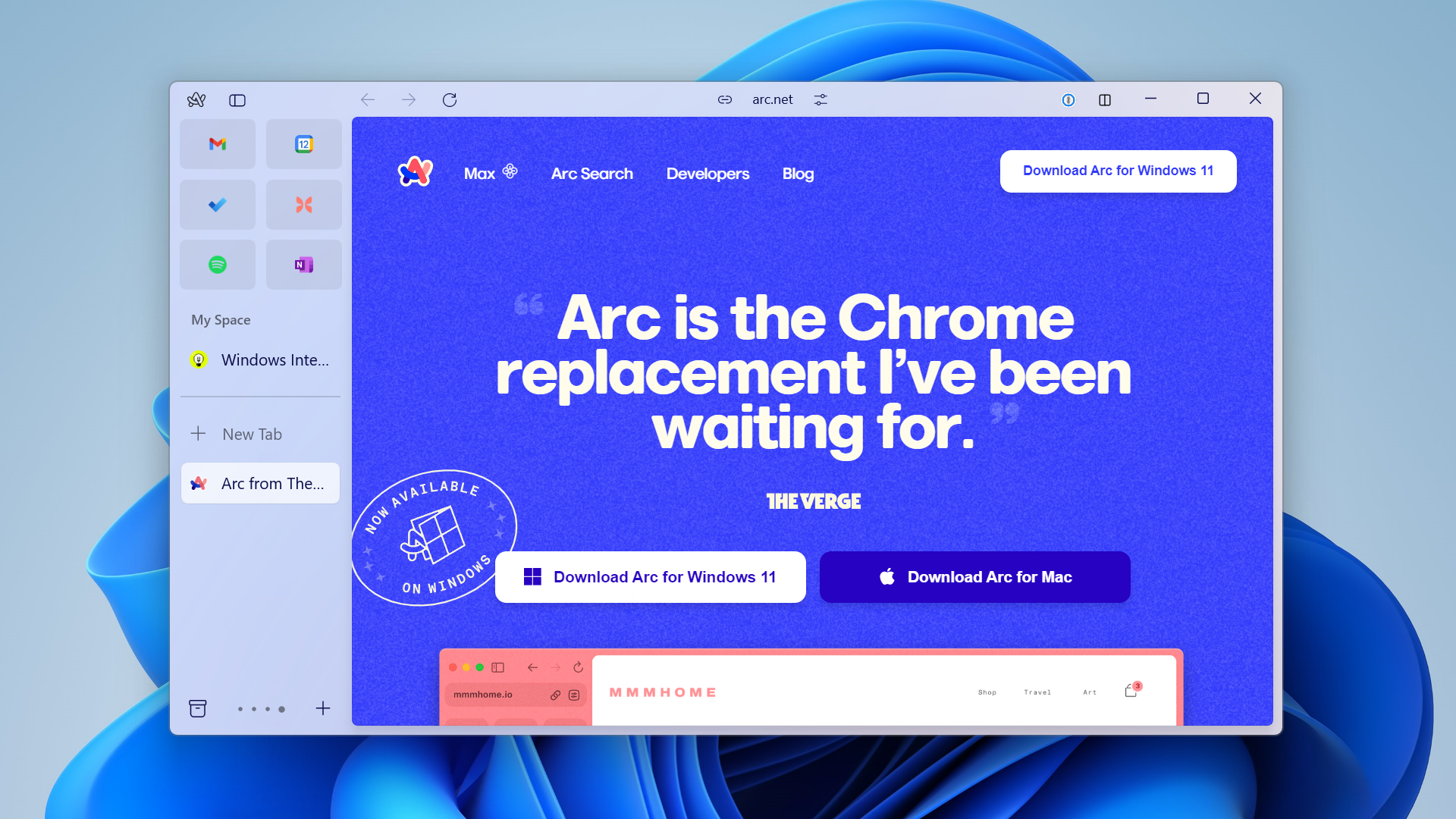
Arc Browser (Windows) reimagines how users interact with the internet by discarding traditional horizontal tab bars in favor of a strictly structured vertical layout. Built entirely on the Chromium engine, this web browser targets professionals, researchers, and heavy internet users who frequently struggle with tab overload. Instead of treating web pages as temporary, disposable documents that clutter the top of the screen, the software treats them more like native desktop applications. It organizes these active pages into dedicated vertical areas that keep digital workspaces visually clean, functionally categorized, and directly aligned with the natural geometry of modern widescreen monitors.
The core design philosophy relies on eliminating interface distractions to maximize the visible area of actual websites. By moving navigation controls to a collapsible sidebar and completely hiding the conventional URL address bar, the application dedicates almost all screen real estate to the content itself. Users interact with the browser primarily through a central command palette, pulling up search functions, history, and site navigation only when actively needed. This structural shift prevents the common scenario where dozens of tiny, unreadable tabs accumulate across the screen during a busy workday, forcing a much cleaner and more deliberate browsing habit.
Choosing this application over a default system web browser means committing to a distinct, keyboard-driven workflow. It is tailored for individuals who context-switch frequently between different projects, email accounts, and complex web applications. By automatically archiving unused tabs and keeping essential tools permanently pinned in the sidebar, the browser solves the tangible problem of digital clutter. It functions less like a passive viewing window and more like an active operating system for the internet, making it a practical utility for executing complex online workflows on Windows 10 and Windows 11.
Key Features
- Feature Name: Vertical Sidebar Navigation. The application completely removes standard top-row tabs and replaces them with a left-aligned sidebar containing all active pages, folders, and bookmarks. This layout utilizes the excess horizontal space found on modern widescreen displays, giving users more vertical room to read long articles or operate web applications without interface elements blocking the top of the screen.
- Feature Name: Dedicated Workspaces. Users can create distinct, color-coded environments for different contexts, such as office tasks, financial planning, or personal reading. Each space maintains its own isolated set of pinned folders and active tabs, preventing work-related web applications from mixing with entertainment sites during daily use.
- Feature Name: Tab Auto-Archiving. The browser actively prevents tab hoarding by automatically closing unpinned web pages after a user-defined time limit, which defaults to 12 hours. Closed pages move to a searchable background archive, ensuring no important data is permanently lost while guaranteeing the active workspace starts completely clear every morning.
- Feature Name: Central Command Bar. The traditional static address bar is removed in favor of a floating text prompt summoned by pressing the Ctrl + T keyboard shortcut. This overlay acts as a universal input tool, allowing users to type direct URLs, query default search engines, or quickly locate buried tabs from a single central location.
- Feature Name: Split View Multitasking. The interface allows users to open up to four distinct web pages side-by-side within a single unified browser window. This function proves highly practical for referencing a technical document on one side of the screen while writing an email or watching a video tutorial on the opposite side.
- Feature Name: Chromium Extension Compatibility. Because the software operates on the standard Chromium rendering engine, it maintains full compatibility with the Google Chrome Web Store. Users can install their existing password managers, custom ad blockers, and grammar checking extensions directly, ensuring familiar tools continue to function accurately.
- Feature Name: Pinned Web Applications. Frequently visited sites can be pinned directly to the top of the sidebar, treating them as permanent shortcuts. These pinned favorites load instantly, display numeric notification badges for unread messages, and remain constantly accessible regardless of which visual space the user currently occupies.
How to Install Arc Browser (Windows) on Windows
- Navigate to the official vendor website and locate the designated download button for the Windows installation package.
- Download the executable setup file to your local storage drive, ensuring you have administrative privileges on your current Windows user profile.
- Locate the downloaded file in your default directory and double-click the icon to initiate the background installation process.
- Wait for the automated setup to allocate the necessary application files, which typically requires minimal manual intervention.
- Launch the application directly from the newly created Start menu entry or desktop shortcut to trigger the initial configuration wizard.
- Complete the mandatory account creation screen by registering with a valid email address, or sign in to an existing profile, as the software requires an active login to function.
- Use the built-in migration tool to import your existing bookmarks, browsing history, and saved passwords from your previous default web browser.
- Select a primary search engine and define your initial visual spaces to complete the onboarding sequence and begin browsing the internet.
Arc Browser (Windows) Free vs. Paid
Arc Browser (Windows) is available at no cost to download and operate for individual users. The developer currently does not restrict any primary functionality behind a paywall or tiered subscription plan. All users receive unrestricted access to workspace creation, split view multitasking, sidebar customization, and tab archiving tools without spending money. There are no trial expiration dates to track, no artificial limits on how many tabs a user can generate, and no watermarks on any exported data.
The application does not rely on injecting third-party advertisements into the interface to generate revenue. Instead, the current business model operates on venture capital funding, with the developers publicly stating their intention to eventually monetize the software through specific enterprise and team-based collaboration features. Until those corporate tools launch, the core browsing experience remains fully accessible for both personal and professional deployment at no cost.
While the software does not cost money, users must recognize that an active account registration is required to move past the initial setup screen. This means individuals must provide an email address and agree to standard synchronization policies to operate the browser. The company explicitly outlines in its privacy documentation that it does not sell user browsing data to data brokers or advertising networks.
If future updates introduce premium subscriptions for managed corporate IT environments, the standard consumer desktop version is expected to retain its complete baseline toolkit. Currently, anyone running Windows 10 or Windows 11 can utilize every available navigation feature, shortcut, and visual theme option directly out of the box without providing a credit card.
Arc Browser (Windows) vs. Microsoft Edge vs. Vivaldi
Microsoft Edge has served as the default Windows option since its Chromium rebuild in 2020, featuring a traditional horizontal top-bar layout and deep ties to Microsoft services. It includes a built-in vertical tab toggle, but the primary interface remains conventional and immediately familiar to most internet users. People who prefer a standard navigation layout with explicit forward and back buttons, or those who rely heavily on built-in AI chat sidebars, often prefer Microsoft Edge because it requires zero behavioral changes or learning curves to operate effectively.
Vivaldi targets the extreme tweaker who demands precise control over every single pixel of the browser interface. It offers a staggering array of configuration menus, allowing users to place tabs on any edge of the screen, stack them in complex multi-level hierarchies, and map custom keyboard shortcuts to any internal action. However, this vast amount of configuration can feel overwhelming and visually busy, making Vivaldi better suited for highly technical individuals who want to build their entire browsing environment manually from the ground up.
Arc Browser (Windows) provides a strictly structured alternative by enforcing a specific, decluttered vertical workflow straight out of the box. You should choose this software if you want a clean, workspace-oriented layout without having to manually adjust dozens of complex settings panels. It dictates how you manage web pages through forced auto-archiving and isolated spaces, making it the better choice for professionals who want the software itself to actively enforce organization and focus, rather than simply offering a blank canvas of endless toggles.
Common Issues and Fixes
- Problem description: High memory and processor usage. Chromium-based engines consume significant system resources, and leaving multiple heavily scripted pages active can slow down desktop performance. Press Shift + Esc to open the built-in task manager, identify which specific web applications are consuming excessive RAM, and manually close them or allow the auto-archive function to clear them.
- Problem description: Sidebar takes up too much horizontal screen space. On smaller laptop displays, the permanent vertical menu can crowd the actual website content and make reading difficult. Press the Ctrl + S keyboard shortcut to quickly hide the sidebar, allowing the active web page to fill the entire application window, and press it again when you need to navigate elsewhere.
- Problem description: Difficulty finding the URL address bar. Because the traditional navigation bar is hidden by default, new users often struggle to type in a direct website link. Press Ctrl + T to summon the central command interface, which acts as the address bar, search engine input, and tab switcher all in one floating overlay prompt.
- Problem description: The application refuses to launch without an internet connection on first run. The browser enforces a mandatory account sign-in during the initial setup phase. Ensure your computer is connected to the internet, complete the login or registration process with a valid email, and the software will subsequently allow standard browsing operations.
- Problem description: Keyboard shortcuts conflicting with web applications. Certain complex web tools use the same hotkeys as the browser's built-in interface commands. Navigate to the browser's internal settings panel and manually remap or disable specific application shortcuts, ensuring your primary web tools register your keystrokes correctly.
Version 1.95.0 — February 2026
- Upgraded the underlying Chromium engine to version 145.0.7632.117.
- Implemented the most recent security patches to ensure a safer browsing experience.
- Delivered various under-the-hood enhancements to improve overall browser stability and speed.