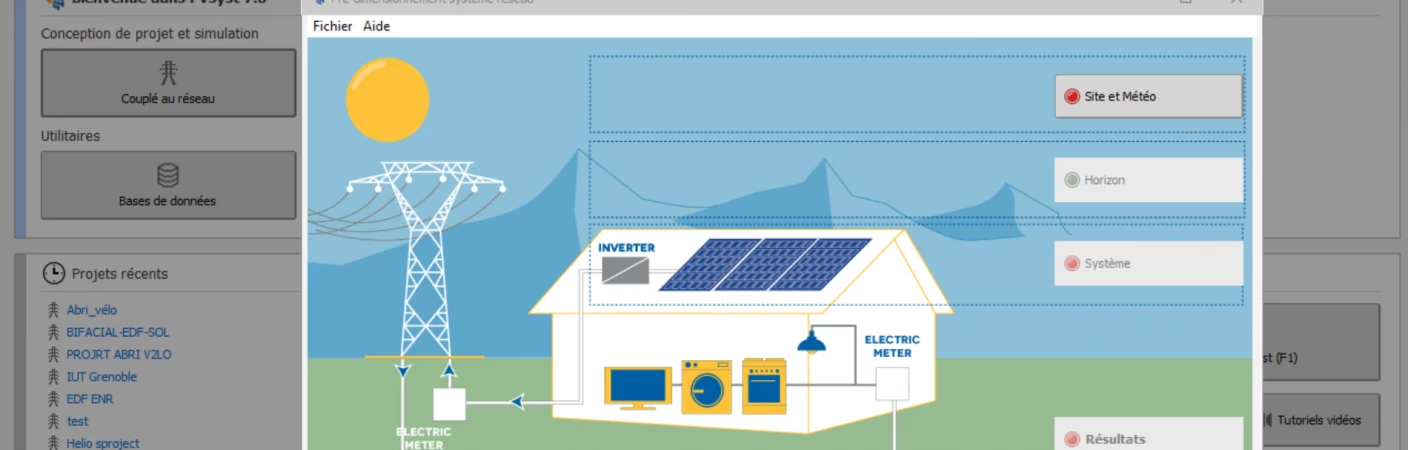
PVsyst functions as the industry standard for modeling the energy yield and financial viability of photovoltaic installations. Engineers, EPC contractors, and project developers rely on its simulation engine to map out grid-connected, standalone, and direct pumping systems. By calculating solar irradiance, shading impacts, and specific hardware efficiencies, the software generates the P50 and P90 yield estimates required by financial institutions to fund utility-scale and large commercial solar projects. The workflow transitions from preliminary array sizing to a detailed hourly simulation that scrutinizes every physical and electrical variable across a full year of operation.
Operating as a Windows desktop application, it handles the computational demands of 3D ray-tracing and complex environment rendering locally. This architecture allows professionals to maintain large offline databases of panel and inverter specifications without relying on constant browser connectivity. The local file structure grants direct control over custom meteorological datasets, ensuring that critical project variables remain accessible for deep technical analysis. Desktop processing also proves advantageous when running iterative batch simulations, as the application can utilize the local CPU to test dozens of tilt angles, row spacing configurations, and inverter matching scenarios simultaneously.
Engineers input specific site coordinates, import hourly meteorological data, and define ground albedo values to establish the baseline environment. From there, the application enforces strict electrical sizing constraints, alerting the user if a proposed string length exceeds the maximum input voltage of the selected inverter at historically low temperatures. It also allows designers to investigate site-specific phenomena, separating far horizon shading caused by distant mountains from near shading caused by adjacent panel rows, parapet walls, or local vegetation. This granular approach ensures the final output reflects real-world operational realities rather than idealized laboratory conditions.
Key Features
- Meteorological Data Integration: Imports local climate files from standard sources like Meteonorm, NASA-SSE, and PVGIS to establish baseline irradiance, temperature, and wind models. If direct hourly data is unavailable for a specific remote coordinate, the engine can generate a synthetic hourly dataset based on known monthly averages.
- 3D Near Shading Construction: Provides a dedicated scene editor to build physical environments and structures. The engine uses this environment to trace sun ray paths and calculate electrical mismatch losses down to the specific module string, accommodating complex layouts including single-axis trackers with backtracking active.
- Component Database Management: Maintains a locally stored, continually updated catalog of over 14,000 PV modules and 4,500 inverters. If an exact new model is missing, engineers can manually input manufacturer datasheet values to generate custom PAN and OND equipment files for immediate simulation.
- Detailed Loss Configuration: Includes a specific dialog window where engineers dial in thermal parameters based on mounting types, ohmic wiring losses, soiling factors, light-induced degradation (LID), and incidence angle modifiers (IAM) that account for reflection off the glass cover at high sun angles.
- Bankable Yield Reports: Generates detailed PDF documents that display Gaussian uncertainty analysis, hourly energy production data, and a waterfall loss diagram. This visual diagram tracks the exact energy flow from nominal global irradiance down to the final grid-injected power.
- Financial Modeling Controls: Evaluates the economic side of a project by calculating the Levelized Cost of Energy (LCOE), Net Present Value (NPV), and Return on Investment (ROI). The interface allows for custom multi-tariff configurations, depreciation schedules, and operational maintenance cost inputs.
- Batch Simulation Processing: Enables designers to test multiple project variants simultaneously. By altering variables such as tilt angles, ground coverage ratios, or inverter loading ratios in a batch run, users can identify the exact optimized layout for a restricted physical footprint.
How to Install PVsyst on Windows
- Download the official Windows installer executable directly from the developer's provided download page.
- Launch the setup wizard and accept the end-user license agreement to proceed with the local installation.
- Choose the destination directory on the local drive. Keeping the default path is recommended to prevent mapping errors with the internal component database.
- Complete the installation process, close the setup wizard, and open the application from the Start menu.
- On the initial launch, choose to begin the 30-day evaluation mode or enter a purchased subscription to authenticate the licensed mode via the internet.
- Define the default workspace directory where the software will locally store custom 3D scenes, imported weather files, and project variants.
- Avoid placing this workspace directory on a shared network drive, as latency and file locking conflicts can disrupt the database access during simulations.
- Accept any immediate prompts to synchronize the component database, ensuring the local catalog contains the latest manufacturer specifications before starting a new project.
PVsyst Free vs. Paid
The application provides a 30-day evaluation mode that functions as a fully unrestricted trial. During this introductory window, engineers can run full year-long simulations, build custom 3D shading environments, access the entire hardware database, and export standard reports without encountering any watermarks or artificial functional limits.
Once the evaluation period expires, the software automatically transitions into a restricted Demo mode. In this state, all output documents receive a prominent watermark, and users lose access to the manufacturer-specific hardware database. The software forces reliance on generic component profiles for any subsequent modeling, which prevents the generation of accurate, bankable reports.
Continued professional use requires an active annual subscription. A standard commercial license unlocks all simulation parameters, removes output restrictions, and permits the transfer of the license to a different workstation via a manual deactivation process. Discounted academic tiers exist specifically for educational institutions, students, and research facilities. However, these academic licenses permanently apply an educational watermark to all generated PDF reports and, in some student versions, replace specific manufacturer equipment names with generic labels to prevent commercial misuse.
PVsyst vs. HelioScope vs. Aurora Solar
HelioScope is a cloud-based layout and modeling tool designed primarily for commercial solar practitioners who prioritize design speed. It simulates wire losses and auto-populates module layouts directly within a web browser. This approach makes it efficient for iterative design phases where fast turnaround and visual presentation take priority over deep variable manipulation. However, it lacks the exhaustive offline hardware customization and deep thermal loss granularity required for massive utility-scale feasibility studies.
Aurora Solar targets the residential and commercial sectors by combining AI-driven 3D roof modeling with integrated sales workflows. It utilizes LIDAR data to calculate exact tree heights and shading without manual drafting, and it includes proposal generation interfaces that streamline the entire project lifecycle from the initial site scan to the final homeowner pitch. This contrasts sharply with strictly technical engineering environments, making Aurora the better fit for sales teams rather than independent data engineers.
PVsyst remains the preferred choice when utility-scale project financing is involved. While it does not offer the rapid sales proposal automation of Aurora Solar or the browser-based layout convenience of HelioScope, its rigorous mathematical models, extensive offline component database, and widely trusted output formats make it indispensable. When a third-party bank or institutional investor requires a P50/P90 energy yield report to approve project funding, this software provides the exact level of detail and accepted methodology they expect.
Common Issues and Fixes
- Shading area is lower than PV modules area error. Navigate to the main settings, open the Edit advanced parameters menu, search for the minimum shading/field area ratio, and lower the tolerance threshold. This bypasses the strict mismatch check and allows the simulation to proceed.
- Imported 3D scene and terrain data are misaligned. When the import dialog box appears, uncheck the automatic translation option and manually set the origin coordinates to x=0, y=0, and z=0 to ensure the local .PVC environment matches the imported terrain mesh correctly.
- Electrical shading losses appear underestimated for thin objects. Open the Near Shadings window and click the Recompute button. This forces the simulation engine to update the shading factor tables entirely and apply the correct bottom cell width variables.
- Simulation fails for southern hemisphere projects. Select the entire 3D environment within the scene editor and manually rotate the scene azimuth by 180 degrees, or accept the software's auto-rotate suggestion prompt during the initial file import phase.
- Tracker axis tilt difference warning halts calculation. When designing North-South horizontal axis trackers on uneven terrain, the software enforces a strict homogeneity check. Go to the advanced parameters, find the "Max tilt axis for bifacial 2D model" setting, and increase the threshold beyond the default two degrees.
Version 8.0.19 — 2026
- Added a new option to disable the display of country names in generated reports.
- Improved 3D scene import functionality to group table orientations according to project-defined tolerances.
- Improved data precision for object storage in variant files to prevent discrepancies when loading projects.
- Fixed an issue in the Presizing tool that caused incorrect irradiance calculations on tilted planes.
- Fixed stability issues where importing DAE files with conversion errors or calculating specific shading factors caused crashes.