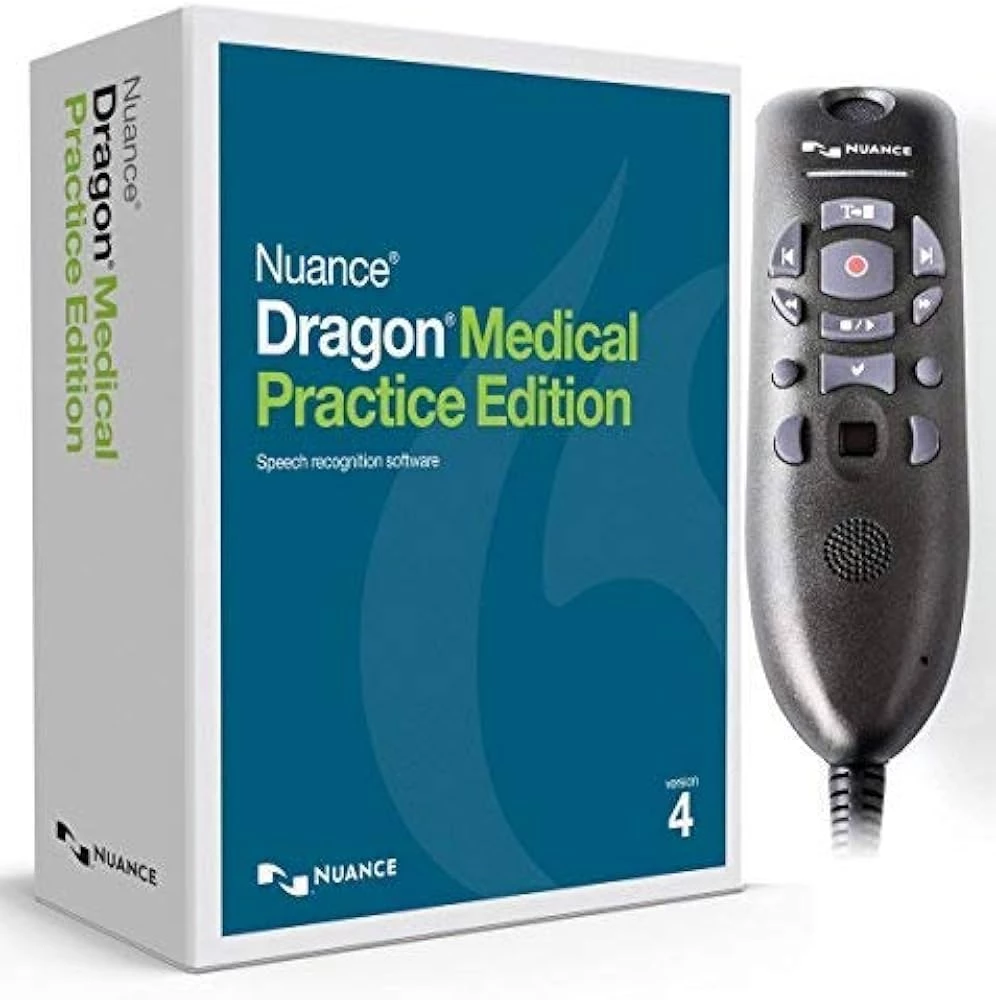
Clinical documentation demands a significant portion of a physician's daily schedule, often forcing medical professionals to spend hours manually typing patient narratives into electronic health records. Nuance Dragon Medical Practice Edition addresses this administrative burden by replacing standard keyboard input with specialized local speech recognition. Designed specifically for independent practices and smaller clinics, this desktop application translates spoken medical terminology directly into text, allowing doctors to populate patient charts, clinical assessments, and medical histories strictly through voice dictation.
Unlike modern cloud-based dictation services that stream audio to remote servers for processing, this application operates entirely on-premise. The acoustic engine and all medical dictionaries are installed directly onto the local workstation hardware. This local processing architecture ensures that patient voice data never leaves the facility's internal network during active dictation, satisfying strict organizational privacy policies and eliminating the need for a continuous high-bandwidth internet connection in rural or isolated clinic environments.
Physicians utilize the software to navigate their existing medical applications, trigger standard text macros, and dictate complex pharmacological terms without manually correcting the engine. By relying on highly specialized subspecialty vocabularies rather than a general-purpose consumer dictionary, the software accurately transcribes the exact terminology used in cardiology, orthopedics, neurology, and general practice. It serves as a direct bridge between the clinician's spoken word and the final patient record, bypassing the high costs and turnaround times associated with human transcription services.
Key Features
- Specialized Medical Vocabularies: The core transcription engine includes over 90 distinct medical specialty and subspecialty dictionaries. Instead of spending weeks manually training a general-purpose tool, clinicians can immediately dictate complex pharmacological terminology, anatomical references, and industry-standard abbreviations. The acoustic model natively understands strict medical formatting, capitalization rules, and terms like "acetylsalicylic acid" without requiring spelling corrections.
- Hidden Mode Dictation: This interface feature allows clinicians to continue dictating while navigating entirely away from their primary target window. A user can open a patient's historical chart, review incoming radiology results, or verify current medication lists while speaking into a transparent, persistent dictation box. Once the clinical review is complete, a single voice command instantly pastes the accumulated text exactly where the cursor is placed in the final medical record.
- Custom Macro Library: Users can map long, complex blocks of standard text to very short voice triggers. By speaking a specific command phrase, the program instantly inserts rigid structural elements, such as full subjective, objective, assessment, and plan note templates, or typical physical examination baselines. This prevents doctors from manually dictating repetitive normal results for every single patient encounter, reducing the overall time spent on standard documentation.
- Direct Interface Navigation: The application extends beyond pure text transcription by enabling voice-driven interface control within target applications. Clinicians can click interface buttons, switch active tabs, select checkboxes, and navigate through Windows-based medical records software entirely using vocal commands. This structural control heavily reduces reliance on the physical mouse and keyboard when moving between different fields in a patient chart.
- Local Acoustic Processing: The entire speech recognition engine executes directly on the local workstation hardware rather than relying on external remote servers. By utilizing the multi-core processor threads available on the host machine, the application transcribes voice to text immediately. This isolated architecture prevents dictation lag caused by poor network connectivity and ensures the tool functions normally in heavily shielded hospital rooms with weak external signals.
- Encrypted Local Storage: To handle sensitive patient data safely within an internal local area network, the software secures active system memory and stored audio cache files. Any locally cached speech files or roaming network profiles are protected using network-level file encryption. This ensures that the local deployment strictly follows patient privacy and confidentiality guidelines, preventing unauthorized access to the raw dictated audio before it enters the secure database.
How to Install Nuance Dragon Medical Practice Edition on Windows
- Prepare the local machine by closing all active background applications and temporarily pausing any active endpoint protection or antivirus software. This prevents local security tools from blocking the registration of deep acoustic hardware modules during the heavy file extraction process.
- Insert the physical installation disc into the workstation drive, or extract the downloaded Windows installer archive to a local system folder, and double-click the setup executable file to initialize the installation wizard.
- Allow the installer package to automatically download and configure necessary Windows dependencies, specifically the Microsoft .NET Framework and the Microsoft Visual C++ Runtime, if the wizard detects they are missing from the host operating system.
- Read through the end-user license agreement, accept the official terms, and input the exact registered customer information alongside the official product key provided by the vendor upon purchase.
- Choose the primary setup type on the configuration screen. Select the Typical option for a standard single-machine deployment, or choose Custom to manually define the exact installation directory path and specify which specific medical specialty vocabularies to write to the hard drive.
- Click the Install button and wait for the file extraction to complete entirely. The setup copies gigabytes of heavy medical dictionary files and configures local system registry keys, which requires several minutes of processing time depending on the local disk speed.
- Connect the preferred dictation hardware or USB microphone to the target machine, launch the application from the newly created desktop shortcut, and follow the mandatory first-run prompts to build the initial user voice profile and calibrate local audio input levels.
Nuance Dragon Medical Practice Edition Free vs. Paid
This software operates under a strictly paid, perpetual-license business model and does not offer a free tier, freeware edition, or standard consumer trial. Historically, the application was sold as a premium legacy box product exclusively through networks of certified value-added resellers, requiring a significant upfront capital investment per physician. A single license legally permitted the clinician to install the acoustic profile on a limited number of personal workstations, allowing flexibility between a primary office desktop and a secondary consultation laptop.
It is critical to note that the developer officially discontinued the sale of this localized desktop edition in 2021, and formal technical support for the application ended completely in 2022. Because the product has reached its end of life, retail channels no longer distribute new perpetual license keys. Existing users who already own the software can continue to utilize their local installations without paying any ongoing monthly subscription fees, provided their hardware remains compatible and they do not require official vendor intervention.
To replace this legacy desktop model, the vendor now directs all new medical customers toward their active cloud-based dictation service. This modern alternative entirely abandons the one-time perpetual license structure in favor of a recurring monthly subscription fee per user. While the cloud model lowers the immediate upfront cost of adoption, it introduces strict internet requirements and continuous billing cycles that the original desktop edition successfully avoided.
Nuance Dragon Medical Practice Edition vs. Dragon Medical One vs. 3M M*Modal Fluency Direct
Dragon Medical One represents the direct cloud-based successor to the legacy desktop software, operating entirely on a subscription model. Instead of relying on local workstation hardware to render medical terminology, it streams encrypted audio to remote servers for processing, which allows the client application to be incredibly lightweight. Clinicians should choose Medical One when they require ultimate mobility, the ability to access a unified voice profile across mobile devices and various hospital terminals, and when they need active vendor support and regular software updates.
3M M*Modal Fluency Direct is a major enterprise-level clinical speech recognition platform that heavily integrates with large hospital electronic health record systems. It relies on a hybrid cloud architecture combined with computer-assisted physician documentation logic to suggest real-time coding improvements and compliance flags as the doctor speaks. This platform is a better fit for large healthcare networks and institutional hospitals that require active feedback on medical coding and deep native integration with enterprise-grade clinical databases.
Nuance Dragon Medical Practice Edition remains the better choice for small, independent clinical practices that already own the perpetual software license and require strict local network isolation. Because the software processes all acoustic data on-premise, it entirely avoids the ongoing subscription fees associated with modern cloud tools. It is the definitive solution for rural clinics with unreliable internet connectivity or practitioners who refuse to stream sensitive patient audio outside of their controlled local hardware environments.
Common Issues and Fixes
- Corrupted voice profile prevents the application from launching. Power surges or hard system crashes often corrupt the active dictionary cache. To fix this, close the application, navigate to the local user AppData directory, locate the specific dictation user folder, rename the "current" folder to "corrupt", and then rename the "backup" folder to "current" to restore the last working state.
- Microphone hardware is not recognized during a new dictation session. The acoustic hardware profile binds tightly to specific interface ports on the Windows machine. Ensure the dictation headset or handheld microphone is plugged into the exact same physical USB port used during the initial setup process before launching the software.
- Transcribed text drops into the wrong background application field. Background software notifications can steal the active window focus, causing the dictation engine to type into the wrong area. Activate the Hidden Mode feature to open an independent, persistent dictation box, which safely catches all text while the user interacts with other windows.
- Integrated macro tools fail to locate the dictionary after a system update. After applying modern software updates, the internal database path relocates from the common application data directory to the local user AppData folder. Administrators must manually open their integrated software tools and remap the internal path to the new directory to restore access to custom text commands.
Version 2025.3 — September 2025
Added:
- Support for Windows Server 2025 and Omnissa Horizon environments.
- New 'Dictation at the cursor' capabilities for standard .NET WPF controls.
- Support for Java and .NET Software Development Kits (SDKs) for deeper integration.
Improved:
- Enhanced EHR compatibility for Epic Hyperdrive and Oracle Cerner Millennium.
- Microsoft Word line-spacing behavior for better document formatting.
- .NET 4.8 compliance updates for improved accessibility standards.
Fixed:
- Resolved PowerMicCtrl.dll errors occurring in Microsoft RDS environments.
- Fixed false 'low-quality microphone' warnings for non-PowerMic devices.
- Eliminated startup stability issues (blue screen) in certain virtualized setups.
Security:
- Updated internal libraries (Newtonsoft.Json, CefSharp) to meet latest S360 security standards.
- Improved credential management and post-authentication security protocols.