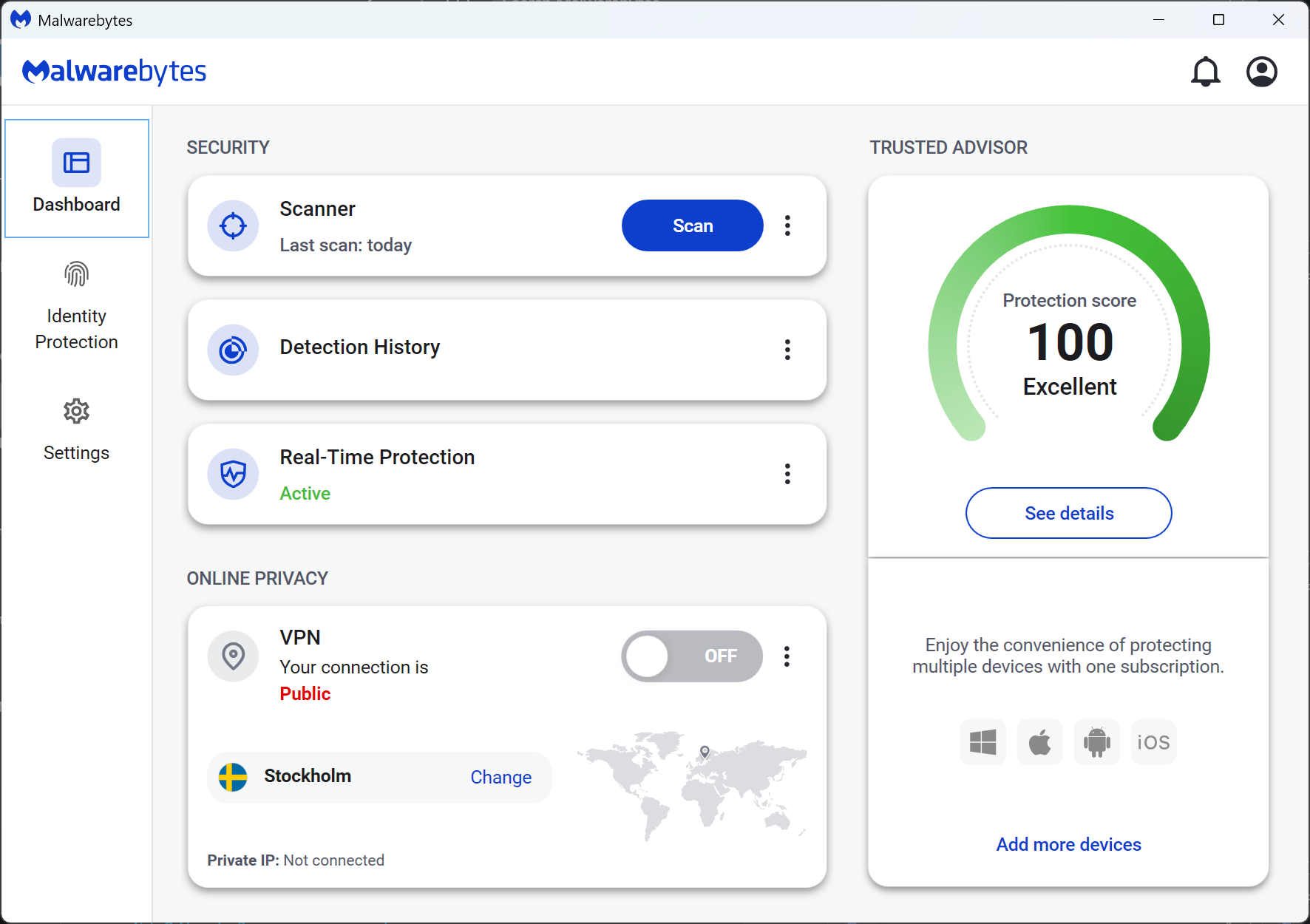
Anti Malware Malwarebytes functions as a specialized cybersecurity application focused on finding, quarantining, and removing malicious software from infected computers. Originally built to catch the specific threats that traditional security suites missed, the program handles aggressive adware, hidden rootkits, tracking spyware, and file-encrypting ransomware. Computer technicians and home users often rely on it as a targeted remediation utility to clean up compromised machines after a primary defense layer fails. Rather than just relying on standard virus signatures, the engine monitors active system memory and process behavior to stop malicious actions before they execute.
Operating as a dedicated desktop application is necessary for this level of deep system intervention. Web-based scanners or browser extensions can only filter internet traffic and block basic scripts, but a local installation integrates directly with the Windows kernel and file system drivers. This deep access allows the software to lock down vulnerable applications, block unauthorized modifications to the system registry, and halt scripts that attempt to bypass normal security protocols. It intercepts zero-day threats actively attempting to execute payload instructions, isolating them securely before damage occurs. The local installation also ensures that quarantine actions persist across system reboots, preventing hidden rootkits from regenerating their files during startup.
Many users choose this program because it targets modern, financially motivated threats like ransomware and infostealers rather than just legacy viruses. It focuses on the practical job of isolating persistent browser hijackers, removing potentially unwanted programs that are bundled with freeware, and preventing drive-by downloads from compromised websites. Whether utilized as an on-demand cleanup tool or upgraded to a real-time defense monitor, it provides a concrete utility for maintaining an uncompromised desktop environment.
Key Features
- Real-Time Protection: The application continuously monitors the local file system and active computer memory to block malicious processes from executing in the background. It uses behavioral analysis to spot suspicious activity, shutting down unrecognized threats before they can establish a foothold.
- On-Demand Malware Scanner: Users can manually initiate threat checks through the main Scanner menu, choosing between quick memory checks, custom directory scans, or deep disk inspections. This tool specifically targets deeply rooted adware, hidden rootkits, and potentially unwanted programs that silently drain system resources over time.
- Ransomware Rollback: On supported Windows environments, the software utilizes a dedicated local cache to monitor and protect personal files from unauthorized encryption. If a ransomware process begins locking documents, the system halts the attack and reverses the changes to restore the original files.
- Web Protection: The desktop client intercepts outbound network traffic to block access to known malicious IP addresses, phishing domains, and fraudulent scam sites. This prevents browsers and background applications from connecting to command-and-control servers or downloading compromised payloads.
- Exploit Mitigation: This specialized module hardens the security of commonly targeted applications like web browsers, office productivity suites, and PDF readers against zero-day memory exploits. By shielding application architecture directly, it stops attackers from utilizing unpatched software flaws to deploy malware.
- Browser Guard Integration: The software offers a companion extension for major web browsers that removes intrusive advertisements, stops third-party tracking cookies, and filters out tech support scams during daily web navigation. It accelerates page loading times by stripping away heavy media scripts.
- Quarantine Management: When the scanning engine identifies a dangerous file, it immediately encrypts and isolates the item in a secure holding vault to prevent execution. Users can open the Detection History tab to review detailed threat logs, manually restore safe files, or permanently delete the isolated infections.
How to Install Anti Malware Malwarebytes on Windows
- Download the official Windows installer executable package from the vendor website and save the setup file to your local downloads directory.
- Double-click the setup file to launch the installation wizard, and click Yes on the Windows User Account Control prompt to grant the installer system modification permissions.
- Select whether you are installing the software for a personal computer or a business workstation on the initial welcome screen to configure the correct licensing path.
- Click the Advanced Options text link if you want to change the default installation path from the standard C:Program Files directory or if you need to create a desktop shortcut.
- Review the prompt offering the optional companion browser extension, choosing whether to accept the add-on for web filtering or decline it to install only the core desktop application.
- Wait while the setup wizard copies the core security drivers, extracts the application files, and registers the background services, which may require a system restart.
- Launch the program from the Start menu, click the Get Started button, and choose whether to activate a premium subscription key or begin the standard free trial mode.
- Initiate a full system scan from the main dashboard immediately after the setup finishes to ensure the computer is clean before establishing your baseline security posture.
Anti Malware Malwarebytes Free vs. Paid
The software operates on a freemium model, offering distinct experiences depending on the active license. The Free tier functions strictly as a manual, on-demand cleanup tool without active monitoring. It allows users to run deep system scans, target specific hard drives, and remove existing infections, making it an excellent utility for rescuing an already compromised machine. However, once the initial default trial period expires, this free version drops all active background defense, meaning it will not automatically stop new malicious files from entering the computer.
To secure continuous, real-time defense, users must upgrade to the Premium tier, which transforms the application into a full antivirus replacement. The Standard premium plan costs $44.99 per year for a single device and activates the real-time malware scanner, ransomware protection modules, and exploit blocking. Multi-device licenses are available at a tiered cost, adding cross-platform support for users managing several household computers. Small businesses can also access the Teams pricing structure, which adds centralized cloud management and automated threat reporting.
Higher consumer pricing tiers bundle supplementary privacy and identity tools for users wanting broader digital security beyond basic malware blocking. The Plus plan, priced at $59.99 per year, adds a system-wide virtual private network to encrypt outbound internet traffic and secure connections on public Wi-Fi networks. The top Ultimate tier, costing $119.99 per year, introduces dedicated identity theft protection, dark web monitoring, credit bureau alerts, and automated removal of personal information from data broker databases.
Anti Malware Malwarebytes vs. Bitdefender vs. Windows Defender
Bitdefender operates as a heavy-duty, traditional security suite that consistently achieves top marks in independent lab tests for overall threat blocking. Users install Bitdefender when they want a massive, feature-rich control center that includes a dedicated two-way firewall, extensive parental controls, file shredding utilities, and aggressive background scanning. While it excels at preventing infections, this broad approach consumes noticeably more system resources and alters the local networking environment compared to a streamlined scanner.
Windows Defender is the default security utility built directly into the operating system at no additional cost. It provides convenient background protection without requiring a separate installation, a user account creation, or a recurring subscription fee. It handles standard virus signatures well and operates quietly in the background, making it the practical default choice for cautious users who maintain strict web browsing habits and do not want to configure third-party software rules.
Anti Malware Malwarebytes is the better choice for users who need a specialized remediation tool to dig out stubborn adware, tracking scripts, or rootkits that traditional engines overlook. While its premium version handles daily real-time defense capably, the software shines brightest as a targeted second-opinion scanner alongside Windows Defender. It provides a specific, hardened anti-ransomware layer for users who want modern threat defense without installing a bloated, resource-heavy security hub.
Common Issues and Fixes
- High CPU and memory usage during full system scans. Deep disk inspections require significant hardware resources and can slow down older computers. Open the application settings, navigate to the Protection tab, and schedule full scans for off-hours. You can also add folder exclusions for directories containing large, safe media files to reduce the overall scanning workload.
- Windows updates failing or freezing during installation. The aggressive background protection can sometimes block major operating system modifications from executing properly. Temporarily toggle off the real-time protection switches in the main dashboard or right-click the system tray icon to exit the software completely before running the OS update, then relaunch it afterward.
- Conflicts with other third-party security software. Running two active antivirus engines simultaneously often causes system lockups, excessive disk usage, and false positive detections. Navigate to the Security menu and ensure the application is registered correctly with the Windows Security Center, or set up mutual folder exclusions in both security programs to stop them from scanning each other.
- The application fails to update virus definitions automatically. Network firewalls or active VPN connections frequently block the definition updater from reaching the vendor servers. Turn off your VPN temporarily, ensure the vendor update addresses are whitelisted in your Windows Firewall, and click the manual update button located in the General settings menu.
- Browser Guard extension blocking legitimate websites. The companion web extension relies on strict filtering lists that occasionally categorize safe domains as potential phishing threats. When encountering a blocked page, click the extension icon in the browser toolbar, open the settings menu, and manually add the website domain to the local allowlist to restore access.
Version Latest — 2025
- Implemented updates to the core detection engine (SDK) to enhance threat identification capabilities.
- Resolved a stability issue where changing specific dropdown settings could cause the application to crash.
- Fixed a bug that prevented the capture of certain event logs related to application settings.
- Improved the reliability of the internal update process to prevent failures during version upgrades.
- Applied general performance optimizations and minor bug fixes for smoother operation.