Data storage devices degrade over time, and sudden drive failures or ransomware incidents can destroy local files instantly. EaseUS Todo Backup is a dedicated desktop application engineered to protect local data by generating exact copies of system drives, partitions, and individual directories. Unlike browser-based cloud sync tools that handle loose files, this software captures the system state, letting users restore an unbootable computer without reinstalling the operating system. The primary workflow revolves around creating scheduled archive files, ensuring a continuous safety net for local storage.
Administrators and home users deploy this utility for everything from routine archiving to disaster recovery preparations. By relying on a native desktop client, the software directly interfaces with disk sectors and file systems, reading data faster than web interfaces and interacting directly with local hardware. It allows operators to target external USB hard drives, network-attached storage arrays, or secondary internal partitions as backup destinations. The interface provides visual maps of connected disks, allowing operators to select exact partitions, exclude temporary files, and assign compression levels before archiving.
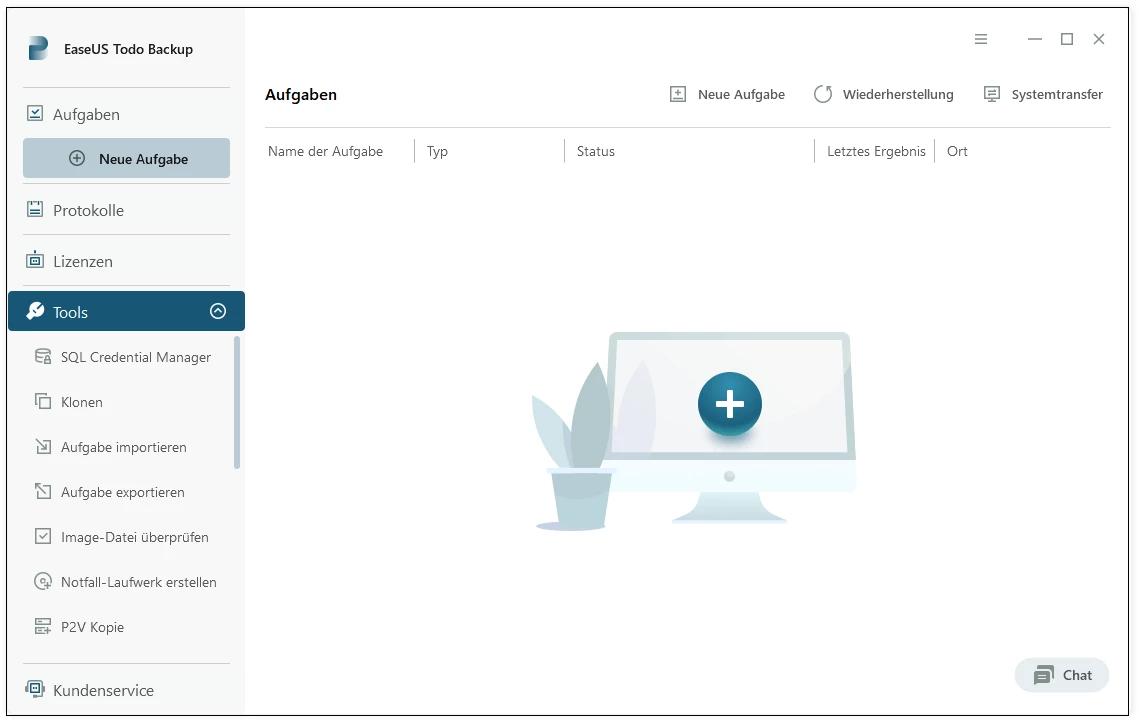
Choosing a dedicated local backup tool instead of relying solely on generic file-syncing utilities guarantees that system registries, hidden directories, and complex application configurations are captured exactly as they exist on the disk. This capability is essential when migrating an older mechanical storage drive to a modern solid-state drive or when recovering from an operating system corruption event. Users interact with a dashboard that tracks file versions, manages archive schedules, and verifies the integrity of previous disk images, bringing enterprise-level disaster recovery protocols to standard consumer hardware without requiring complex command-line interactions.
Key Features
- Feature Name: System Image Creation: The application takes a complete snapshot of the system drive, including the operating system environment, installed programs, and active settings. This generates a PBD image file restorable via a recovery environment if the primary drive fails. Users can split this image into specific size increments for easier storage on FAT32-formatted external drives.
- Feature Name: Incremental and Differential Modes: Instead of executing full backups every time, the software scans for changes since the last session. Incremental mode backs up only the data modified since the most recent task, while differential mode backs up everything changed since the initial full archive. These modes are accessible through the scheduling menu and significantly reduce the time and disk space required for daily operations.
- Feature Name: Sector-by-Sector Cloning: The utility allows users to duplicate an existing disk layout directly to a new target drive without creating an intermediate image file. This function reads the exact physical structure of the source disk, preserving partition alignments, hidden recovery partitions, and boot records. It is primarily used when upgrading from an older mechanical drive to a solid-state drive.
- Feature Name: Pre-OS Recovery Environment: Users can enable a pre-boot execution environment that loads before the standard operating system starts. If a system crash prevents the desktop environment from loading, the user can press a designated shortcut key during the boot sequence to access the recovery menu. This bypasses the need to locate a physical USB recovery stick during an emergency restore operation.
- Feature Name: Security Zone Partitioning: To defend archived data against malicious encryption attempts, the software can allocate a hidden, inaccessible partition on the storage drive. Standard file explorer interfaces cannot see or modify the contents of this specific zone. This ensures that if the primary filesystem is compromised by ransomware, the backup files remain isolated and available.
- Feature Name: Smart Backup Automation: For volatile project folders, the application offers an active monitoring mode that triggers an archive event whenever a file is modified. Instead of waiting for a scheduled task, the software immediately captures changes within the targeted directory. Users define these monitored paths within the main dashboard, ensuring immediate protection for active work files.
- Feature Name: WinPE Bootable Media Builder: A dedicated wizard formats USB flash drives or CD/DVD media into standalone recovery tools. The WinPE environment provides a lightweight graphical interface to access network drives or local storage when the main operating system is completely destroyed. Operators can manually inject custom storage drivers into the bootable media during creation to ensure compatibility with specialized hardware setups.
How to Install EaseUS Todo Backup on Windows
- Download the official Windows installer package from the vendor's site, ensuring you have administrative privileges.
- Launch the downloaded executable file to initiate the setup wizard, which will prompt a User Account Control dialog requiring confirmation to modify the system.
- Review the software license agreement displayed on the initial screen and click the acceptance button to proceed to the configuration phase.
- Select the destination folder; the default path is located on the primary system drive under Program Files, but users can specify an alternate partition.
- Choose whether to create a desktop shortcut and decide if you want to participate in the anonymous customer experience improvement program by checking or unchecking the respective boxes.
- Click the install button to begin unpacking the local binaries and writing the necessary registry keys, a process that usually completes within a few minutes depending on disk speed.
- Finish the setup by clicking the final confirmation prompt, which will automatically launch the main application dashboard for the first time.
- Upon the initial launch, navigate to the Tools menu and select the WinPE creation tool to immediately format a USB drive for emergency recovery operations.
EaseUS Todo Backup Free vs. Paid
The software operates on a freemium model, offering a baseline version at no cost alongside several premium tiers. The Free edition provides the core tools necessary for standard data protection, including file-level archiving, system image creation, and standard scheduling protocols. However, this free tier enforces specific limitations, most notably throttling the data transfer speed to prevent it from matching the performance of the paid versions. It also disables the disk cloning features, making it unsuitable for users who simply want to migrate an operating system to a new solid-state drive without using an intermediate image file.
Upgrading to the Home edition removes artificial speed limits and unlocks the complete cloning toolset, including direct system migration. This tier also introduces the Security Zone feature, the Smart Backup folder monitoring system, and the ability to archive Outlook email repositories directly. The Home edition costs $40 for an annual subscription, or users can opt for an $80 perpetual lifetime license, which includes ongoing upgrades for a single machine.
For commercial applications, the developer provides specialized Business tiers, categorized into Workstation, Server, and Technician packages. The Workstation edition covers standard office computers with priority technical support, while the Server edition costs significantly more and adds compatibility for Windows Server environments and PXE network booting capabilities. The Technician license is designed for managed service providers, offering an expensive lifetime package that allows IT professionals to deploy the software across multiple machines and client environments to manage remote and local disaster recovery operations.
EaseUS Todo Backup vs. Macrium Reflect vs. AOMEI Backupper
Macrium Reflect focuses on a strict technical approach to disk imaging and bare-metal recovery. It prioritizes technical auto-verification post-archive and provides an advanced Rapid Delta Restore mechanism that significantly reduces recovery times. Users prioritizing rigorous disk checking and Hyper-V virtual machine mounting often prefer Macrium Reflect. However, its interface is highly technical and can be intimidating for casual home operators, and the discontinuation of its free tier for new updates makes it a strictly premium choice for long-term use.
AOMEI Backupper competes in the consumer space by prioritizing an accessible interface alongside a strong set of free tools. It excels in basic cloning tasks and offers excellent support for dissimilar hardware restoration in its paid tiers. AOMEI is frequently chosen by users who want a straightforward wizard approach without having to understand the underlying mechanics of volume shadow copies or sector alignments. While highly accessible, some network administrators find its logging and server-level remote deployment tools slightly less detailed than those offered by competing products.
EaseUS Todo Backup sits squarely between the two, offering an interface that is easier to navigate than Macrium but providing more granular backup modes and security tools than AOMEI. It is the better choice for users who want the specific Security Zone ransomware defense, dedicated Smart Backup folder monitoring, and integrated cloud storage options without needing a computer science degree to configure a weekly schedule. The presence of the Pre-OS environment and the explicit separation of file-level archiving from full disk imaging make EaseUS a highly adaptable tool for mixed workflows involving both daily active projects and monthly disaster recovery planning.
Common Issues and Fixes
- Problem description. The application fails to write the archive file and returns a target drive permission error. This occurs when the software lacks the necessary administrative rights to modify the destination folder, especially on network-attached storage or locked external drives. Run the main executable as an administrator, verify that the target folder is not set to read-only, and check your network credentials if archiving to a mapped drive.
- Problem description. Volume Shadow Copy Service (VSS) fails to initialize during a system image task. This happens when the Windows VSS registry is corrupted or blocked by security software, preventing the application from locking open files. Navigate to the Windows Services menu, ensure the Volume Shadow Copy service is set to Automatic and currently running, or switch the application settings to use the proprietary sector-level reading engine instead of VSS.
- Problem description. The computer refuses to boot from the newly created WinPE USB recovery drive. The system BIOS or UEFI firmware is likely configured to bypass external USB devices during the initial startup sequence. Restart the machine, enter the BIOS menu using the designated function key, and elevate the USB drive to the highest boot priority.
- Problem description. Scheduled operations fail to trigger when the computer is in a sleep state. The application cannot wake the machine from a deep sleep state unless the motherboard and operating system power plans explicitly permit wake timers. Open the advanced power options in the Windows Control Panel, expand the Sleep category, and enable the "Allow wake timers" setting to ensure the scheduler functions correctly.
- Problem description. The Free edition completes imaging tasks at exceptionally slow speeds. The developer intentionally throttles the transfer rate in the free version to incentivize premium upgrades. To mitigate this without purchasing a license, avoid running intensive background applications during the task and ensure you are using an incremental storage mode to reduce the total amount of data being processed.
Version 18.0.0 (Build 20251203) — December 2025
- Significantly expanded the library of supported PC games for dedicated game save backups.
- Introduced a new PreOS switch to easily toggle the pre-operating system recovery environment.
- Added support for selecting and adding FTP servers directly as a backup target destination.
- Implemented a new backup protection prompt to help prevent accidental modification or deletion of image files.
- Improved overall system stability and optimized the backup creation process.