Disk Drill Pro operates as an advanced desktop data retrieval utility engineered specifically to rescue lost, deleted, or corrupted files across Windows environments. When users empty the recycle bin by accident, format a storage drive containing critical project assets, or encounter a raw partition error, this application steps in to scan the physical sectors of the storage media. Rather than operating as a superficial file undelete tool, the software bypasses the standard file system index to reconstruct data fragments directly from the drive platter or flash memory chips. By relying on an installed desktop architecture, the application maintains direct, low-level read access to local disks, external hard drives, and solid-state storage.
Targeted at IT technicians, system administrators, and everyday computer operators handling critical documentation, this utility resolves the specific job of localized data extraction without requiring specialized forensic hardware. The interface centers on a drive-selection dashboard where users select a specific volume and initiate a scanning algorithm tailored to the suspected file system, whether that involves NTFS, FAT32, or exFAT structures. A desktop-bound approach prevents the need to upload sensitive documents to external servers, keeping the extraction pipeline strictly localized to the host machine. Operating as a standalone executable grants the tool the administrative permissions to mount virtual disk images and read unallocated space.
Unlike lightweight browser utilities, this environment provides specialized tools for byte-to-byte drive imaging and storage health monitoring before a recovery attempt begins. When a mechanical drive begins exhibiting read errors, operators can utilize the built-in backup module to create a secure image of the failing hardware. This workflow ensures that subsequent deep scans run against the stable image file rather than stressing the deteriorating physical disk. By combining preemptive disk monitoring with post-loss reconstruction algorithms, the utility acts as a dedicated recovery workshop for scenarios ranging from simple accidental deletion to complex partition table corruption.
Key Features
- Deep Scan File Reconstruction: This core module reads the unallocated space on a storage drive sector by sector to identify lost data via known file signatures. The algorithm bypasses the directory structure entirely to reconstruct formats like RAW images, video containers, and text documents based on their binary headers. Users trigger this by clicking the drop-down menu next to the search button.
- Quick Scan Index Retrieval: Designed for recently deleted items, this mode queries existing file system journals, such as the Master File Table on NTFS drives, to locate files that the operating system has marked as deleted but not yet overwritten. The process retains the original folder hierarchy and file names.
- Recovery Vault Protection: This background service monitors specific directories to keep a secondary record of deleted file properties. By enabling this service in the data protection tab, operators ensure that the software logs the exact physical location of a file upon deletion, which significantly increases the success rate of future retrieval attempts.
- Byte-to-Byte Disk Imaging: To protect failing hardware from the stress of intensive read operations, the application includes a dedicated module to create an exact binary replica of a storage device. Navigating to the Drive Backup tab allows users to generate an ISO or IMG file that contains every sector of the source drive.
- Cross-Format File System Support: The extraction engine recognizes and parses multiple storage architectures natively, eliminating the need to install third-party drivers. The utility scans standard Windows NTFS and FAT32 volumes, while also detecting exFAT layouts commonly utilized on external USB flash drives and SD memory cards.
- Real-Time File Preview: Before committing to a lengthy extraction process, the application allows operators to verify the integrity of discovered files directly within the scan results dashboard. Clicking the eye icon next to a JPG, PDF, or text document opens a local preview handler, displaying the visual content or raw text.
- Scan Session Management: For large-capacity storage arrays, the scanning phase can take several hours to read every logical block. The interface features a pause button that temporarily halts the read operation, saving the current progress state into a local database file. Operators can later select the resume recovery session option to pick up the search.
How to Install Disk Drill Pro on Windows
- Download the official executable installer package from the developer's web portal and save it to a local directory, ensuring you do not save it to the specific storage drive you intend to recover data from.
- Navigate to your designated download folder using the standard file explorer and locate the setup executable, then right-click the file and select the administrator context menu option to grant hardware access privileges.
- A User Account Control prompt will appear on the screen asking for permission to allow the application to make changes to your device; click the confirmation button to authorize the elevated installer process.
- Upon launching the setup wizard, review the end-user license agreement presented on the initial screen, and click the options button if you need to change the default installation path.
- Click the primary install button to begin unpacking the core application binaries, background monitoring services, and file signature databases onto the local system drive.
- Wait for the progress bar to complete the extraction phase, which typically takes under two minutes depending on the write speed of your primary solid-state drive or mechanical hard disk.
- Once the wizard displays the success screen, click the launch button to execute the application for the first time and initialize the background disk communication daemon.
- On the initial launch screen, review the introductory tooltips that explain the difference between the primary recovery module and the supplementary drive backup features, then select your target storage volume.
Disk Drill Pro Free vs. Paid
The basic tier operates as a freemium utility, allowing users to scan any supported storage device and preview discovered files without spending money. This entry-level version extracts up to 500 megabytes of recovered data, sufficient for retrieving critical text documents or accidentally deleted photographs. The free tier also includes unrestricted access to the supplementary disk imaging tools and background data protection services.
For operators dealing with large-scale data loss, the Pro license removes the 500-megabyte extraction limit, enabling unrestricted data recovery across multiple drives. The Pro tier currently costs $89 for a standard license, which grants a single user the right to activate the software on up to three computers concurrently. This tier covers all minor updates within the current release cycle, while future upgrades require an additional fee unless the user purchases the optional lifetime upgrade package for an extra $29.
Corporate environments require the Enterprise tier, expanding licensing terms to cover unlimited users and computer activations within a single organization. Priced at $499, this commercial package includes priority technical support channels and specialized forensic data export options designed for professional recovery workshops.
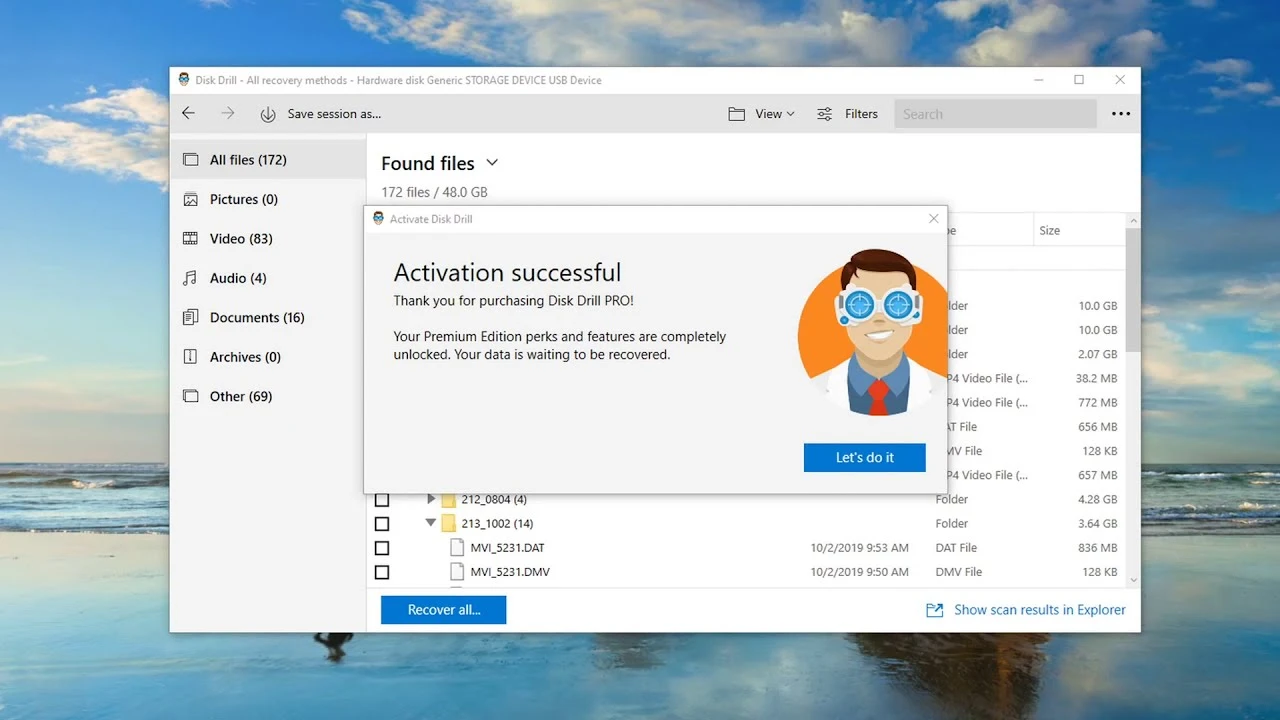
The software relies on a perpetual license model rather than a mandatory monthly subscription. Once a user purchases a specific build, they retain access indefinitely, avoiding recurring billing cycles. Upgrading from the free version to the Pro or Enterprise tier simply requires entering an alphanumeric registration code into the activation menu.
Disk Drill Pro vs. Recuva vs. EaseUS Data Recovery Wizard
Recuva serves as a lightweight, highly accessible alternative that appeals to users seeking a strictly free, straightforward undelete tool for simple file system mistakes. The interface relies on a basic wizard that asks what type of file was lost and where it was located, making it exceptionally approachable for novice operators. However, its underlying scanning algorithms have not seen frequent updates, and it struggles significantly to reconstruct fragmented files or parse complex raw partition errors compared to commercial utilities.
EaseUS Data Recovery Wizard targets the exact same premium market as Disk Drill, offering a highly polished dashboard and excellent file reconstruction algorithms for complex data loss scenarios. It features a similar Quick and Deep scan methodology, and its preview handler natively supports a wide array of document and media formats. The primary drawback of EaseUS lies in its strictly subscription-based pricing model for ongoing updates, which often results in a higher total cost of ownership for users who prefer the one-time perpetual license structure.
Disk Drill Pro establishes itself as the optimal middle ground, combining the advanced sector-by-sector reconstruction capabilities of premium tools with a more favorable perpetual licensing model. While Recuva is sufficient for pulling a recently deleted text file from the Windows recycle bin, Disk Drill handles failing hardware more safely by offering built-in byte-to-byte disk imaging before the scan begins. Users who despise mandatory software subscriptions will favor Disk Drill over EaseUS, as the optional lifetime upgrade fee provides long-term value for a utility kept installed for occasional emergency use.
Common Issues and Fixes
- Storage device not appearing in the drive list. If an external USB flash drive fails to show up in the main dashboard, the connection may be unstable. Open the native Windows Disk Management console to verify the operating system detects the hardware; if it appears as unallocated, the recovery software should still be able to scan the physical device from the bottom of the hardware list.
- Deep scan takes several days to complete. Reading every physical sector of a multi-terabyte mechanical hard drive over a slow USB 2.0 connection takes a massive amount of time. Connect the drive directly to an internal SATA port or a high-speed USB 3.0 interface if possible, and use the pause button to break the scanning session into manageable chunks.
- Recovered media files refuse to open. When a recovered MP4 video or JPG image displays an error in the native media player, the file is likely fragmented or partially overwritten. Always use the built-in preview handler to verify the visual integrity of the file before initiating the final extraction process.
- Original file names are completely missing. After running a deep scan, users often find their documents organized into generic folders labeled by file type. This occurs because the deep scanning algorithm bypasses the destroyed file system index and rebuilds files based entirely on raw binary headers; users must manually rename these reconstructed files.
- Scans freeze randomly on failing external drives. Mechanical drives with physical damage or bad blocks will often cause the read algorithm to hang. The safest fix involves navigating to the Drive Backup tab and creating a byte-to-byte image of the failing drive, configuring the tool to skip bad sectors automatically, and scanning the resulting IMG file instead.
Version 6.1.1162.0 — December 2025
- Added data recovery support for several new file formats, including FlexiSIGN (.fs), Articulate Storyline 360 (.story), Omni Outliner (.ooutline), For The Record (.trm, .trs), and LZH/LHA compressed archives.
- Added the ability to include BitLocker-encrypted partitions when creating byte-to-byte disk backups.
- Improved the backup process to be fully resumable, preventing progress loss if a drive is disconnected and plugged back in.
- Improved the Advanced Camera Recovery module with better reconstruction of GoPro content, Insta360 videos, MOOV files, Google Pixel Motion Photos, and .swr files.
- Improved file search accuracy by introducing an exact match ("Equals") parameter to the File Size filter.
- Improved partition and file detection, specifically for Windows Server BitLocker volumes and NTFS VBR backups.
- Improved system efficiency by optimizing RAM usage while the app calculates data recovery probabilities.
- Fixed random crashing issues that could occur during standard scans, Advanced Camera Recovery sessions, or when reading APFS drives with Time Machine backups.
- Fixed interface visual glitches caused by changing the computer's power source or refreshing specific UI elements.
- Fixed a display bug where manually refreshing the drive list would show duplicate NAS devices.
- Fixed various performance and stability bugs, including app freezing from large log files, incorrect camera type notifications, and a rare glitch that deleted backup files upon saving.