TablePlus is a native database management graphical user interface client tailored specifically for Windows administrators, data engineers, and web developers. It replaces heavy, memory-intensive integrated development environments with a highly optimized tool that queries, edits, and manages relational and non-relational databases. By writing the client natively in C# and C/C++, the developers bypass the typical Electron or web-wrapper overhead that plagues many modern desktop tools. This native architecture guarantees rapid launch times, minimal hardware footprint, and instant interface responsiveness even when dealing with massive server returns. For developers who frequently switch between writing application code and debugging production data, having a client that opens instantly and consumes negligible system memory is highly practical.
The software is designed for professionals who manage multiple database types—such as PostgreSQL, MySQL, SQL Server, SQLite, and Redis—and need to switch rapidly between local development, staging, and production environments. Instead of installing a separate vendor-specific administration tool for every database system, a database administrator routes all queries through a single workspace. This unification removes the friction of learning different keyboard shortcuts, interface layouts, and export behaviors for different database engines. Furthermore, managing live environments requires strict safety controls. Features like color-coded connection labels and built-in safe modes prevent accidental structural changes, ensuring that a user does not drop a table in production when they meant to clear a local testing environment.
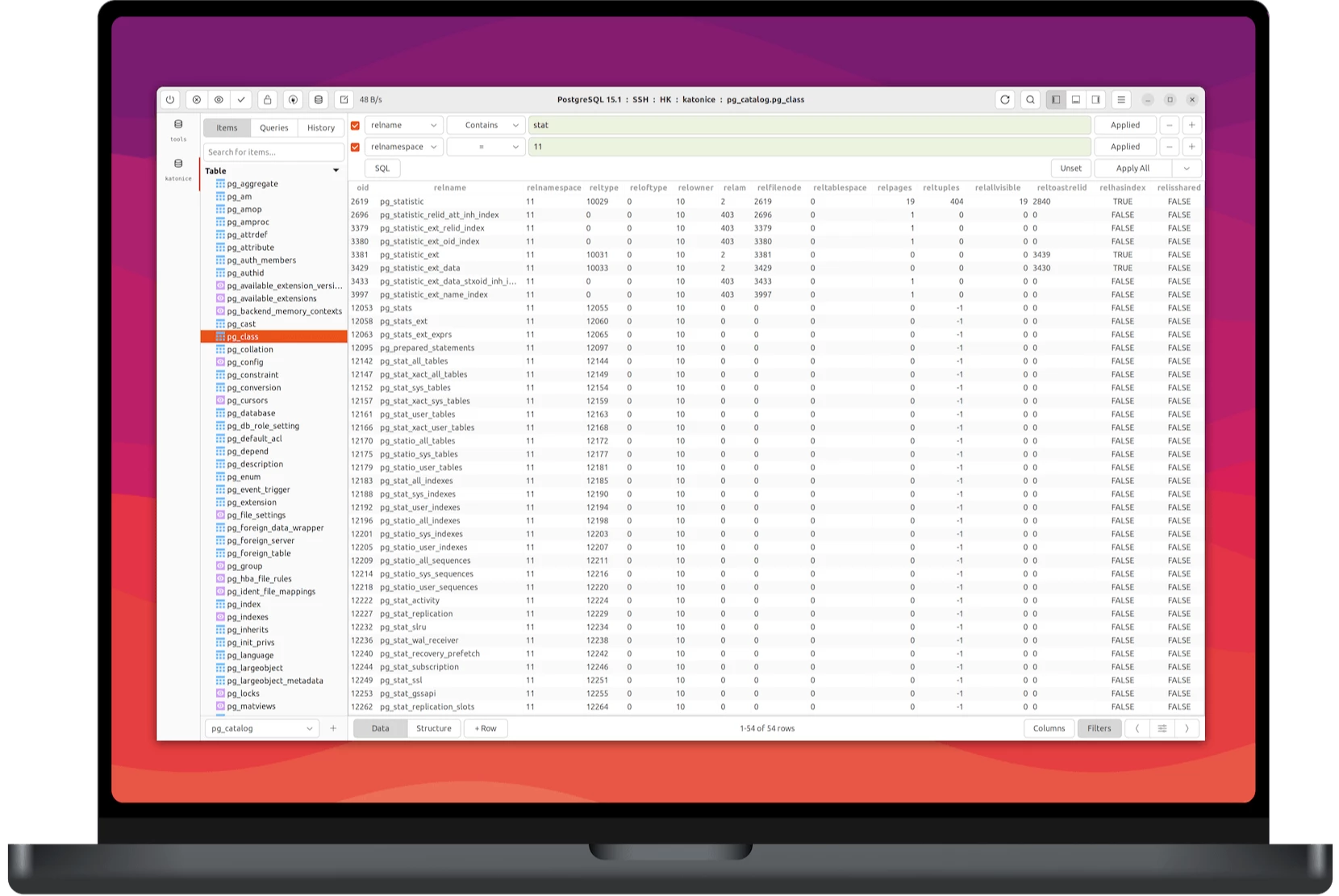
Because it is an installed desktop application, it securely manages database credentials in local storage and executes SSH tunneling directly without requiring external command-line utilities. Users execute raw SQL queries, edit rows inline directly from the results table, and commit data alterations using a visual review system. The application handles large queries gracefully by streaming data rows asynchronously in the background. This keeps the user interface active and prevents the application from freezing during massive data pulls. You can inspect your database schema, review table structures, execute complex joins, and export result sets to standard formats like CSV without leaving the main window, streamlining the daily data management workflow.
Key Features
- Native Windows Performance: Built using C# and C/C++, the application avoids web browser engines, resulting in sub-second cold starts and low memory utilization. The interface remains highly responsive, avoiding the input lag common in browser-based database clients. Because it is compiled specifically for the operating system, it respects native window management, scaling rules, and system fonts, creating an experience that feels natural on the desktop environment.
- Asynchronous Data Streaming: When executing a complex query that returns megabytes of data, the client fetches and displays results row by one row in a background task. This non-blocking architecture ensures the primary interface remains fully operational, allowing you to open new tabs or write additional queries while waiting for a long-running execution to finish. You do not have to endure a frozen screen while waiting for the server to process the request.
- Built-in SSH Tunneling: Administrators connect to remote database servers securely without needing separate terminal multiplexers or third-party SSH clients. The tunneling configuration happens natively within the connection setup window, routing local queries through an encrypted channel over libssh and TLS before reaching the target database. You simply input the SSH host, port, user, and key file directly into the connection properties.
- Visual Safe Mode and Code Review: The application enforces strict production safeguards through an explicit commit and discard system. Before any data modification or schema alteration executes against the database, the Code Review panel displays the pending SQL commands, letting you verify the exact query structure before applying changes. This visual diff tool is crucial for catching errant updates before they corrupt live data.
- Inline Data Editing: Users edit database records directly within the result grid instead of writing manual UPDATE statements. By double-clicking a cell, you can modify integers, strings, or JSON blocks, and the interface tracks modified cells with a background highlight until you hit the commit shortcut to push the updates. This workflow drastically accelerates data cleaning and manual record adjustments.
- Multi-Tab Workspace Management: The interface supports handling multiple active databases simultaneously across distinct tabs and windows. You can query a local development SQLite file in one tab while inspecting a remote PostgreSQL production cluster in another, applying distinct color-coded tags to clearly differentiate the environments. The tabbed layout prevents screen clutter while keeping multiple active connections instantly accessible.
- Keyboard-Centric Navigation: The application assigns shortcut keys to nearly every interface action, reducing the need to reach for the mouse. You can execute queries, format SQL syntax, open new connections, switch between tabs, and commit changes using standard keyboard combinations. This layout caters specifically to heavy typists who rely on keyboard shortcuts to navigate their daily programming tasks quickly.
How to Install TablePlus on Windows
- Download the official Windows installer package from the vendor's distribution server to your local storage drive.
- Run the executable file to launch the setup wizard, granting standard administrator permissions when prompted by the Windows User Account Control dialogue.
- Wait for the installer to scan your system for the required .NET Framework runtime environment, which is necessary for the underlying application code to execute.
- If the required .NET dependencies are missing from your computer, the installer will automatically download and configure the exact Microsoft frameworks needed for the native C# application to run properly.
- Choose the target directory for the program files, typically defaulting to the standard Program Files folder on the primary system drive, and confirm the creation of desktop shortcuts if desired.
- Complete the installation wizard, exit the setup window, and launch the application directly from the Start menu or desktop icon.
- Upon the first launch, open the Connection window to add your first local or remote database by selecting the driver type and inputting your host, port, user, and password credentials.
TablePlus Free vs. Paid
TablePlus operates on a commercial licensing model that offers a restricted free tier for evaluation and lightweight usage. The free version does not enforce a time limit, meaning it never expires, but it functions effectively as an evaluation trial due to strict structural limitations. Free users are restricted to a maximum of two active tabs, two open windows, and two advanced filters at any given time. This setup allows casual users to perform basic queries or examine small local databases without cost. However, data professionals handling multiple servers, running complex cross-database comparisons, or managing extensive query histories will quickly hit the workspace caps and require a paid upgrade.
To remove these workspace limitations, users must purchase a commercial license. The Basic tier costs $99 and covers a single device, while the Standard tier costs $129 and covers two devices. These are perpetual licenses rather than mandatory recurring subscriptions. Purchasing a license grants full access to unlimited tabs, windows, and advanced filtering controls, while also unlocking all premium features within the application. If you reformat your hard drive or buy a new computer, the vendor provides an online License Manager where you can unlink your old hardware identifier and activate the software on your new machine.
Each license purchase includes one year of free software updates and direct technical support. After the 365-day period concludes, the application remains fully functional without any degraded features, allowing you to use the specific build you downloaded indefinitely. The software does not lock you out or disable features when the maintenance period ends. If you wish to upgrade to a newer release published after your maintenance window expires to get new drivers or interface enhancements, you must pay a renewal fee to extend the update eligibility for another year.
TablePlus vs. DBeaver vs. DataGrip
DBeaver is an open-source alternative built on Java and the Eclipse framework, prioritizing maximum compatibility by supporting over one hundred different database engines through JDBC drivers. It is entirely free to use in its Community Edition and includes complex entity-relationship diagram tools, making it highly versatile for mixed-engine environments. However, its Java-based architecture consumes significantly more system memory and feels noticeably slower during interface navigation, application startup, and massive data exports compared to natively compiled desktop tools.
DataGrip is a commercial database integrated development environment created by JetBrains, designed for database administrators who need deep schema refactoring, version control integration, and highly intelligent code completion. It operates on a strict subscription model and utilizes an extensive file index system to track complex dependencies across massive projects. While this index system is highly useful for enterprise architectural overhauls, it results in slow startup times and high hardware resource demands that can bog down a system during quick data checks.
TablePlus is the better fit for web developers and data engineers who prioritize raw speed, low memory usage, and a minimal interface over deep database refactoring tools. You should choose TablePlus when you require fast, simultaneous querying across a handful of standard databases like PostgreSQL or MySQL without the overhead of an integrated development environment. DBeaver is necessary if you need to connect to obscure legacy databases without paying licensing fees, and DataGrip is the right choice for dedicated database administrators executing complex structural schema overhauls who are already paying for the JetBrains ecosystem.
Common Issues and Fixes
- The license key is invalid during activation. This error frequently occurs when users copy and paste the license string multiple times or accidentally include trailing spaces in the input field. To fix this, carefully copy the exact text from the purchase email and paste it exactly once into the registration field without adding any keyboard spaces.
- Special characters display incorrectly in the result grid. This happens when the database encoding does not match the default interface display settings, leading to garbled text for foreign languages or symbols. You can resolve this by navigating to the Connection menu, selecting "View Using Encoding," and choosing the specific encoding standard that matches your database table.
- Importing a CSV file fails before completion. A failed import typically points to mismatched data types between the CSV document and the target SQL table structure, or an incorrect character encoding selection. Verify that your integer columns do not contain text values in the CSV, and select the correct file encoding in the import dialogue before initiating the transfer.
- Syntax errors occur when pasting SQL commands from an external editor. Code editors often insert hidden formatting characters, such as non-breaking spaces or specific tab markers, which the SQL engine rejects during execution. Highlight the pasted query and run the built-in Beautify command to automatically sanitize the text and strip out the problematic whitespace elements.
- Cannot connect to remote servers over SSH tunneling. When standard credential inputs fail, the tunneling protocol might be encountering unexpected server-side encryption rules or firewall blocks on the remote machine. Navigate to the Help menu, click "Enable SSH Debug Log," and review the generated text file to identify exact key exchange failures or port blocking rules preventing the connection.
Version 6.7.1 — November 2025
- Updated the Advanced Filter to automatically use "Equal" as the default operator when creating new conditions.
- Resolved an authentication issue that prevented users from successfully authorizing GitHub Copilot within the application.
- Implemented various minor bug fixes and performance improvements to enhance overall stability.