Managing hardware drivers on a Windows computer is a traditionally manual and opaque process. While the default Windows operating system includes a Device Manager and relies on the Windows Update catalog to push essential files, these built-in repositories often lag significantly behind official manufacturer releases. Hardware vendors frequently issue updates to fix specific visual glitches, close security vulnerabilities, or resolve dropped network connections, but these updates rarely reach the standard update queue immediately. Users are forced to manually identify their specific motherboard chipset, audio controller, or graphics card, navigate to the manufacturer's website, and download the correct archive. AVG Driver Updater is a specialized desktop application designed to automate this exact workflow.
By running locally on the machine with administrative privileges, the software queries the motherboard and connected peripherals for their specific hardware identification numbers. It cross-references these identifiers against an external database to locate exact matches. Web applications cannot perform this task due to browser security sandboxes, making a dedicated desktop client necessary for low-level hardware interactions. The application is built for users who want to maintain maximum hardware compatibility without spending hours tracking down individual INF files or executable installers. It handles the identification, download, and deployment of these system-level files from a single interface, prioritizing safety and verified sources over beta releases.
Outdated hardware communication files manifest as concrete daily problems. When an operating system upgrades its core architecture, old instruction sets cause latency or complete failure. A user might experience a wireless adapter dropping its connection under heavy load, or a graphics card failing to render specific textures in modern rendering software. This utility reads the Vendor and Device strings from the local framework, translates those strings into direct requests, and pulls the correct verified packages. It abstracts the complexity of manual maintenance into a straightforward diagnostic scan and deployment process.
Key Features
- Vulnerability and Malware Scanning: Before offering any download to the user, the application runs the files through an internal security check. This prevents the installation of compromised packages, which is a common attack vector for low-level system infections.
- Automatic System Restore Points: The utility integrates directly with the Windows Volume Shadow Copy service to create a system snapshot prior to altering any system directories. If a newly installed file causes a system crash or breaks a peripheral, the user can force the operating system back to its previous working state.
- Extensive Hardware Matching Database: The application relies on a remote index containing over 50 million individual driver files sourced from more than 1,300 hardware manufacturers. This massive index ensures that even obscure, discontinued, or legacy peripherals receive the correct configuration files.
- Sequential Installation Flow: Rather than forcing multiple updates to install concurrently—which frequently causes registry lockups or installer conflicts—the software strictly enforces a one-by-one deployment queue. This methodical approach reduces the likelihood of background crashes during the setup phase.
- Alternative Driver Suggestions: When a specific equipment manufacturer stops supporting a piece of hardware, the program will search for compatible generic alternatives. It identifies packages with matching architecture that can safely operate the abandoned hardware without causing system instability.
- Scheduled Background Diagnostics: Users can configure the tool to run periodic hardware audits without manual intervention. The application silently compares the local registry and system folders against the remote database and only triggers an alert when a critical update becomes available.
- Dedicated Rollback Interface: Beyond the standard Windows restore points, the software maintains its own backup repository of replaced files. Users can navigate directly into the application's overview menu and click a single button to revert a specific component back to its previous iteration.
How to Install AVG Driver Updater on Windows
- Download the official executable setup package to your local storage drive from the vendor's primary distribution server.
- Locate the downloaded file and double-click it to initiate the setup wizard, accepting the User Account Control prompt to grant the necessary administrative privileges.
- Select your preferred display language from the drop-down menu and read through the end-user license agreement before proceeding.
- Click the primary install button, which instructs the setup tool to extract the core application files to the standard Program Files directory and write the necessary keys into the Windows registry.
- Wait for the progress bar to complete as the installer registers the background monitoring services required for automatic hardware audits.
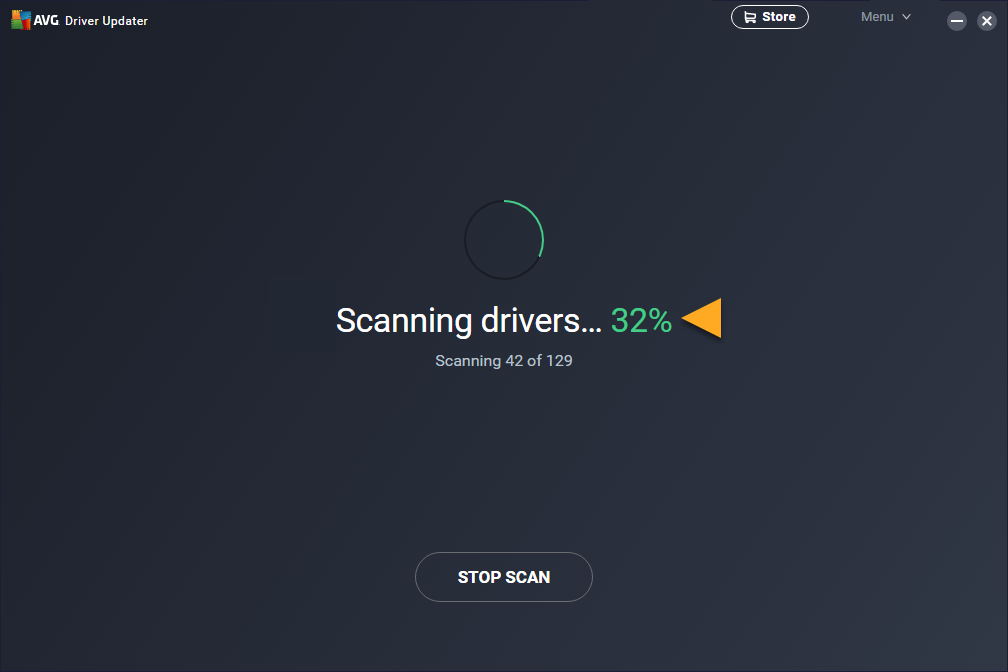
- Launch the program for the first time, at which point it requires an active internet connection to immediately begin an initial scan of your motherboard, graphics card, and peripheral devices.
- Review the detailed summary list provided at the end of the scan to understand exactly which hardware components are running outdated software before authorizing any downloads.
AVG Driver Updater Free vs. Paid
The software operates on a premium model, though it does offer a 15-day fully functional trial period for new users. During this two-week window, the application provides unrestricted access to its complete feature set. Users can scan their hardware, download the necessary files from the vendor's servers, and apply the updates directly through the automated interface. This allows prospective buyers to completely update their system once and verify that the tool actually resolves their specific hardware conflicts before committing to a purchase.
Once the trial period expires, the application restricts its functionality to a diagnostic-only mode. It will continue to scan the machine and display alerts regarding outdated or missing components, but it disables the ability to download and apply those updates automatically. To restore full functionality, users must purchase an annual subscription.
The vendor does not offer a perpetual, one-time purchase license. The standard subscription covers a single machine for one year, typically costing around $40, though multi-device tiers exist for households managing up to ten computers. This recurring fee funds the constant maintenance of the external database and the bandwidth required to host millions of files. Users looking for a completely free tool that continues to apply updates indefinitely will find this pricing model restrictive and will need to explore alternative utilities or rely entirely on manual update methods.
AVG Driver Updater vs. Driver Booster vs. Snappy Driver Installer
Driver Booster operates on a freemium model that is notably more generous than its competitors. Its free tier not only scans for outdated components but actively downloads and installs them without requiring payment, though it limits download speeds and restricts access to a smaller database. It also includes specific modules designed to download offline packages and essential gaming frameworks. Users looking to optimize a gaming rig on a tight budget often prefer this utility, provided they accept the speed limitations of the free tier.
Snappy Driver Installer appeals to an entirely different demographic, functioning as a completely free, open-source application built for IT professionals and system administrators. Instead of downloading files on demand, it allows users to download massive archives via peer-to-peer protocols. Technicians can place these archives on a portable USB drive and update offline computers that have no internet connection. However, its barebones, highly technical interface is confusing for casual home users who simply want to fix a broken webcam or audio output.
AVG Driver Updater is the better fit for home users who prioritize security and ease of use over deep technical control or offline capabilities. Because hardware-level files run with the highest system privileges, installing a compromised package can completely compromise a machine. This software utilizes a major cybersecurity firm's infrastructure to scan every package for malware and vulnerabilities before it reaches the end user. Its interface is deliberately constrained to prevent accidental damage, making it ideal for individuals who want a safe, automated maintenance routine rather than an aggressive optimization tool.
Common Issues and Fixes
- The software displays a "You seem to be offline" error. This occurs when the application's background communication service fails to connect to the central authentication servers, even when the computer has an active internet connection. To fix this, download the official uninstaller tool, remove the program completely, restart the operating system, and perform a clean installation to reset all network permissions.
- Hardware behaves erratically after an installation. Occasionally, a newly released manufacturer file introduces bugs that cause audio drops, screen flickering, or system crashes. To fix this, open the program, navigate to the "See overview" menu, locate the component marked with an "Issue detected" warning, click the "Driver versions" text, and select "Revert" to restore the previous file.
- The application rejects a valid subscription code. This happens because the vendor sells several different utility applications, and a general antivirus license will not unlock this specific tool. Verify that you are copying a key explicitly issued for the driver management utility and paste it directly into the "Enter activation code" section found in the main menu.
- System performance drops significantly during background operations. The utility performs deep hardware interrogations and downloads large archives, which can monopolize CPU cycles and network bandwidth. To fix this, open the settings panel and adjust the automated schedule to run only during off-hours, or disable background monitoring entirely in favor of manual audits.
Version Latest — 2026
- Added access to an expanded online database now containing over 50 million official drivers for broader hardware compatibility.
- Improved the real-time scanning engine to detect outdated or corrupt drivers faster and with greater accuracy.
- Enhanced security protocols to automatically check all driver downloads for malware and vulnerabilities before installation.
- Optimized performance for Windows 11 systems to reduce hardware-related crashes, freezes, and connectivity issues.
- Fixed minor bugs related to the driver backup and restore functionality to ensure seamless rollback capability.