3DP Chip is a specialized hardware diagnostic and driver location utility designed specifically for Windows operating systems. Rather than downloading gigabytes of automated driver packs in the background, this lightweight application strictly identifies the physical components inside a computer and provides exact web links to matching drivers. System builders, IT repair technicians, and everyday users rely on this transparent approach when setting up a fresh operating system installation or troubleshooting unknown devices that appear with yellow warning symbols in the Windows Device Manager.
The core value of this utility lies in its minimal storage footprint and absolute transparency. Instead of hiding the file acquisition process behind a vague progress bar, clicking a hardware category opens a browser window directly to the manufacturer or the developer-hosted driver page. This manual download method gives technicians complete control over what gets installed on the machine, preventing the system instability, blue screens, or performance regressions that often accompany forced, bulk driver updates pushed by automated suites.
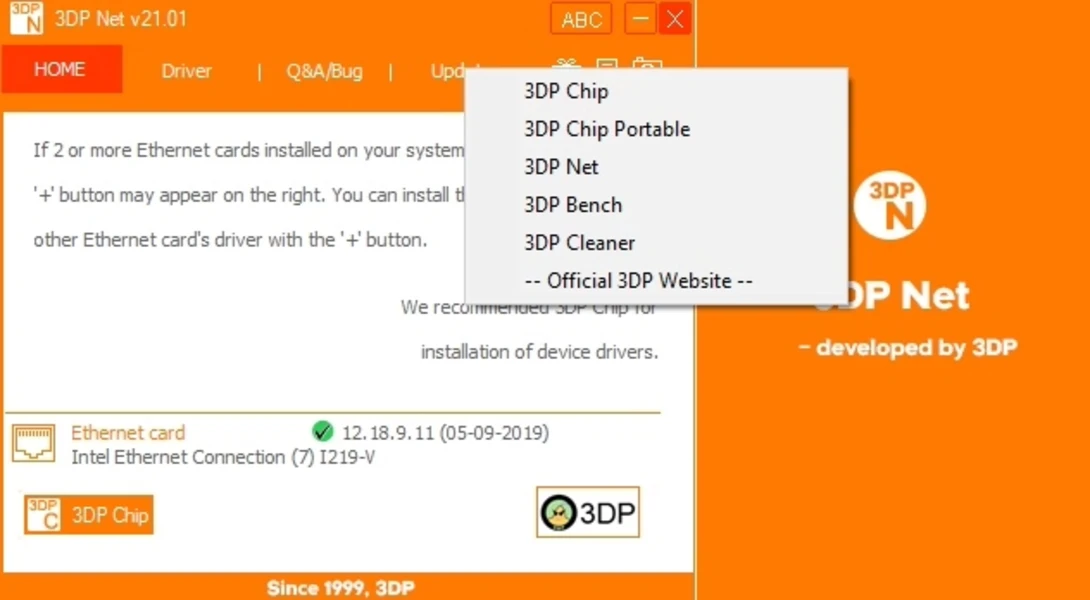
Users frequently pair this desktop tool with its offline companion utility, 3DP Net, to get an initial internet connection working before using the main application to handle the motherboard, graphics, and audio hardware. By isolating the hardware identification phase from the actual driver installation phase, the desktop application avoids consuming heavy background system resources. It leaves final installation decisions entirely up to the user, serving a specific niche for technicians dealing with custom builds or machines where official manufacturer support has vanished. While modern operating systems handle generic devices well, they frequently fail to supply the specialized software required for dedicated graphics cards or complex chipsets, making this direct file acquisition approach a practical necessity.
Key Features
- Hardware Detection Engine: The application scans the local system upon launch to accurately identify the motherboard, CPU, video card, multimedia interfaces, and network adapters. It cross-references these physical components against its internal database to extract the exact hardware IDs, manufacturer details, and model numbers without requiring an active internet connection for the initial diagnostic scan. It isolates exact vendor IDs and subsystem numbers to guarantee accuracy.
- Direct Browser Links: Clicking on any detected hardware component in the main interface list instantly opens a new tab in the default web browser. This web page points straight to the verified driver download repository, removing the tedious need to navigate confusing vendor support sites or search for obscure legacy part numbers on search engines.
- Multi-Device Switching: If a computer contains multiple components in the exact same category—such as an integrated CPU graphics processor and a dedicated video card—a plus (+) button appears next to the category name. Clicking this button toggles between the different detected devices to ensure the user can locate and download the proper files for both components. This prevents the common issue of generic display adapters overriding manufacturer specifics.
- Driver Backup and Restore: Located under the dedicated Driver tab, this utility allows users to back up their currently functioning drivers before performing a system wipe or applying a major update. If a newly installed driver causes display flickering, system freezes, or audio drops, the restore function rolls the system back to the previous stable state without requiring a full system restore point.
- System Specification Export: The Q&A/Bug tab includes a dedicated clipboard feature that copies the computer's exact hardware readout into plain text. Technicians and everyday users utilize this formatted output to quickly paste system specifications into technical support forums, diagnostic tickets, or emails when requesting help with hardware issues. It eliminates the need for users to manually type out long strings of device identification codes.
- Visual Update Indicators: The main dashboard interface displays specific visual icons, such as checkmarks, question marks, or exclamation points, next to the currently installed driver dates. These symbols indicate whether the local file version matches the latest available driver indexed in the developer's remote database, helping users prioritize which components need immediate attention.
How to Install 3DP Chip on Windows
- Download the Windows installer package from the official developer source or a trusted software directory, ensuring you save the executable file to a known location like your desktop or downloads folder.
- Launch the executable file to start the setup wizard. You must have administrator privileges on your local account to proceed past the user account control prompt.
- Select your preferred interface language from the initial dropdown menu; the software supports numerous localizations, which it will apply to the main interface once installed.
- Review the installation options carefully on the subsequent screens, as the standard setup wizard historically includes bundled third-party software offers or promotional browser utilities.
- Select the Custom Installation radio button rather than the express option, and explicitly uncheck any boxes for extra utilities or browser modifications you do not wish to install on your machine.
- Confirm the default destination folder path located on your primary system drive, or click browse to choose a custom directory, then click the install button to extract the core application files.
- Finish the setup process by closing the wizard and launching the application from the new desktop shortcut. It will immediately scan your internal hardware and populate the main dashboard with your component details on the first run.
3DP Chip Free vs. Paid
The application operates entirely as freeware, offering full functionality to all users without any paid tiers, subscription models, or premium feature locks. Every tool built into the interface—including the hardware detection engine, the backup and restore utilities, and the direct driver link generation—is available immediately after the installation finishes. There are no daily download limits, artificial bandwidth caps, or mandatory account registrations, primarily because the software routes users to external web pages rather than hosting massive driver files through its own proprietary desktop client. You will not encounter artificial paywalls when attempting to download older legacy drivers.
Because the software does not charge a monetary license fee, the development team monetizes the project through optional user donations and bundled third-party software offers presented during the installation phase. Users can decline these bundled programs entirely without losing access to any functionality in the core application. The official web pages where the driver links point also run standard display advertisements to help the developers maintain their server infrastructure and keep the hardware index current.
This freeware model makes it a staple tool for independent repair technicians and home users who need a quick diagnostic utility without committing to an expensive annual license. If you encounter websites attempting to sell premium licenses or professional editions of this specific utility, those sources are unofficial and should be avoided, as the developer does not offer a paid enterprise tier.
3DP Chip vs. Snappy Driver Installer vs. Driver Booster
Snappy Driver Installer appeals heavily to offline IT technicians who need to update isolated computers that completely lack internet access. It utilizes massive, downloadable driver packs that often exceed thirty gigabytes in total size, which users typically index and store on a high-capacity portable USB flash drive. While Snappy Driver Installer operates entirely offline, remains open-source, and contains zero bundled adware, its vast file size and highly technical, dense interface can quickly overwhelm average users who are just looking to update a single faulty audio interface or graphics card. The torrent-based download system for updating those local driver packs also requires technical knowledge that everyday users lack.
Driver Booster caters directly to users who want a fully automated, hands-off update experience without dealing with manual web downloads. It scans the system, downloads the required files inside its own application window, and installs them silently in the background, minimizing user interaction. However, the free tier of Driver Booster deliberately throttles download speeds and locks certain hardware categories behind a paid upgrade wall, whereas 3DP Chip keeps the entire process free and transparent by routing the file acquisitions through a standard web browser. Furthermore, Driver Booster installs ongoing background services that run on startup, whereas 3DP Chip closes completely when the job is done.
3DP Chip remains the better fit for users who want to identify their exact hardware specifications instantly but strictly prefer to download and execute the driver setup files themselves. Its tiny storage footprint makes it ideal for running on older machines, cramped storage drives, or fresh system builds where large background tasks are undesirable. The manual download approach inherently prevents the unexpected system conflicts that background updater tools sometimes cause when they force incorrect generic drivers onto specialized hardware. By putting the user in control of the final execution, it strikes a balance between automated scanning and manual installation safety.
Common Issues and Fixes
- No internet connection to download drivers. If the computer lacks functional Ethernet or Wi-Fi drivers after a clean installation, you cannot reach the provided download pages. Fix this by transferring and running the developer's companion utility, 3DP Net, via a portable USB drive to install basic network adapters offline first.
- Unwanted programs appear after installation. The standard setup wizard includes optional third-party software offers that install automatically if ignored. Fix this by completely uninstalling the extra applications via the Windows Control Panel, and in the future, always select the Custom Installation option to uncheck promotional boxes.
- Clicking a component does nothing. The application relies entirely on external web pages to deliver the driver files rather than an internal downloader. Fix this by ensuring your default web browser is set correctly in the Windows default app settings, and verify that strict security software or ad-blockers are not preventing the application from opening new tabs.
- Application fails to launch with an executable error. Corrupted downloads, incomplete extractions, or overactive antivirus quarantines can block or delete the main executable file. Fix this by adding a folder exclusion for the application directory in your antivirus settings and downloading a fresh, uncorrupted copy of the installer from the official website.
- Incorrect version symbols displayed. The interface might show an exclamation mark suggesting an update is needed even when you just installed a new file. Fix this by restarting the application to force a fresh hardware scan, or verify that the installer you ran actually completed successfully rather than failing silently in the background.
Version 25.12.1 — December 2025
- Fixed a specific detection bug affecting the latest Intel motherboard chipset drivers.
- Updated the internal driver database to ensure compatibility with newly released hardware components.
- Improved general software stability and optimized the driver scanning algorithm.