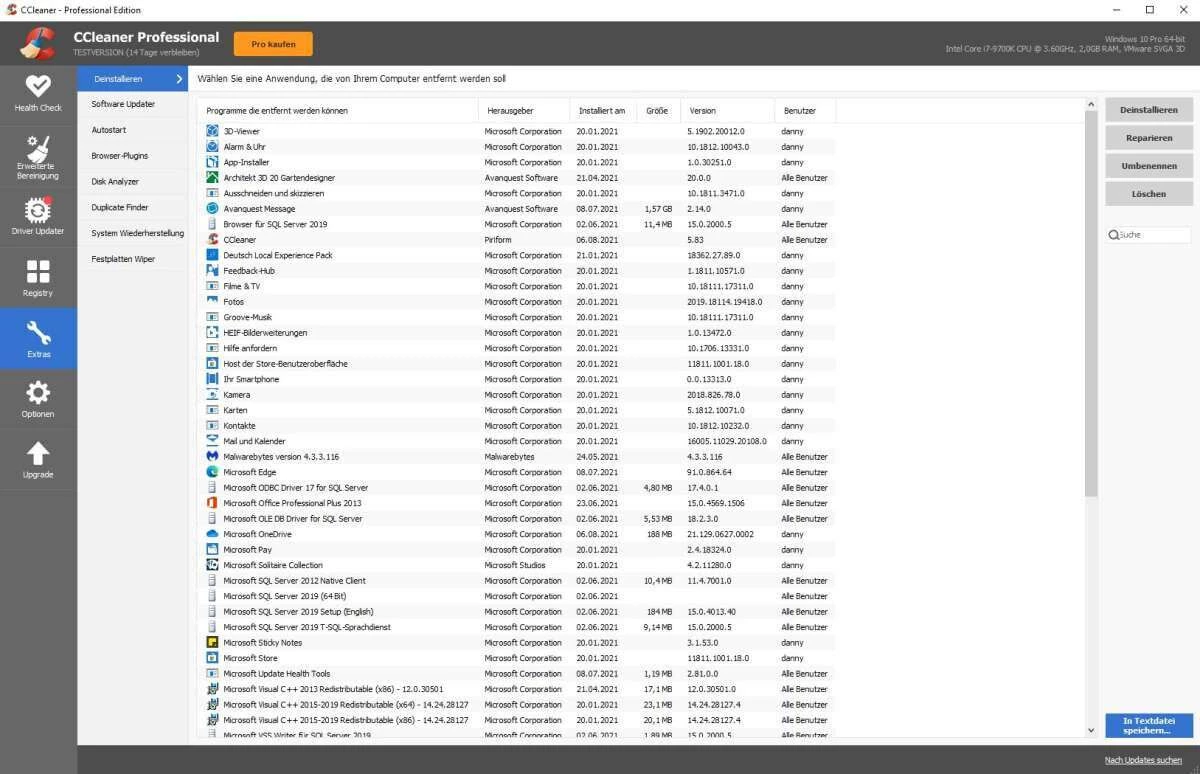
CCleaner Professional transitions desktop maintenance from a reactive, manual chore into an automated, background-managed routine. While traditional disk cleanup utilities focus strictly on deleting temporary files to free up storage space, this utility actively monitors system resources, suspends inactive background processes, and updates core hardware drivers. It targets the specific bottlenecks that cause local machines to degrade in responsiveness over time, such as outdated display drivers, bloated startup queues, and heavily fragmented browser caches. By unifying these administrative tasks into a single dashboard, the software eliminates the need to navigate through disjointed native control panels or manually search hardware manufacturer websites for updated component software.
The application serves a broad spectrum of desktop operators, from casual home users experiencing unexplained system lag to IT technicians preparing aging workstations for extended deployment. A primary concrete job it solves is the accumulation of hidden digital debris—such as orphaned installation files, obsolete memory dumps, and third-party application caches—that native storage managers frequently overlook. Instead of generic optimization, it provides surgical control over what remains on the disk and what runs in the active memory state. When a machine struggles to reach the desktop after a reboot, the utility intervenes by identifying the specific third-party services dragging down the startup sequence and offering direct toggles to disable them.
Relying on a dedicated, locally installed desktop client matters significantly when comparing this workflow to lightweight portable scanners. A fully installed maintenance suite can integrate directly with the operating system's scheduled tasks, enabling it to run driver scans at specific intervals or trigger automatic cleaning thresholds without user prompting. Because it requires deep access to the Windows registry, hardware device trees, and protected system folders, the localized installation ensures the application has the necessary administrative privileges to modify startup behaviors and suspend resource-heavy background applications safely.
Key Features
- Performance Optimizer: Instead of permanently disabling background applications, this tool actively monitors currently running third-party software and places idle programs into a suspended sleep state. By temporarily freezing processes that are not in active use, it reclaims CPU cycles and active RAM, then automatically wakes the applications the moment the user clicks their respective shortcuts.
- Driver Updater: This module scans the local hardware configuration—including graphics cards, network adapters, audio interfaces, and peripheral controllers—against an external database to identify missing or outdated component software. It then fetches and installs the correct manufacturer-approved packages directly within the application interface, preventing the hardware conflicts associated with manual updates.
- Smart Cleaning: This background monitoring system completely automates the disk maintenance workflow by tracking the accumulation of temporary files in real-time. Users can configure the tool to automatically purge system debris whenever the junk volume exceeds a specific threshold, typically defaulting to half a gigabyte, or command it to wipe tracking cookies and history traces the exact moment a web browser is closed.
- Health Check Dashboard: Operating as the primary interface hub, this consolidated view breaks system maintenance down into four distinct categories: Privacy, Space, Speed, and Security. With a single click, the tool scans for tracking cookies to remove, temporary files to delete, startup programs to disable, and outdated third-party applications to update, presenting all recommended actions in a centralized checklist.
- Software Updater: Beyond updating internal components, the utility identifies outdated third-party applications installed on the local drive, such as media players, document readers, and compression tools. It downloads and applies the latest security updates and feature releases for these programs directly through its own menu, reducing the risk of zero-day exploits without requiring visits to multiple vendor download pages.
- Cloud Drive Cleaner: Expanding its reach beyond the local hard drive, this tool connects securely to cloud storage providers like Microsoft OneDrive and Google Drive. It scans remote directories to identify unnecessarily large archives, duplicate file uploads, and long-forgotten media, allowing users to reclaim cloud storage quota and manage remote files directly from the local desktop environment.
How to Install CCleaner Professional on Windows
- Download the official Windows installer package from the vendor's primary website or an authorized software distributor.
- Locate the downloaded executable file in your local downloads directory and double-click it to initiate the setup wizard, granting User Account Control permissions when prompted.
- On the initial welcome screen, locate and click the "Customize" link rather than the immediate install button, allowing you to review specific deployment options and uncheck any bundled promotional software offers.
- Select your preferred shortcut configurations, such as creating a desktop icon, adding the application to the Start menu, and deciding whether to integrate application commands directly into the Recycle Bin's right-click context menu.
- Verify the destination folder path on the local drive, which typically defaults to the standard Program Files directory, and click the "Install" button to begin unpacking the core files and background services.
- Wait for the progress bar to complete the extraction process, then uncheck the option to view the release notes if you prefer to skip the documentation opening in your default web browser.
- Click "Run CCleaner" to launch the desktop application for the first time, which will open the main dashboard and present the initial setup interface.
- Navigate to the license registration prompt within the application, enter your purchased registration code to unlock the Professional-tier modules, and allow the software to run its preliminary Health Check scan.
CCleaner Professional Free vs. Paid
The core differences between the free and paid tiers center entirely on automation, active background monitoring, and advanced hardware management. The free edition serves as a competent manual cleaning tool, allowing users to scan for temporary files, clear browser cookies, and fix registry entries on demand. However, it requires the user to open the application and click the scan buttons every time maintenance is needed. It lacks any background monitoring capabilities, meaning it will not alert the user when junk files accumulate or when a web browser closes, nor does it include the advanced driver and third-party software updating modules.
Upgrading to the Professional tier shifts the application from a manual scanner into an automated maintenance service. Priced generally around a standard annual subscription of $29.95 for a single machine, this tier unlocks the Performance Optimizer to actively suspend background apps, the Driver Updater to resolve hardware conflicts, and the Smart Cleaning module to perform automatic background sweeps. The paid edition also grants priority email support and allows the Software Updater to automatically download and install updates for third-party applications without requiring user intervention.
For users managing multiple machines or requiring broader utility coverage, the vendor offers higher-tier packages such as Professional Plus and Premium. These extended subscriptions, typically ranging from $39.95 to $89.95 annually, expand the license to cover up to three or five devices. More importantly, these bundles introduce standalone software components into the package, including the Recuva application for retrieving accidentally deleted files, the Speccy utility for detailed hardware inventory logging, and the Kamo privacy tool for masking digital fingerprints and preventing online tracking.
CCleaner Professional vs. BleachBit vs. Glary Utilities
BleachBit operates as an open-source, entirely cost-free alternative designed strictly for surgical file deletion and privacy protection. It excels at deeply shredding temporary files, wiping unallocated disk space, and clearing complex application caches without imposing any subscription fees or background monitoring services. However, it completely lacks the active system management tools found in CCleaner Professional; there is no Performance Optimizer to manage active RAM, no Driver Updater, and no automated Smart Cleaning thresholds. BleachBit is ideal for system administrators and advanced operators who want a lightweight, on-demand cleaning utility that leaves zero footprint, whereas it may feel too manual for users who prefer automated, scheduled maintenance.
Glary Utilities provides a massive suite of optimization modules that closely mirror the scope of CCleaner Professional, including registry repair, disk defragmentation, spyware removal, and memory management. While it offers a wider sheer volume of individual tools, its interface can feel cluttered and heavily reliant on legacy optimization methods that are less relevant on modern solid-state drives. Furthermore, its driver updating database occasionally lags behind modern hardware releases, requiring manual verification. Users might prefer Glary Utilities if they want granular control over obscure Windows settings like context menu management and file splitting, but it lacks the streamlined, intuitive Health Check dashboard that makes automated maintenance so accessible in competing software.
CCleaner Professional proves to be the superior fit for general users seeking an automated maintenance workflow combined with active resource management. Its unique Performance Optimizer offers a distinct advantage over static registry tweaks by dynamically suspending and waking background applications based on actual usage. While BleachBit requires manual intervention and Glary Utilities can overwhelm with disjointed modules, this tool successfully consolidates complex driver updates, software updating, and disk clearing into a singular routine that runs quietly without demanding constant attention.
Common Issues and Fixes
- Aggressive cookie deletion logging users out of essential websites. By default, the cleaning engine removes all tracking files and authentication cookies from all installed browsers. To prevent losing active sessions on frequently visited sites like webmail or banking portals, navigate to Options, select Cookies, locate your essential URLs in the left column, and move them to the "Cookies to Keep" column on the right.
- Registry cleaning causing older software to fail or crash. Removing orphaned registry keys can occasionally disrupt legacy applications that rely on obscure system paths. Always click "Yes" when the application prompts you to back up the registry before fixing selected issues, and save the resulting file to your desktop so you can quickly restore the exact configuration if a program stops working.
- High background CPU usage triggering system fans. The Smart Cleaning feature continuously monitors the file system to calculate junk accumulation, which can consume noticeable processing power on older hardware. If background monitoring causes slowdowns, go to Options, select Smart Cleaning, and uncheck the "Enable Smart Cleaning" box to revert to manual, on-demand scanning.
- Driver Updater installing an incompatible graphics package. Fetching a generic display driver can sometimes override a custom manufacturer-specific configuration, causing visual artifacts or screen flickering. Open the Driver Updater module within the application, locate the problematic hardware component in the list of updated devices, click the associated menu icon, and select "Revert" to immediately restore the previous working driver.
Version 7.03.1120 — December 2025
- Added Dropbox integration to the Cloud Drive Cleaner, allowing for the removal of redundant files directly from cloud storage.
- Added new capabilities to the Startup Manager, enabling users to view and control applications launched via Windows scheduled tasks and services.
- Improved the Driver Updater interface by separating "Skipped" and "Ignored" drivers into their own dedicated tab for easier management.
- Improved the clarity of the Driver Updater's "Up-to-date" list with better grouping and icon indicators.
- Improved Software Updater to display a distinct "Restart required" notification for updates that need a system reboot.
- Improved cleaning safeguards by implementing explicit warning prompts before enabling rules that clear the Downloads folder.
- Improved the Temporary Uninstall feature to allow users to customize how long an application remains in a suspended state before full removal.
- Fixed an issue where the Recycle Bin icon would not correctly display as empty following a Health Check clean.
- Fixed a display bug that caused white gaps to appear in the new tab layout when the window was maximized.